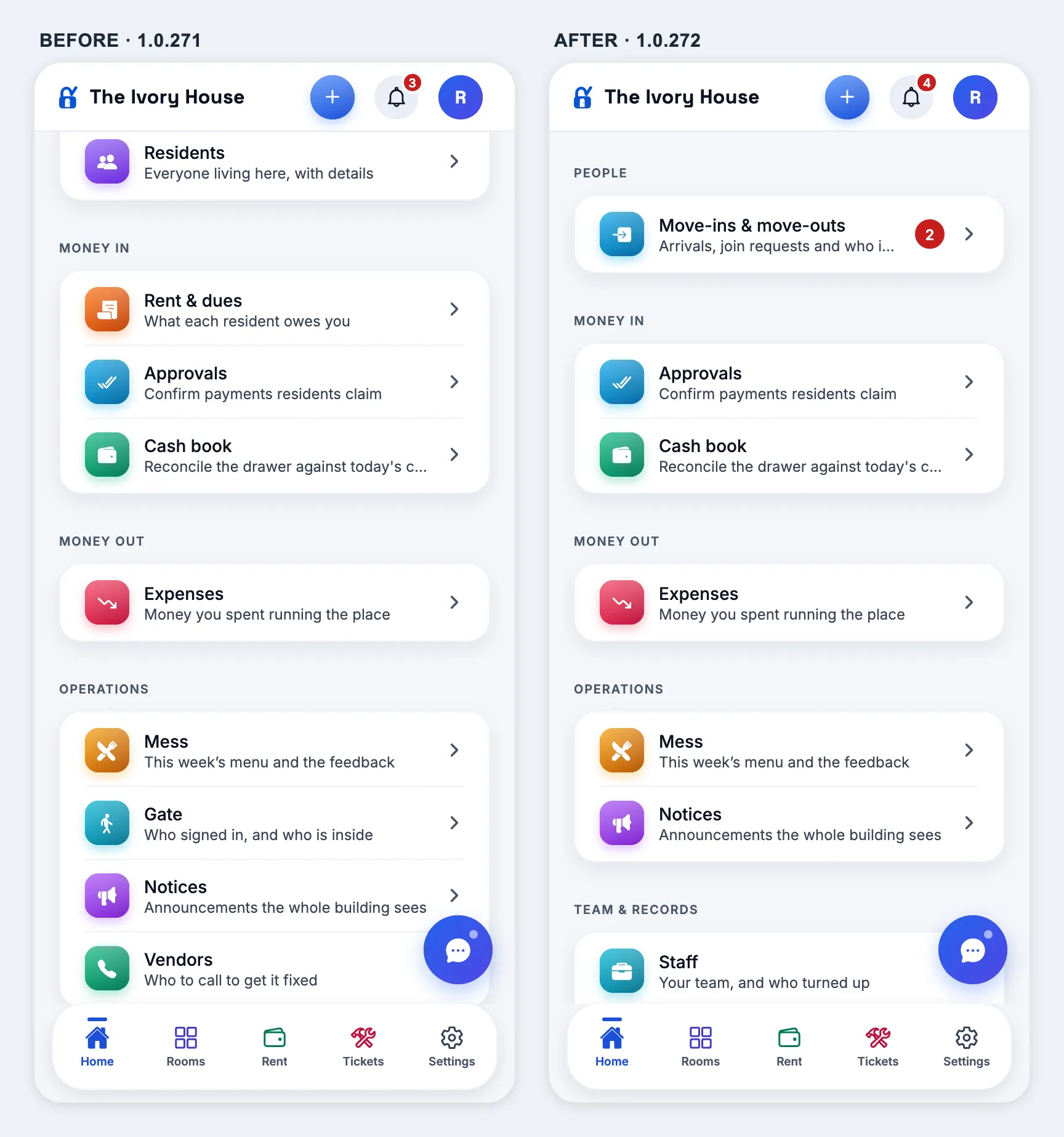
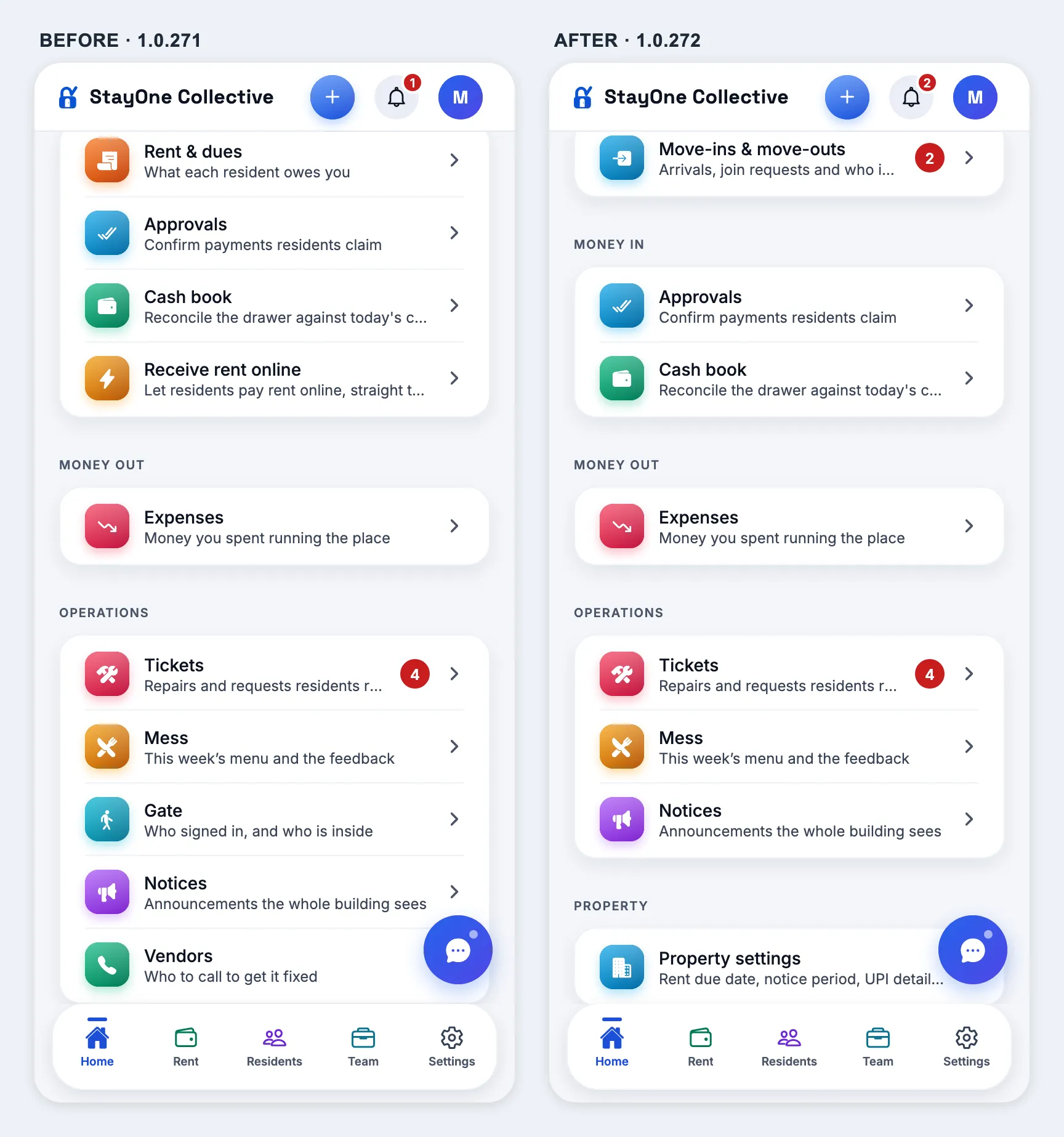
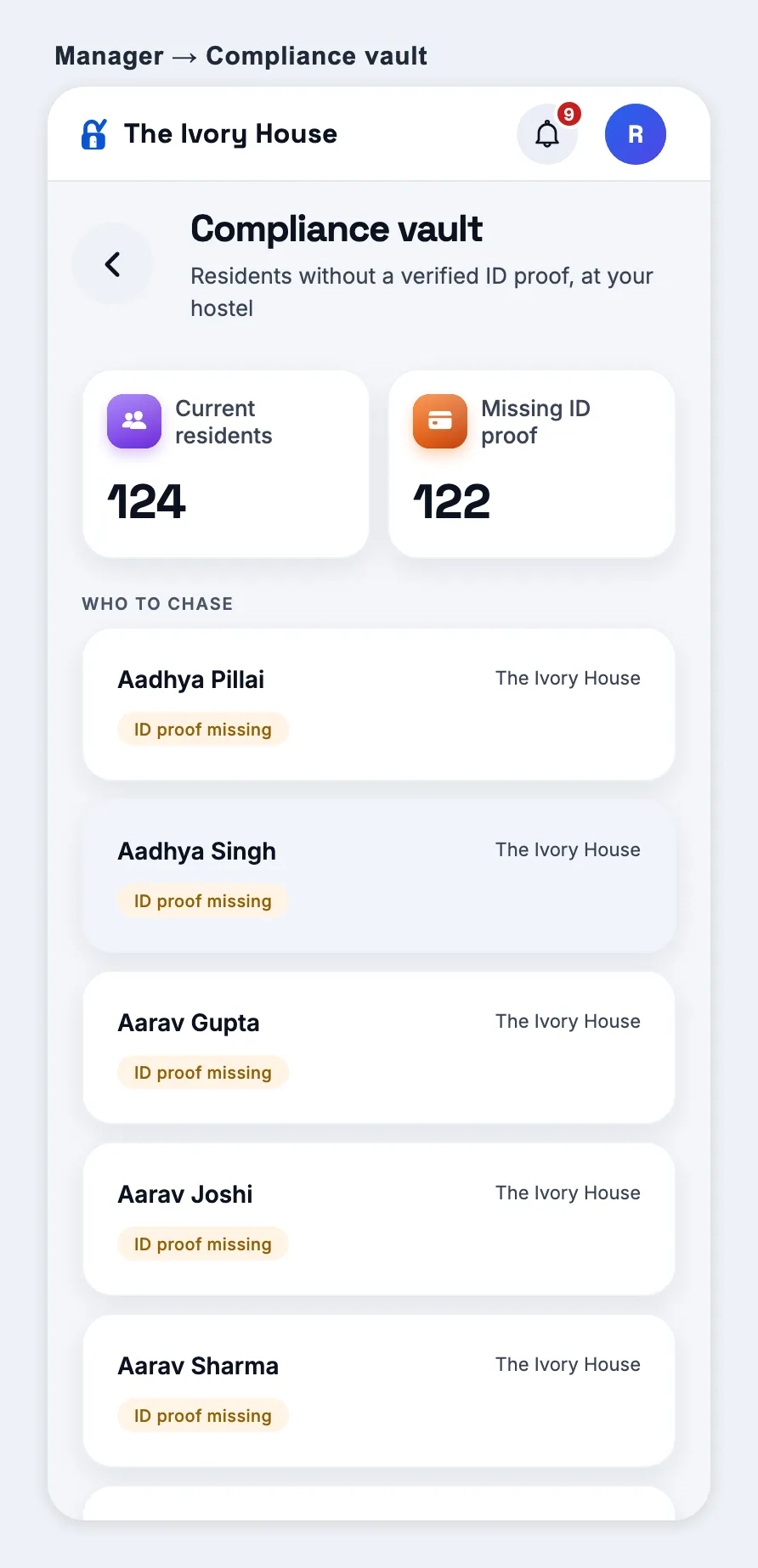
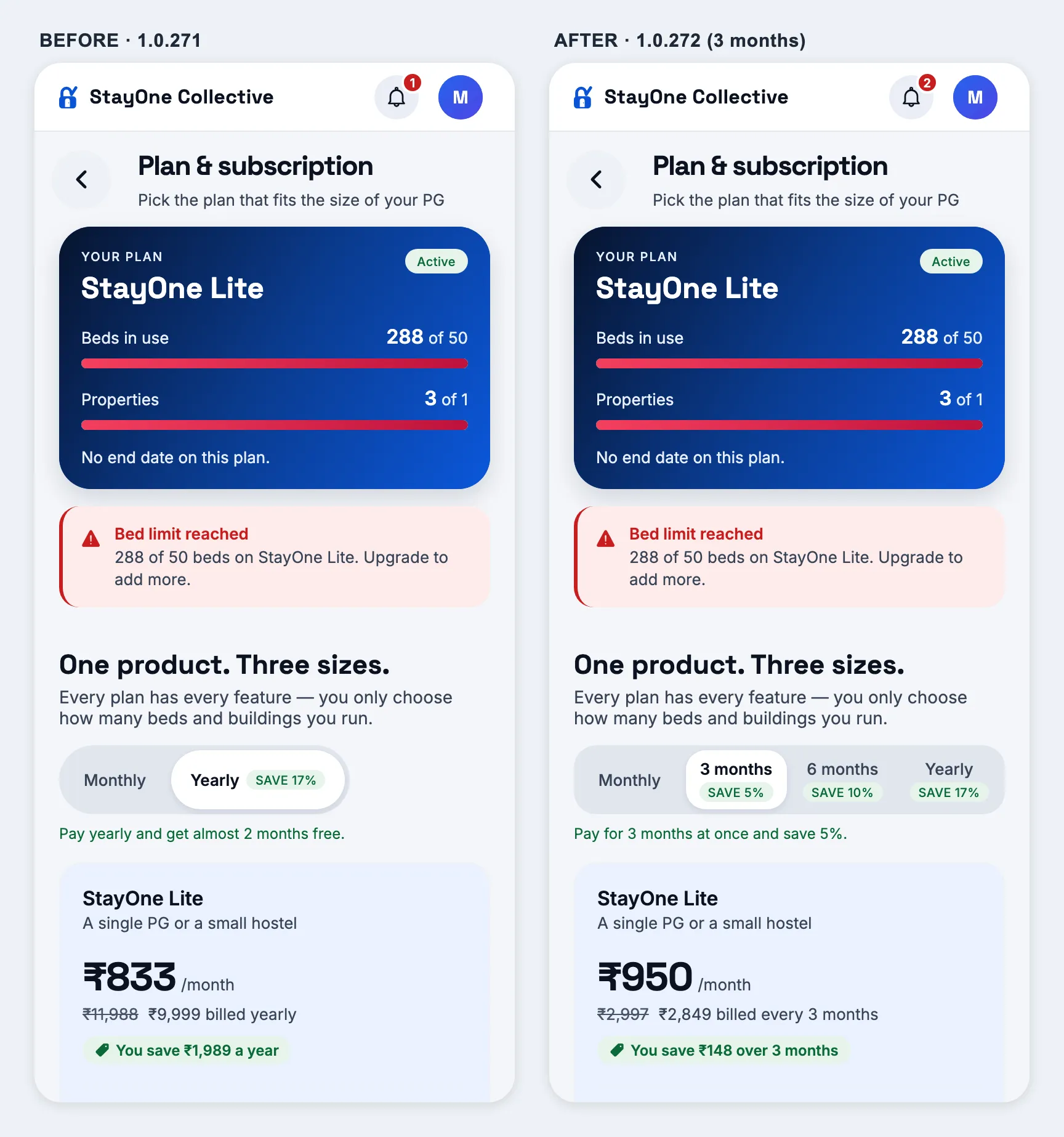
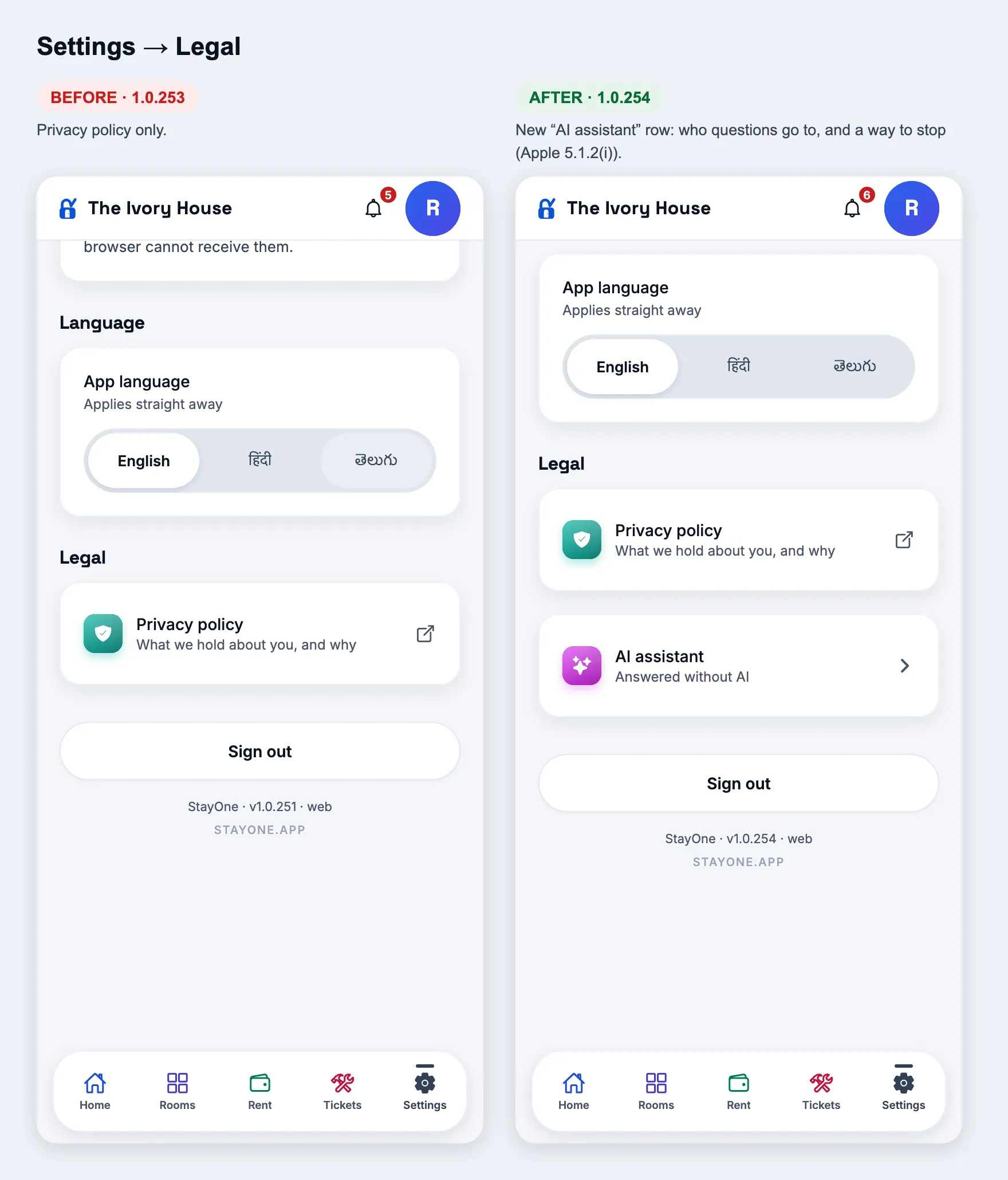
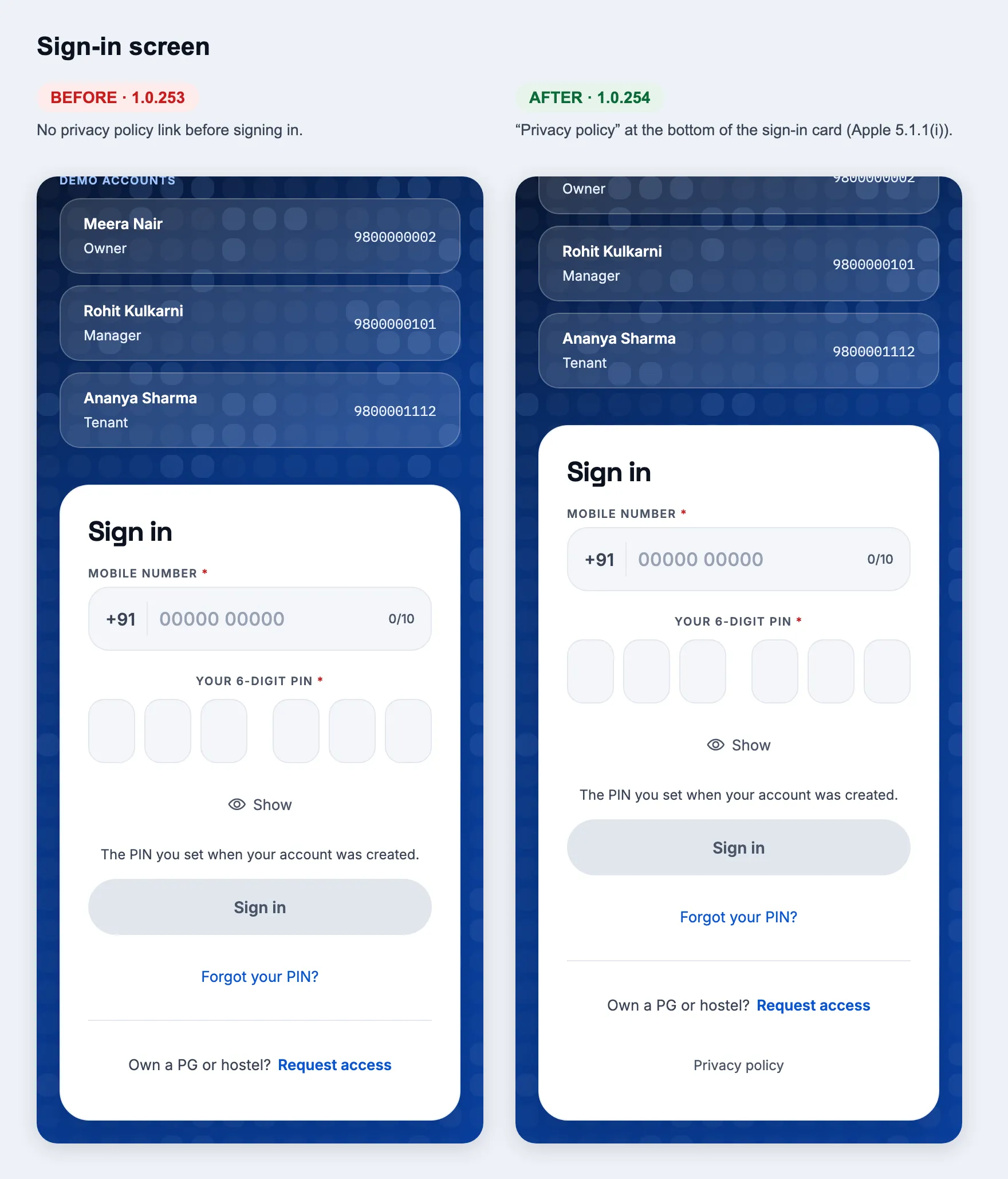
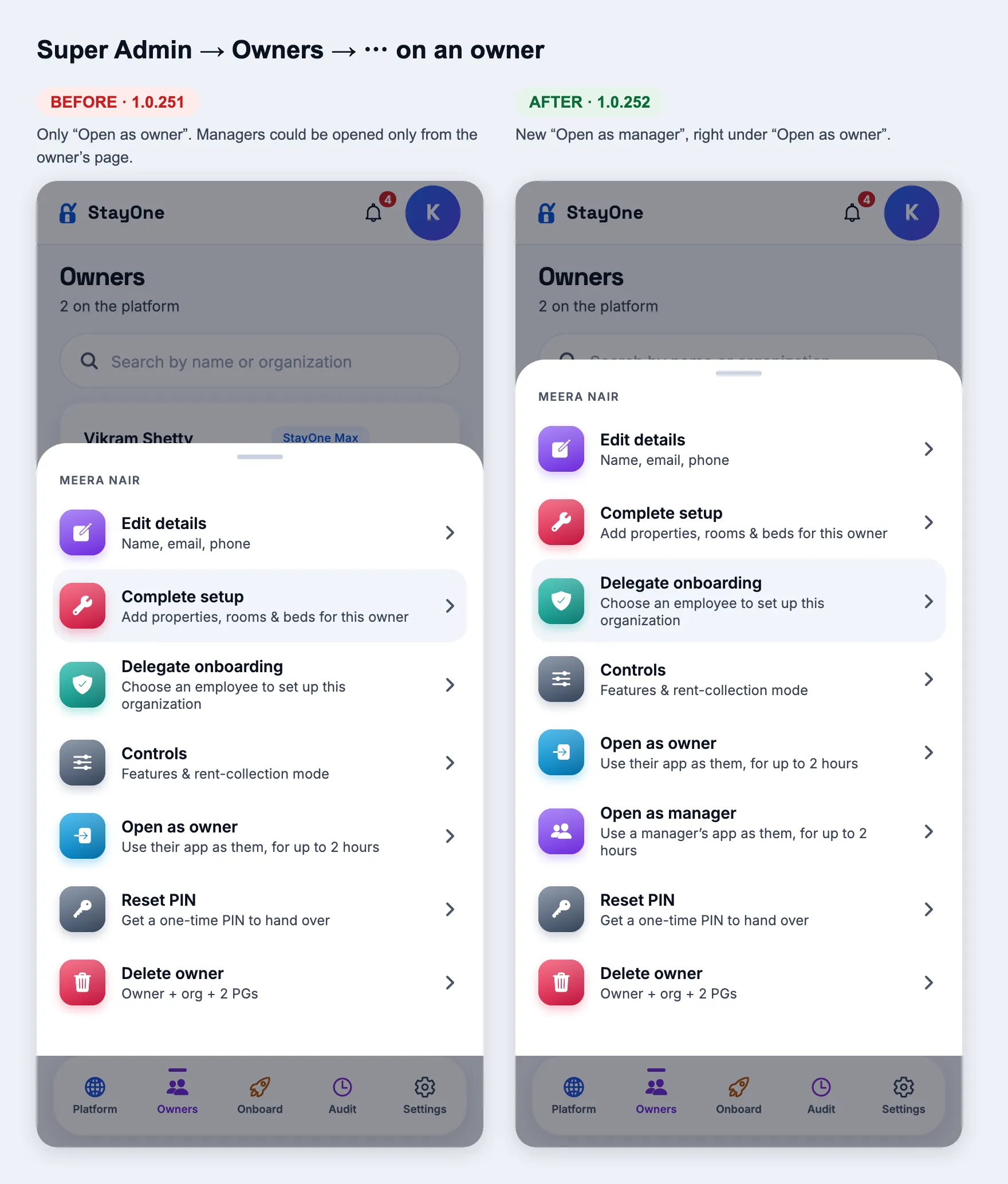
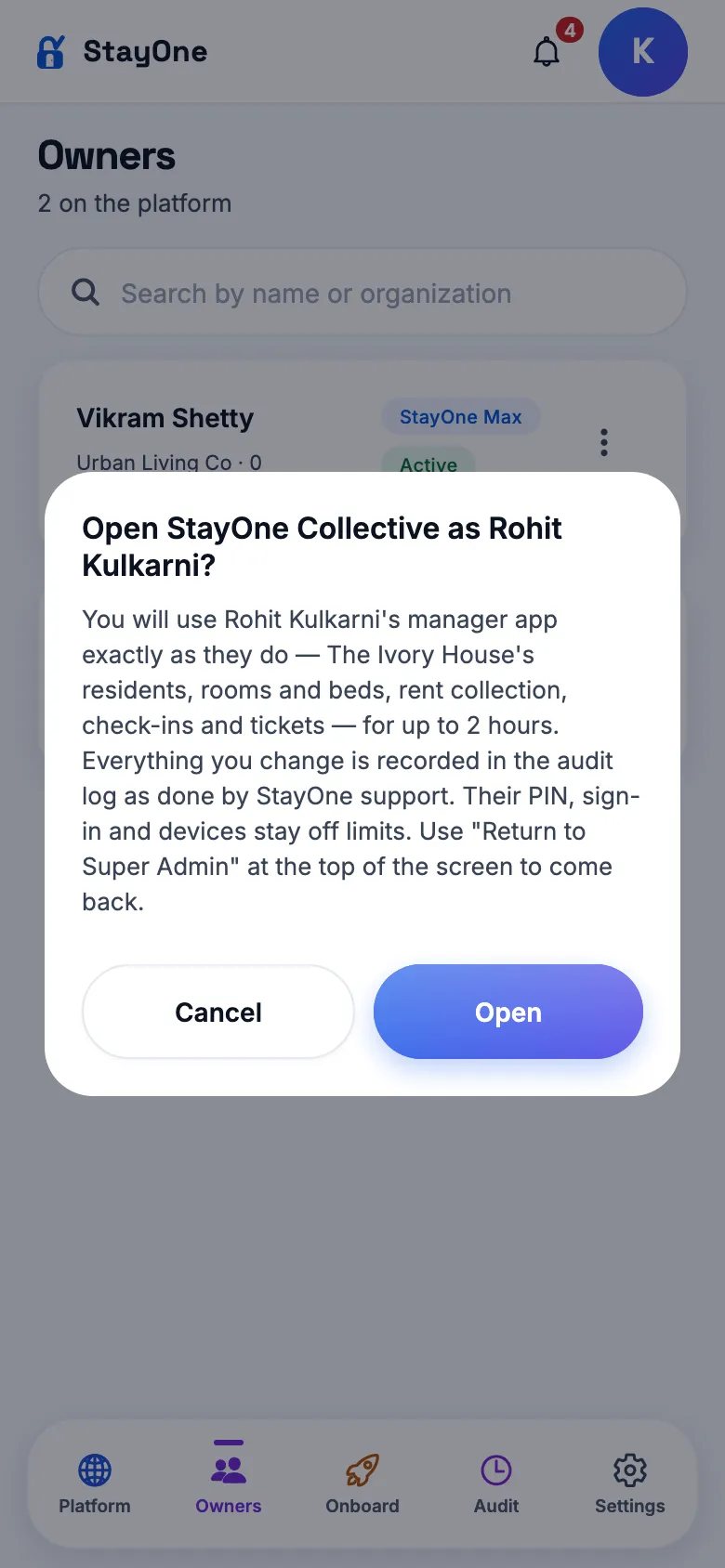
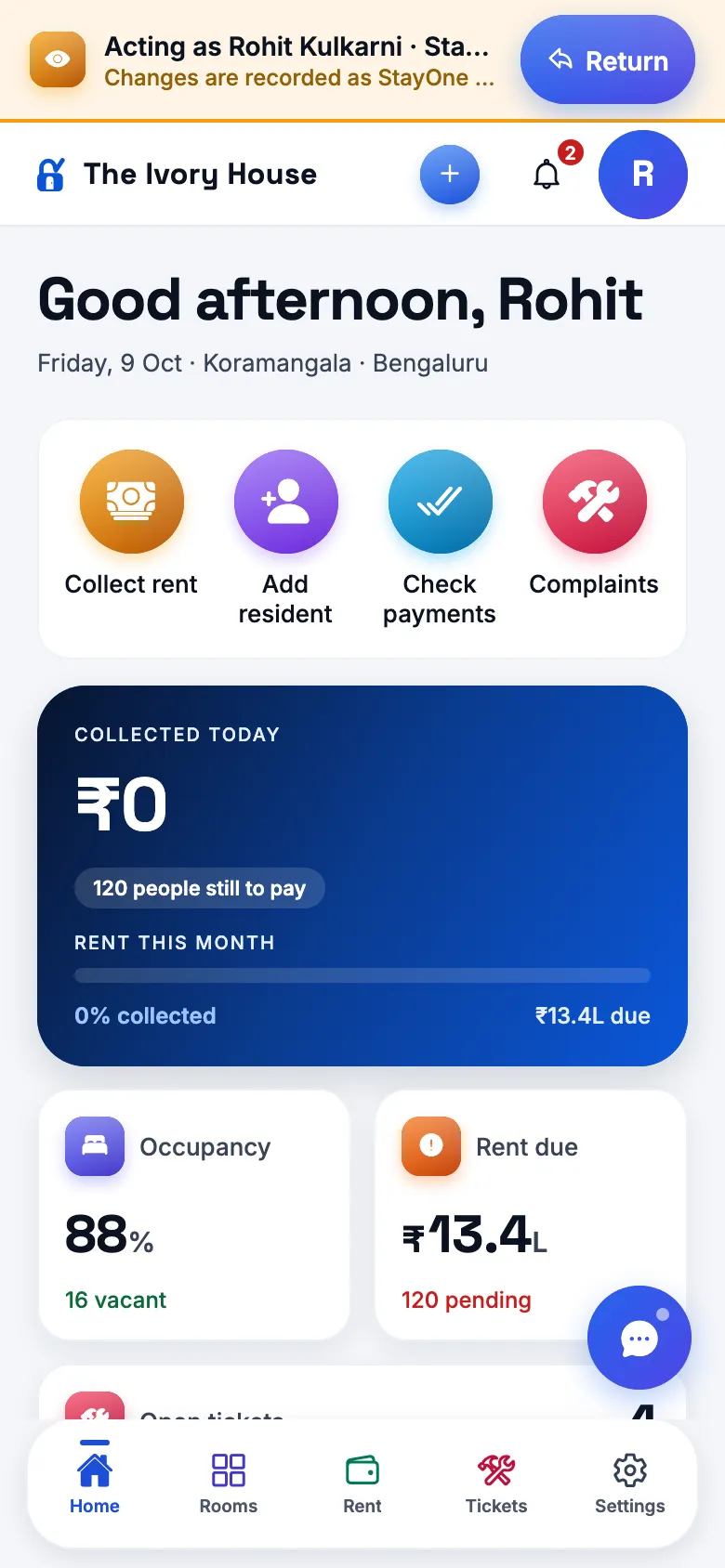
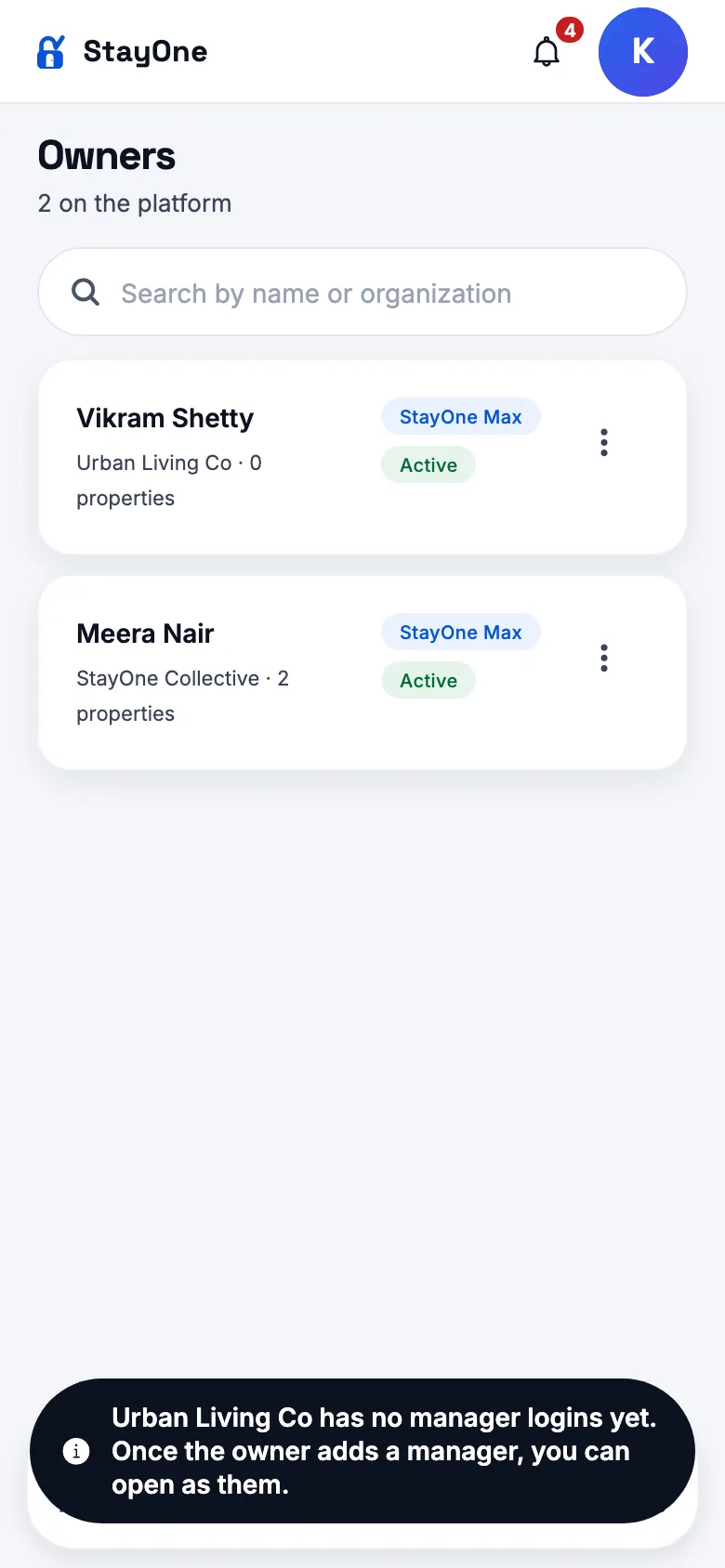
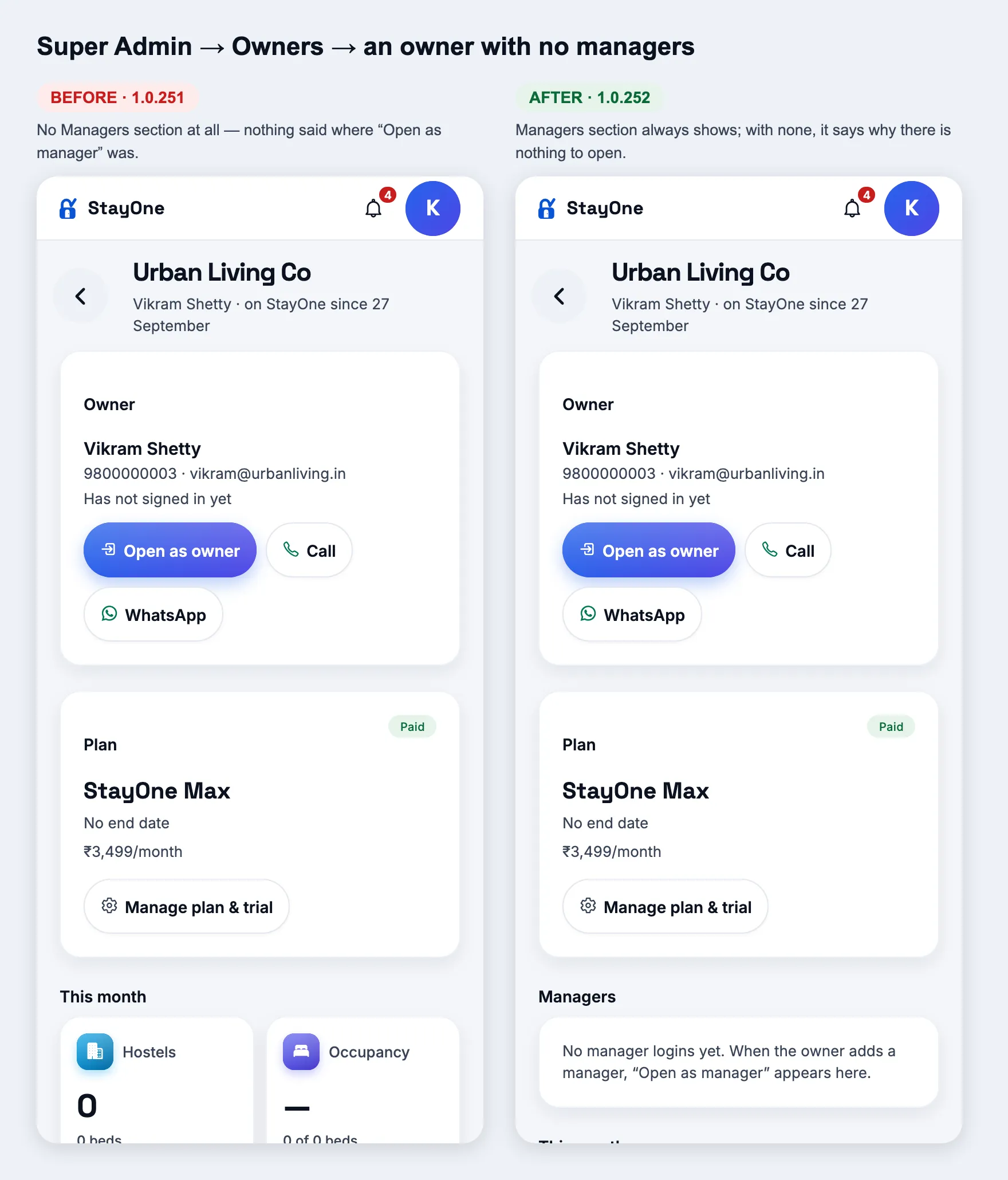
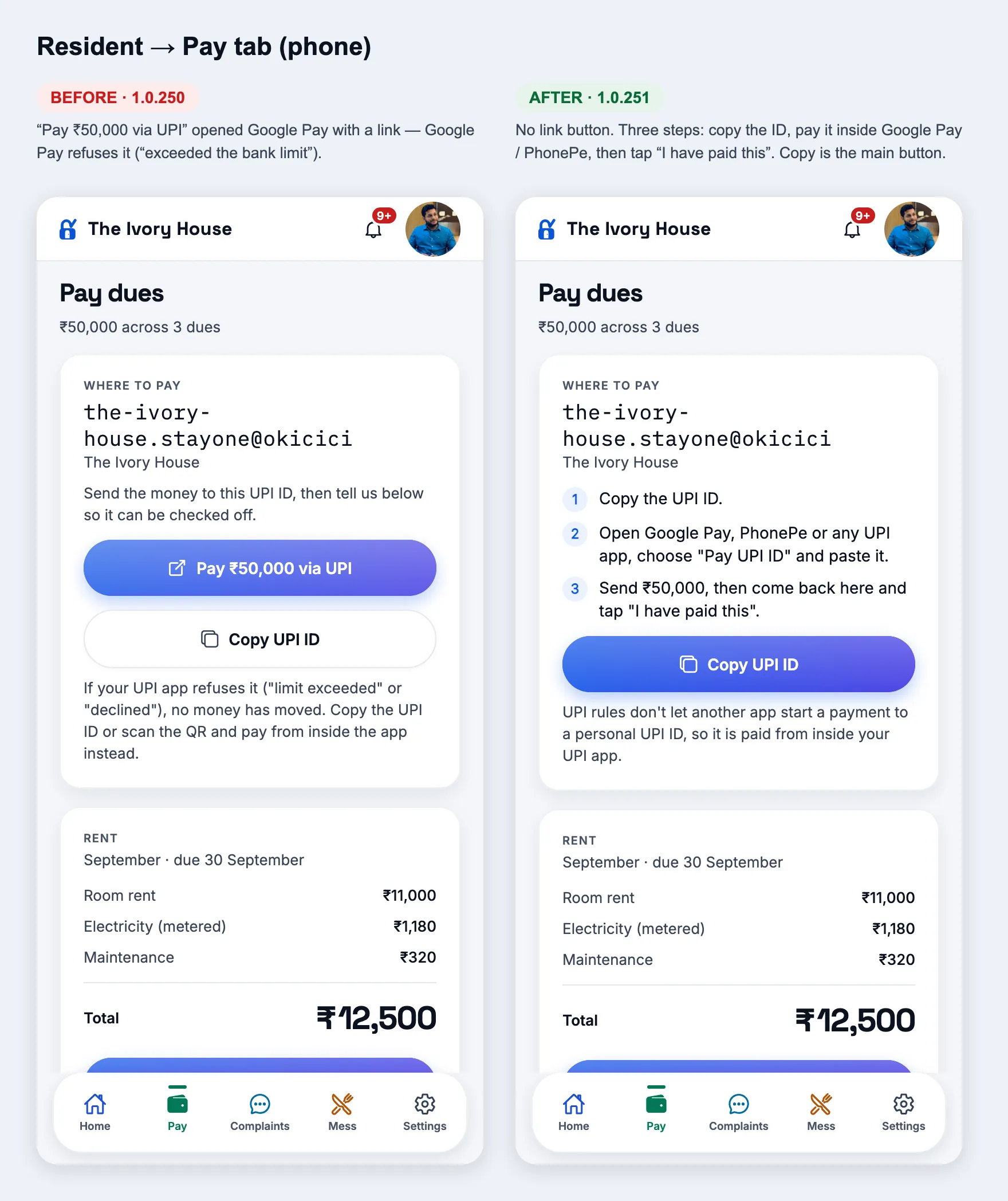
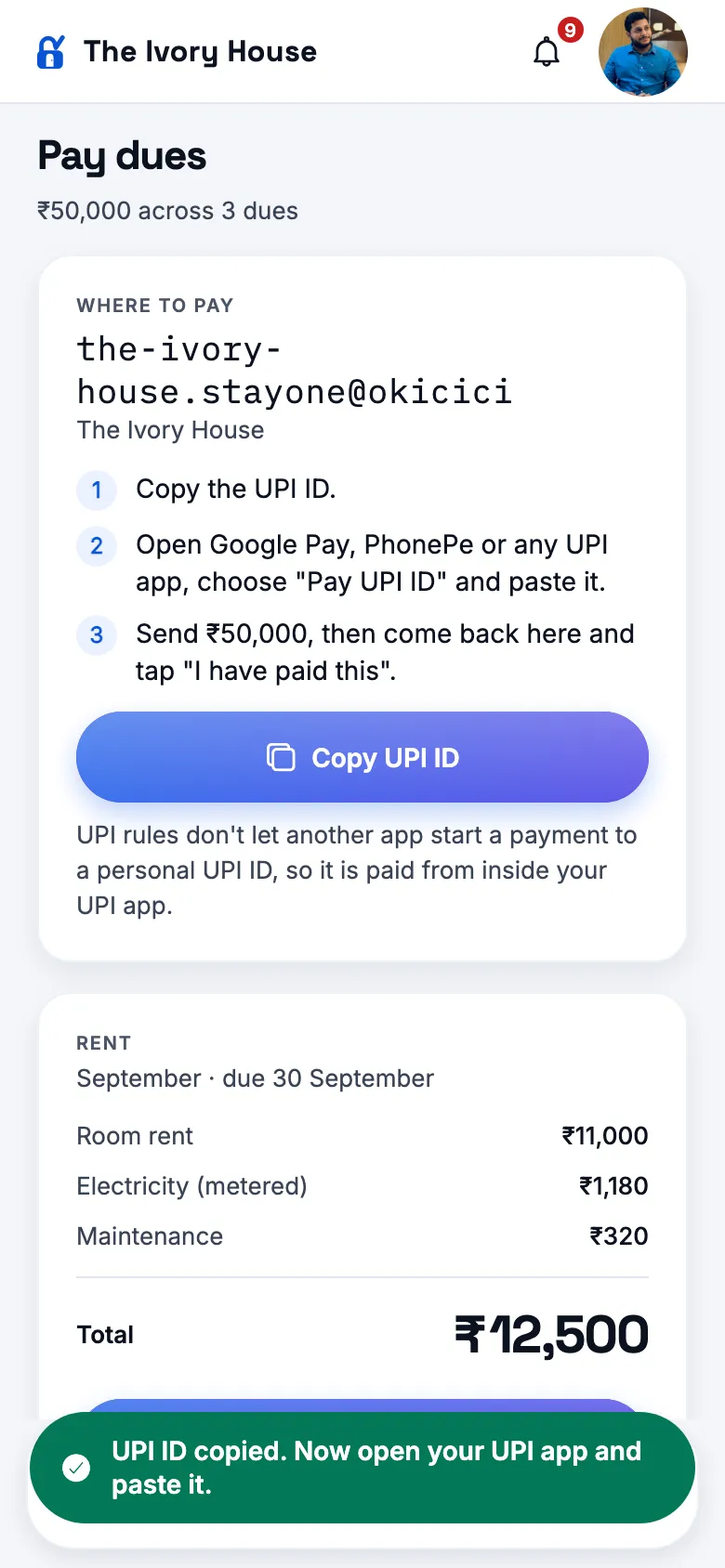
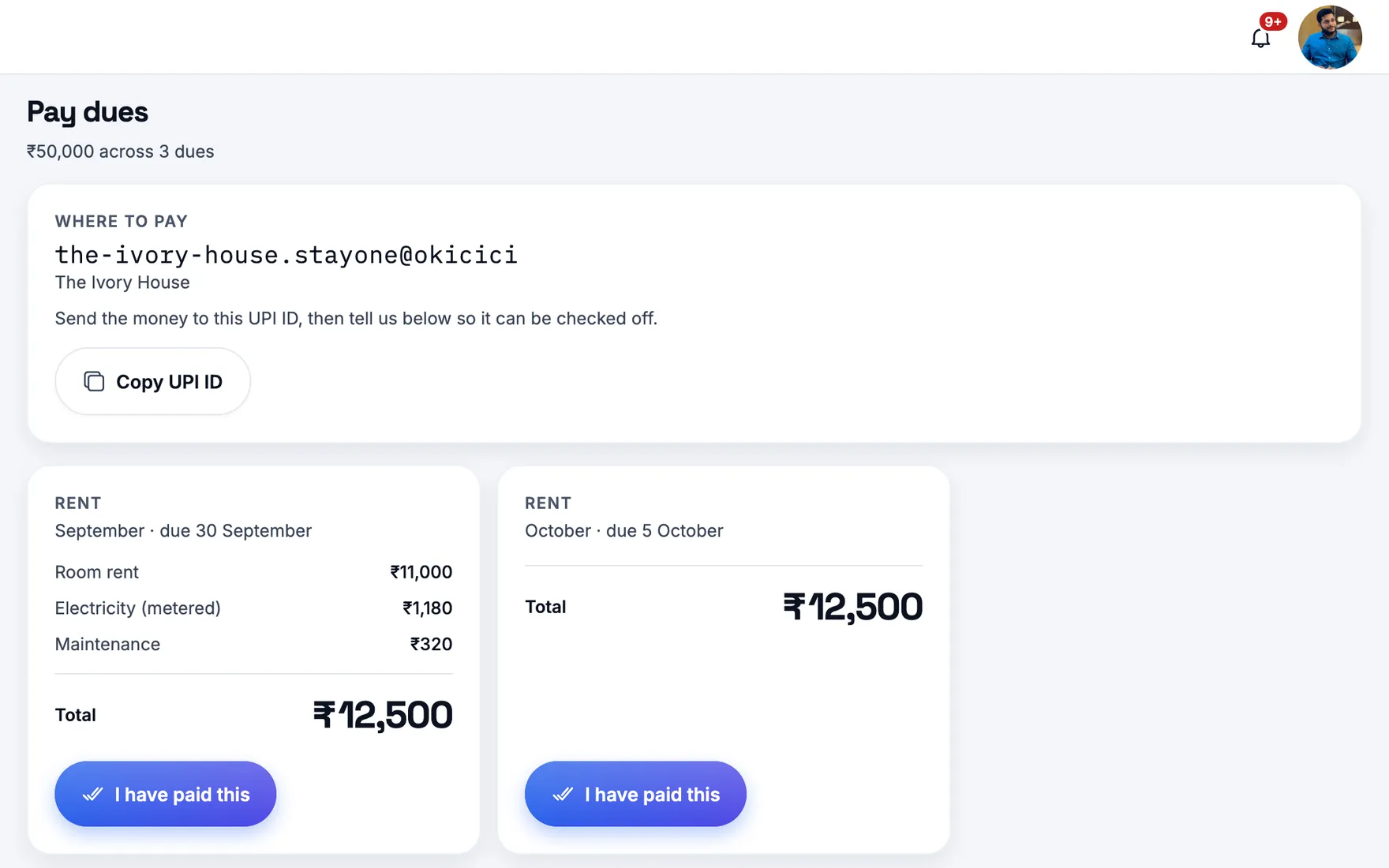
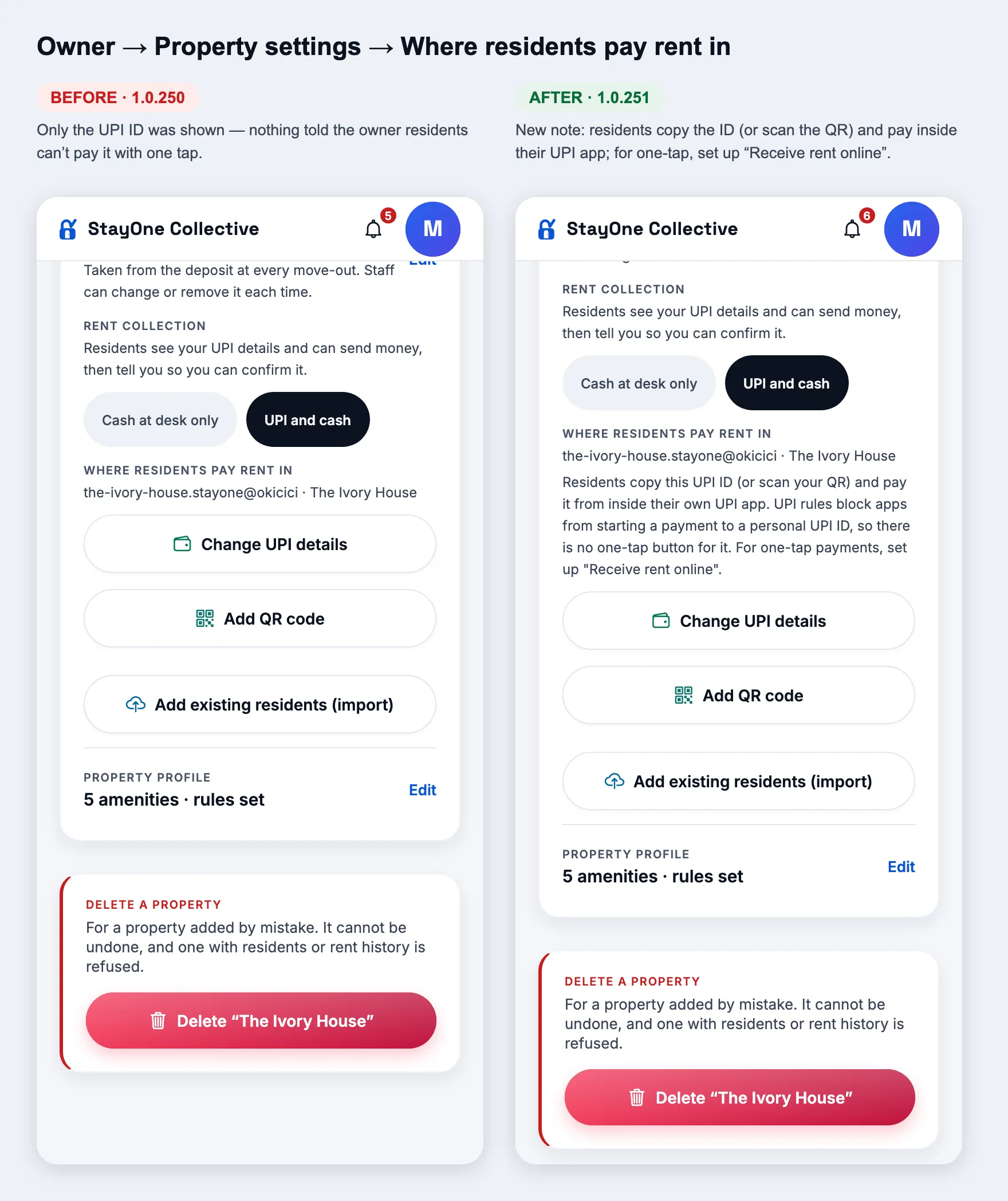
Every build, newest first. One line for what changed, one for how to reach it, one for what you should see.
Current1.0.296
versionCode296
Released29 Oct 2026
AndroidPlay bundle
Before you start
Web
The dev environment (link shared with testers directly) — one-tap demo cards are on the sign-in screen there, not on www.stayone.app. No super-admin card.
Android
Use the version installed from the Play testing track and compare it with the entry below. A source release does not by itself mean a new Play bundle has been uploaded.
Referrals
Off until an owner turns it on. Do the owner check first or the resident screens show nothing.
Data
The dev environment has its own database, separate from paying PGs — the demo org no longer lives in production.
1.0.296
CurrentversionCode 296 · 29 Oct 2026
Mobile home layout
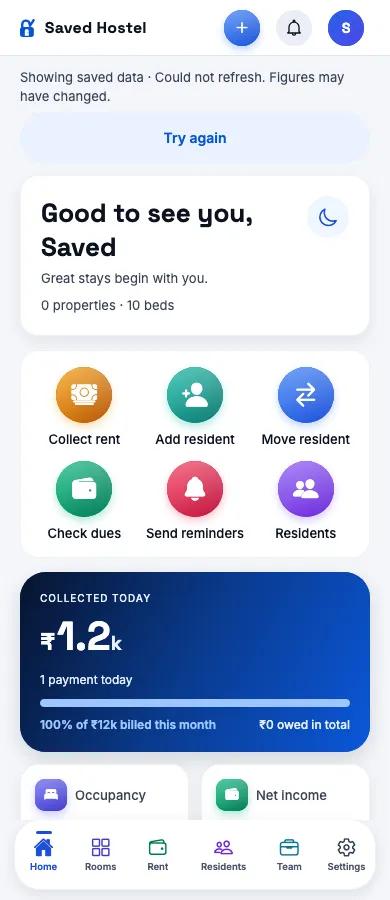
Home
Shortcuts fill the card with three actions per row
How
Open the owner or manager Home screen on a phone.
Expect
All six shortcuts use the full card width in two rows of three at the default text size. Larger text adapts to fewer columns without leaving an unused column. Bottom navigation labels, including Residents, stay on one line.
1.0.295
versionCode 295 · 28 Oct 2026
Website & WhatsApp reminders
Website
A clearer introduction to StayOne
How
Open the StayOne website.
Expect
Consistent blue-and-white styling, product illustrations, owner, manager and resident benefits, a video walkthrough and Book demo buttons across desktop and mobile.
Reminders
Find residents and send individual WhatsApp reminders
How
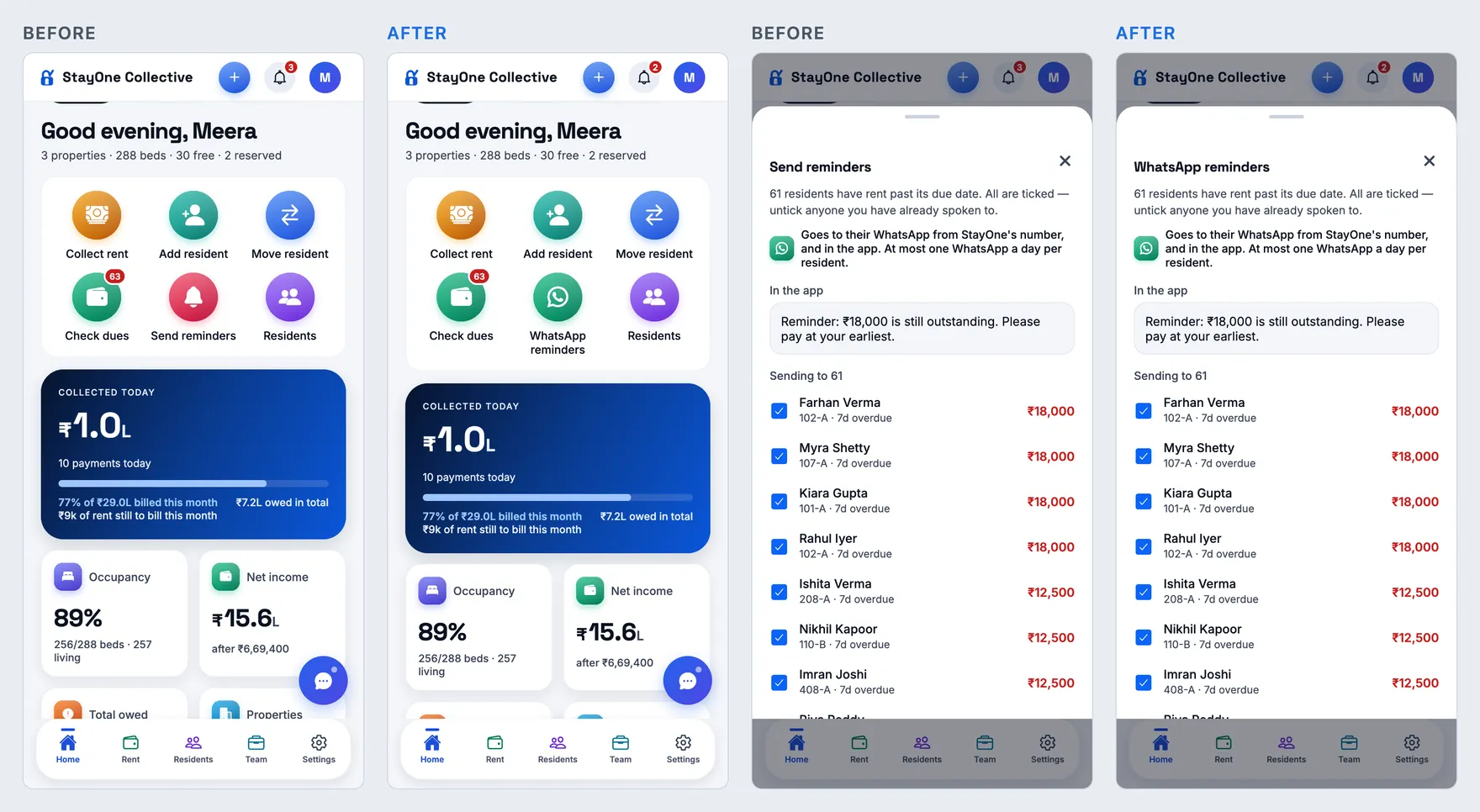
As an owner or manager, open WhatsApp reminders.
Expect
A redesigned popup with search by name, phone, room, bed or property, clearer outstanding balances and individual late-fee previews. Search preserves entered fees and sending results.
1.0.294
versionCode 294 · 28 Oct 2026
Clearer contact actions
WhatsApp
Consistent WhatsApp icons
How
Open invitations, resident onboarding, PIN sharing or reminder shortcuts.
Expect
WhatsApp actions show the WhatsApp logo. Owner and manager reminder shortcuts use consistent green icons.
Calls
More visible resident call action
How
Open Dues and locate a resident’s phone number.
Expect
A larger handset icon clearly identifies the call action while retaining its accessible touch target.
1.0.293
versionCode 293 · 27 Oct 2026
Accurate month views and clearer rent receipts
Owner
Past months no longer show today’s occupancy
How
Select a previous month on Owner Home, then return to This month.
Expect
Historical views show “Historical occupancy unavailable” where no reliable snapshot exists. Current bed counts, occupancy bars and property inventory are not presented as historical figures. The current month restores live occupancy.
Receipts
Hostel-first rental receipt design
How
Download a rent receipt in the app or open its WhatsApp receipt link.
Expect
The hostel name leads, receipt details use a light blue panel, and the amount received has a green highlight. Payment date, rent period and outstanding balance remain clear, with a small Powered by StayOne logo footer.
1.0.292
versionCode 292 · 27 Oct 2026
Clearer dashboards and tenant access
People
Respect each hostel’s tenant app setting
How
Open an organisation’s People tab in Super Admin.
Expect
Tenants in disabled hostels show “Tenant app disabled” instead of Open as tenant. The server also blocks preview access for disabled hostels.
Manager
Cleaner collection summary
How
Open Manager Home.
Expect
Today’s collected amount is separate from current-cycle Billed, Collected and Pending figures, with concise labels and less repeated text.
Super Admin
Subscription details always visible
How
Open Home and scroll to performance trends.
Expect
Subscription and account details are displayed by default without a show/hide button.
1.0.291
versionCode 291 · 27 Oct 2026
More useful space on mobile
Layout
Tighter shared screen spacing
How
Open dashboards and Rent on a phone.
Expect
Reduced card padding, header gaps and shortcut spacing bring more content into view while preserving readable text and touch targets.
Actions
Related actions share a row
How
Open an owner or manager rent card, or the super admin introduction popup.
Expect
Part payment and WhatsApp reminder share the available width. Send and Cancel sit together in the introduction popup. Buttons wrap when narrow screens or larger text need more room.
1.0.290
versionCode 290 · 26 Oct 2026
Mobile readability and layout
UI
Clearer phone layouts across shared screens
How
Open Home and Rent on a narrow phone; also check with larger text enabled.
Expect
Readable shortcut labels, balanced icons, wrapping section headings and more room for summary cards at larger text sizes. Monthly rent and All dues remain visible side by side.
DEV
Local web manifest routing repaired
How
Start the local web server and open /app.
Expect
The web manifest and app icons load from the app path without a manifest syntax error.
1.0.289
versionCode 289 · 26 Oct 2026
Performance and reliability
Startup
Reconnect automatically
How
Open the app with a saved account after a temporary connection failure.
Expect
StayOne retries connection recovery without requiring another PIN; expired accounts still return to sign-in.
Web performance
Smaller font downloads and parallel screen loading
How
Open a Home page in the browser.
Expect
Web fonts are 64% smaller with all characters and icons preserved. The requested Home screen downloads while the account is validated.
Super Admin
Less repetition on Home
How
Open Super Admin Home.
Expect
One customer-attention section, overview and trends, and searchable management controls replace repeated request, hostel and renewal sections.
Reliability
Safer server deployments
How
Continue using the app during a server update.
Expect
The server allows accepted requests to finish before closing its database connections and checks database connectivity before reporting readiness.
1.0.288
versionCode 288 · 26 Oct 2026
WhatsApp introductions and admin controls
Intro
Updated introduction video with optional custom links
How
Open Hostel visits and choose the WhatsApp introduction action.
Expect
The new StayOne video is prefilled. You can send a different HTTPS video link or restore the default. The same default is used in App & services testing.
Admin
More WhatsApp template tests and easier hostel visits access
How
Open the Super Admin home or App & services.
Expect
Hostel visits is available from the home shortcuts. Welcome introductions and announcements are included in template testing. Property status and menu controls align on desktop.
Plans
Resume plan links after signing in
How
Open a subscription link while signed out, then sign in.
Expect
Owners return to their subscription page and super admins to platform subscriptions.
1.0.287
versionCode 287 · 26 Oct 2026
Operations, reminders and role experience
287
Rent, dues and collections
Owners and managers use a single Rent & dues workspace for monthly rent and all outstanding balances. Payment methods and WhatsApp reminders are visible on each row; part payments open a clear modal.
How
Open Rent, switch between Monthly rent and All dues & deposits, and check payment amount validation before confirming.
287
Individual reminders and announcement previews
Send overdue reminders individually with a separate optional flat late-fee notice for each resident. The fee is message-only and does not change bills or balances. Announcements show a live preview beside the form on desktop and below it on mobile.
How
Enter different late fees for two residents. Confirm only the chosen resident is reminded. Check announcement subject, date, time and details in the preview.
287
Clearer reports and customer attention
Owner charts and team collection metrics share the monthly bill scope. Super admin separates created hostels from recorded activations, displays reporting gaps and surfaces onboarding and subscription attention.
How
Compare owner monthly figures with property reports. Review platform reporting ranges and onboarding next actions.
287
Support and tenant experience
Super admins can open a read-only tenant preview from People. Tenant screens show deposit payments, clearer rent periods and complaint follow-up; meal feedback stays open after service. Manager bulk rent changes require an owner or administrator.
How
Check tenant preview rejects changes, complaint follow-up is limited to once daily, and manager billing still works without rent-increase controls.
287
Desktop, mobile and delivery reliability
Added a colourful super-admin welcome panel, attention cards and business metrics. Improved sign-in card alignment, tenant lists, room filter scope, hostel visit follow-ups, audit details, reminder icons and manager success messages. WhatsApp receipt workers claim each receipt once and continue through older processed batches.
How
Check both phone and desktop layouts. Provider acceptance is shown separately from confirmed delivery.
Backend deployment is required for tenant support preview, report updates and late-fee WhatsApp notices. No database migration is required for this release. Cashfree Easy Split is not included in this branch.
1.0.286
versionCode 286 · 25 Oct 2026
Hostel WhatsApp announcements
286-01
Personalized hostel-wide updates
How
As an owner or manager, open Announcements, select a hostel and enter the subject, date/time and details. Review the message and recipient count before sending.
Expect
Member and hostel names come from saved records. Each current resident receives their own personalized template from StayOne’s WhatsApp number. Invalid and duplicate mobile numbers are skipped. The date/time is message content in IST; sending is immediate.
286-02
History and duplicate-send protection
How
Review recent announcements after a send or retry the same request after a network interruption.
Expect
History distinguishes provider acceptance from unconfirmed attempts. Repeated requests do not send duplicates. Provider acceptance does not guarantee delivery to every phone. Announcements work without the tenant app and have independent role/property feature controls.
Android update policy and dashboard wording
286-03
No premature Play Store update prompts
How
Use an older supported Android app while the server runs a newer build.
Expect
No optional update notice appears just because the server version changed. The API also stops advertising server releases to older installed clients. Explicit minimum-version force updates remain available to the founder; enable them only after the required app is available on Play Store.
286-04
Clearer dues label
How
Open the owner dashboard and dues screens.
Expect
Pending dues replaces Total owed, with corresponding dashboard wording and translations.
Deployment notes
Apply Prisma migration 20261024235900_hostel_announcements before deploying the API. Announcement sending requires MSG91_AUTH_KEY and the approved hostel_member_announcement template. Demo hostels cannot send. Release checks used mocked messages; no real residents were messaged.
1.0.285
versionCode 285 · 24 Oct 2026
Owner dashboard and property reports
285-01
Monthly dashboard cards
How
Open Owner → Home and select the current month, an earlier month and a specific hostel.
Expect
Collected rent, rent due and net income follow the selected month and property. Today’s collection appears only for the current month; occupancy remains live. Extra financial details start collapsed.
285-02
Property reports at a glance
How
Scroll to Property reports and select a property.
Expect
Each property shows live occupancy and selected-month rent billed, collected, due and collection percentage. Open its full report when reports are enabled.
285-03
Collection and income consistency
How
Compare branch rent collections, the owner dashboard and reports using the same scope and period.
Expect
Billing-month collections and receipt-date income are clearly distinguished. Deposits are excluded from income, and recorded reversals are included.
Resident onboarding and identity
285-04
A clearer onboarding journey
How
Start Add resident, choose manual entry or optional Aadhaar Secure QR, then review stay and charges before saving.
Expect
Resident, Stay & charges, and Review & finish make the move-in steps explicit. Aadhaar scanning is optional and can be skipped.
285-05
Optional Aadhaar Secure QR with photo preview
How
With consent, scan a supported signed QR and review the extracted identity and portrait.
Expect
Preview the photo during onboarding. On confirmation, store available identity details against the correct resident and hostel. A verified badge appears only after successful signature verification and linking.
285-06
Hostel joining QR
How
Open the tenant joining QR as an owner, manager or super admin.
Expect
The hostel name appears on the shareable joining poster. Joining invitations remain separate from optional identity verification.
Platform administration and messaging
285-07
Improved super admin navigation
How
Review the dashboard, onboarding and access, property controls, modules and configuration on phone and desktop.
Expect
Clearer placement, first-name greetings and readable app-colour icons. Property controls allow tenant interactions and reminders to be configured while preserving hostel operations.
285-08
Hostel visit WhatsApp introduction
How
As a super admin, use the WhatsApp introduction action on a saved visit with an owner phone number.
Expect
The configured MSG91 template uses the saved owner name and fixed introduction video. Delivery requires valid production MSG91 configuration; this release does not certify live delivery.
Deployment notes
Backend deployment must apply the included Prisma migrations for recurring subscriptions, assistant removal and optional Aadhaar QR records. Production service configuration is required separately for WhatsApp and payment webhooks. Building this bundle does not deploy the API or enable AutoPay.
Subscriptions and maintenance
285-09
Owner AutoPay support behind configuration
How
Open plan subscription settings in an appropriately configured environment.
Expect
Recurring subscription controls require explicit consent and server-side payment verification. AutoPay remains unavailable until merchant subscriptions, keys, webhooks and the server flag are configured; live checkout has not been certified by this release.
285-10
Removed assistant and stability improvements
How
Check role navigation, onboarding and app startup.
Expect
Removed Ask/Llama assistant features and related code. Includes navigation, collection, onboarding and interface fixes.
1.0.284
versionCode 284 · 24 Oct 2026
Home — professional greetings across roles
—
Good morning, afternoon and evening, with your name
How
Open Home as an owner, manager, tenant or super admin. Check the greeting at different local times and after returning to the app.
Expect
A personalised Good morning (5 am–noon), Good afternoon (noon–5 pm) or Good evening greeting. Casual slogans are removed, the icon stays aligned, and Hindi and Telugu greetings follow the same periods. Accounts without a name receive the time-based greeting without an empty name.
1.0.283
versionCode 283 · 24 Oct 2026
Screenshots use sample accounts and test data. Tap an image to view it full size.
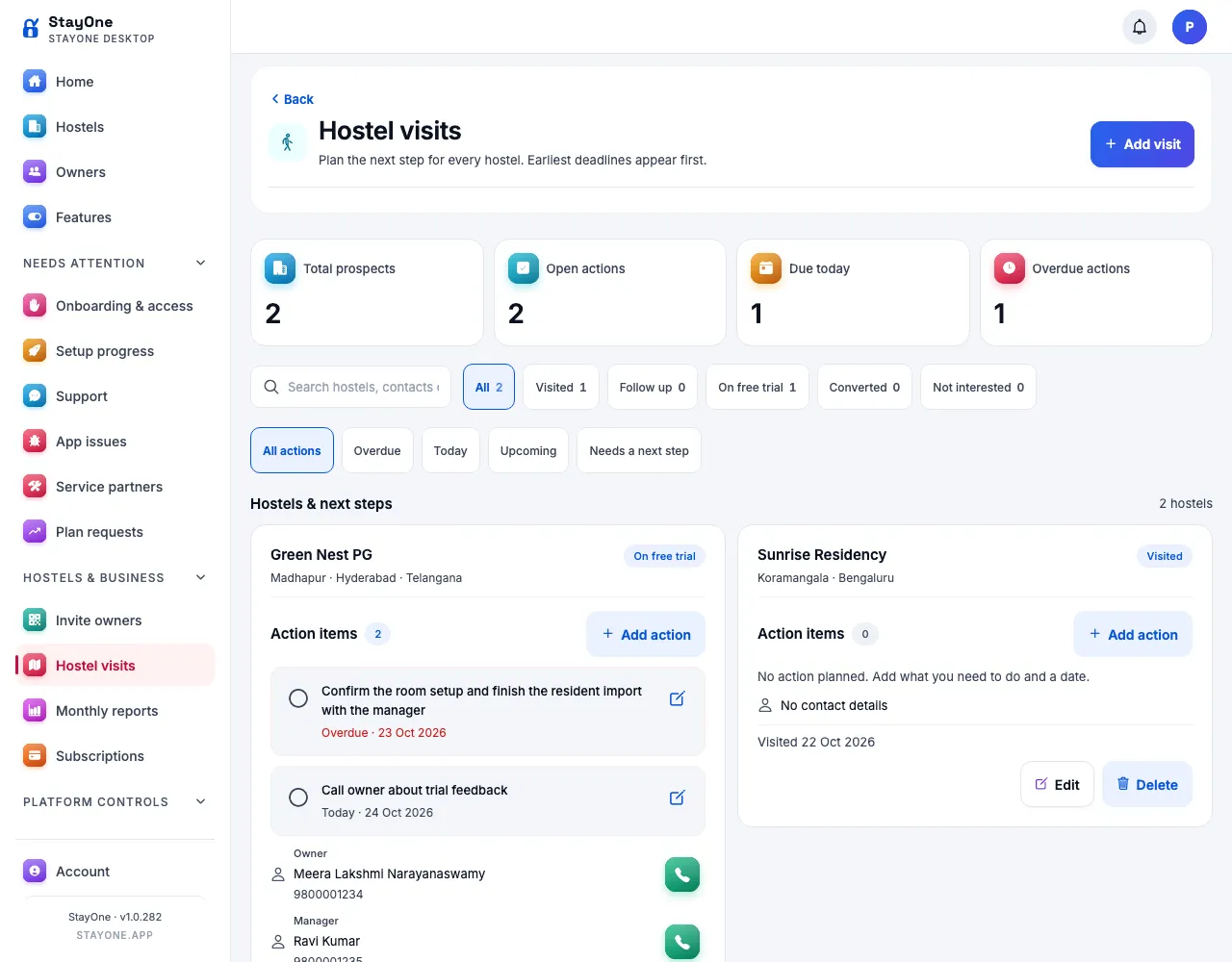
Super admin — hostel visits and next steps
New
A dated action list for every hostel visit
How
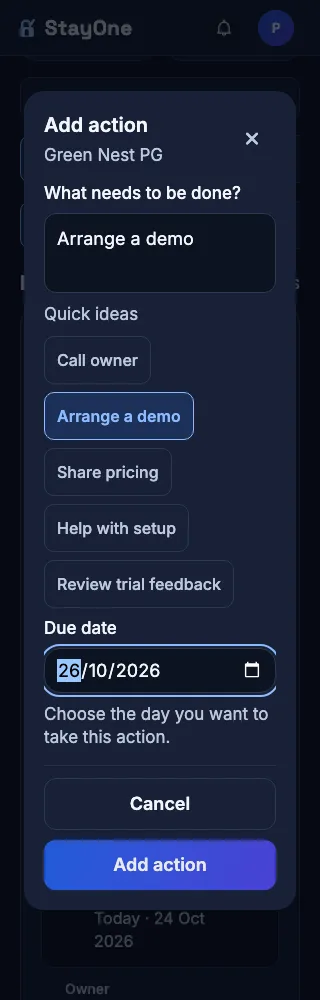
Open Hostel visits → Add action on a hostel. Write the next step, choose a due date and save. Try the quick ideas for calling an owner, arranging a demo or helping with setup.
Expect
Actions appear directly below the hostel name and survive reloads. Filter by Overdue, Today, Upcoming or Needs a next step. The earliest pending deadlines appear first. Edit or reschedule an action, mark it complete, reopen it from completed history, or delete it with confirmation. Existing visit notes, contacts and follow-up dates remain available.
Hostel visits → actions and deadlinesAdd action → small phone with larger text
Design — clearer cards and consistent workspaces
Fixed
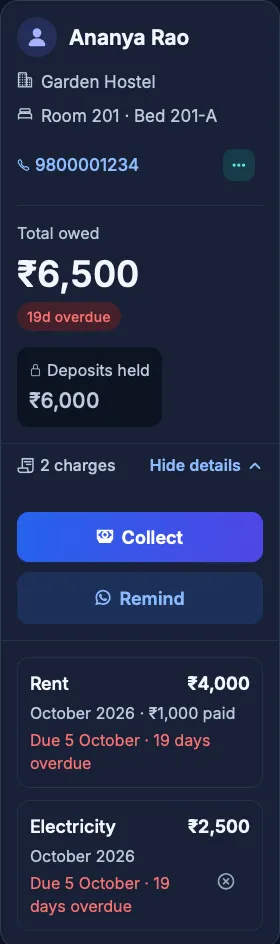
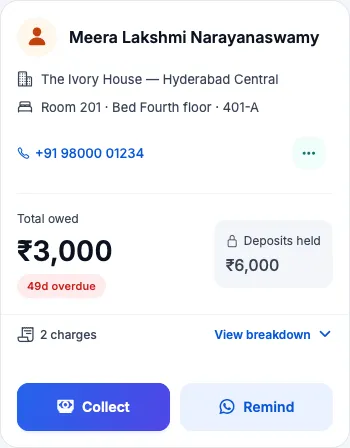
Rent and resident balances keep names, contact details and amounts apart
How
As an owner or manager, open Rent and Check dues on a small phone, including a resident with a long name or hostel name. Expand the charge details and use Collect, Remind and More.
Expect
Names, hostel and room details, phone numbers and overdue status have their own space. Charges and balances remain readable, action buttons fit the card, and desktop workspaces use the available width.
Check dues → resident balanceRent → long names and contact details
Improved
Consistent tabs, spacing and colorful navigation across roles
How
Browse owner, manager and tenant Home, Residents, Rooms, Rent and Settings on mobile and desktop.
Expect
Shared tab styling, consistent content alignment beside the desktop sidebar, readable mobile text and touch targets, and distinct icon colors. Tenant Home and desktop Settings have clearer sections; Settings stays at the end of desktop navigation. Resident details are reorganized and the vehicle option is removed from that screen.
Owner → desktop Settings
Feature access and platform controls
Changed
Tenant app starts off; enabling it prepares tenant features
How
As super admin, open a hostel’s feature switches. Check it with Tenant app off, then enable Tenant app and sign in as its tenant.
Expect
The rollout turns Tenant app off for existing hostels, and new hostels start off too. A super admin can opt each hostel in. Enabling it turns on that hostel’s tenant feature switches, including mess and notices; platform role restrictions still apply. With Tenant app off, resident PIN/invite actions and Payments to check are hidden while operator rent collection and resident records remain available.
Fixed
Disabled screens stay closed, including direct links
How
Switch a feature off, then try its navigation item and saved URL as an owner, manager or tenant. For multi-hostel accounts, switch between enabled and disabled hostels.
Expect
Feature access follows the role and relevant hostel. Disabled screens return safely home without loading their feature data. Valid enabled-hostel links work even when another screen remembered a disabled hostel.
Changed
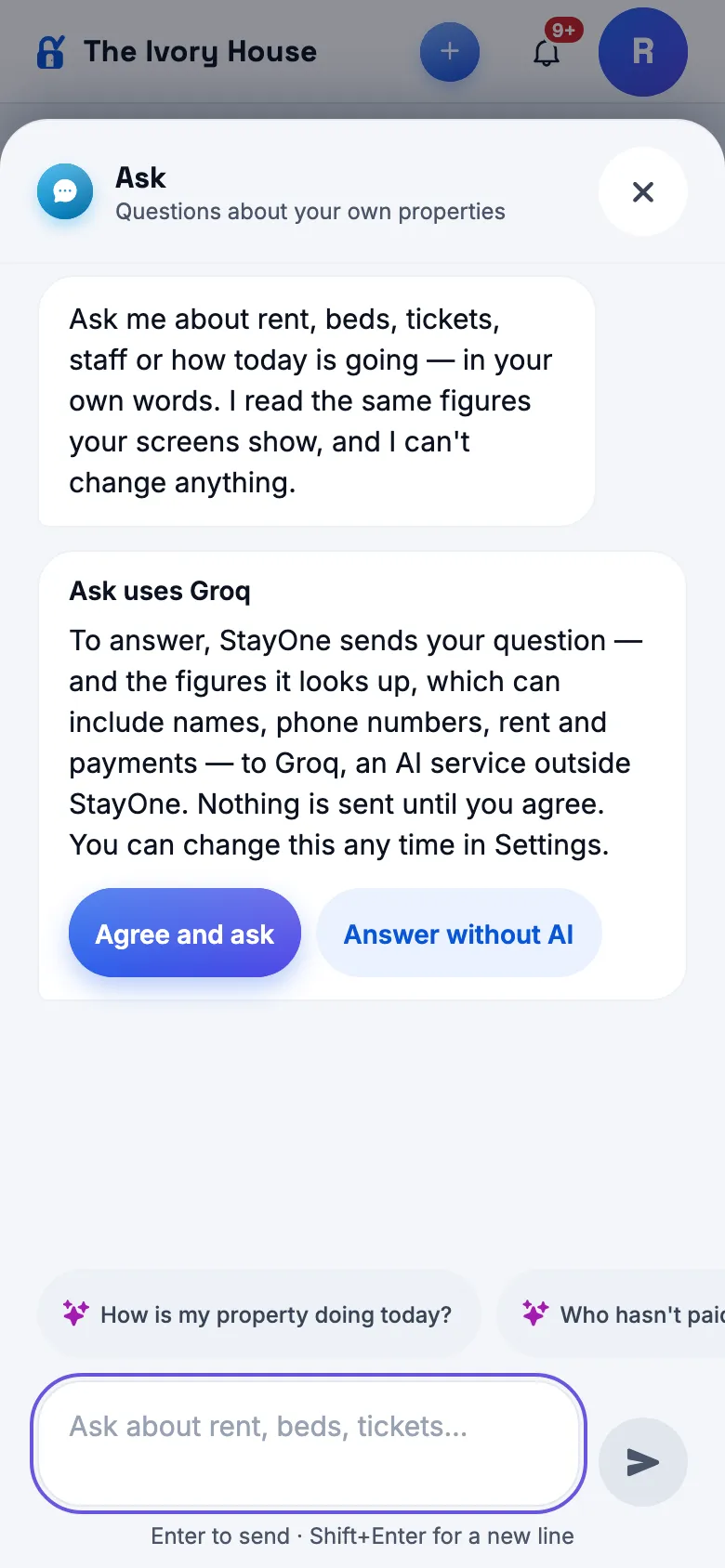
Ask is off by default, and super-admin controls are simpler
How
Check Home and Settings in each role, then open super-admin Home and App & service settings.
Expect
The Ask master switch defaults off for all roles, including super admin, and blocks assistant access even for older sessions. The Activity & app health block is removed; Audit logs replaces the top Access requests shortcut. Email and SMS status rows are removed from App & service settings.
Source release: 1.0.283, Android versionCode 283. Deployment applies the tenant-app defaults and hostel-action database migrations. Building and uploading a new Play bundle is a separate step.
1.0.282
versionCode 282 · 24 Oct 2026
Screenshots use sample accounts and test data. Tap an image to view it full size.
Design and navigation
Improved
Clearer super-admin workspaces and colorful icons
How
As a super admin, open Home, Features, an owner and a hostel on a phone and desktop.
Expect
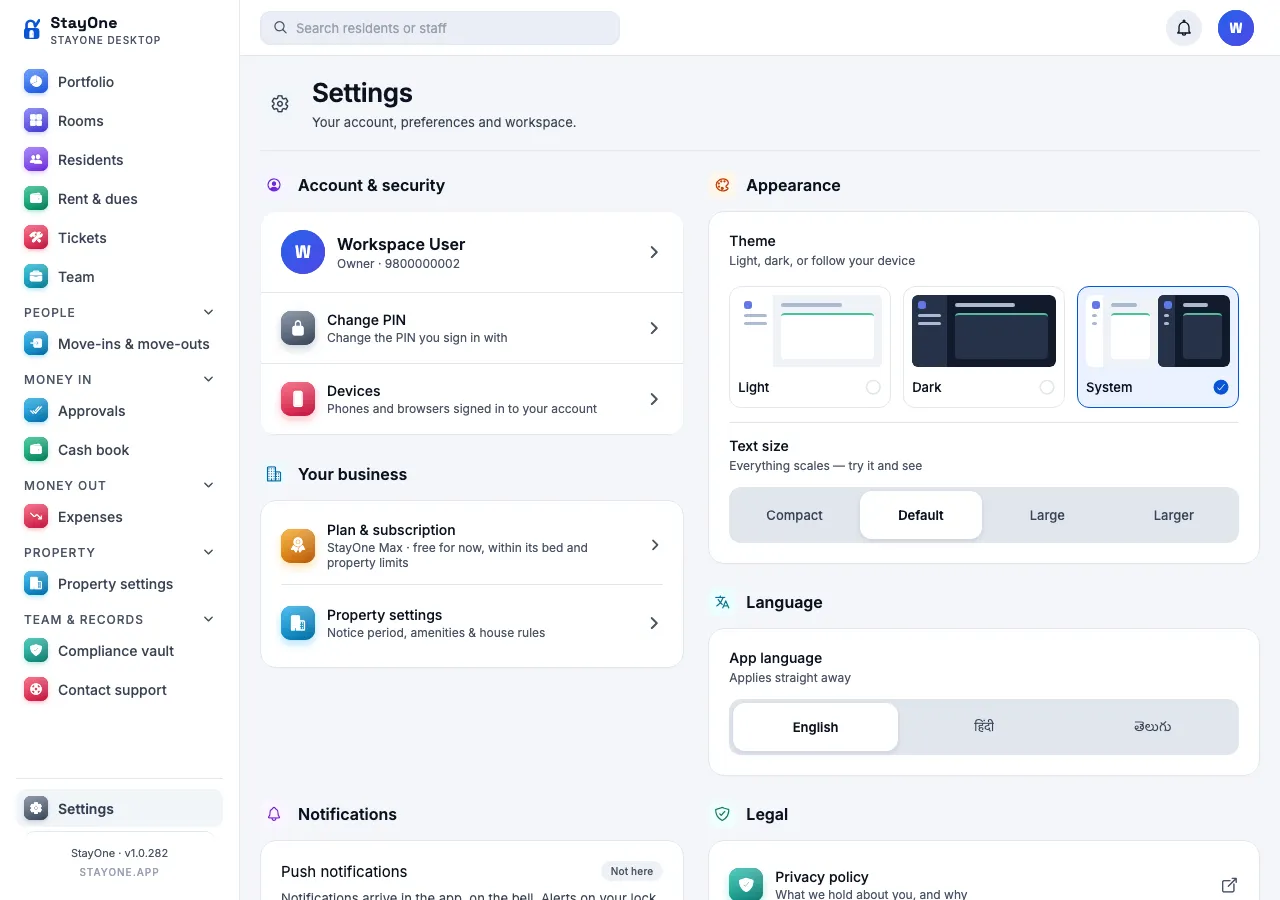
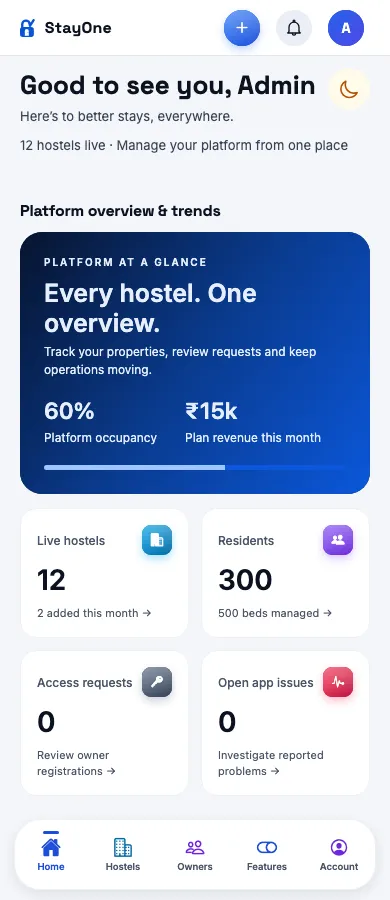
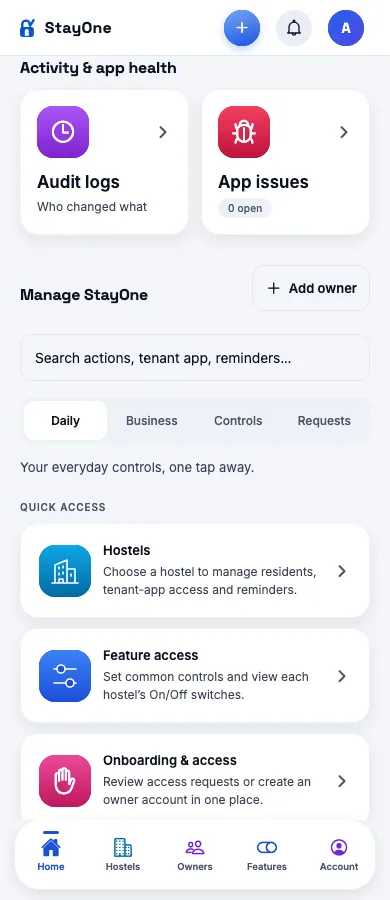
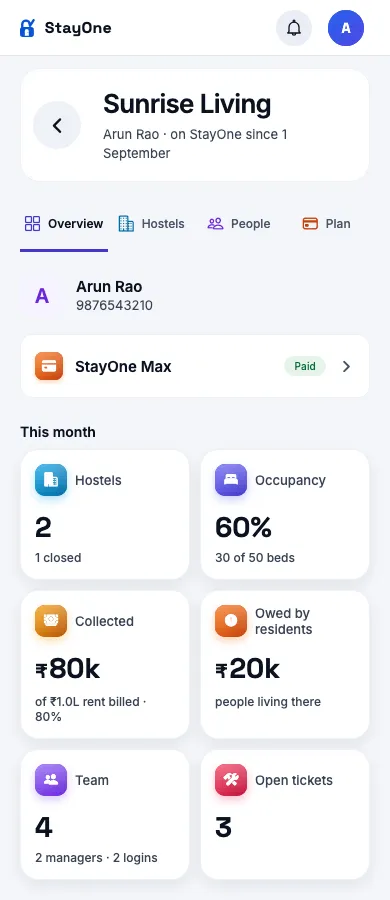
Sections and tabs are easier to scan, icon colors remain distinct, and the StayOne Max plan name and Paid status fit on small screens. Audit logs and App issues sit in Activity & app health below the overview and trends, above Manage StayOne.
Home → platform overviewHome → Activity & app healthOwner details → overview and planHostel details → overviewFeatures → search and switches
Changed
Add owner comes first
How
Open Super Admin → Onboarding.
Expect
Add owner is the first tab and Access requests is second.
Onboarding → Add owner first
Improved
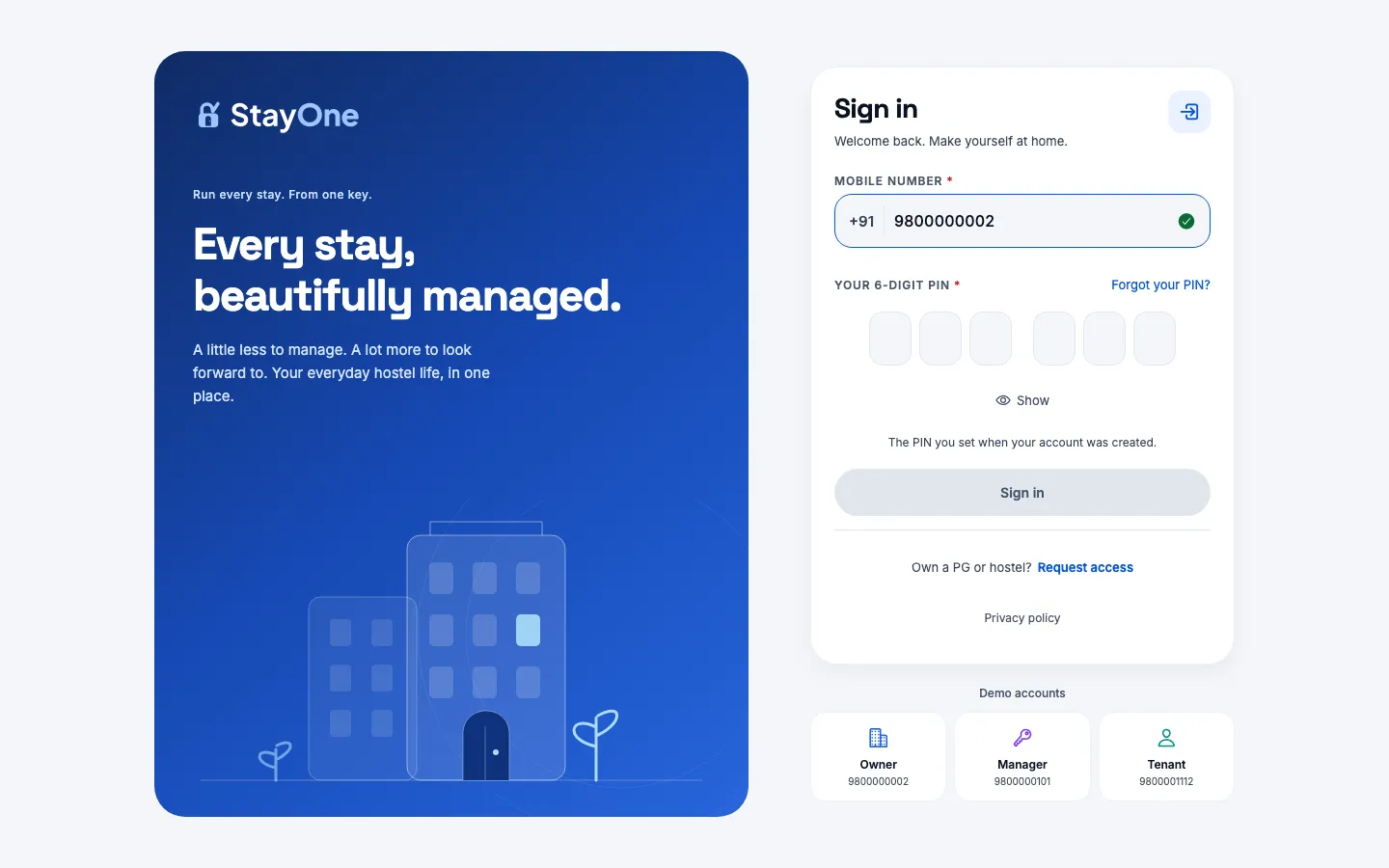
A refreshed sign-in screen and personal greetings
How
Open Sign in on a phone and desktop, then open Home as an owner, manager, tenant and super admin.
Expect
Sign-in uses a blue illustrated background and a clear form card. Home greets the signed-in person by first name and time of day, with English, Hindi and Telugu support.
Sign in → phoneSign in → desktop (demo environment)
New
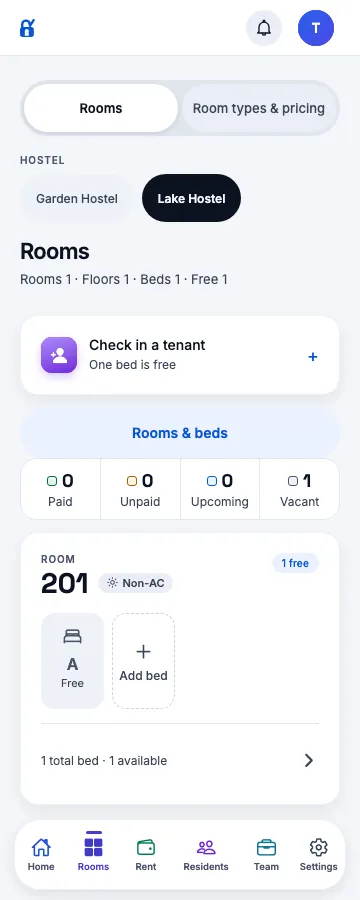
Rooms for owners and Residents for managers
How
As an owner, open Rooms and switch hostels. As a manager, use Residents in the footer, open a resident and go back.
Expect
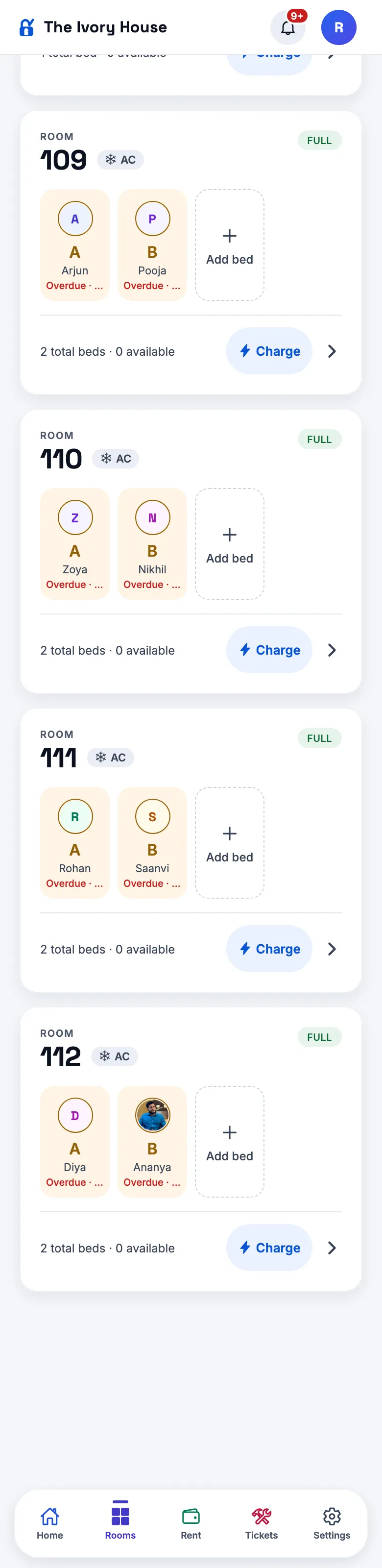
Owners can reach rooms, beds, room details and pricing from main navigation. Managers and admins get a Residents shortcut; Rent and Tickets continue to follow their module switches.
Owner → Rooms and hostel selectionManager → Residents and footer navigation
Account access
New
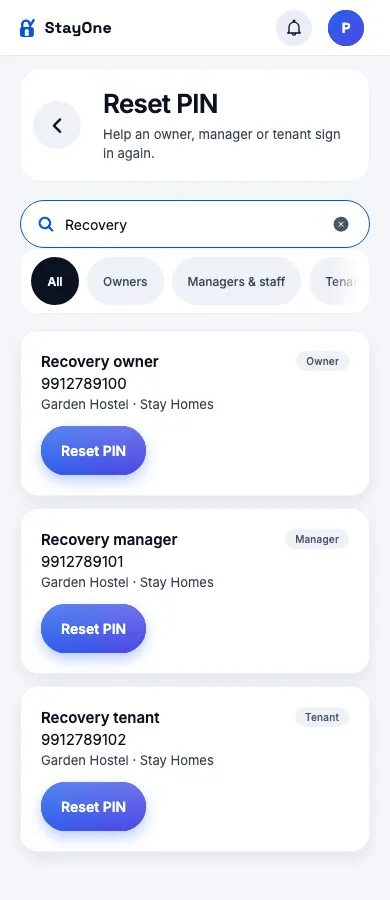
Super-admin PIN recovery
How
Use a test account: Super Admin → Reset PIN → search for an owner, manager or tenant → confirm the reset.
Expect
A temporary PIN is shown once and must be changed at next sign-in. Previous sessions and pending linked invitations are invalidated. The reset is audited without storing the PIN in the audit log.
Reset PIN → search results (sample accounts)
Fixed
Invitation links recover from temporary loading failures
How
Open a valid invitation with a slow connection or a temporary server failure, then restore connectivity.
Expect
Temporary failures are retried instead of being presented immediately as an expired link. Truly expired or invalid invitations remain blocked.
Changed
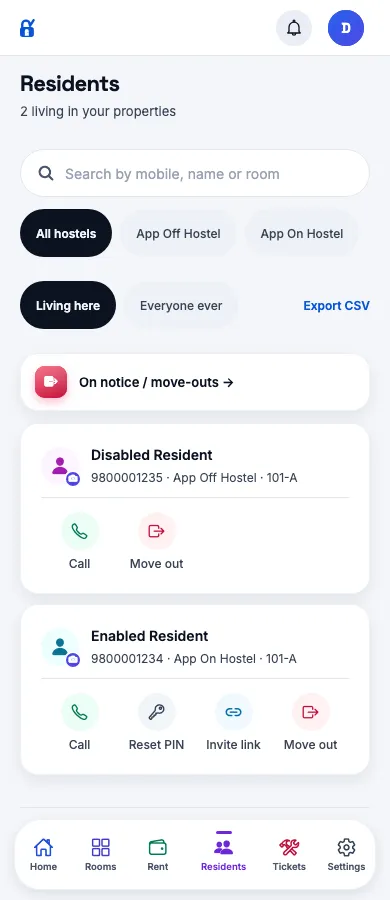
Resident login actions follow tenant-app access
How
Turn off the tenant app for a test hostel, then open Residents and a resident detail page.
Expect
PIN-reset and invitation-link actions are hidden for that hostel. Super-admin account recovery remains separate from enabling the tenant app.
Residents → tenant app off versus on
Removed
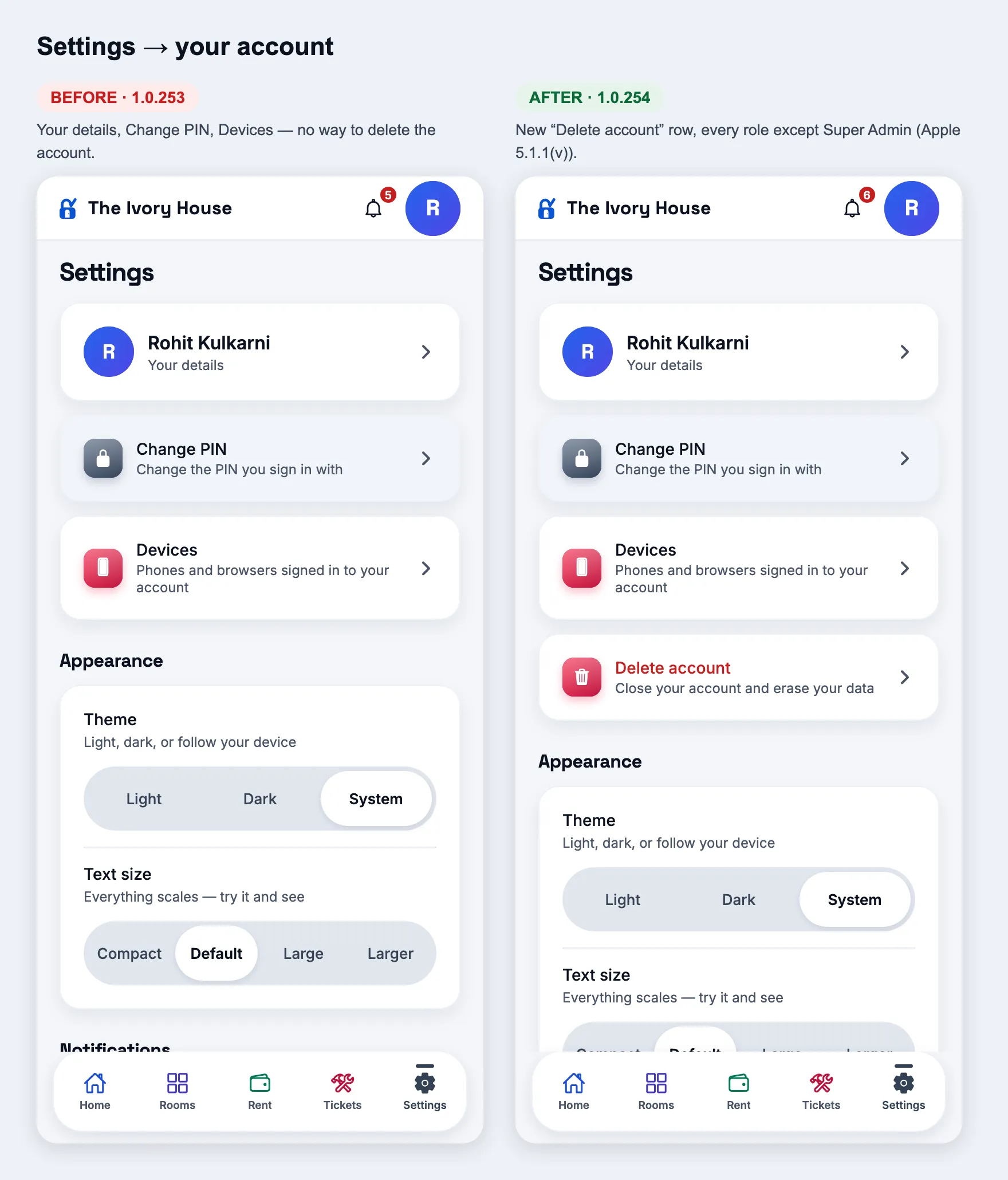
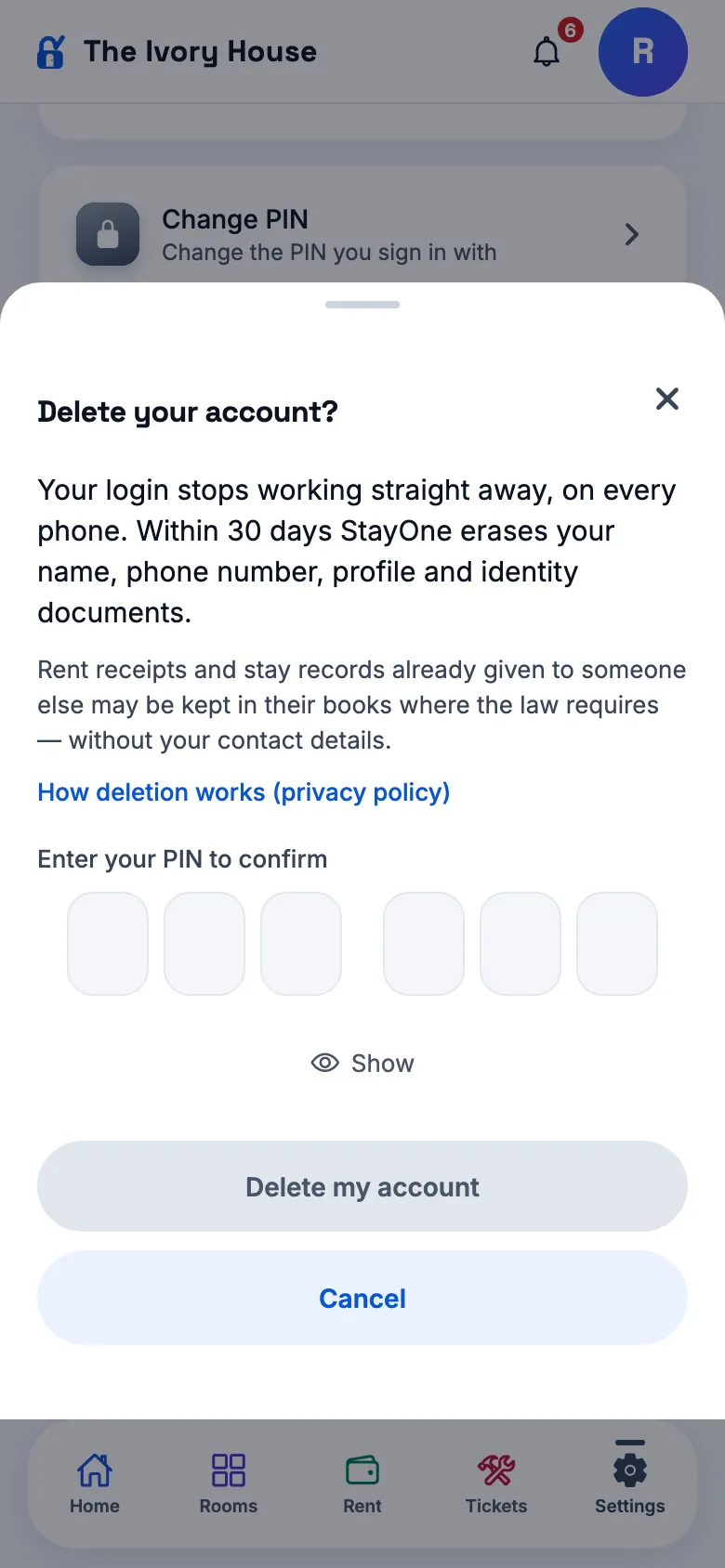
Self-service account deletion
How
Open account settings as an owner, manager, tenant or super admin.
Expect
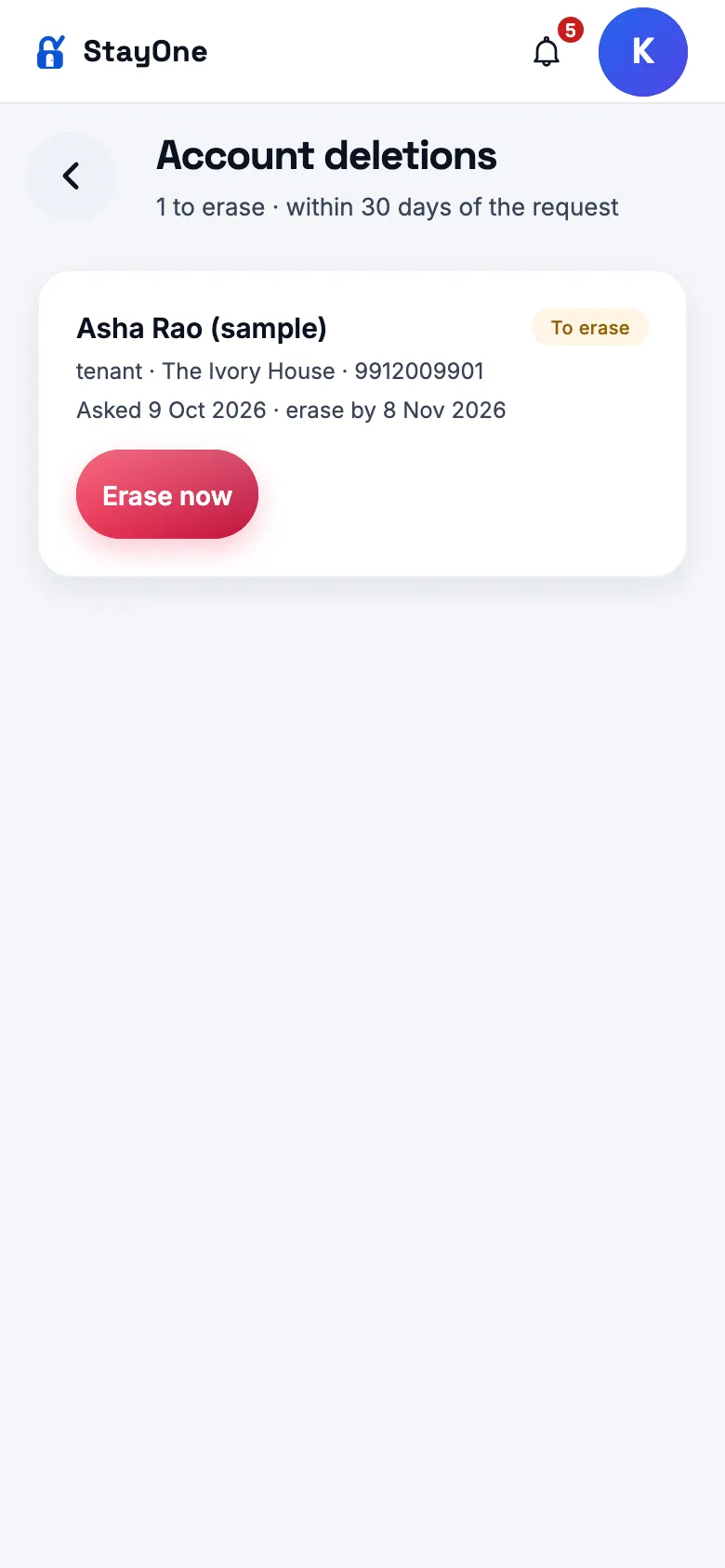
Delete account is no longer offered. The self-deletion API is also disabled; existing administrative deletion handling remains available.
Loading and reliability
Improved
Less startup work and fewer duplicate reads
How
Start the app, switch role workspaces and revisit screens.
Expect
Screens and translations load when needed, and simultaneous duplicate reads are shared. Existing role permissions and navigation routes remain in effect.
Improved
More resilient on slow connections
How
Load Home successfully, interrupt connectivity, refresh and reconnect. Also open the app with a saved sign-in while the server is temporarily unavailable.
Expect
Saved home data stays visible during a failed refresh, with a retry state. Reconnecting refreshes data, and a temporary session check failure does not discard sign-in. Slow requests have bounded timeouts; writes are not automatically repeated.
Owner home → saved data and retry
Fixed
Feature switches and role-workspace reliability
How
Check hostel feature controls, dashboard loading, ticket filters and back navigation as the relevant role.
Expect
Hostel settings are respected consistently, failed dashboard data does not block navigation, and ticket filters and navigation preserve their intended context.
Source release prepared: version 1.0.282, Android versionCode 282. Building and publishing the Play bundle is a separate step.
1.0.281
versionCode 281 · 12 Oct 2026
App — one reminder, on WhatsApp
Change
“Send reminder” is now a WhatsApp reminder, everywhere
How
As an owner or manager: Home / Today → the quick action; Rent → a resident’s row → Options; Rent & dues → a resident. Web app now; Android from the 1.0.281 Play bundle.
Expect
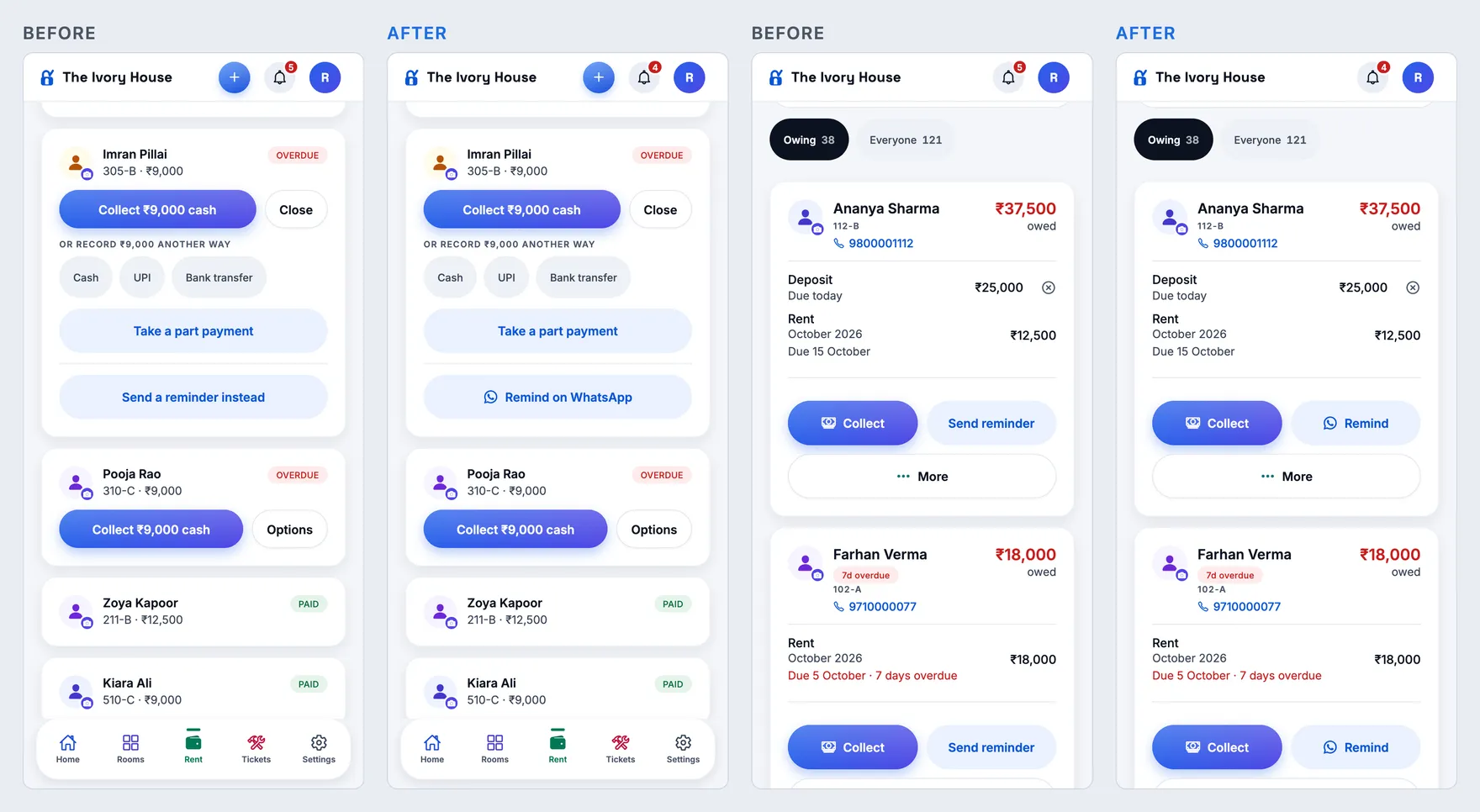
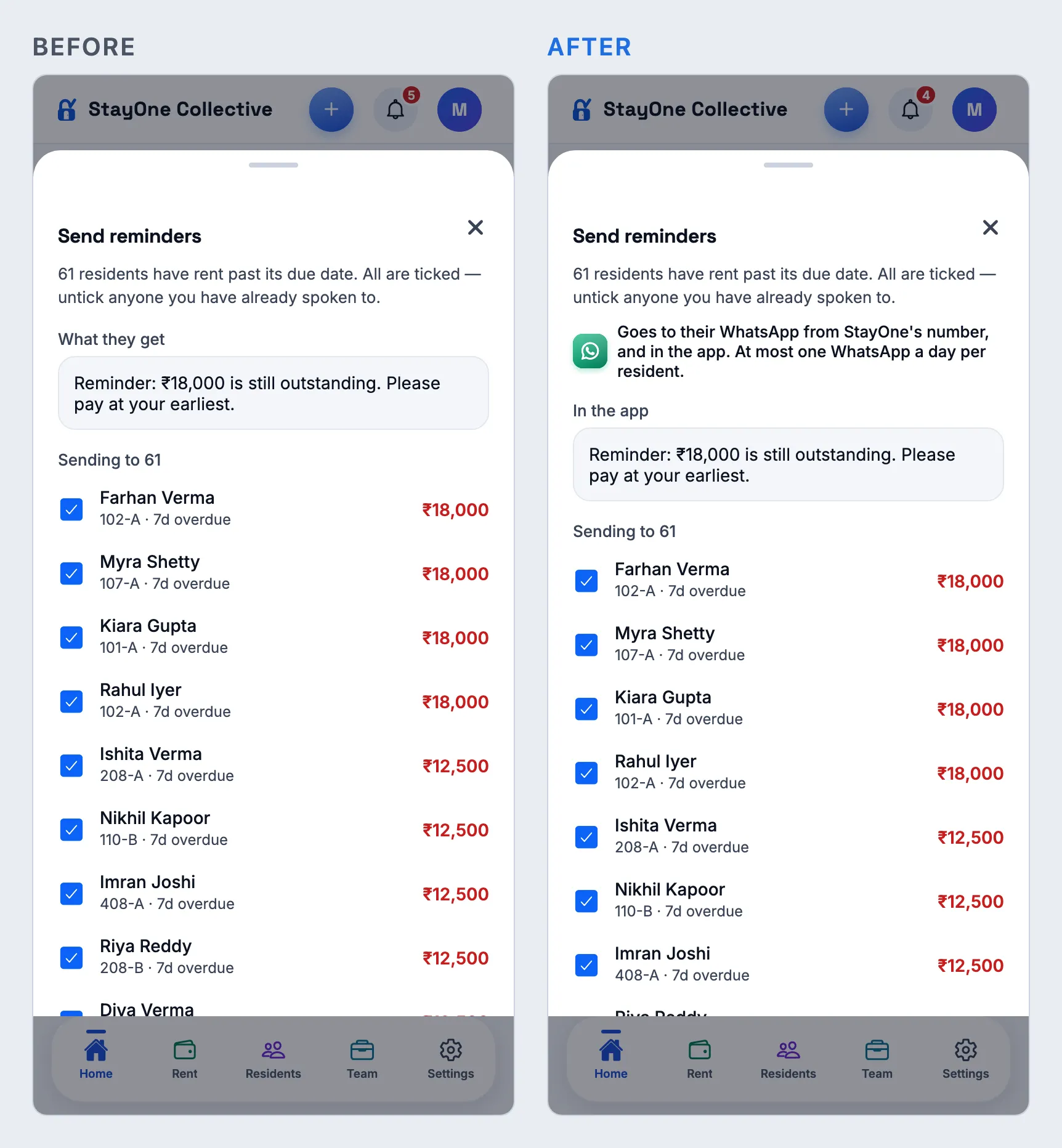
The quick action reads WhatsApp reminders (WhatsApp icon) and its sheet is titled WhatsApp reminders with Send on WhatsApp to N. On Rent there is ONE button, Remind on WhatsApp — the separate “Send a reminder instead” and hand-typed “Remind on WhatsApp” are gone. Rent & dues has Remind with the WhatsApp icon beside Collect (the full words do not fit there). Each sends the WhatsApp from StayOne’s number (and the quiet in-app copy), exactly as in 1.0.279–280; the toast still says whether it reached WhatsApp. A resident with no mobile number gets the in-app reminder only, and the button says Send reminder. Hindi and Telugu too.
Home → quick action, and its sheet (owner)Rent → Options, and Rent & dues (manager)
1.0.280
versionCode 280 · 12 Oct 2026
WhatsApp — receipts, reminders and reports for owners
New
StayOne’s receipt when an owner pays for a plan
How
Production, as an owner: Settings → Plan & billing → pay for a plan through Razorpay (live). Or as the founder: Super Admin → Config → WhatsApp → Send me a test plan receipt.
Expect
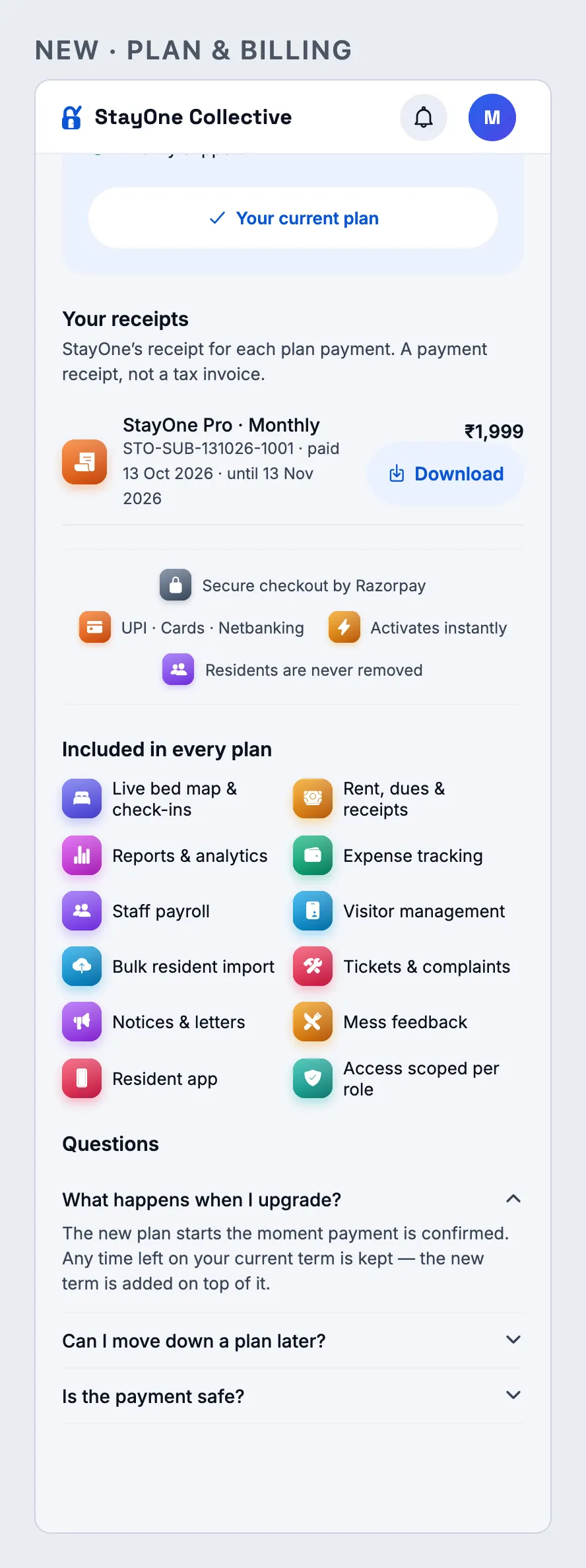
Within a minute of Razorpay confirming the payment, the owner’s WhatsApp gets subscription_receipt with the receipt PDF: business, plan and period, start and end dates, amount, payment date and receipt number (STO-SUB-…). The PDF says it is a payment receipt, not a tax invoice. Plan & billing lists every receipt with Download. A payment with Razorpay test keys never sends a WhatsApp. Sent once per payment.
Plan & billing → Your receipts (owner)
New
Super Admins get a WhatsApp for every new plan payment
How
Same payment as above, or Config → Send me a test payment alert.
Expect
Every active Super Admin with a mobile number gets plan_payment_received_alert, greeted by name: business, owner and their number, plan, amount, time and receipt number, with a Subscriptions button. Live keys only, once per payment.
New
A week before a plan or free trial ends — on WhatsApp
How
Needs Super Admin → Modules → Subscription billing on. An organisation whose plan or trial ends within 7 days; or Config → Send me a test plan expiry / trial ending.
Expect
Each active owner gets plan_expiry_reminder (paid plan) or trial_ending_notice (trial) with the end date and a button to Plan & billing, at the same time as the existing in-app warning. Once per term.
New
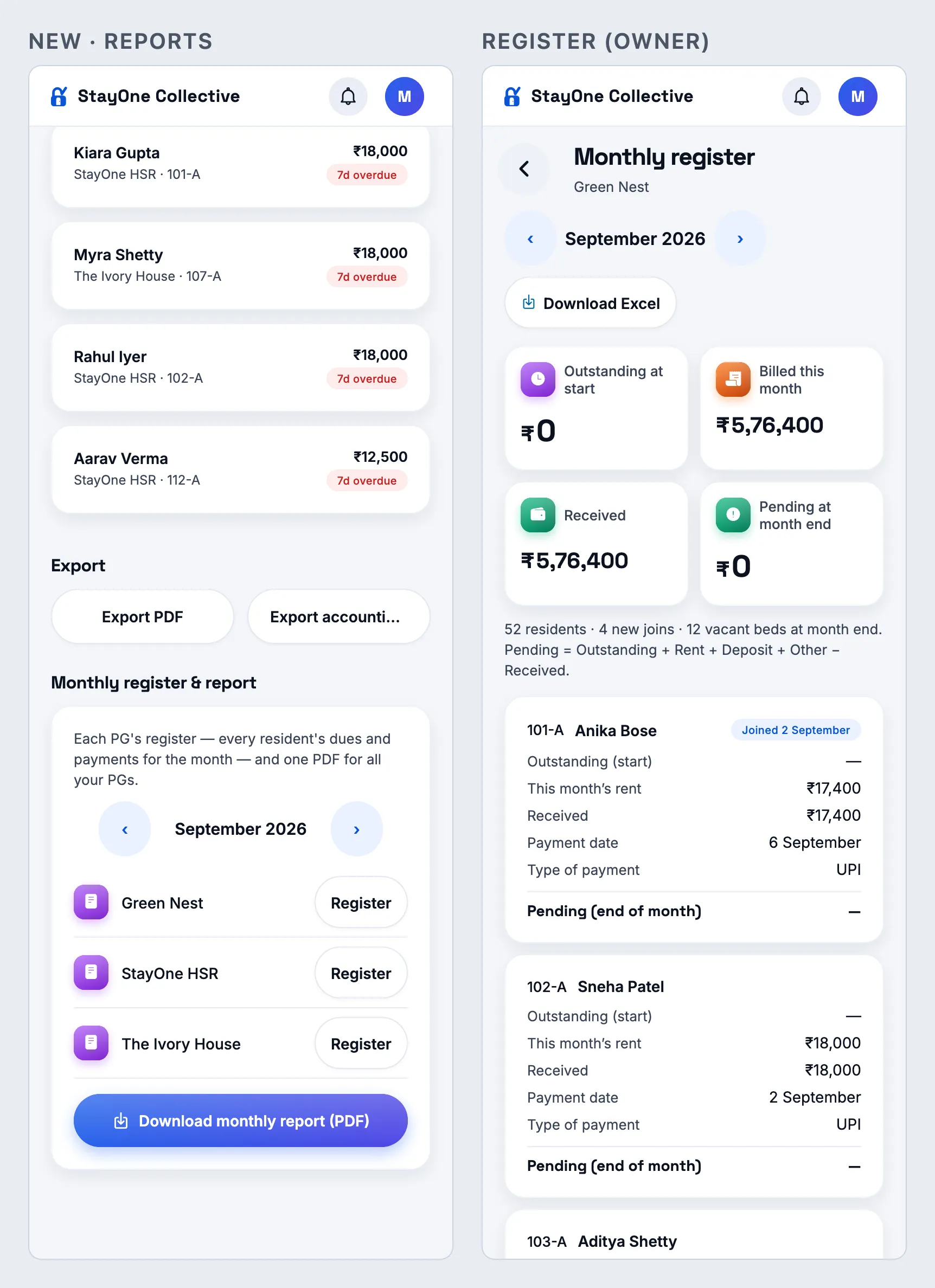
Monthly report on the 1st, and the month in Reports
How
At 9 AM on the 1st (or Config → Send me a test monthly report). In the app, as an owner: Reports → Monthly register & report → pick a month → Register on a PG, or Download monthly report (PDF).
Expect
Owners on a free trial or a paid plan get one monthly_owner_report for last month — collected, pending, beds occupied of total and new residents across all their PGs — with a PDF listing each PG (carried in, billed, received, pending, collected %). The figures match each PG’s register. Expired, suspended and demo organisations get nothing. In the app the card opens on last month; Register opens that PG’s register for the month; the PDF is the same as the WhatsApp one.
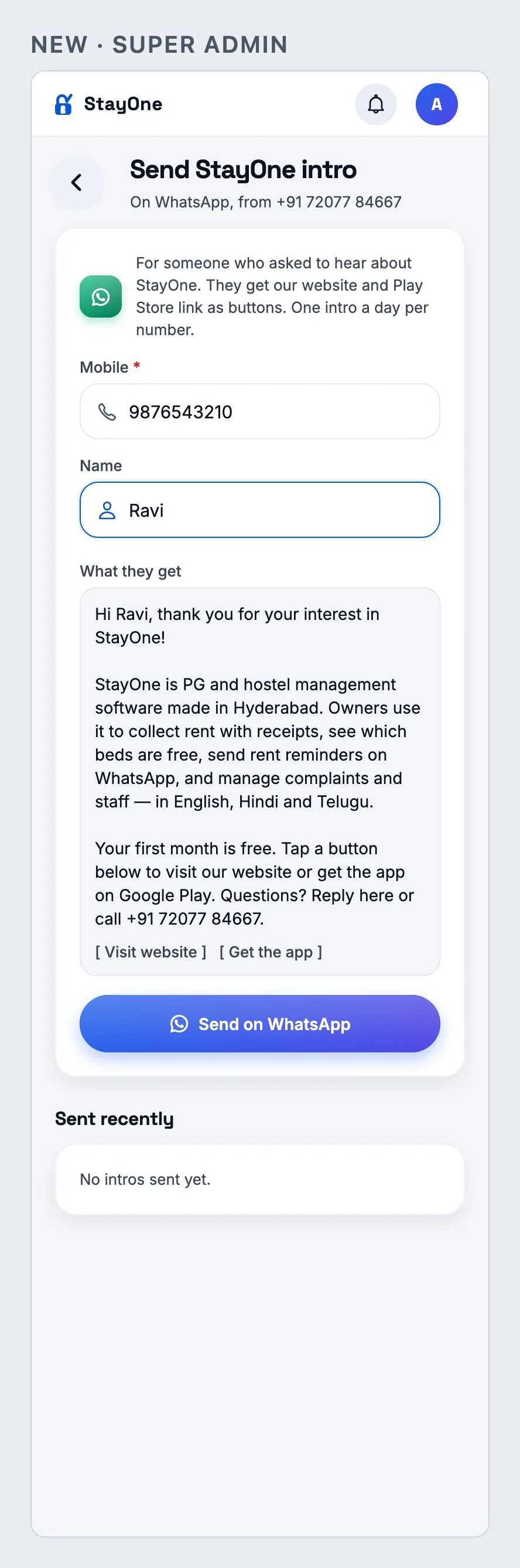
Super Admin → Platform → Directories & growth → Send intro (also in the laptop sidebar). Type your own mobile, optionally a name, Send on WhatsApp.
Expect
The phone gets stayone_welcome_intro: what StayOne is, first month free, with Visit website and Get the app buttons. The same number again within 24 hours is refused (“already went to this number”). Sent recently lists name, last four digits, when and by whom.
Super Admin → Send intro
New
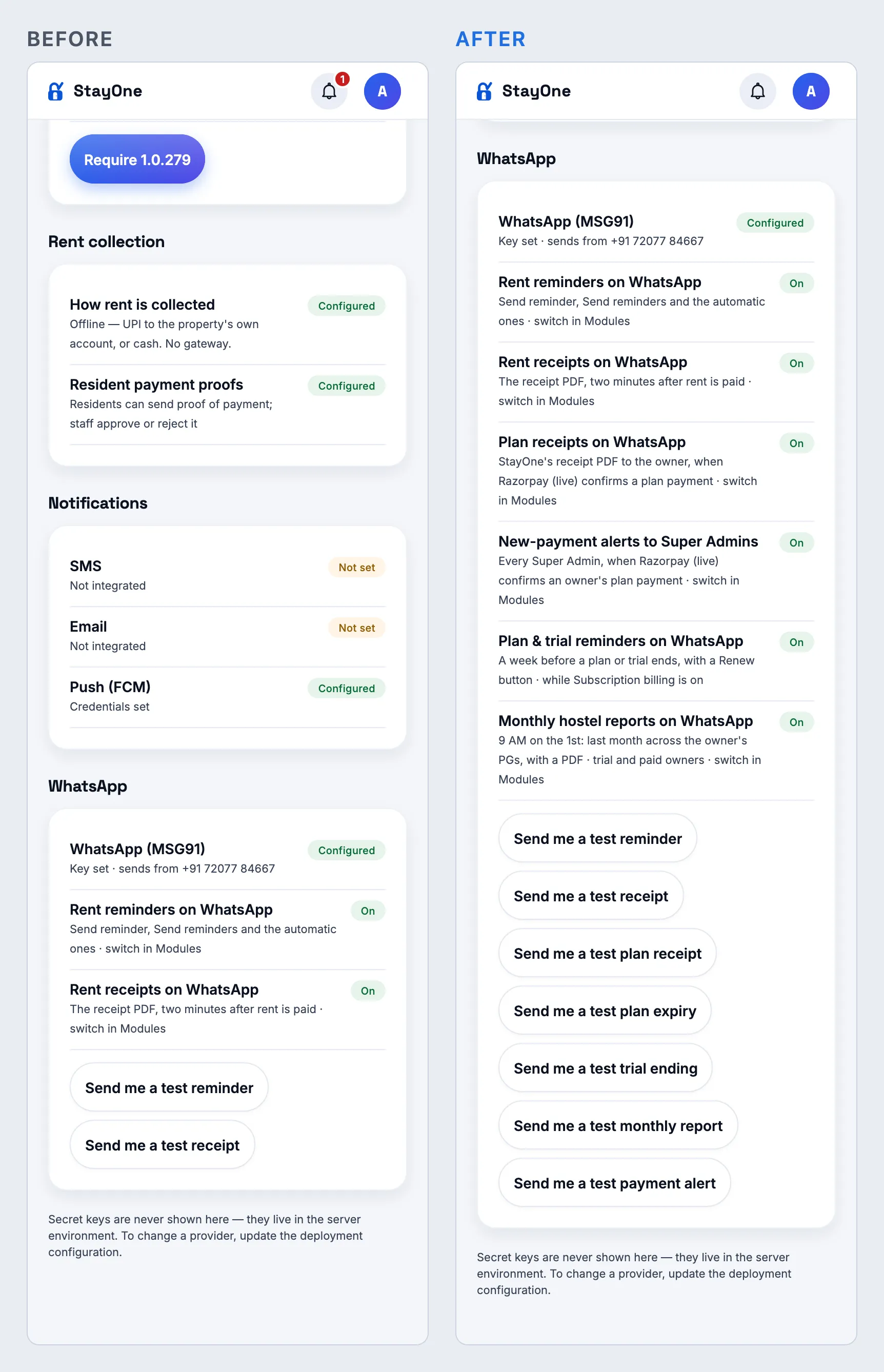
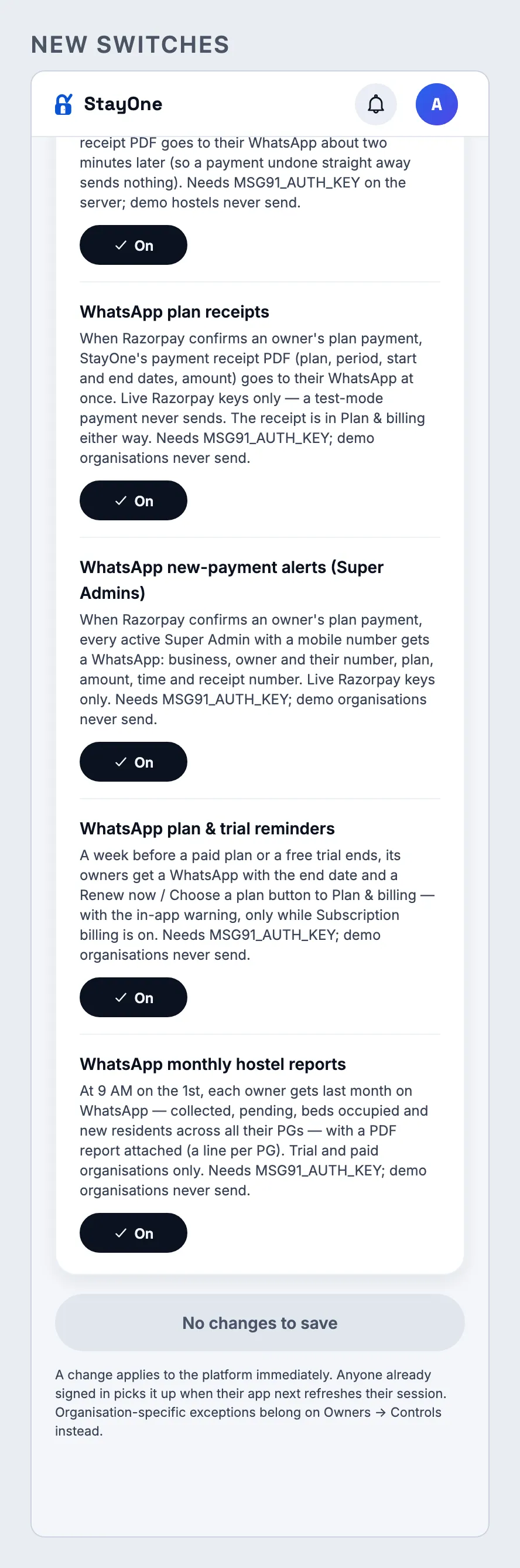
Config and Modules: one row, one switch and one test per WhatsApp message
How
As the founder: Super Admin → Config → WhatsApp; Super Admin → Modules → Platform.
Expect
Config shows each WhatsApp feature On or Off and a Send me a test … button for every template, each sent to your own number with sample values (PDF ones with a sample PDF). Modules has the new switches, all on by default: plan receipts, new-payment alerts, plan & trial reminders, monthly reports.
Config → WhatsApp (founder)Modules → new WhatsApp switches
Website — WhatsApp on the landing page
New
“Rent reminders and receipts reach residents on WhatsApp” section
How
Open www.stayone.app on a phone and a laptop; scroll past the three feature screens, or tap “Reminders & receipts on WhatsApp” under the hero buttons.
Expect
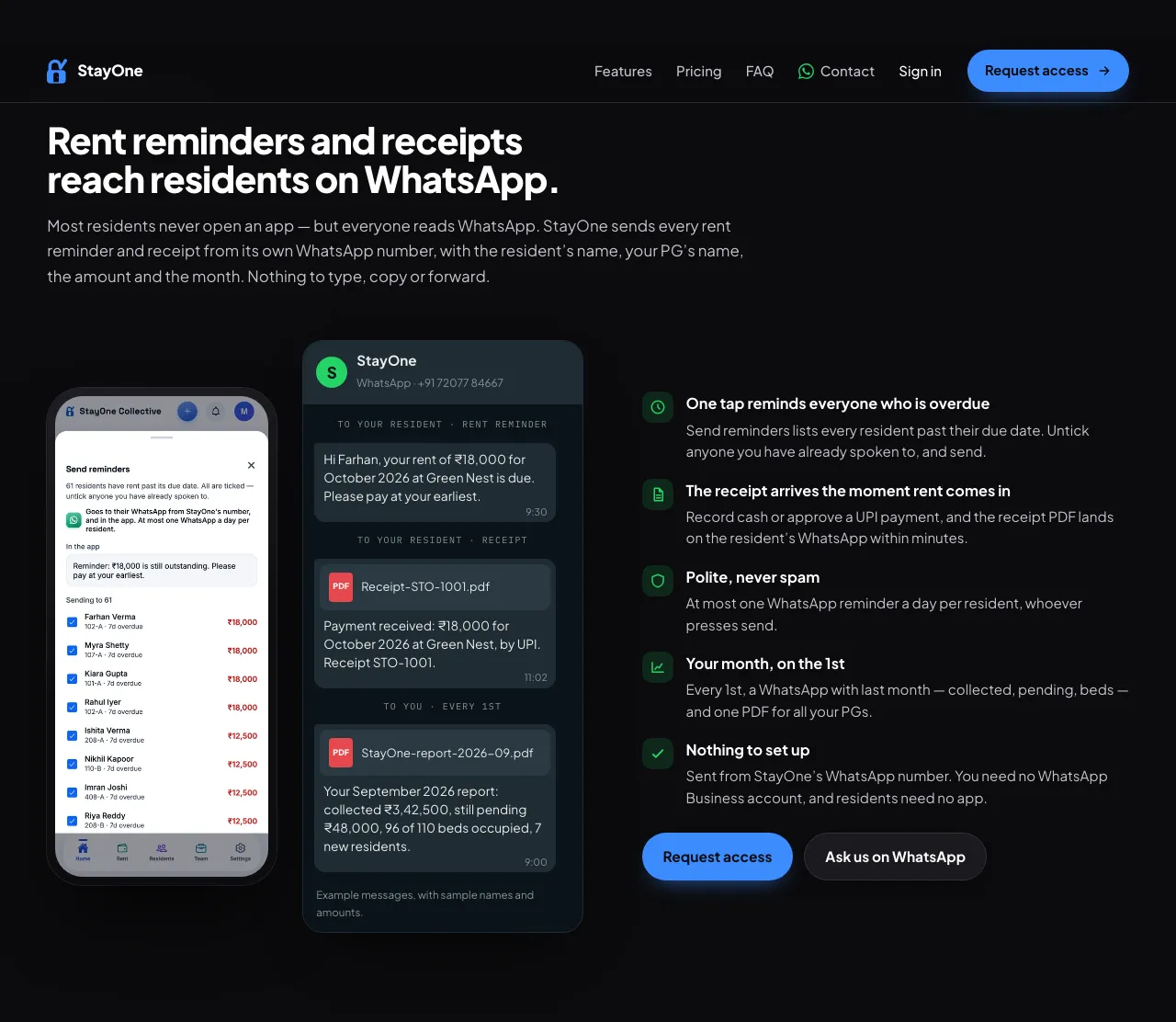
A real app screen (the owner’s Send reminders, which says it goes to WhatsApp from StayOne’s number) beside an example WhatsApp chat — a rent reminder and a receipt with its PDF to the resident, and the monthly report to the owner — then five points (one tap reminds everyone overdue; receipts within minutes; at most one reminder a day; the month on the 1st; nothing to set up) with Request access and Ask us on WhatsApp. The hero sentence now says reminders and receipts go to residents on WhatsApp, and the FAQ “Do my residents have to install anything?” answers WhatsApp first.
Landing page → WhatsApp section (laptop)
1.0.279
versionCode 279 · 12 Oct 2026
WhatsApp — rent reminders and receipts from StayOne’s number
New
Rent reminders reach residents on WhatsApp
How
Production only (the MSG91 key is on prod, never dev). As an owner or manager of a real hostel: Rent & dues → a resident → Send reminder; or Rent → a resident’s row → Send reminder; or Today / Home → Send reminders → Send. Use a resident whose mobile is your own test phone.
Expect
Within a minute the phone gets a WhatsApp from +91 72077 84667 (the approved rent_reminder template) with the resident’s name, the hostel, the TOTAL they owe at that hostel (the Dues figure) and the month(s) — “September and October 2026” when two are open. The toast says “Reminder sent to … on WhatsApp”. A second reminder the same day says “They already had a WhatsApp reminder today” and sends no second WhatsApp (the in-app one still goes). A resident with no mobile: “No mobile number, so no WhatsApp”. Staff reminders stay in the app. The Send reminders sheet says it goes to WhatsApp and marks anyone with no mobile. Rent’s hand-typed “Remind on WhatsApp” button is gone while this is on. Automatic reminders (if switched on) send the same WhatsApp, at most one a day.
Send reminders (owner, phone)
New
The rent receipt goes to the resident’s WhatsApp once rent is paid
How
Production, a real hostel, the test resident above: record rent paid — Collect cash, Record payment, or approve a UPI screenshot. Wait about three minutes.
Expect
A WhatsApp (rent_receipt) with the receipt PDF attached, the resident’s name, month, hostel, receipt number, amount, date and mode (Cash / UPI / Bank transfer). The PDF is the same one the resident downloads in the app. Only rent: a deposit or an electricity charge sends nothing. Undo the payment within two minutes and nothing is sent. Backdated entries older than a week, the deposit applied at move-out and demo hostels never send. Each receipt is sent once.
New
Super Admin: WhatsApp status, switches and a test to your own phone
How
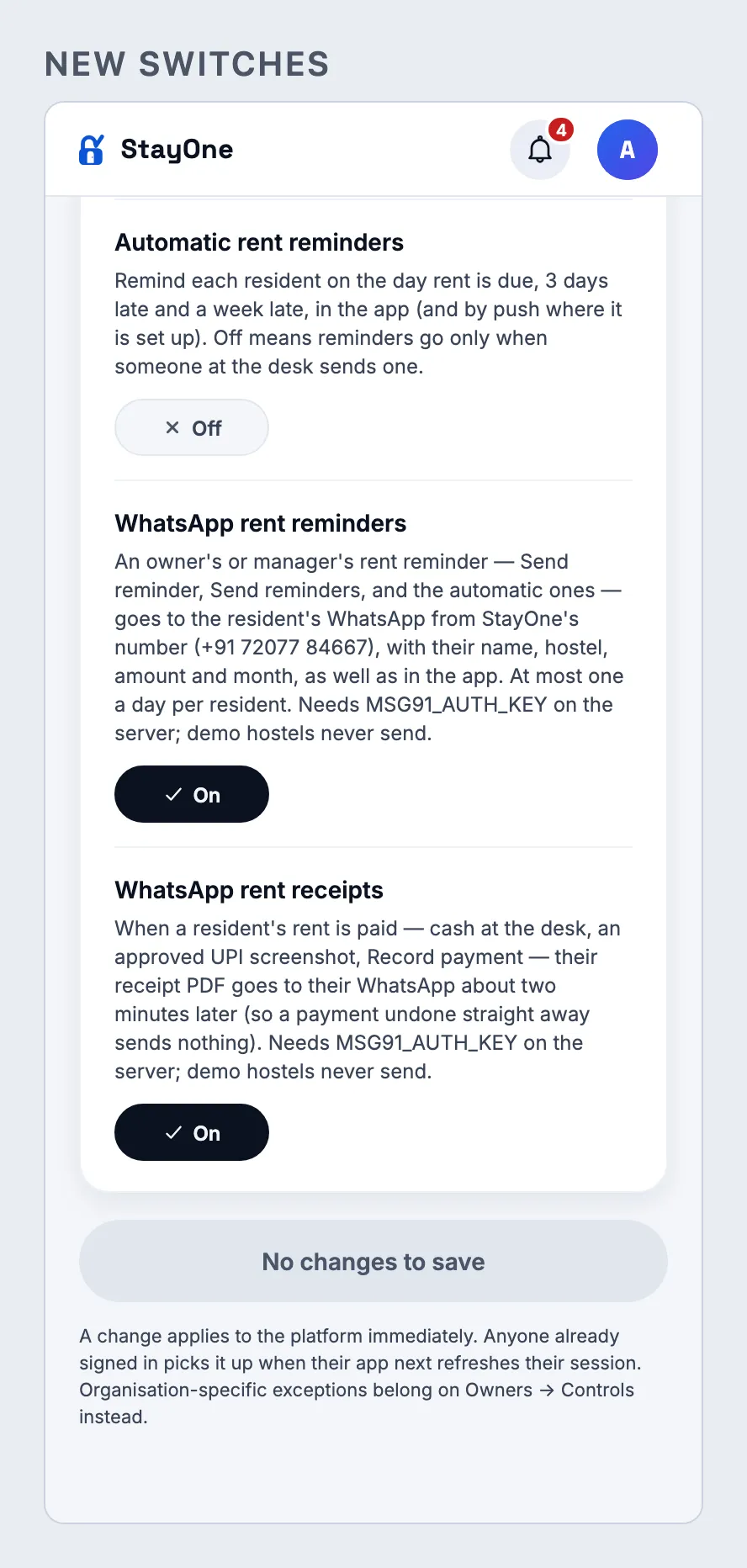
As the founder: Super Admin → Config → WhatsApp → Send me a test reminder and Send me a test receipt. Then Modules → Platform → WhatsApp rent reminders / WhatsApp rent receipts.
Expect
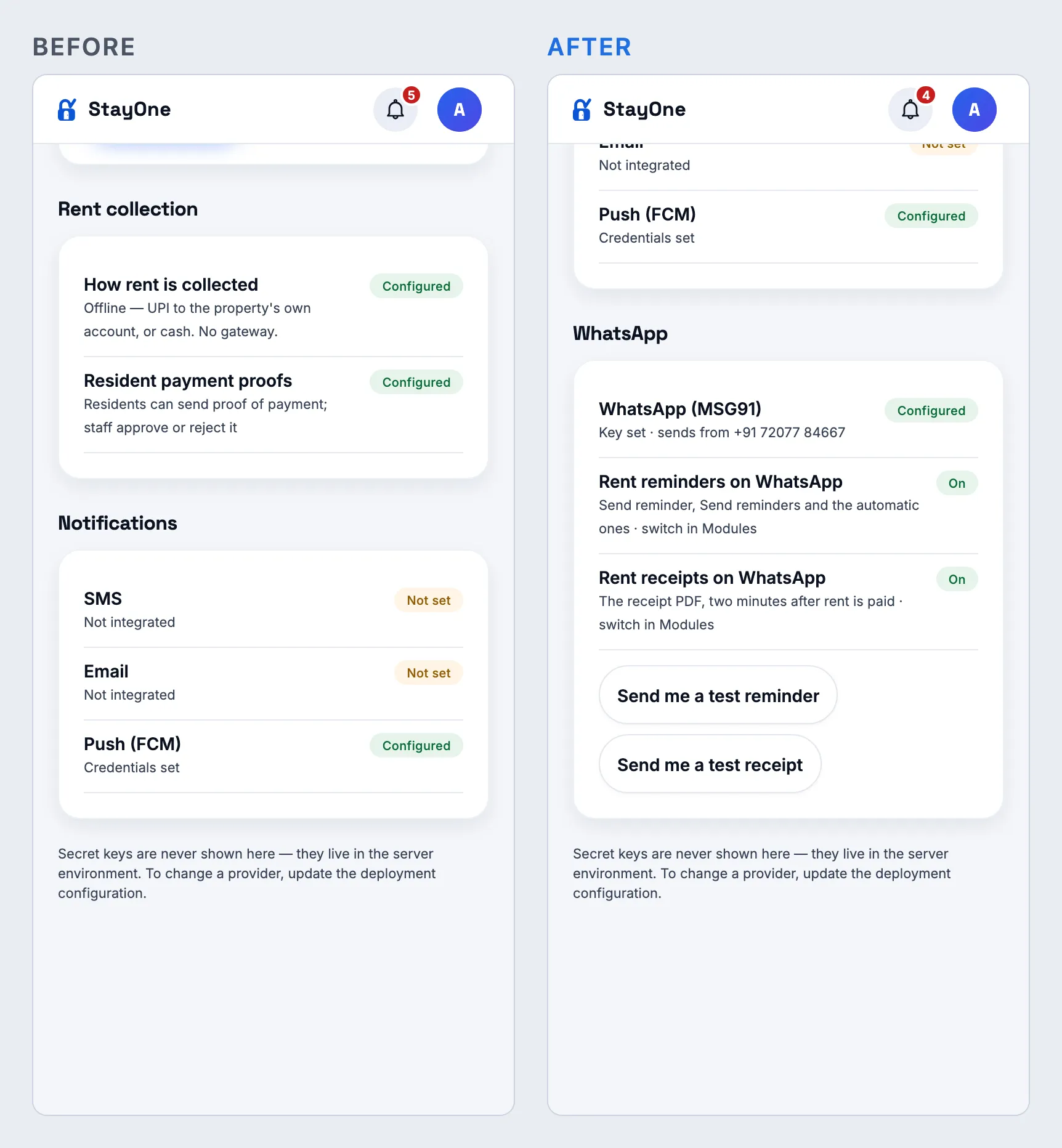
Config shows “WhatsApp (MSG91) — Configured” on prod (“No MSG91_AUTH_KEY on this server” on dev), and both features On. Each test arrives on the founder’s WhatsApp with sample values (StayOne Test PG, 8,500) — the receipt with a sample PDF. Check the ₹ shows once before the amount. Both switches are On by default; switching one off stops it at once.
Config → WhatsApp (founder, phone)Modules → the two new switches
1.0.278
versionCode 278 · 12 Oct 2026
App — Play Console recommendations (Android 15, R8)
Fix
Libraries updated to SDK 57’s current versions — please re-check what they power
How
Install the 1.0.278 Play bundle. Try: a resident’s photo (take, crop, save) and an ID proof upload; a notification arriving (chime) with the app closed and open; any date picker (move-in date); share a receipt; pick a file in bulk import; app start (splash screen); the status bar in light and dark mode.
Expect
Everything works as in 1.0.277. Under the hood: Expo 57.0.27, React Native 0.86.3, expo-image-picker 57.0.20, expo-notifications 57.0.22 and twelve smaller Expo packages, which carry the libraries’ own Android 15 edge-to-edge fixes.
Fix
Resource shrinking is back on, and the chime stays
How
Same bundle; notification sound as in 1.0.276.
Expect
The chime plays. The bundle drops unused resources again (Play’s “Resource shrinking isn’t enabled” goes away) using Android’s standard shrinker, which keeps the chime.
Website — guides for PG owners
New
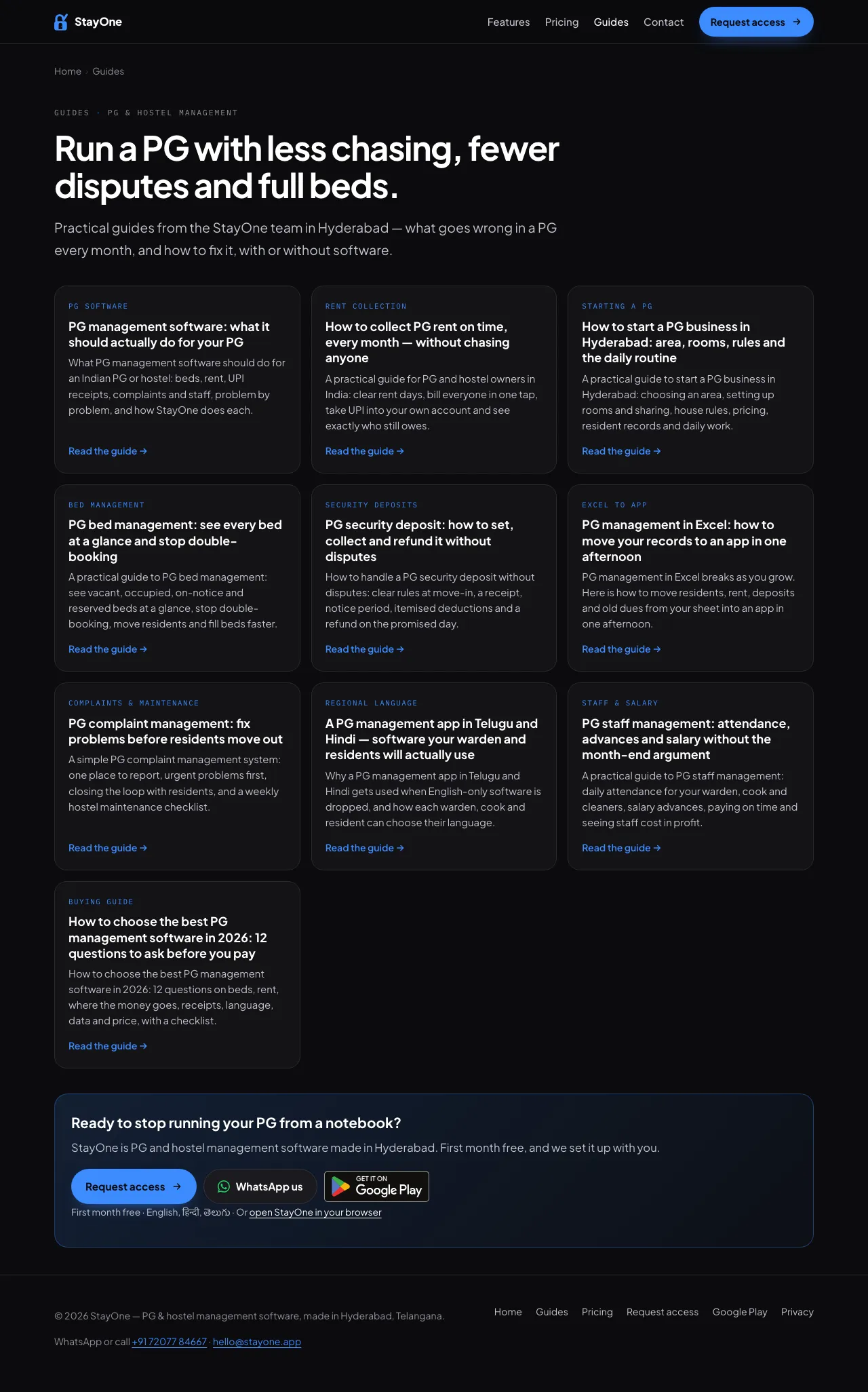
Ten guides at www.stayone.app/blog.html
How
Open www.stayone.app/blog.html, or “Guides for PG owners” near the end of the home page, or Guides in the footer. Open any guide on a phone and a laptop; tap Request access, WhatsApp us and Get it on Google Play in it.
Expect
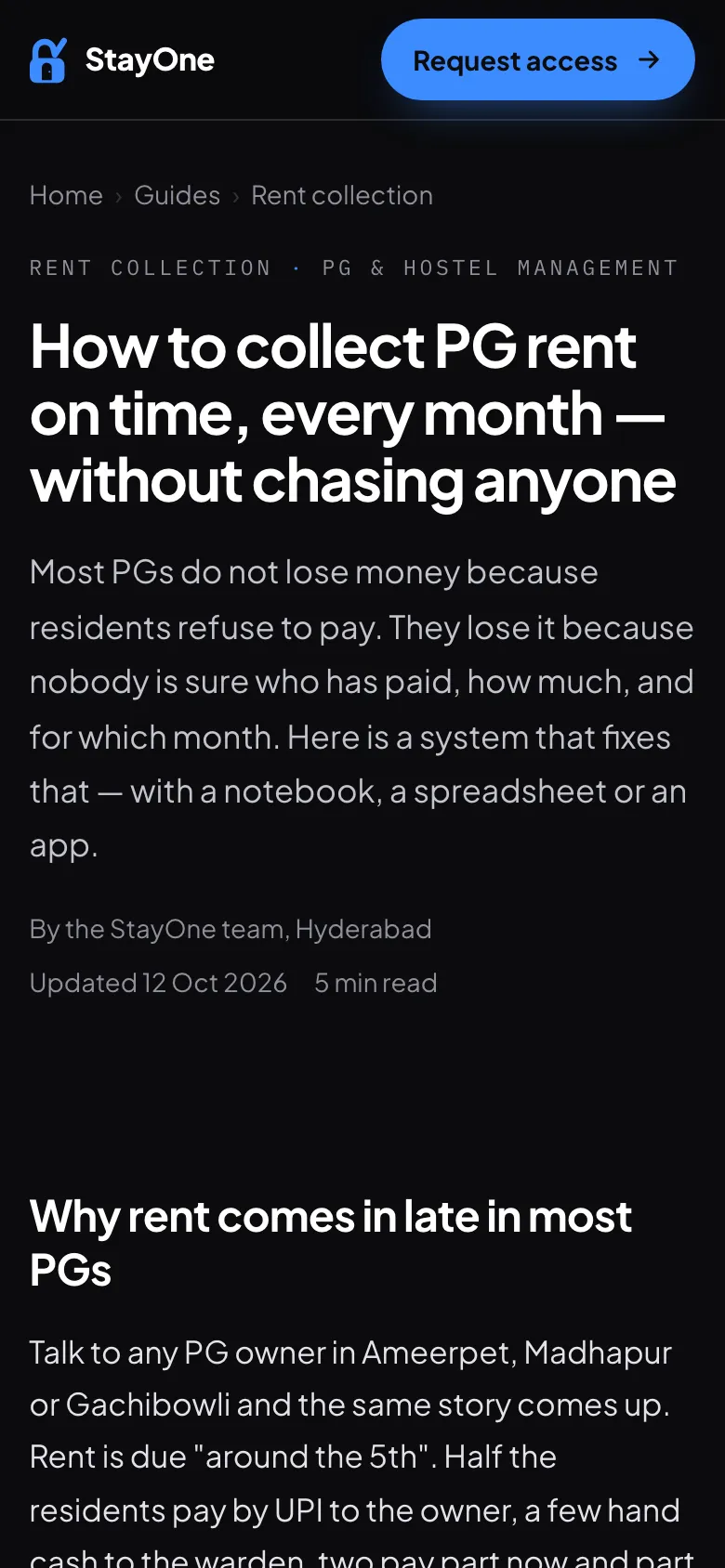
Ten guides (rent collection, starting a PG in Hyderabad, beds, deposits, Excel to app, complaints, Telugu and Hindi, staff, choosing software, what PG software should do), each with a table of contents, real app screenshots, an FAQ, links to related guides and calls to action that work. All are in the sitemap for search engines.
Guides index (laptop)A guide on a phone
Fix
Home page: no more “advances” under Staff & salaries
How
Home page → Also included → Staff & salaries.
Expect
“Attendance and salary at month end.” — StayOne does not track salary advances, so the page no longer says it does.
Some Play recommendations stay until the libraries change them: React Native’s StatusBar module and Google’s date picker still call the colour APIs Android 15 deprecates (only on older Android), Firebase decodes notification images itself, and the Android Gradle Plugin 9 upgrade comes with a later Expo SDK. None of these blocks a release.
1.0.277
versionCode 277 · 11 Oct 2026
Rent — the pending count matches the money pending
Fix
“₹X pending · N tenants” counts everyone who owes this month
How
Owner or manager → Rent on a hostel that was bulk-imported. Use Add rent for this month on a resident the import marked paid. Compare the card’s “N tenants” with the Unpaid and Part paid lists.
Expect
That resident now counts in “N tenants” and shows under Unpaid. Before, their bill was in the ₹ pending but not in the count or the list — Laxmi PG read “₹1.4L pending · 7 tenants” with more people owing. The ₹ amounts themselves are unchanged; the Today screen and the owner’s portfolio use the same count.
App — the StayOne chime, actually in the bundle
Fix
Push notifications play the StayOne chime
How
Install the 1.0.277 Play bundle and follow 1.0.276’s steps below.
Expect
The chime plays. The 1.0.276 bundle was built without the sound file (Android’s resource shrinker removed it) and was not released — 1.0.277 keeps it.
No screenshots: the count is the same card with the right number, and the chime is a sound — see 1.0.276 to hear it.
1.0.276
versionCode 276 · 11 Oct 2026
App — push notifications ring with the StayOne chime
New
A StayOne sound on every push
How
Install the 1.0.277 Play bundle (1.0.276’s was missing the sound and was not released) and sign in (allow notifications). Close the app, then from another phone or the web, do something that notifies this account — e.g. raise a complaint as a resident, or send a rent reminder.
Expect
The notification plays the StayOne chime (two rising notes) instead of the phone’s usual sound, with a heads-up banner. Android Settings → Apps → StayOne → Notifications shows one channel, StayOne alerts. A phone still on an older build keeps its normal sound until it updates. Silent or Do Not Disturb mode still silences it.
The StayOne chime (1.15 s) — tap to hear it
New
Banner and sound with the app open, too
How
Keep the app open on any screen and trigger a notification the same way.
Expect
A banner drops in and the chime plays, and it stays in the notification shade. Before, an open app made no sound and showed nothing — only the list refreshed.
Fix
WhatsApp StayOne shows in “Open as” sessions
How
As a super admin, open an owner or a manager with Open as, then Contact support, and tap the photo at the top right.
Expect
The WhatsApp StayOne card and the menu row show, exactly as that owner sees them (1.0.273 hid them in a support session). On a super admin’s own account they still do not — the number is StayOne’s own.
Server: each phone now tells the server which notification channel it has, so the chime goes only to phones that carry it (a database column, added on deploy).
1.0.275
versionCode 275 · 11 Oct 2026
Website — a cleaner top of the page, nothing said twice
Fix
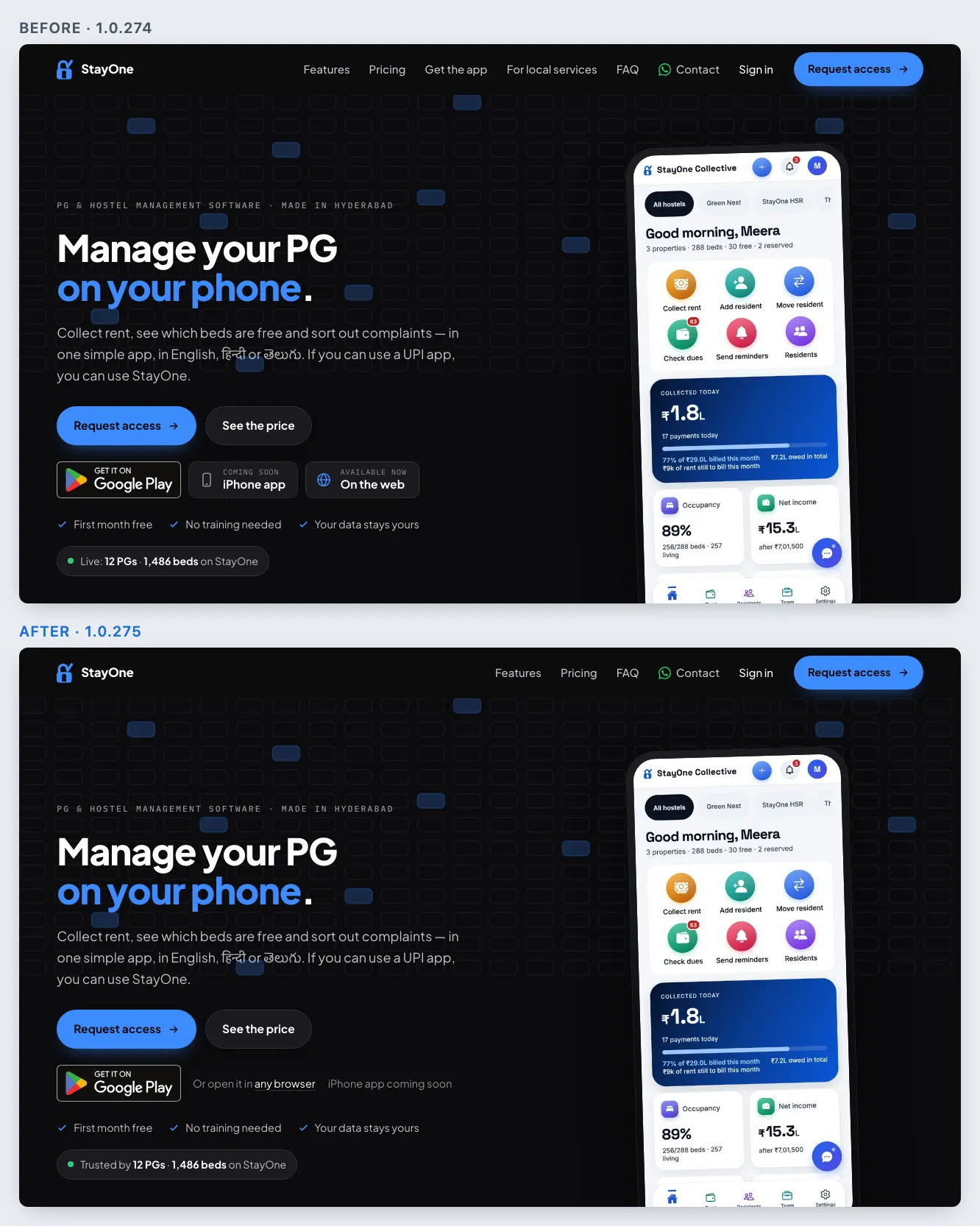
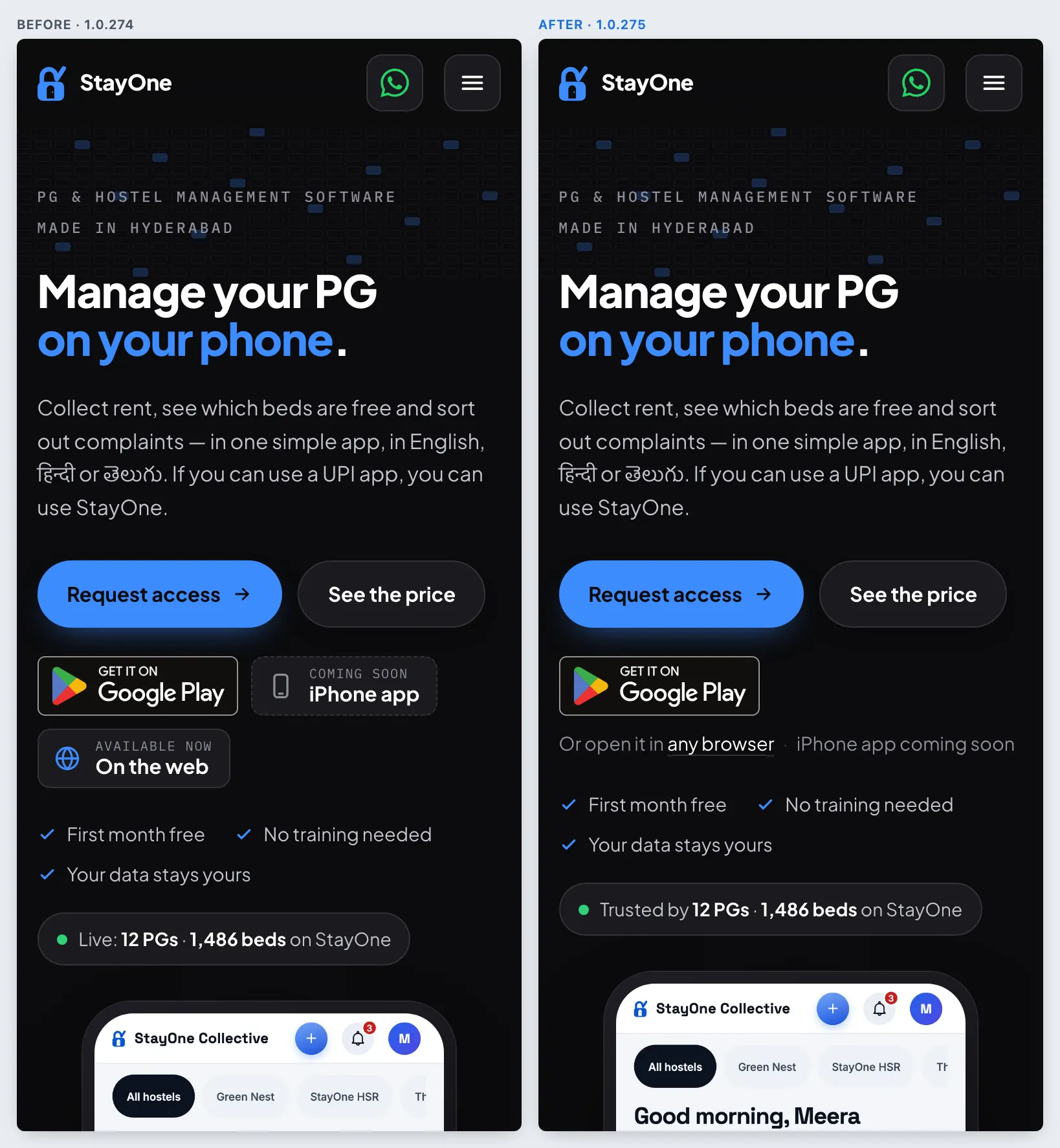
Header: Features, Pricing, FAQ, Contact, Sign in, Request access
How
Open www.stayone.app on a laptop; then on a phone, open the menu.
Expect
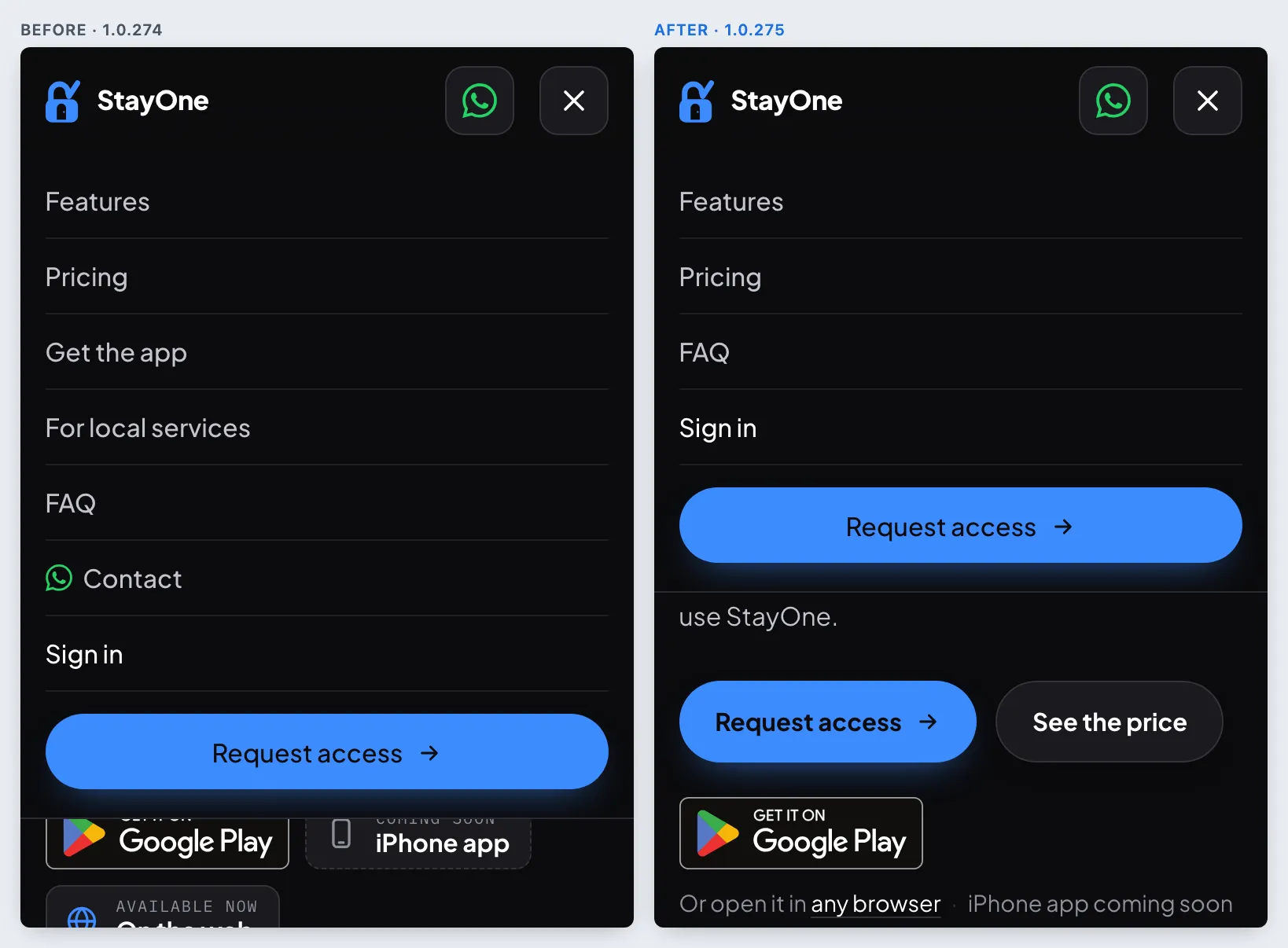
Six items, not eight: “Get the app” is gone (the hero badge and the Get the app section cover it) and “For local services” is now in the footer. On a phone the menu is Features, Pricing, FAQ, Sign in and Request access — WhatsApp is the green button in the bar itself.
Laptop: header and heroPhone menu
Fix
Hero: one store badge and a line, “Trusted by N PGs”
How
Look under Request access / See the price.
Expect
The Google Play badge, then “Or open it in any browser · iPhone app coming soon” (the browser link opens the app). The live line reads “Trusted by N PGs · N beds on StayOne” — the only place the count is said in words. Sample numbers in the pictures.
Phone hero
Fix
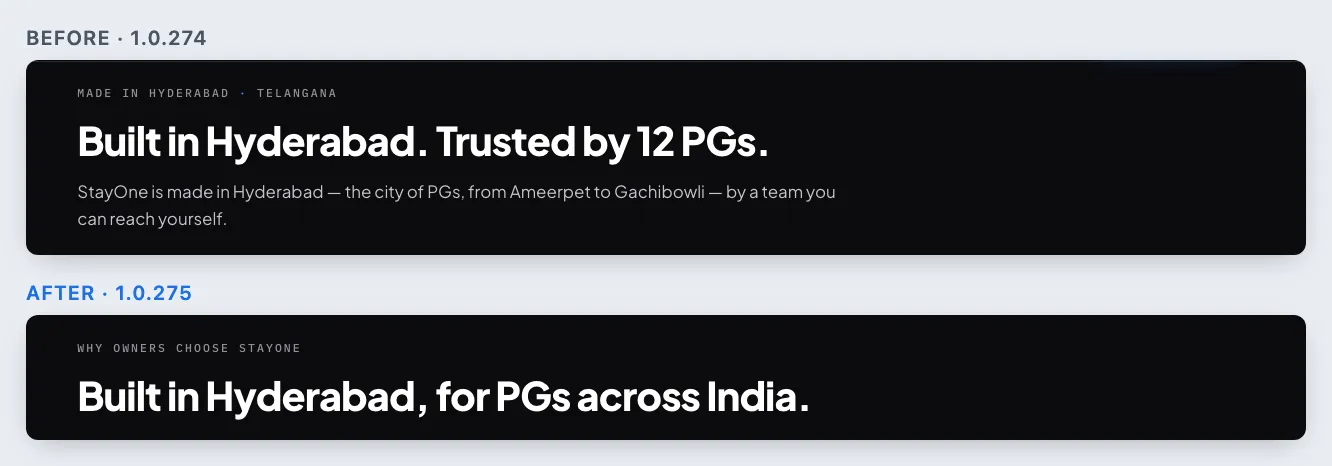
Below the hero: “Why owners choose StayOne”, and WhatsApp only once on a phone
How
Scroll past the hero; on a phone, scroll until the bar appears at the bottom.
Expect
The section is labelled “Why owners choose StayOne” with the heading “Built in Hyderabad, for PGs across India.”, then the live figures and three points — Hyderabad and the count are not repeated. The bottom bar on a phone is Request access and Call; WhatsApp stays in the header bar, which is always on screen.
Section headingPhone bottom bar
No new app build: the website only.
1.0.274
versionCode 274 · 11 Oct 2026
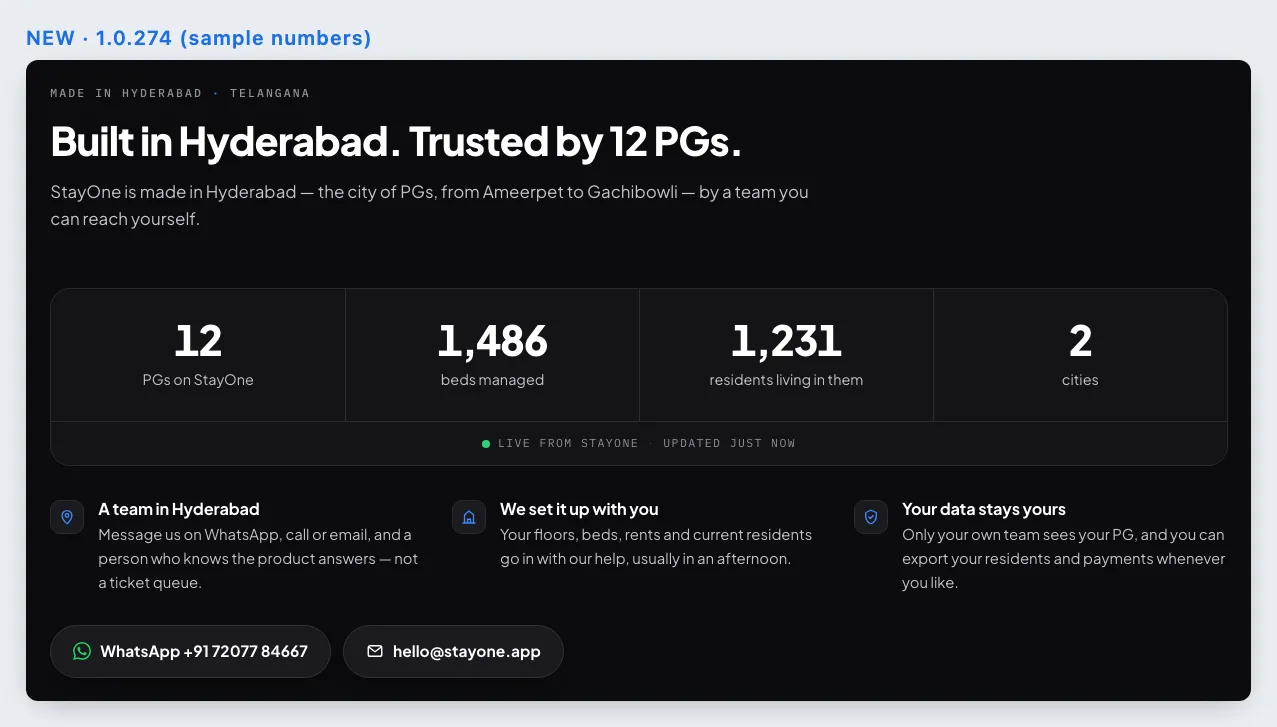
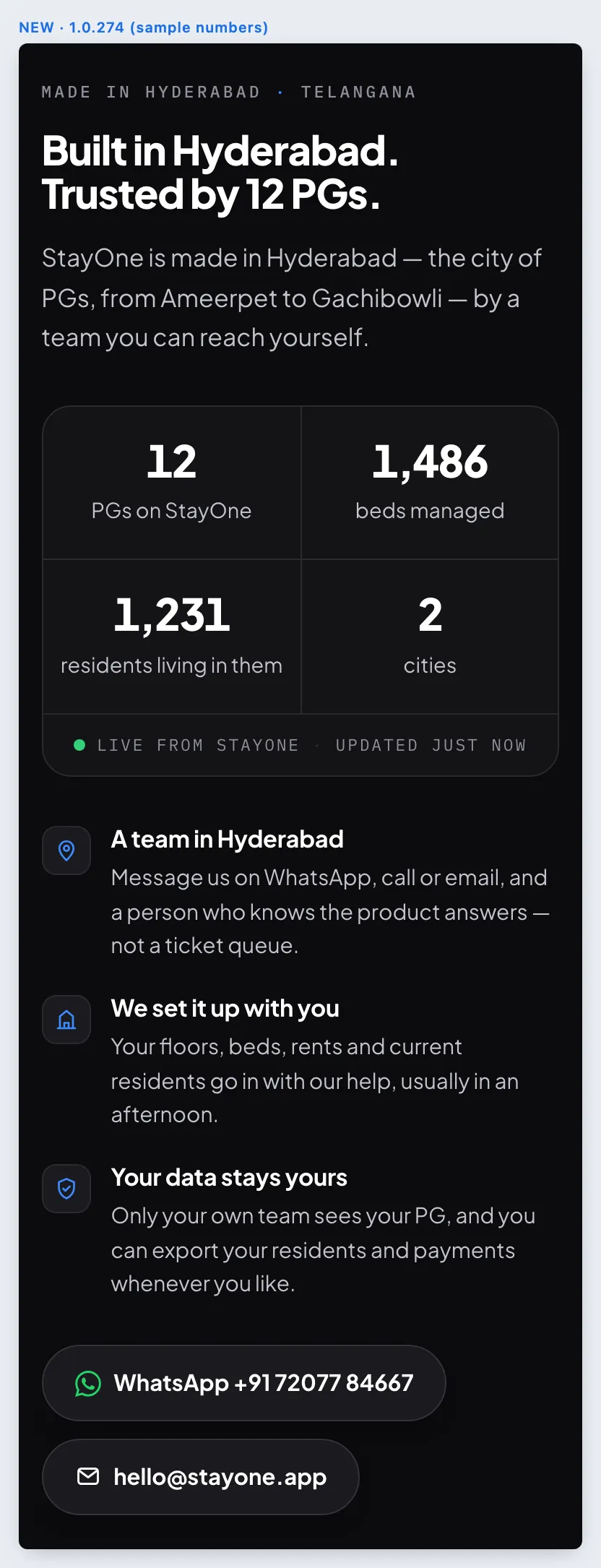
Website — made in Hyderabad, with live numbers
New
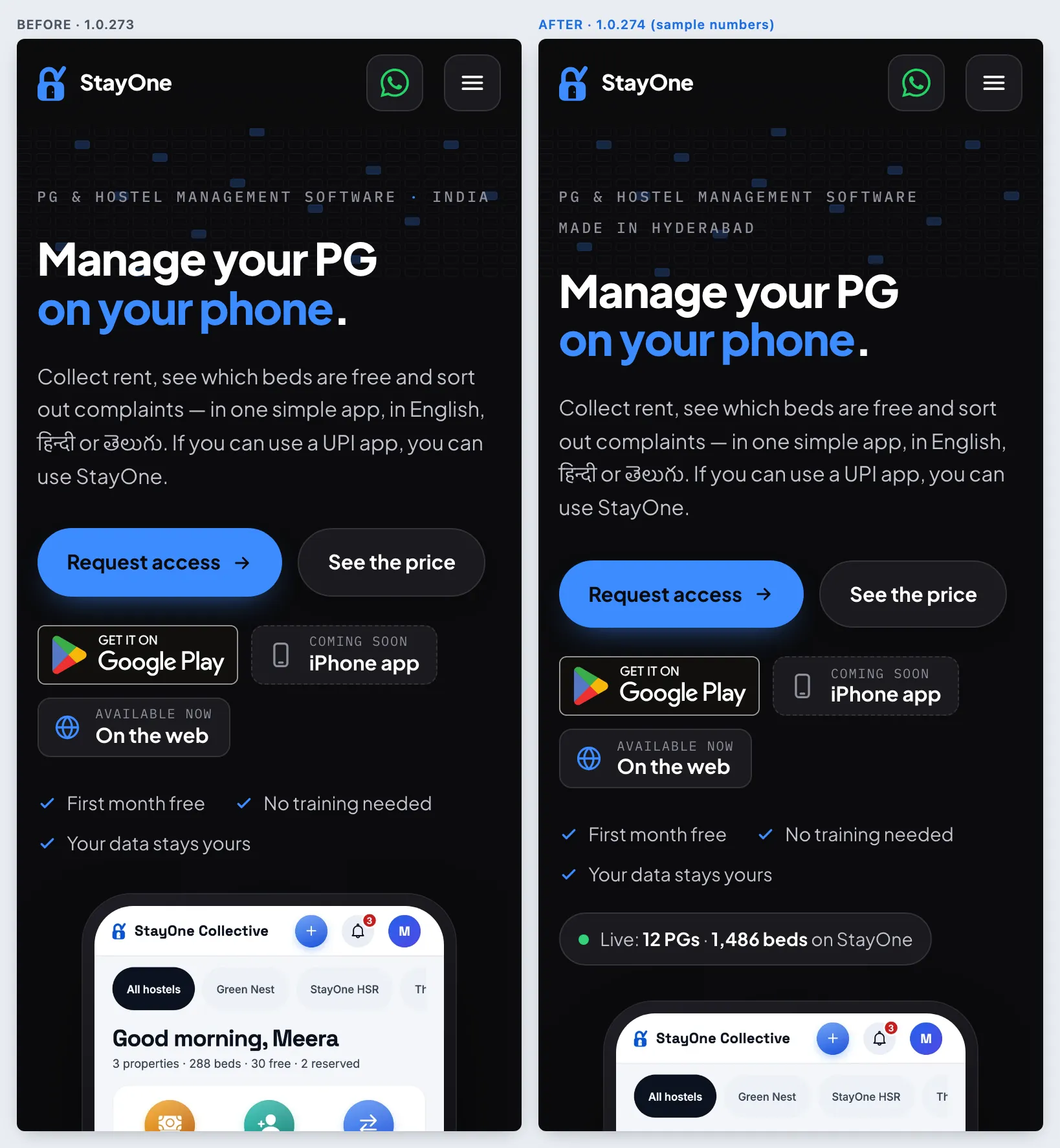
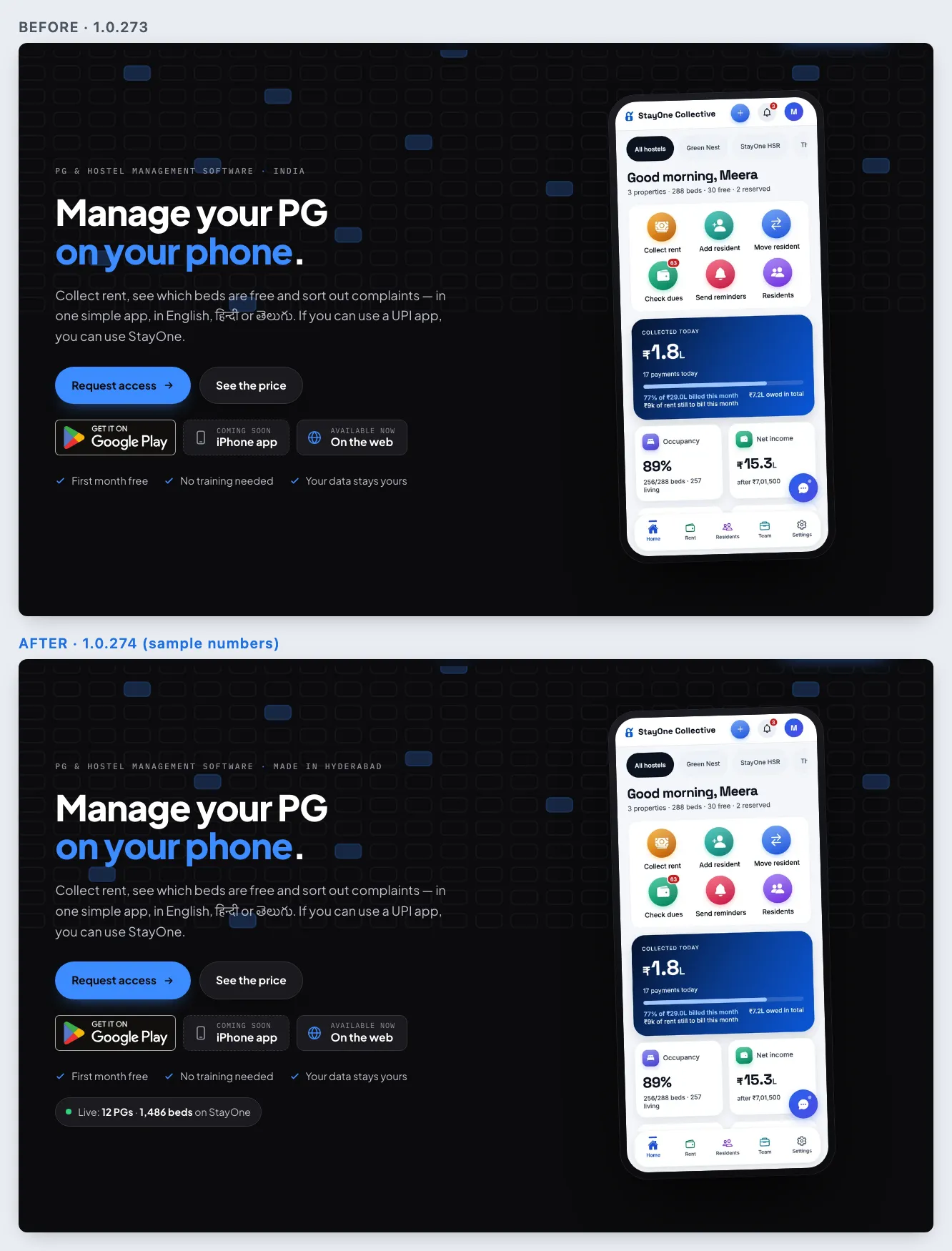
Live numbers from production: PGs, beds, residents, cities
How
Open www.stayone.app. Look under the hero’s ticks, then scroll to Made in Hyderabad. Add a hostel or a resident in the app and watch the page (it refreshes every 30 seconds, no reload). The raw numbers are at /api/public/stats.
Expect
A “● Live: N PGs · N beds on StayOne” line in the hero, and four counts under “Built in Hyderabad. Trusted by N PGs.” with “Live from StayOne · updated just now”. They count only running hostels of real organisations — the demo and suspended organisations are left out — and current residents. With no real PGs yet, or if the API cannot be reached, the numbers stay hidden and the heading reads “Built in Hyderabad, for PGs across India.” The pictures use sample numbers.
Phone hero: Made in Hyderabad + live countLaptop heroMade in Hyderabad (laptop)Made in Hyderabad (phone)
New
Hyderabad everywhere it is said: title, share card, footer, search data
How
Share www.stayone.app on WhatsApp; look at the browser tab, the hero label and the footer.
Expect
The title and share card say “PG & hostel management software, made in Hyderabad”; the footer ends “Made in Hyderabad, Telangana.”; the search data carries a Hyderabad, Telangana address.
New
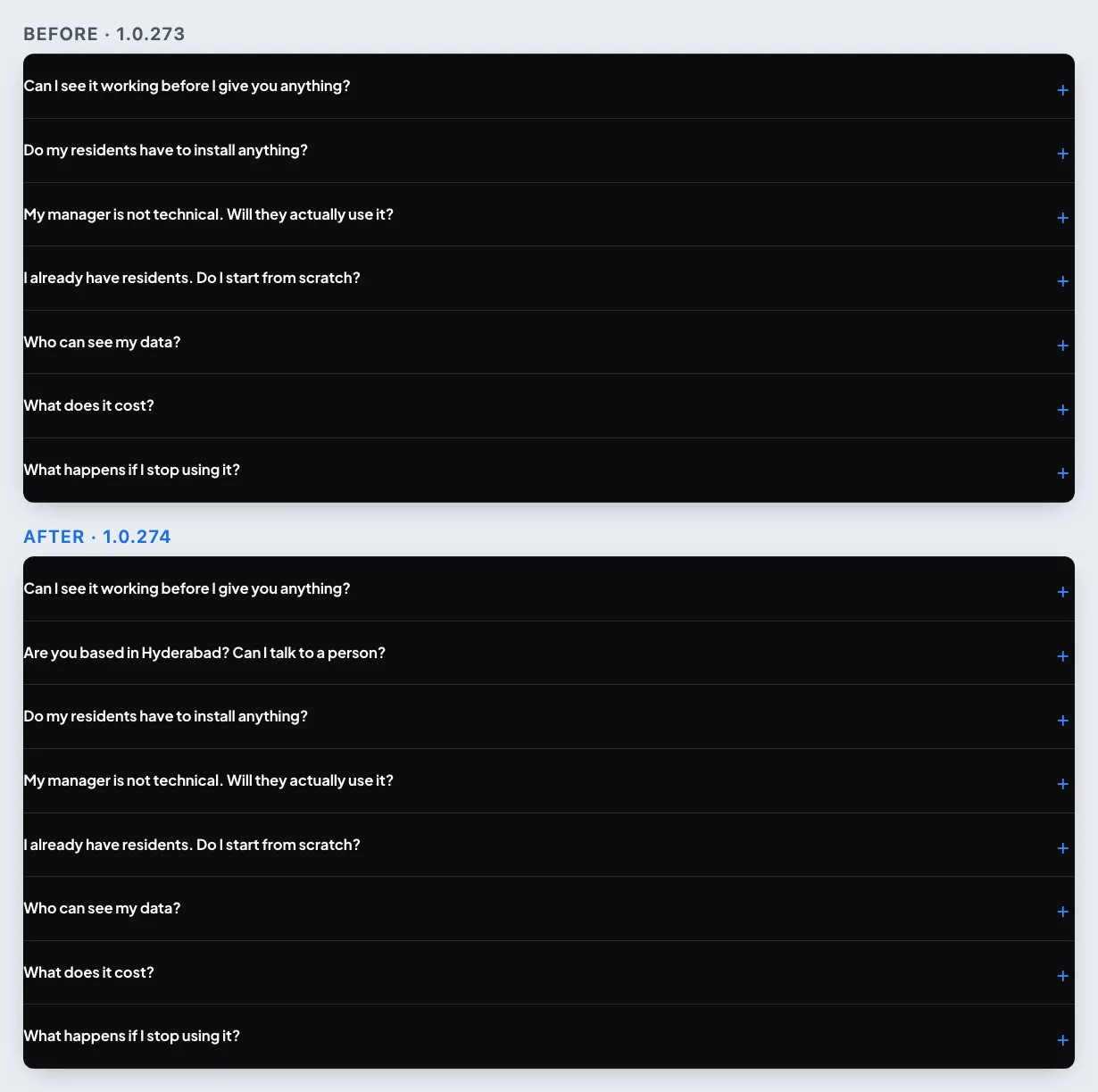
FAQ: “Are you based in Hyderabad? Can I talk to a person?”
How
Scroll to Straight answers and open the second question.
Expect
Yes, built in Hyderabad — with the WhatsApp number (opens WhatsApp) and [email protected] (opens mail).
FAQ
Fix
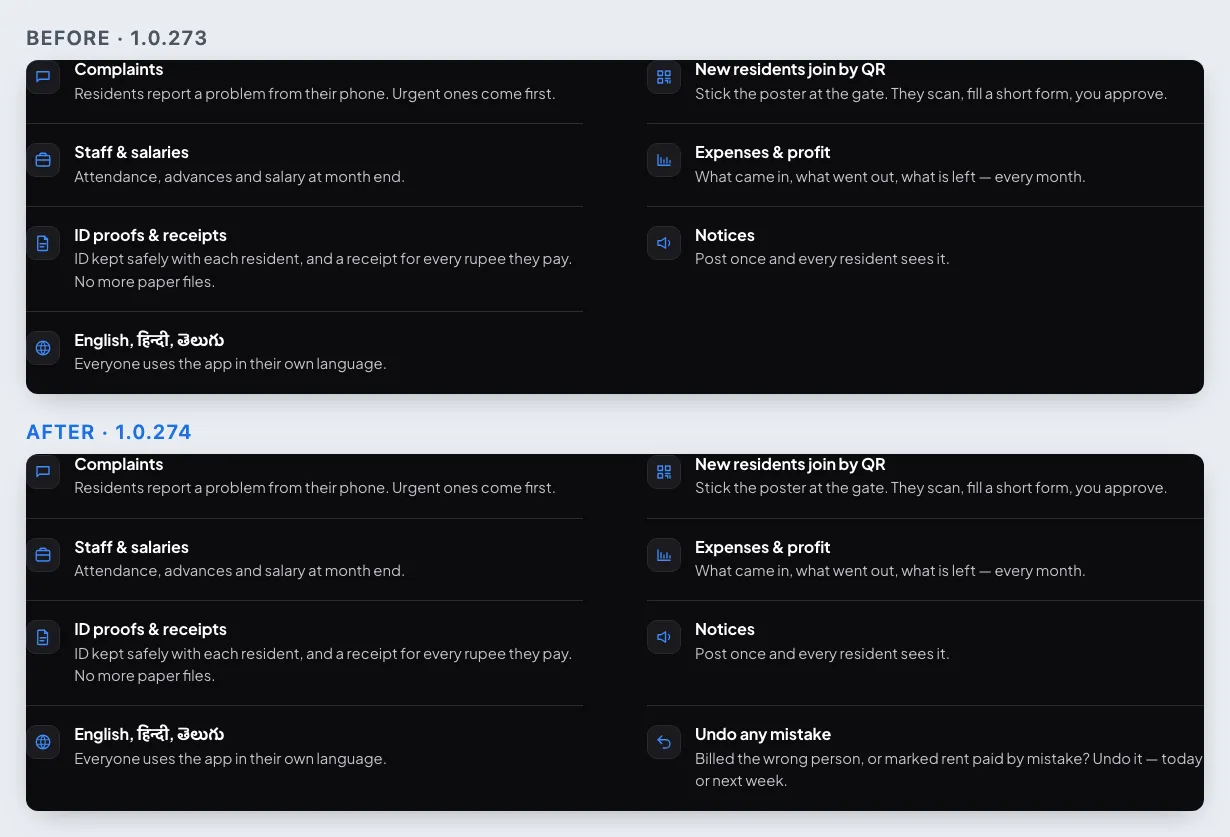
Also included gets “Undo any mistake”; pricing no longer promises letters
How
Scroll to Also included, then Included in every plan under the prices.
Expect
Eight items, the last one “Undo any mistake” (1.0.272’s undo, any time), so the grid has no gap. The plan list says “Notices”, not “Notices & letters” — resident letters were retired on 8 Oct.
Also included
No new app build: this release is the website and the server only — nothing in the app changed.
1.0.273
versionCode 273 · 11 Oct 2026
Website — talk to StayOne on WhatsApp, by phone or email
New
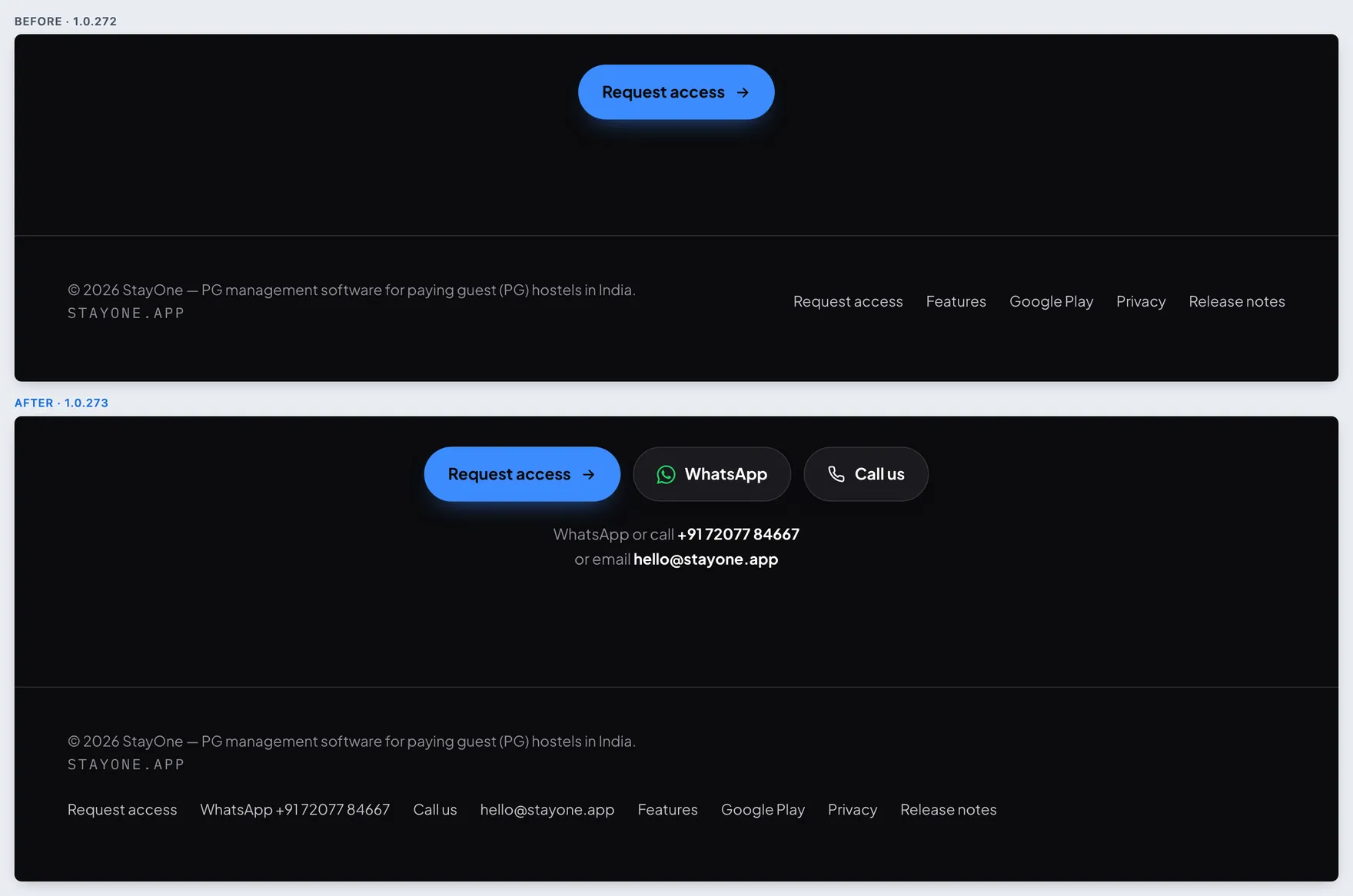
WhatsApp is the default way to contact us — Contact in the header, a WhatsApp button on phones
How
Open www.stayone.app on a laptop and tap Contact in the header. On a phone, tap the green WhatsApp button beside the menu, or the WhatsApp icon on the bar that appears once you scroll.
Expect
Your own WhatsApp opens on a chat with +91 72077 84667, with “Hi StayOne, I run a PG and would like to know more.” in the box, ready to send (edit it if you like). A phone opens the WhatsApp app; a laptop opens WhatsApp Web straight on the chat, with no “Continue to chat” page. The icon is WhatsApp’s own logo, in its green.
Laptop header: ContactPhone header: WhatsApp buttonPhone bar: WhatsApp and Call
New
Number and email at the bottom of the page, and in the footer
How
Scroll to Tell us about your PG at the end of the page, then the footer under it.
Expect
WhatsApp and Call us beside Request access, then “WhatsApp or call +91 72077 84667 or email [email protected]”. The number opens WhatsApp, the email opens your mail app. The footer has WhatsApp +91 72077 84667, Call us and [email protected].
Closing band and footer
App — WhatsApp and email StayOne
New
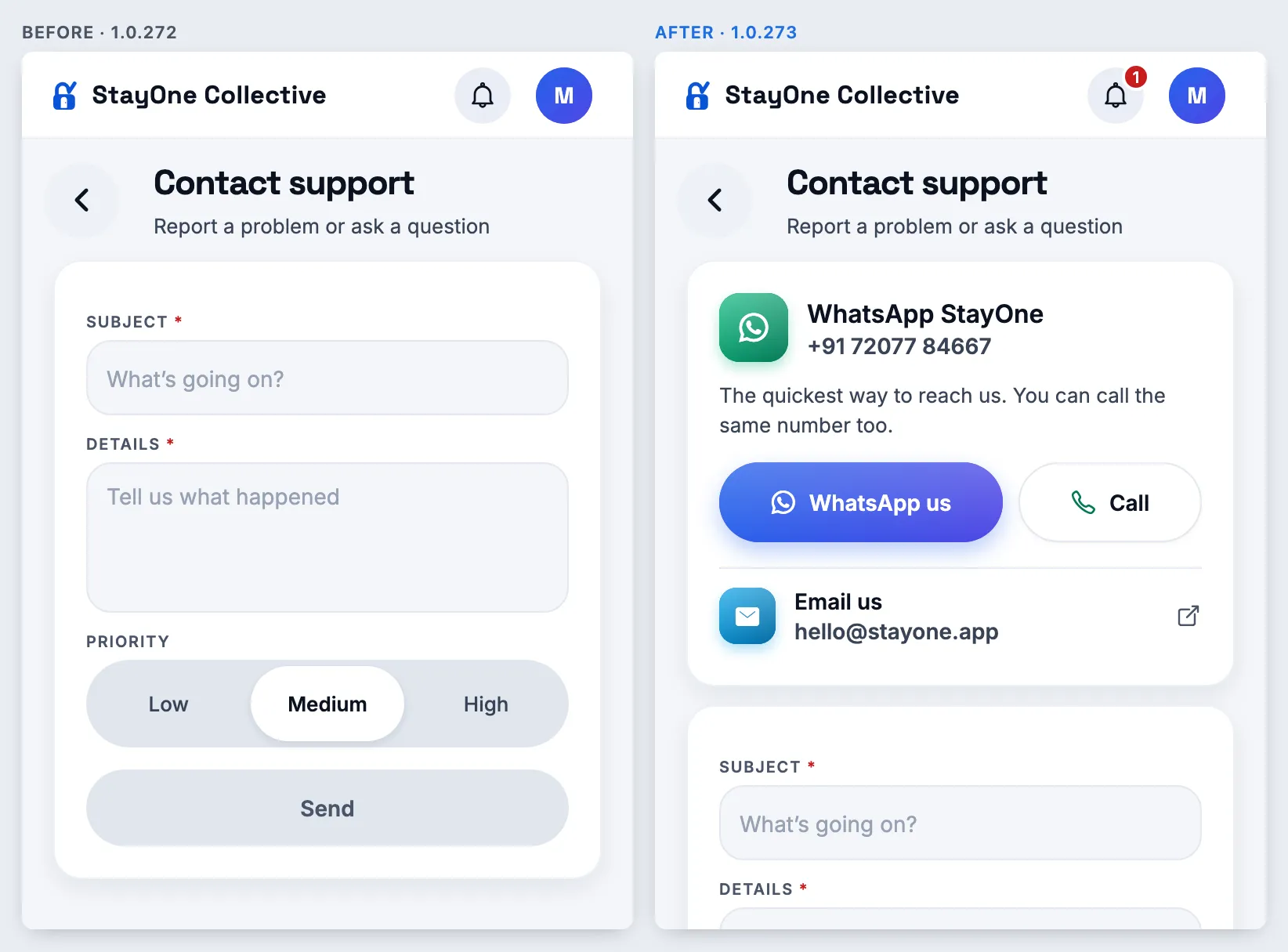
WhatsApp StayOne on Contact support — owners and managers
How
Sign in as an owner or manager → Home → Contact support. Tap WhatsApp us, then try Call.
Expect
A card at the top: the WhatsApp logo, +91 72077 84667, WhatsApp us and Call. WhatsApp opens on our chat with “Hi StayOne, this is Meera Nair from StayOne Collective.” (your name and organisation, in your app language), ready to send. On a laptop it opens WhatsApp Web. Phones need the 1.0.273 Play bundle for this; the web app has it now.
Owner: Contact support
New
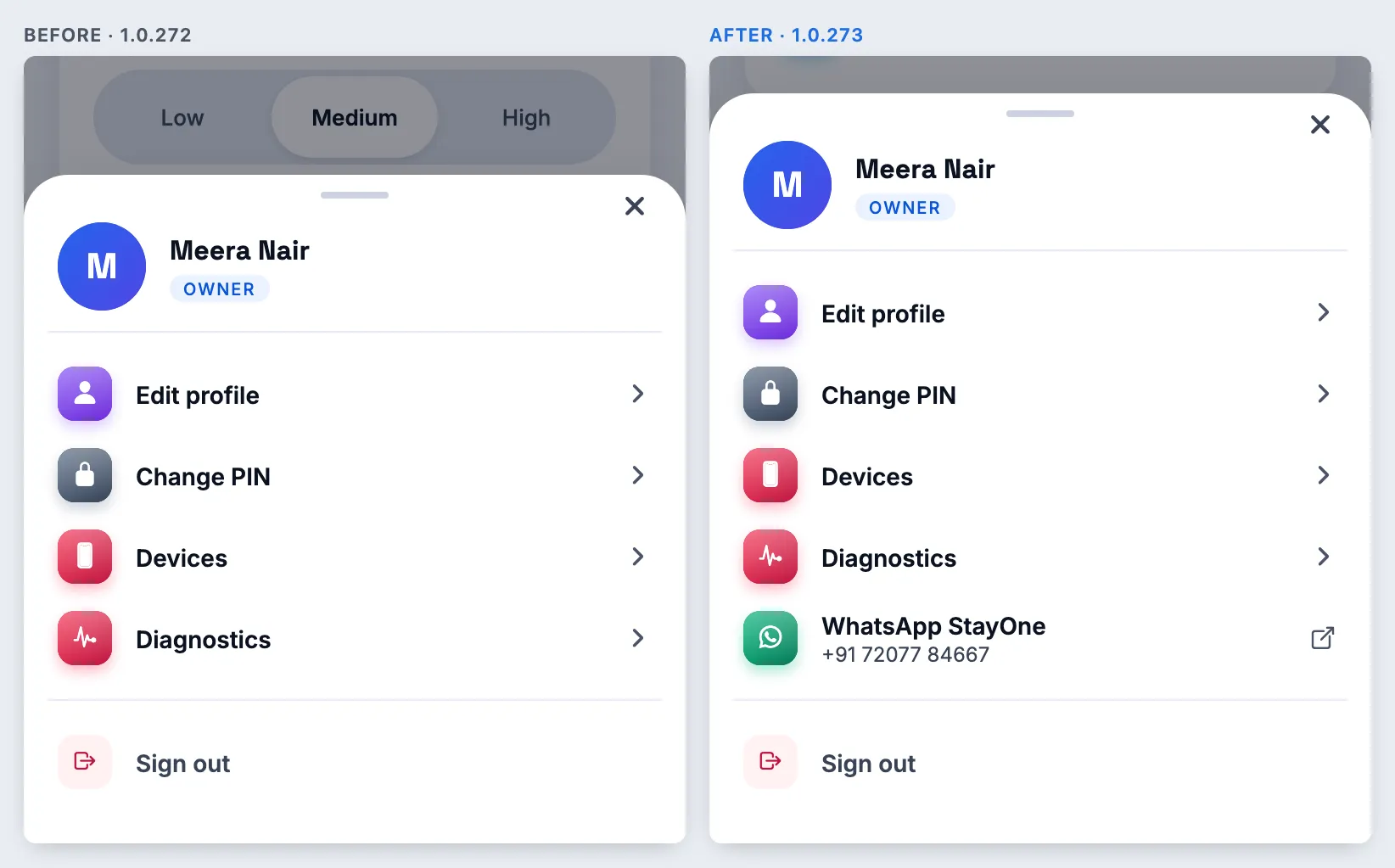
WhatsApp StayOne from the account menu, on every screen
How
As an owner or manager, tap your photo or initial (top right) on any screen.
Expect
A WhatsApp StayOne row with the number under it, above Sign out. It opens the same chat. Not shown to residents or staff, or in an “Open as” support session.
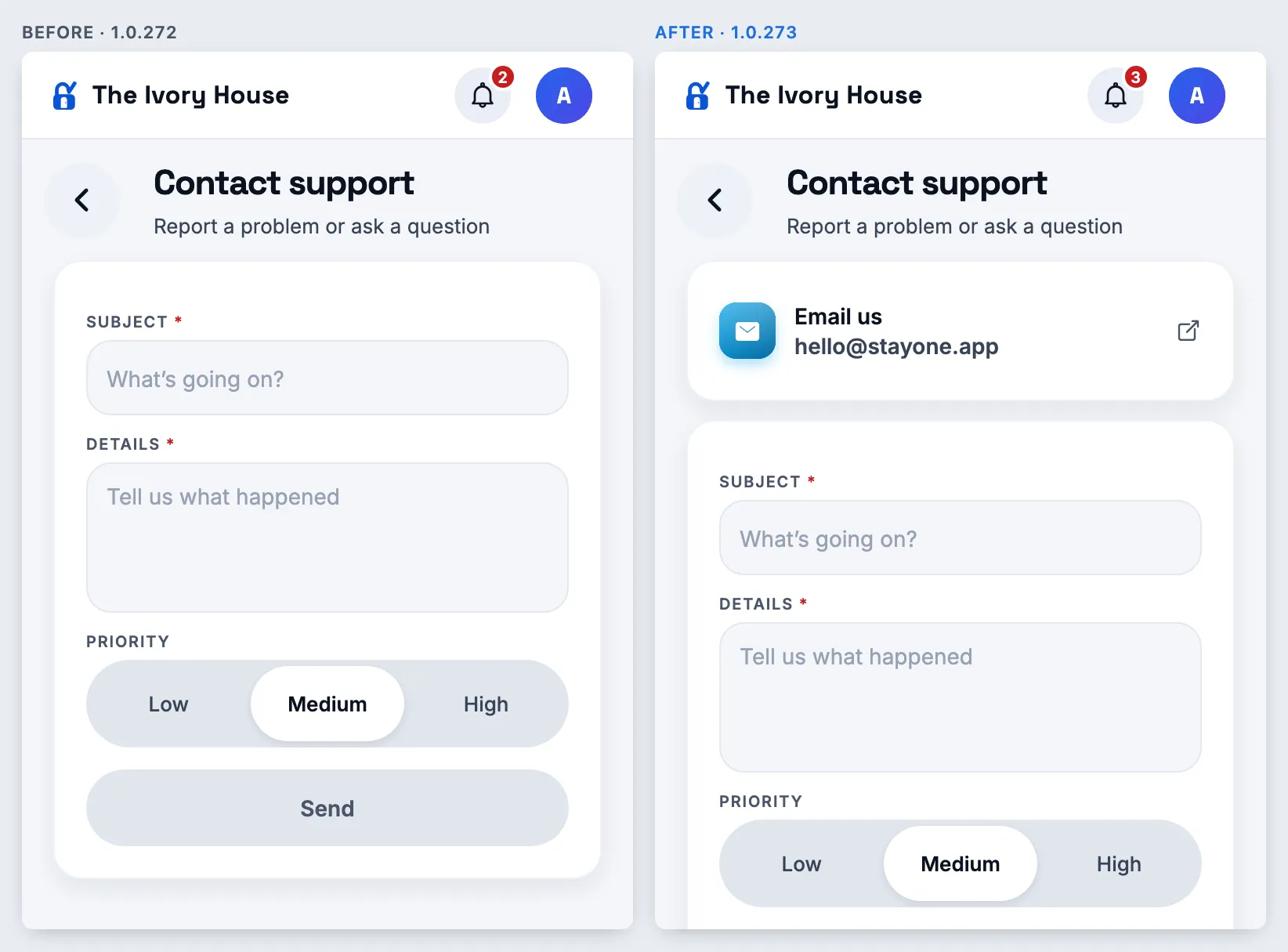
Open Contact support as an owner, a manager and a resident. Tap Email us.
Expect
Owners and managers see it under WhatsApp and Call; residents and staff get just the email (no WhatsApp). It opens your mail app with the subject filled in, e.g. “StayOne support: Meera Nair, StayOne Collective”.
Resident: email only
1.0.272
versionCode 272 · 11 Oct 2026
Undo — owners and managers, any time
New
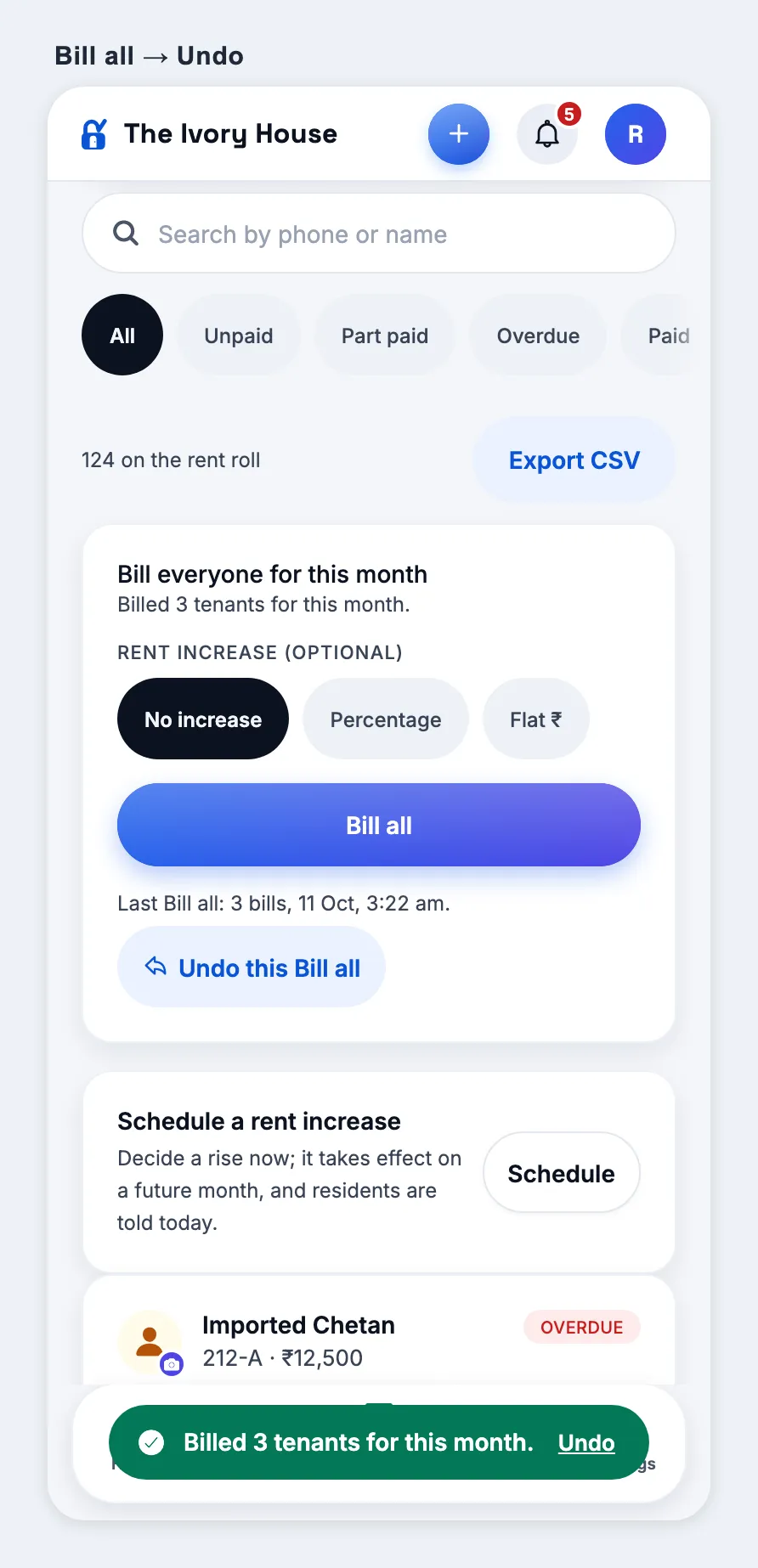
Bill all can be undone — right after, or any time this month
How
Owner or manager → Rent → Bill all (try once with a rent increase too). Tap Undo on the message, or later Undo this Bill all under the Bill all button. Collect one resident’s new bill first, then undo.
Expect
The bills that run raised come off; a bill someone has paid stays and the message says so (“1 kept — money was paid against it”). With a rent increase, rents go back for everyone whose bill came off, and residents are told. Undo works once — the line disappears after.
Bill all → Undo
New
Money marked paid by mistake — reversed any time, not just 10 minutes
How
Collect cash for a resident, then open their page → Payment history → Reverse on it (also tomorrow, next week). Approve a payment proof, then Undo. As staff, try reversing after 10 minutes.
Expect
The bill is owed again, the receipt is marked reversed (never deleted), cash comes out of the drawer count, and the resident is told. An undone approval goes back to Payments to check. Staff still only get 10 minutes on their own. Money paid online through Razorpay cannot be reversed here — it says so.
New
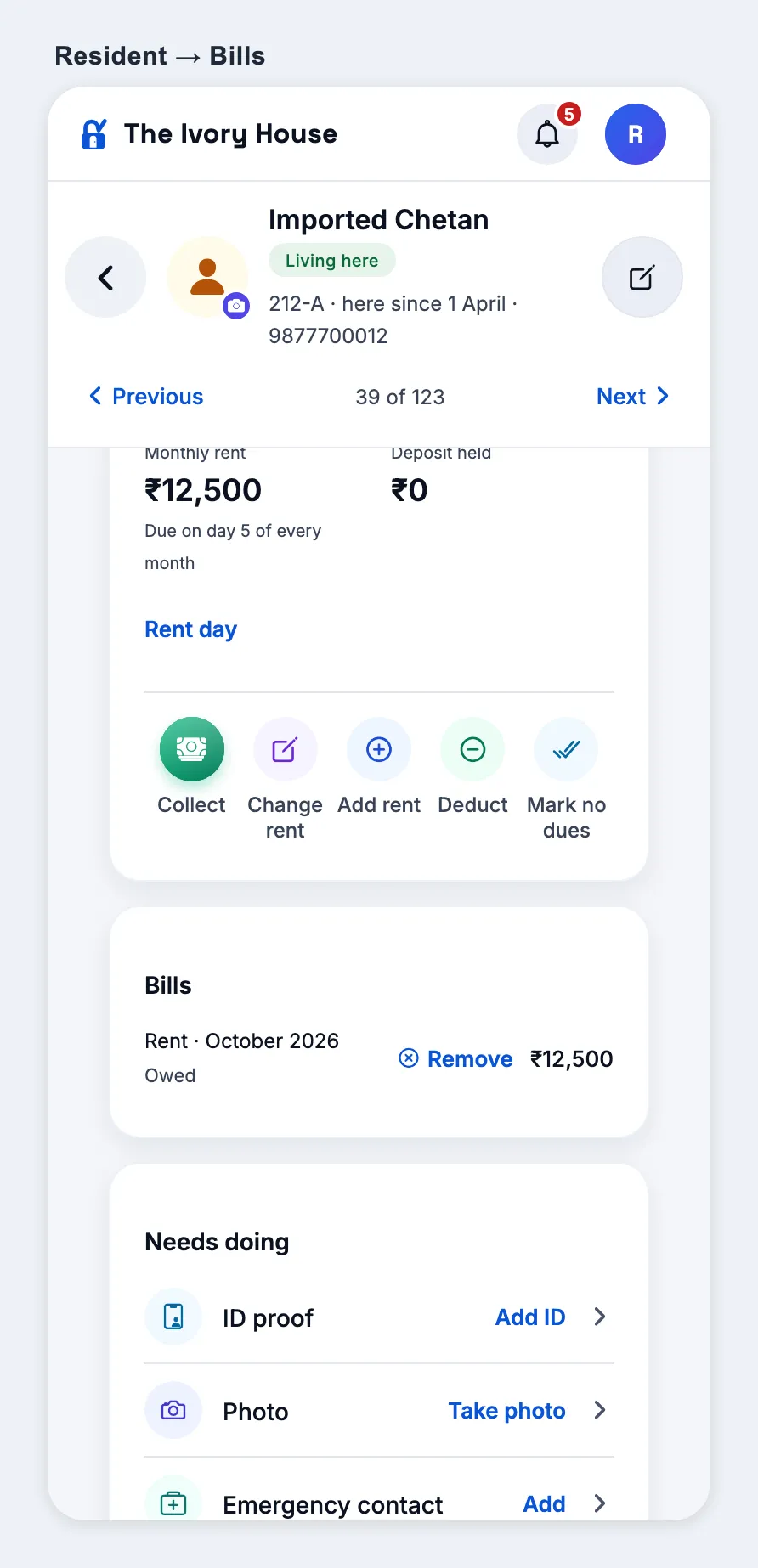
A Bills list on the resident’s page — Remove, Undo, Undo refund
How
Open a resident → Bills (under Rent). Use Remove on an unpaid bill added by mistake, Undo on a written-off or changed bill, Undo refund on a refund.
Expect
Every bill with what happened to it (Owed / Paid / ₹X paid / Written off or changed / Refunded). Remove only shows where nothing was paid. Each asks first, and the resident’s dues update.
Bills on the resident’s page
New
Undo on every money action, and on moves
How
After each, tap Undo on the message: Not received, Add rent, Add charge, Charge the room, No dues (paid and let off), Collect, Deduct, Reject a proof, Record bank deposit (Cash book), delete an expense (manager), Record refund, Archive. On a resident’s page: Undo move-in (added by mistake) and, once moved out, Undo move-out. Payments to check → Rejected → Check again.
Expect
Each puts things back as they were and says what it did. Undo move-out brings them back on the same bed with bills and deposit as before (refused if the bed has gone to someone else). Undo move-in is refused while money received for them stands — reverse that first.
Changed
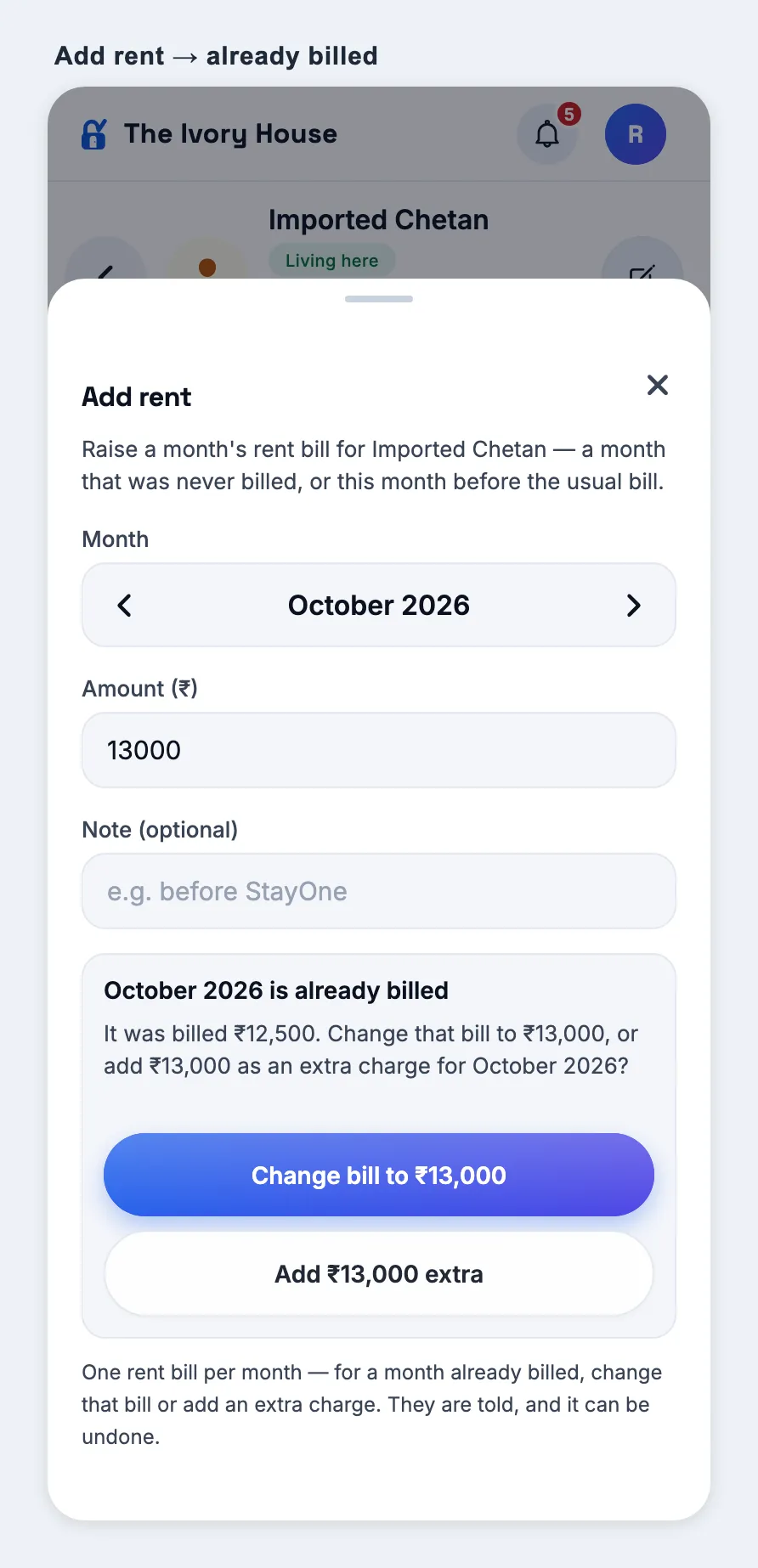
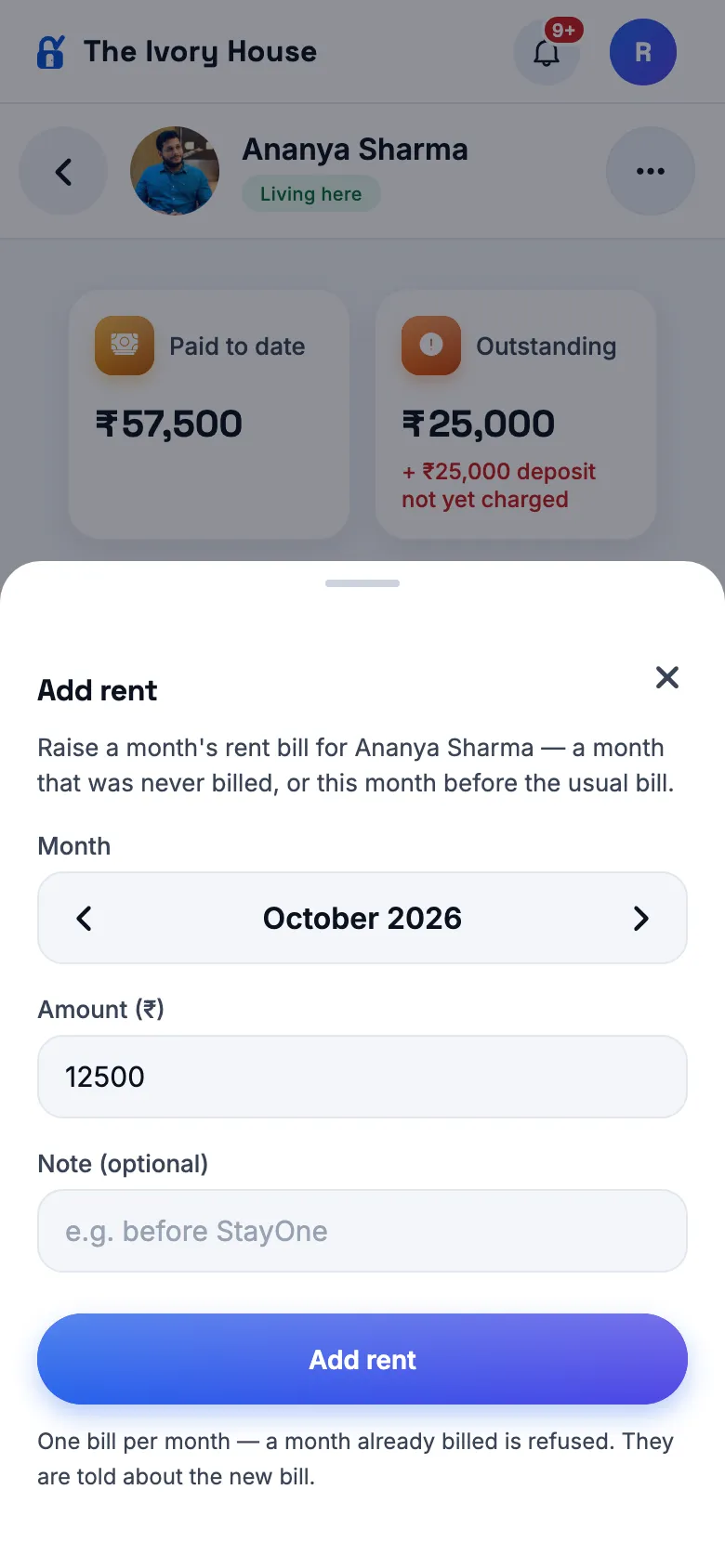
Add rent on a month that is already billed
How
Resident → Add rent → pick a month that already has a bill (e.g. October) → enter an amount → Add rent.
Expect
Not refused any more: “October 2026 is already billed — it was billed ₹X. Change bill to ₹Y or Add ₹Y extra?” Changing never goes below what was paid; both can be undone.
Already billed → change or add
Simpler menus
Changed
Audit log, Vendors, Gate and Refer a friend start switched off
How
Sign in as owner and as manager → Home → Show all. Then super admin → Platform → Modules (or a hostel’s switches) → turn one on → owner/manager pull to refresh.
Expect
Those four tiles are gone by default and their screens answer “switched off”. Turned on in Modules, they come back. Staff keep Gate and Vendors; residents keep visitor pre-approvals. Approvals and Payments to check are unchanged.
Changed
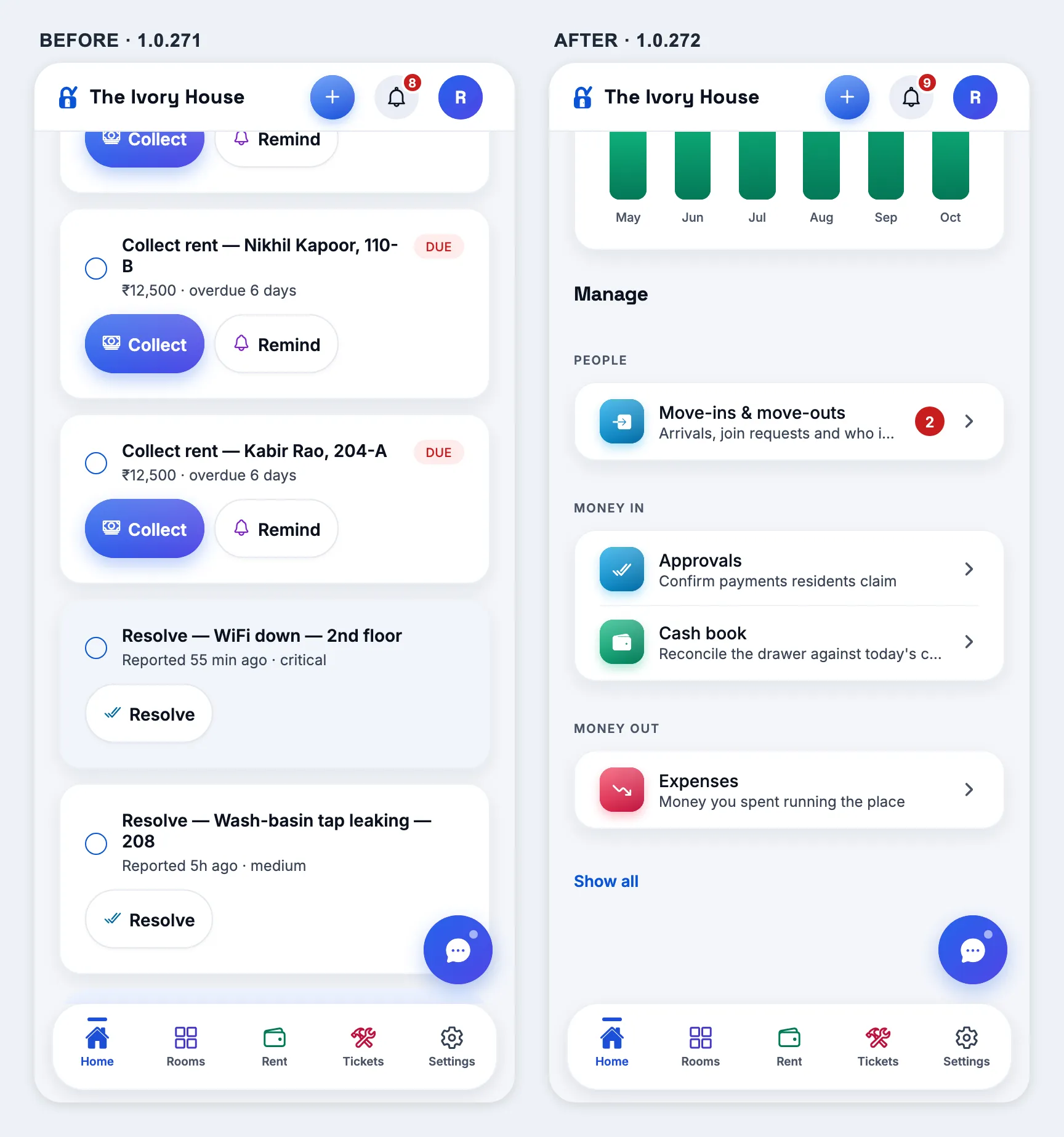
Nothing twice on Home, and no task lists for managers
How
On a phone: owner Home and manager Today → Show all. Also super admin Home.
Expect
The Manage grid no longer repeats a tab or a quick action — owner: no Rent & dues, Residents, Staff or Rooms & beds tiles; manager: no Residents, Rent & dues or Rooms & beds. Manager Today has no “Your tasks” or “Today’s tasks”. Super admin: no Owners tile; Access shows only while requests wait.
Manager Today — no task listsManager Manage gridOwner Home
New
Compliance vault for managers
How
Manager → Home → Show all → Compliance vault.
Expect
Residents without a verified ID proof at the manager’s own hostel(s), each opening their page.
Manager → Compliance vault
Removed
“Receive rent online” is gone for owners
How
Owner → Home and the laptop sidebar.
Expect
No “Receive rent online” tile or sidebar item (Razorpay does not yet support it fully for owners). The website no longer mentions paying rent online.
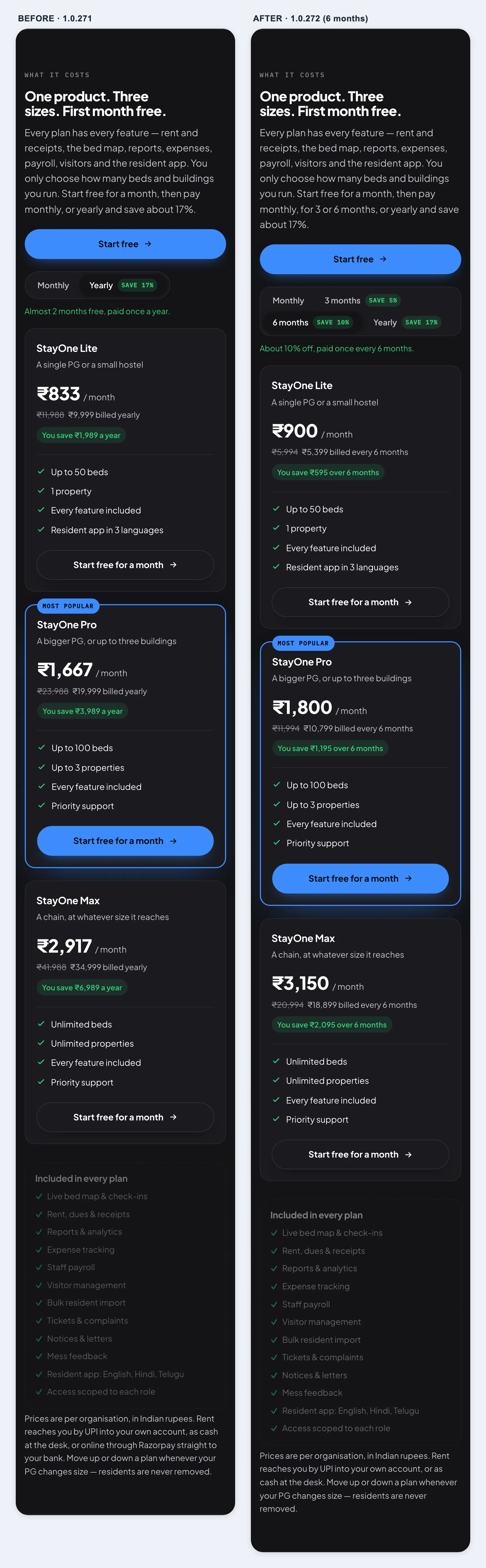
Plans — 3 and 6 months
New
Pay for 3 months or 6 months, as well as monthly and yearly
How
Owner → Plans (Settings → Plan & subscription, when billing is on) → the four tabs. stayone.app → Pricing → the switch. Super admin → an owner → Org controls → Custom pricing.
Expect
Monthly · 3 months (save 5%) · 6 months (save 10%) · Yearly (save 17%). Lite ₹2,849 / ₹5,399, Pro ₹5,699 / ₹10,799, Max ₹9,999 / ₹18,899 for 3 / 6 months, each with its per-month figure and saving. Paying for 3 or 6 months adds that many months. Custom pricing has 3-month and 6-month boxes.
Owner → PlansWebsite pricing
1.0.271
versionCode 271 · 11 Oct 2026
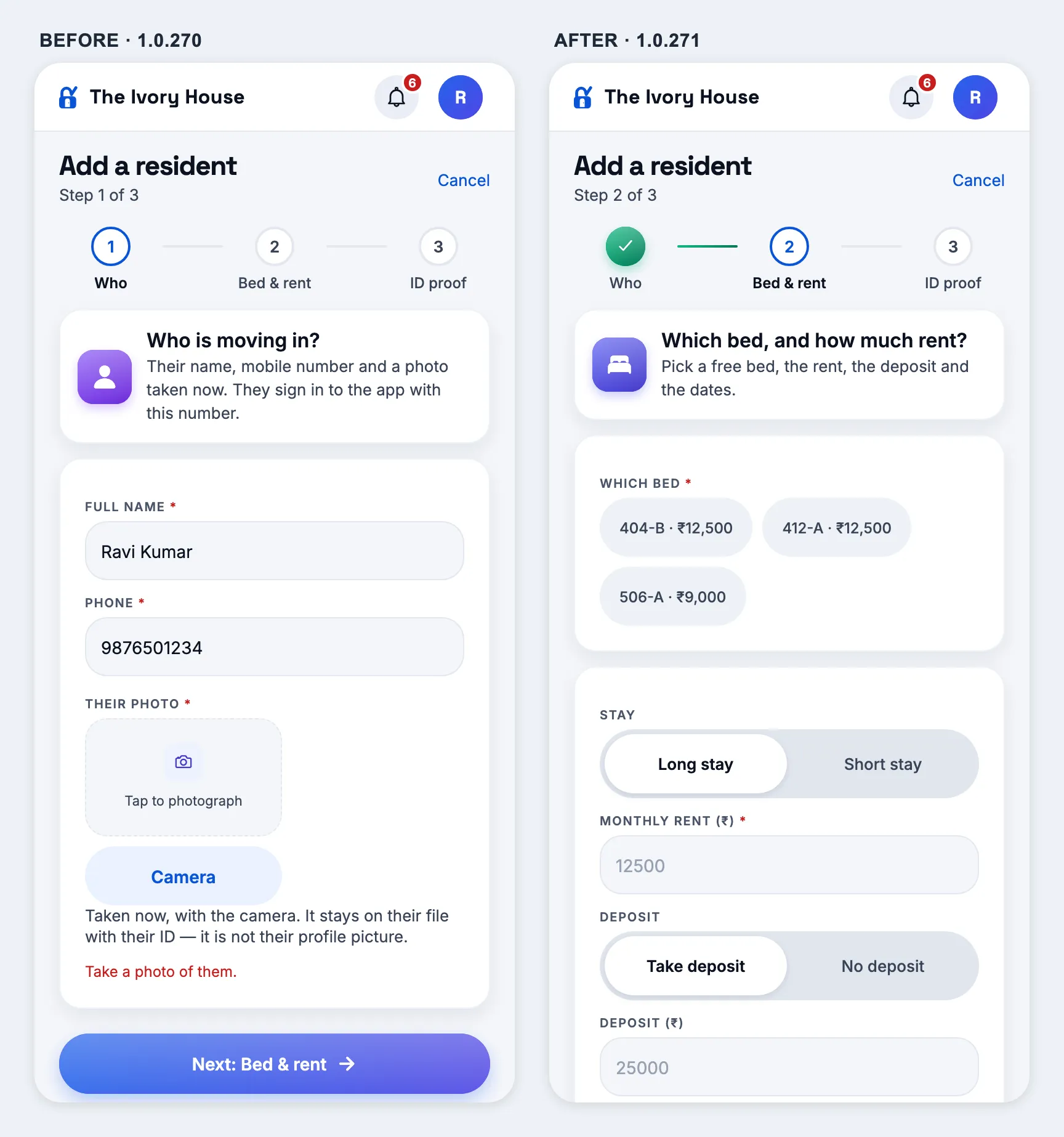
Add a resident — photo and ID optional
Changed
A name and a mobile number are enough to move someone in
How
Owner or manager → Rooms → tap a free bed → Check in a resident here (or Home → Add resident). Type a name and a mobile, tap Next: Bed & rent, then Next: ID proof, then Add resident without taking any photo.
Expect
No red star on Their photo, and Next goes on without one (it used to stop at “Take a photo of them.”). Step 3 reads “Optional: …” and nothing on it is starred — the resident is added with no ID, and their page lists the missing photo and ID under Needs doing. Taking only one side of an Aadhaar, or photos with no number, still asks you to finish or remove them, so photos are never silently dropped.
Step 1 without a photo
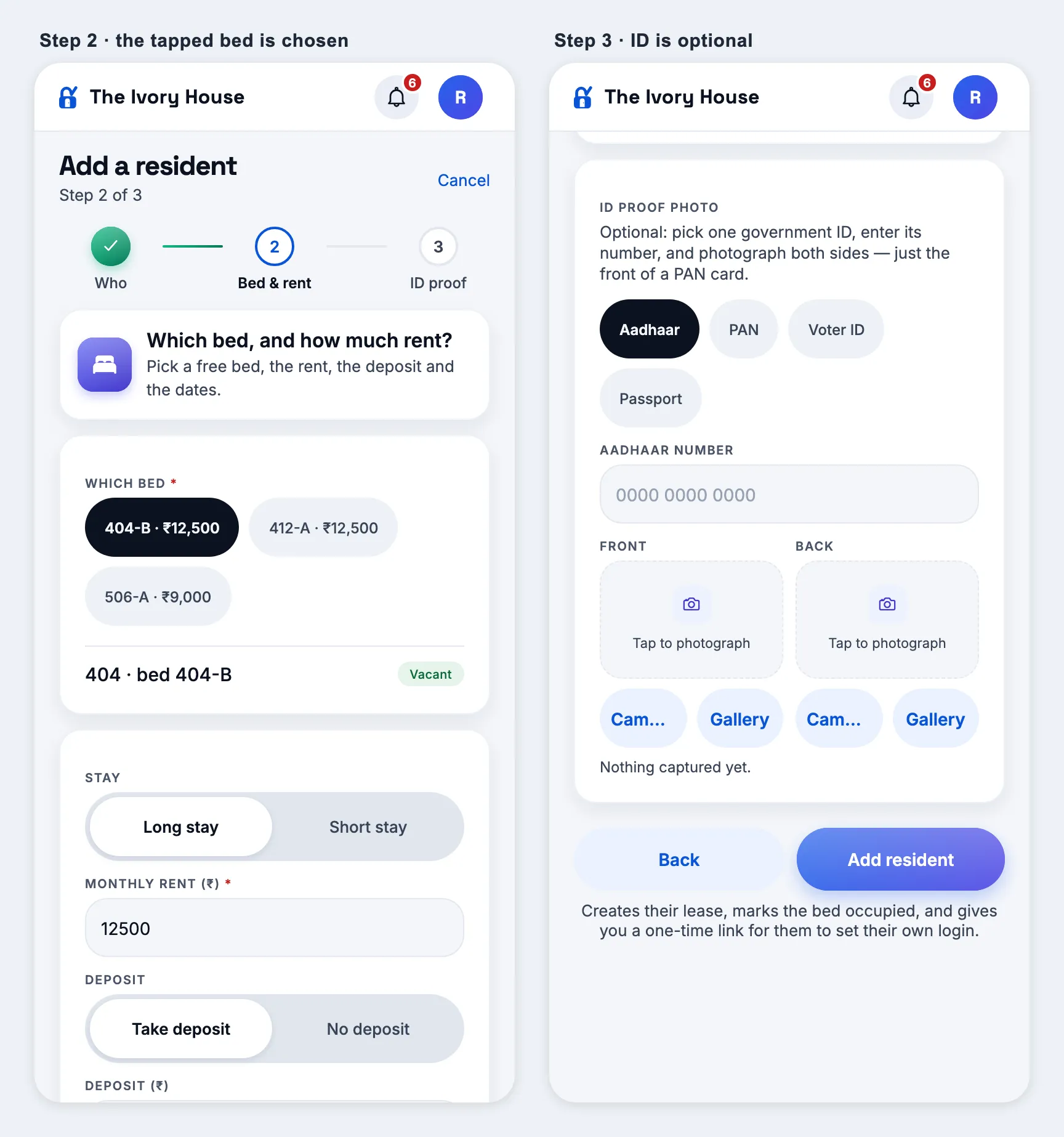
Fixed
A tapped bed comes already picked
How
Rooms → tap a free bed (tile says Free) → Check in a resident here → name and mobile → Next: Bed & rent.
Expect
That bed is already selected (dark chip, “Vacant” under it) with its rent and deposit filled in. It used to open on the whole bed list with nothing chosen, asking again for the bed you had just tapped.
From a bed: steps 2 and 3
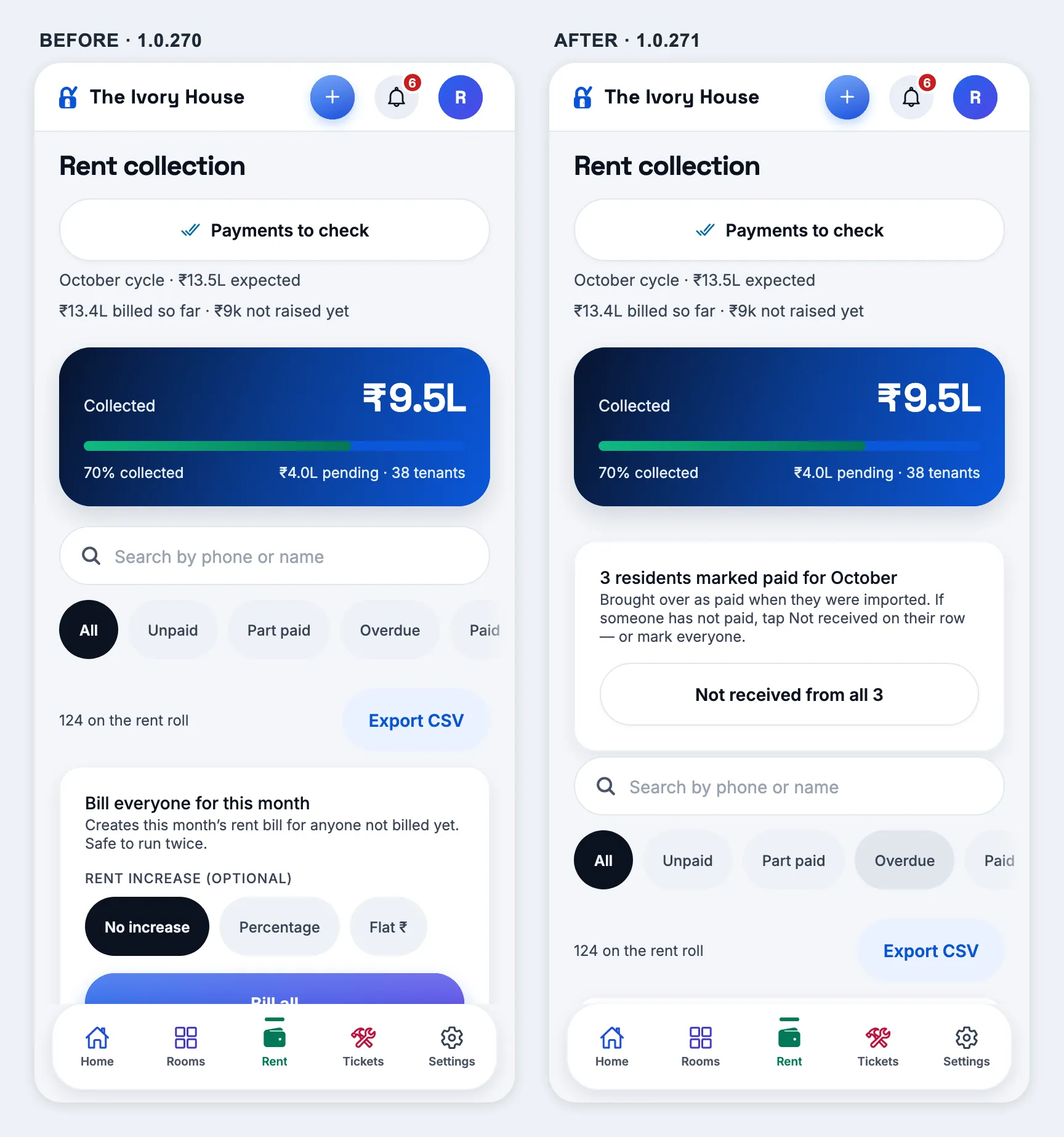
Rent — “Not received” after a bulk import
New
Say a resident has not paid this month, when the import marked them paid
How
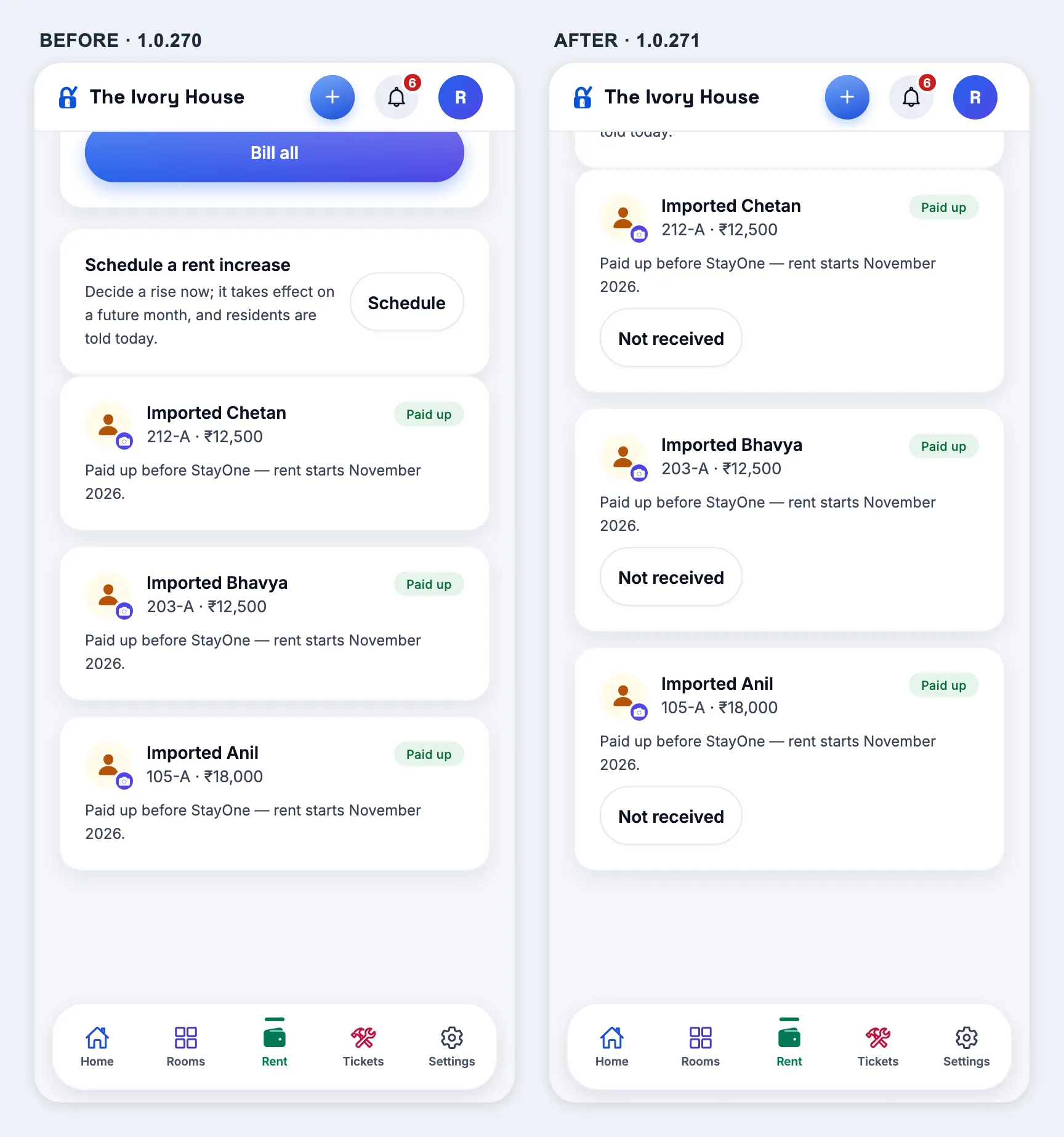
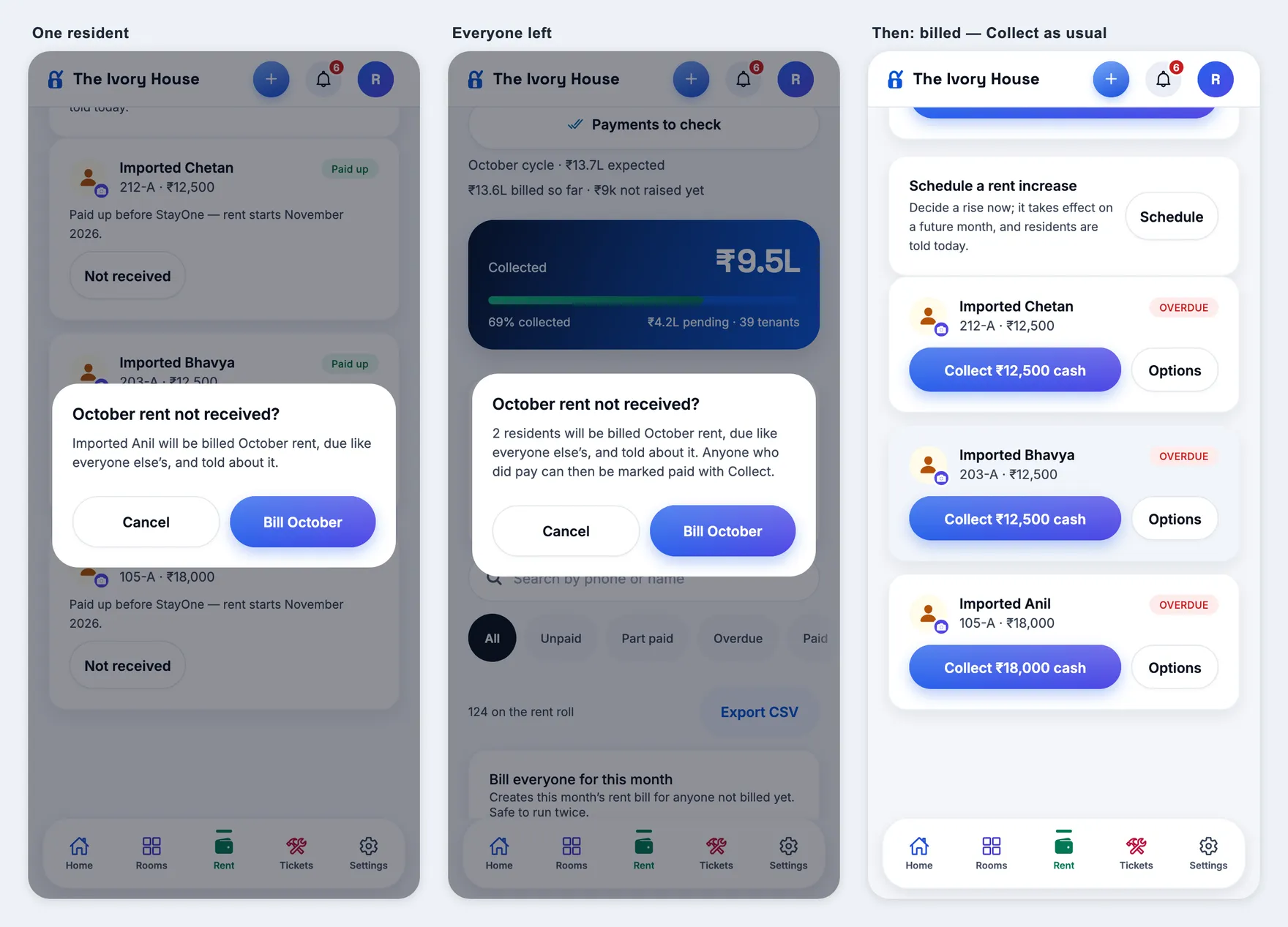
Import residents from the Excel sheet with Bill rent from left blank (they arrive “Paid up”). Then, as owner or manager → Rent: tap Not received on one resident’s row → Bill October. Then Not received from all N on the card under Collected → Bill October. Also open Rent as staff.
Expect
A card “N residents marked paid for October” with Not received from all N, and a Not received button on every “Paid up” row. After confirming, the toast says how many were billed; those residents lose “Paid up”, get this month’s rent (their own rent, due on the property’s usual day — so Overdue after the 5th) with Collect, appear under the Unpaid filter, and the expected and pending totals go up by their rent. Each resident gets a “Rent added — Rent for October 2026” notification. The card disappears when nobody is left; pressing again bills nobody twice. Staff see neither the card nor the buttons. Someone who did pay is then cleared with Collect as usual.
Server
Needs the 1.0.271 server — on an older one the buttons fail. No database migration.
The cardPaid up rowsConfirm, then billed
1.0.270
versionCode 270 · 10 Oct 2026
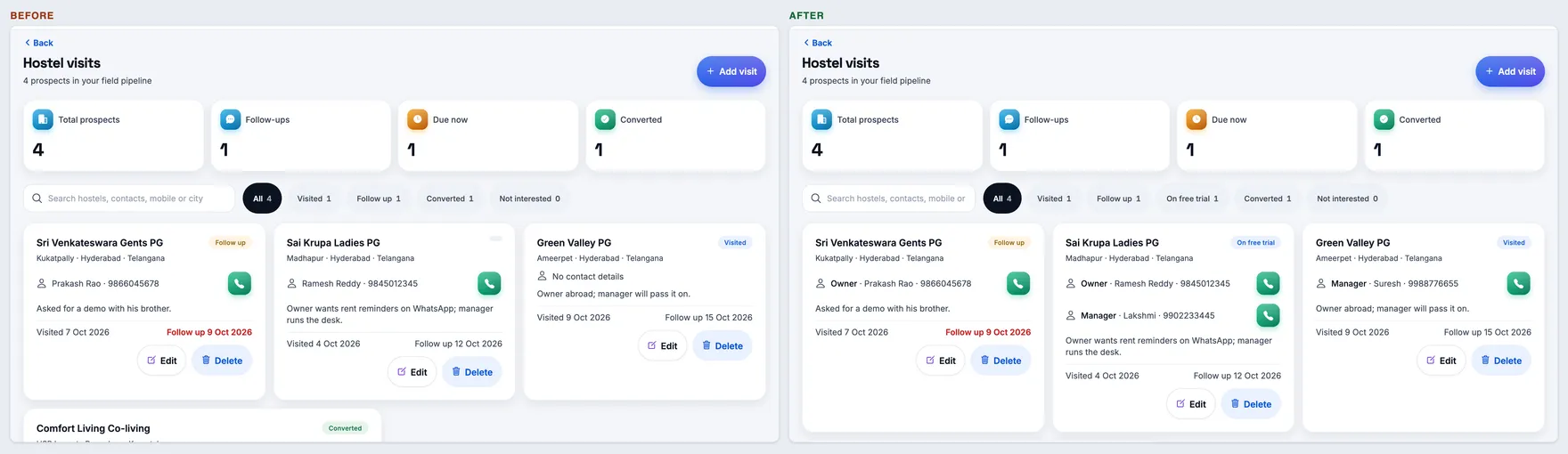
Hostel visits — a free-trial tile
New
“On free trial” count at the top of Hostel visits
How
Super admin → Hostel visits. Move a visit to On free trial (Edit → Pipeline stage) and come back.
Expect
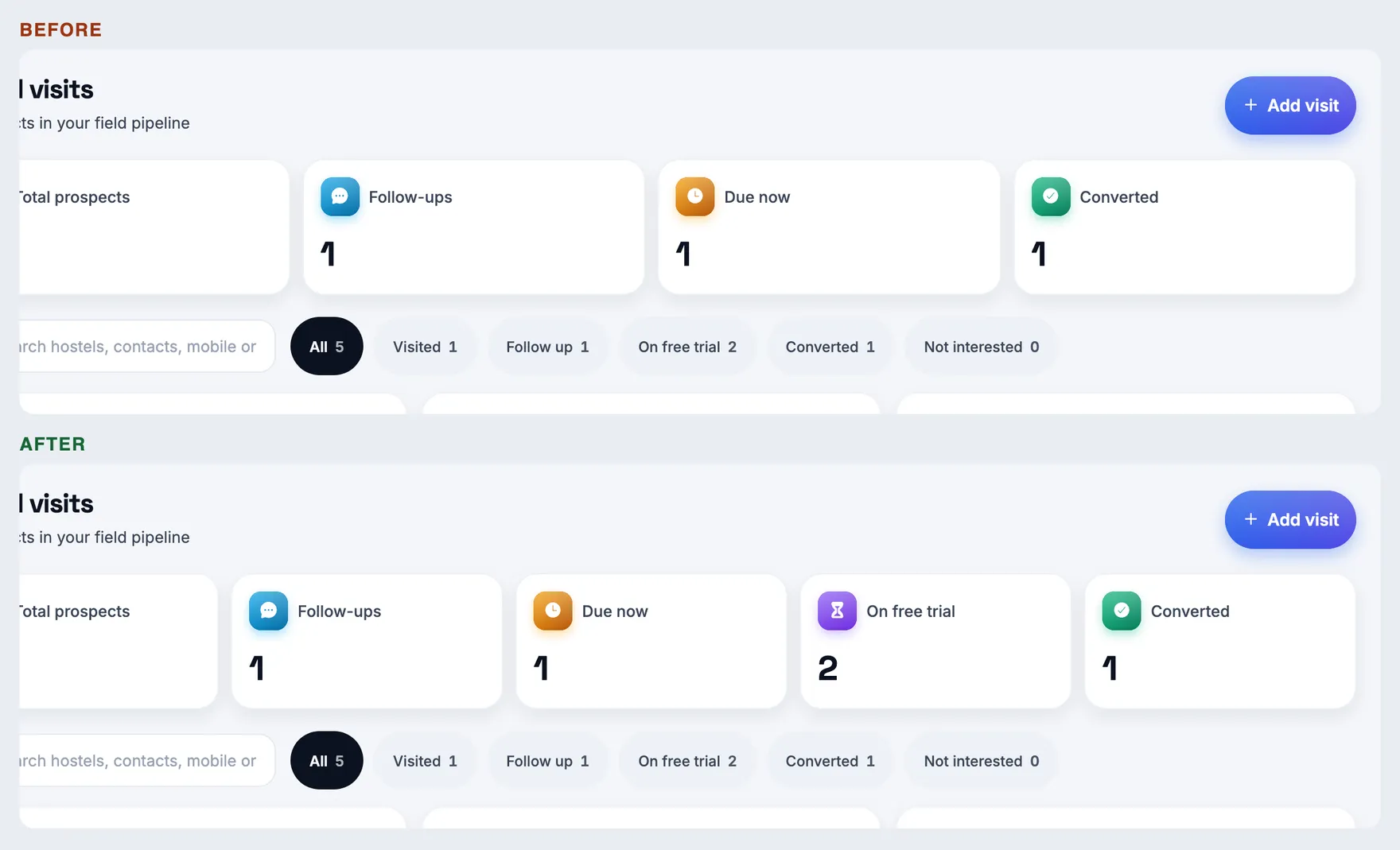
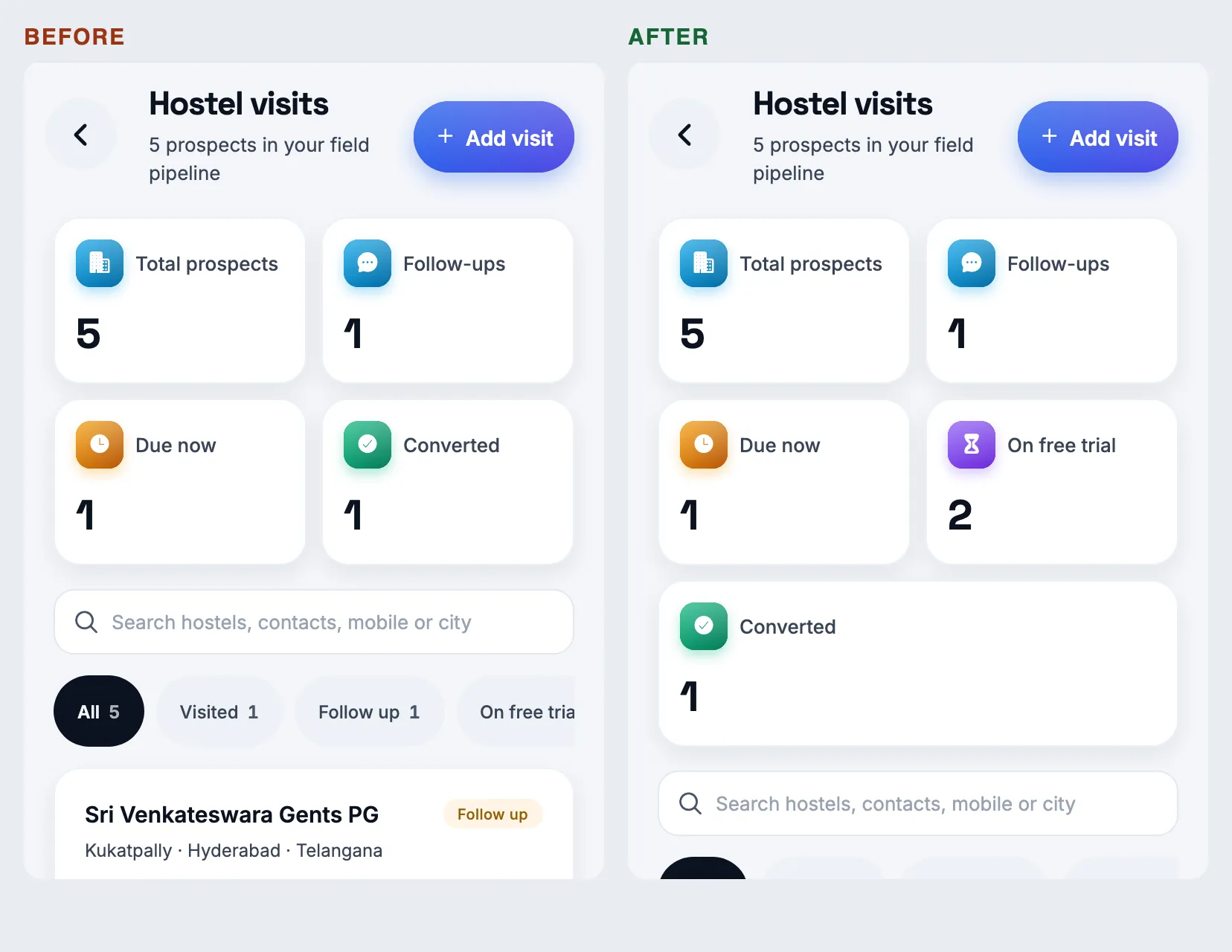
Five number tiles: Total prospects, Follow-ups, Due now, On free trial (violet hourglass), Converted. It matches the On free trial filter chip’s count. On a phone the tiles are two to a row and Converted takes the last row.
LaptopPhone
Server — no more “Prisma error P2037”
Fixed
“Too many database connections” on busy pages and during deploys
How
Super admin → Hostel report (any month), and pages opened while a new build is going out. Then App issues.
Expect
The report and every page load normally. No new Prisma error P2037 in App issues (old ones stay listed until resolved). The server now keeps at most 5 database connections open, instead of as many as the machine’s CPU count suggested — more than the database allows when a report or a deploy needed them at once.
1.0.269
versionCode 269 · 10 Oct 2026
Resident page — Next goes in order
Fixed
Next and Previous walk the screen you came from, in its order
How
Open Residents and a resident (so an order is remembered). Then Rooms & beds → tap someone’s bed → Next a few times. Also open a resident from search or a link and tap Next.
Expect
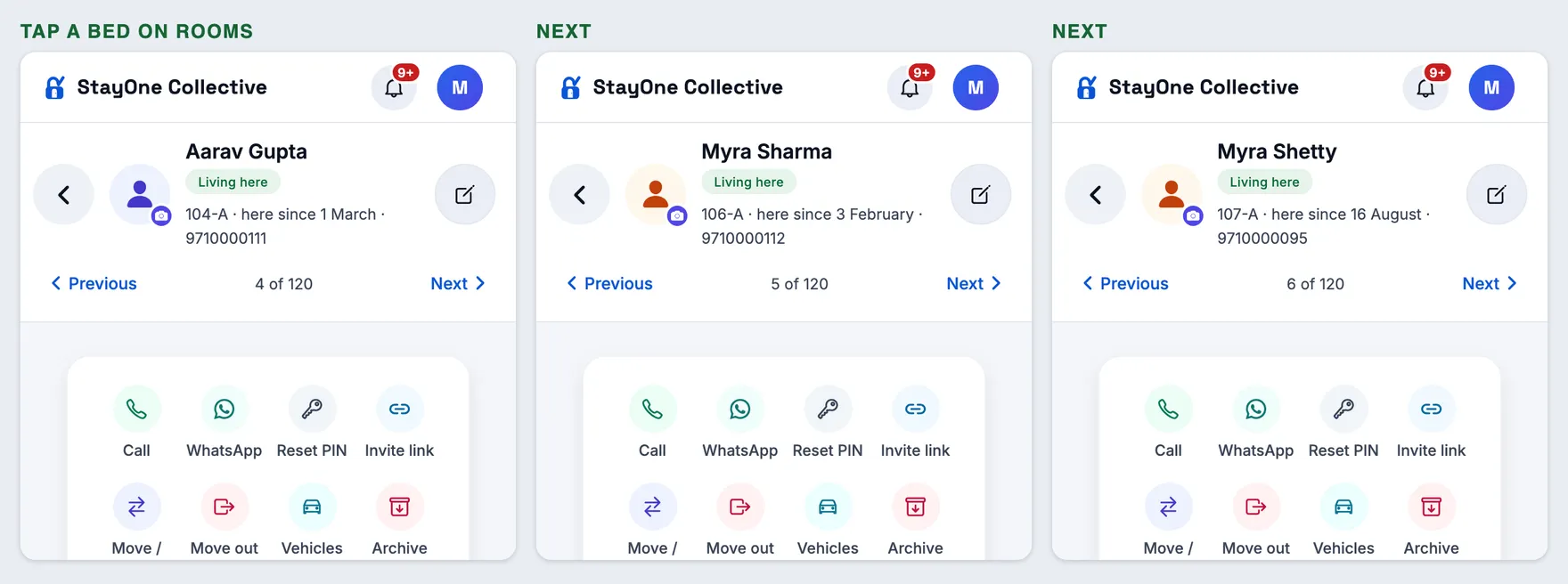
From a bed: room by room, bed by bed, as the board is laid out — 104-A, 106-A, 107-A, 108-A… (it used to jump about, walking the Residents list A–Z left over from earlier). From a link, search or a room page: the same room-by-room order for their hostel. From Residents: the list as you saw it, A–Z, as before.
Rooms → Next → Next
1.0.268
versionCode 268 · 10 Oct 2026
Resident page — next resident, and the day they pay rent
New
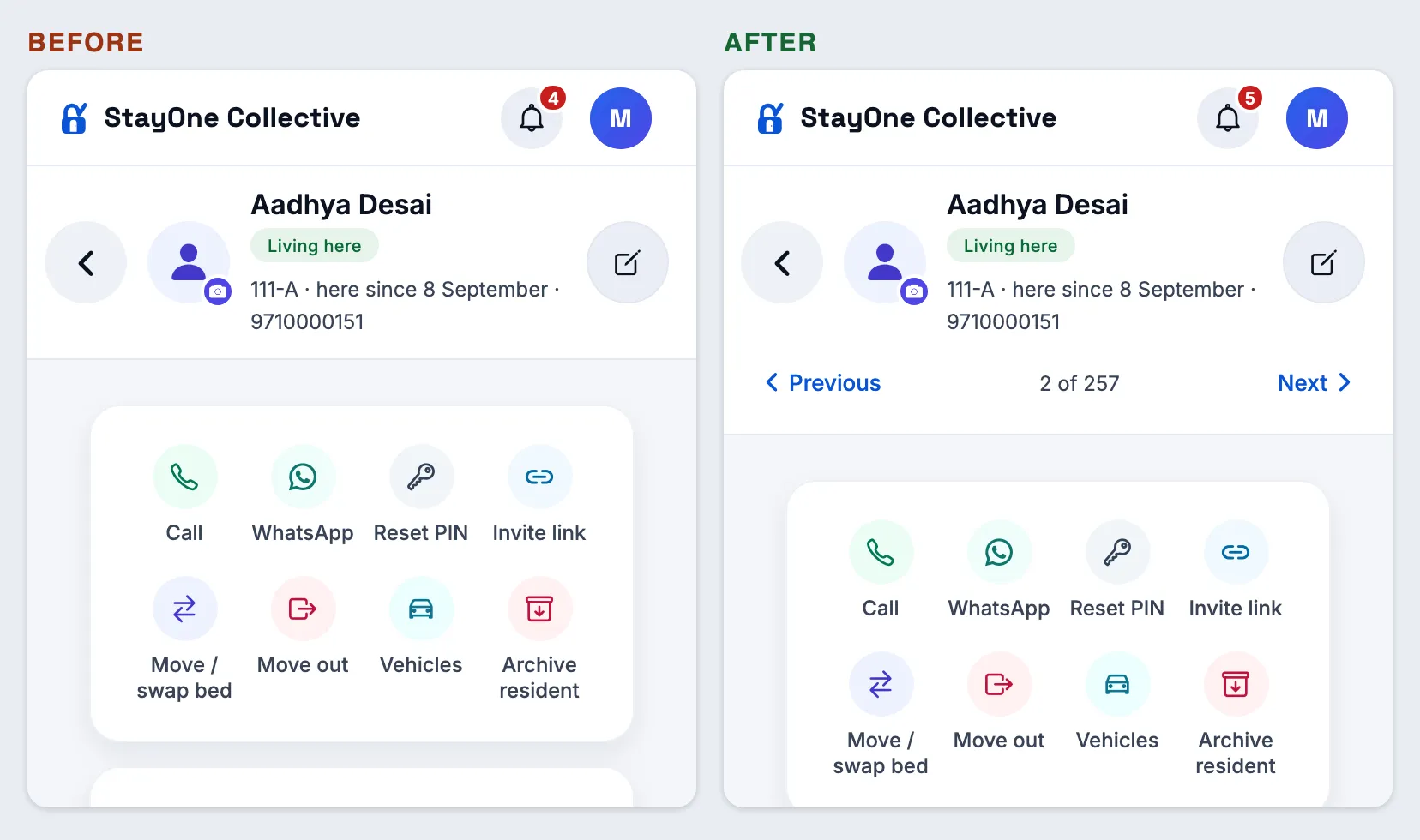
Previous · 3 of 48 · Next on a resident’s page
How
Owner or manager → Residents → open anyone. Tap Next a few times, then Previous, then Back. Also open a resident from a link or the bed board.
Expect
Under their name (phone) or beside Back (laptop): Previous, “2 of 120”, Next. It walks the Residents list in the order you were looking at it — same hostel, filter and search — and keeps going past the first 50. Back returns to Residents, not through everyone you walked past. Opened from anywhere else, it walks that resident’s hostel. Nothing you had open (a form, a new PIN) carries over to the next resident.
Previous · Next
New
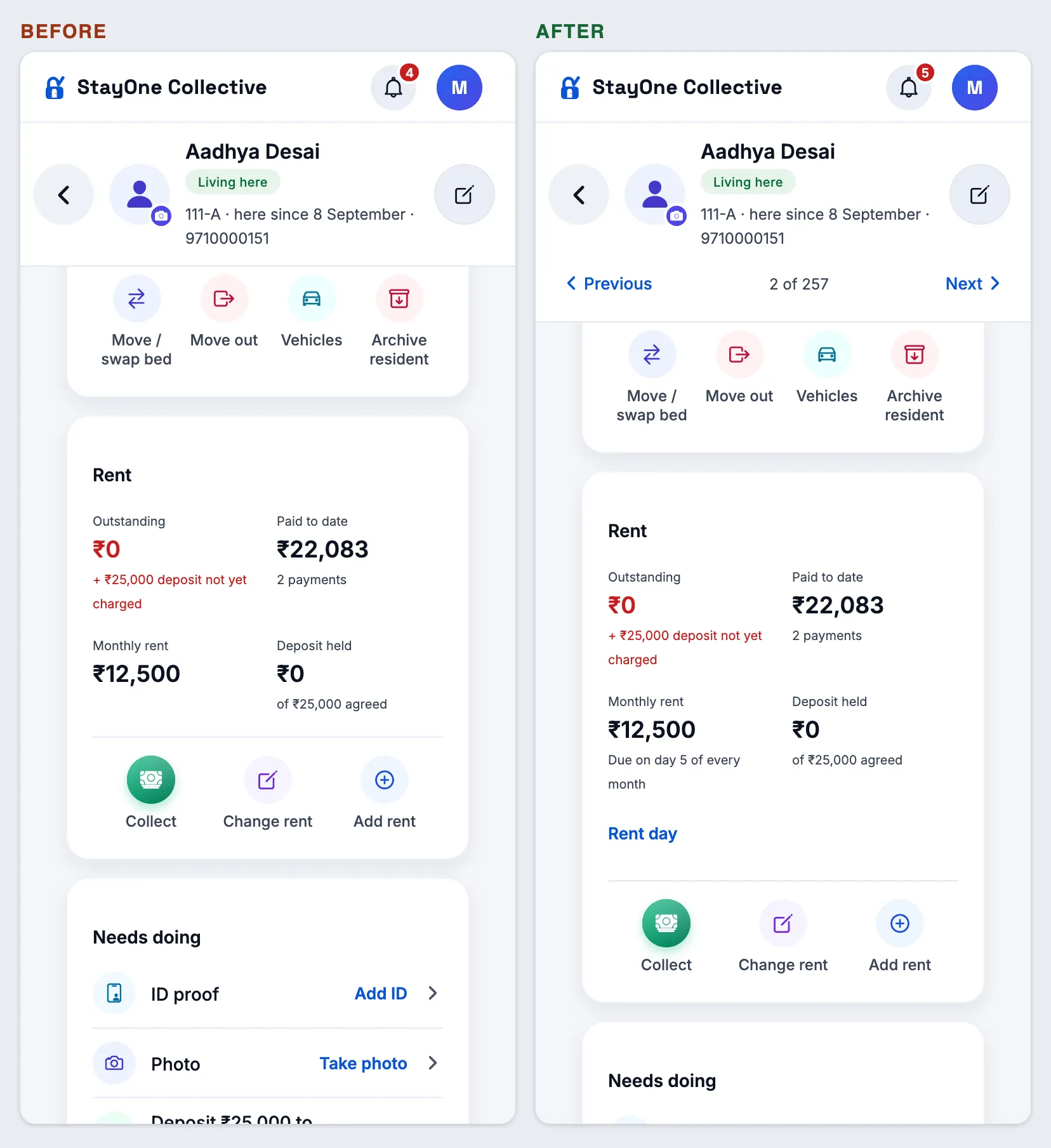
The day they pay rent — shown, and changeable per resident
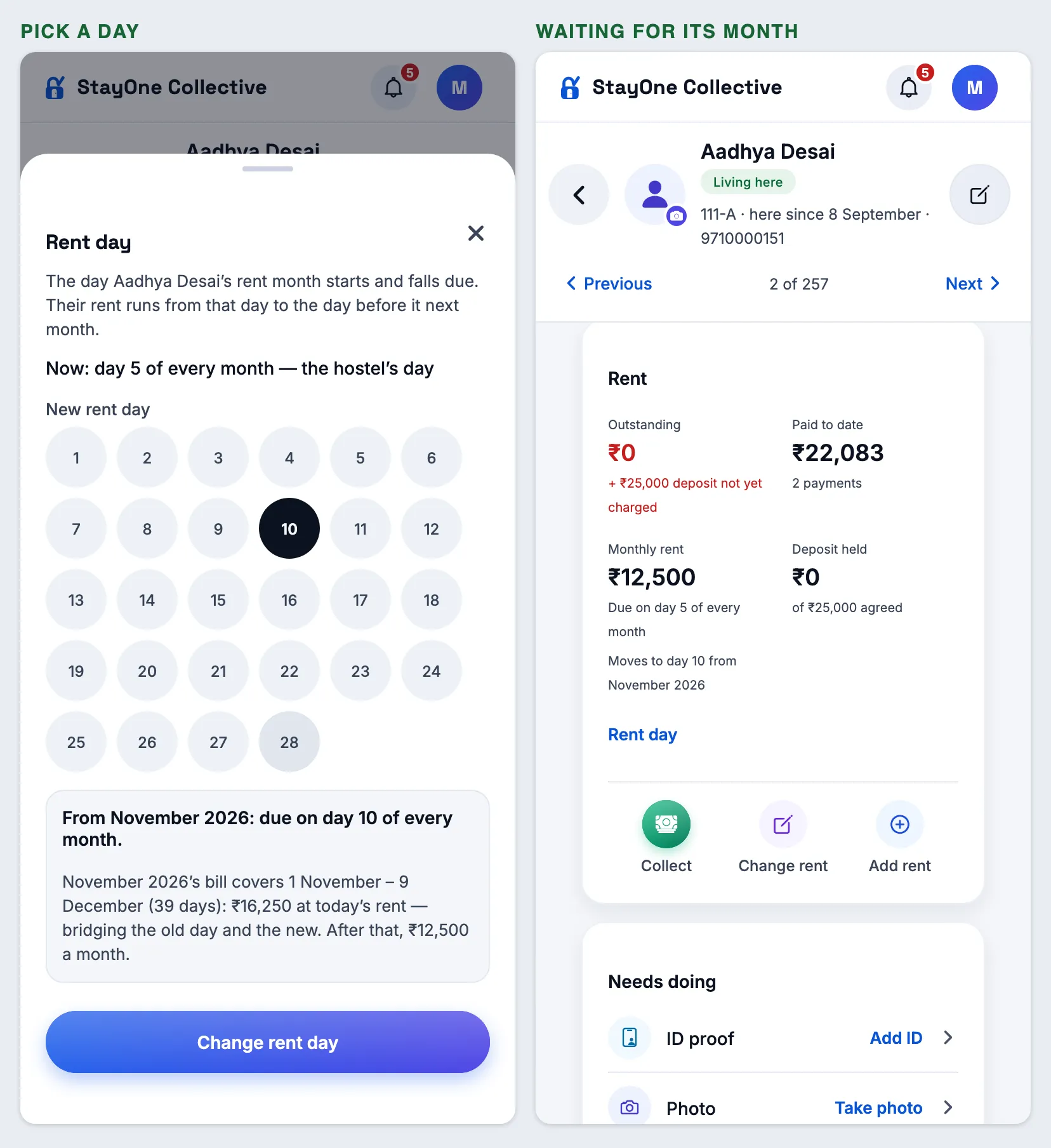
How
Resident page → Rent card, under Monthly rent. Tap Rent day, pick a day (1–28), read the preview, then Change rent day. Open it again to Cancel this change.
Expect
Under the rent: “Due on day 5 of every month” (“— their joining date” on joining-date rent). The sheet previews, before saving, the month it starts and that month’s bill: it runs from where their last rent month ended to the day before the new day next month, so it is bigger or smaller than a month (hostel day → the 10th: about 1.3 months; joining day 15th → the 5th: about two-thirds). After saving, the card says “Moves to day 10 from November 2026”. Nothing changes until that month is billed; from then their bill is due on the new day each month. A rent change can’t be set while a day change waits, and the reverse.
Rent cardRent day → waiting for its month
Rent bills — raised on each resident’s own day
Changed
A resident with their own rent day is billed on it
How
A joining-date hostel, or a resident whose rent day was changed: watch when the month’s bill appears.
Expect
The bill appears on their own day (a resident due on the 2nd on the 2nd, not on the hostel’s 5th already overdue; one due on the 25th on the 25th, not three weeks early). Residents on the hostel’s day are billed on it, as before. The bed board’s “due” date before the bill exists follows the same day.
1.0.267
versionCode 267 · 10 Oct 2026
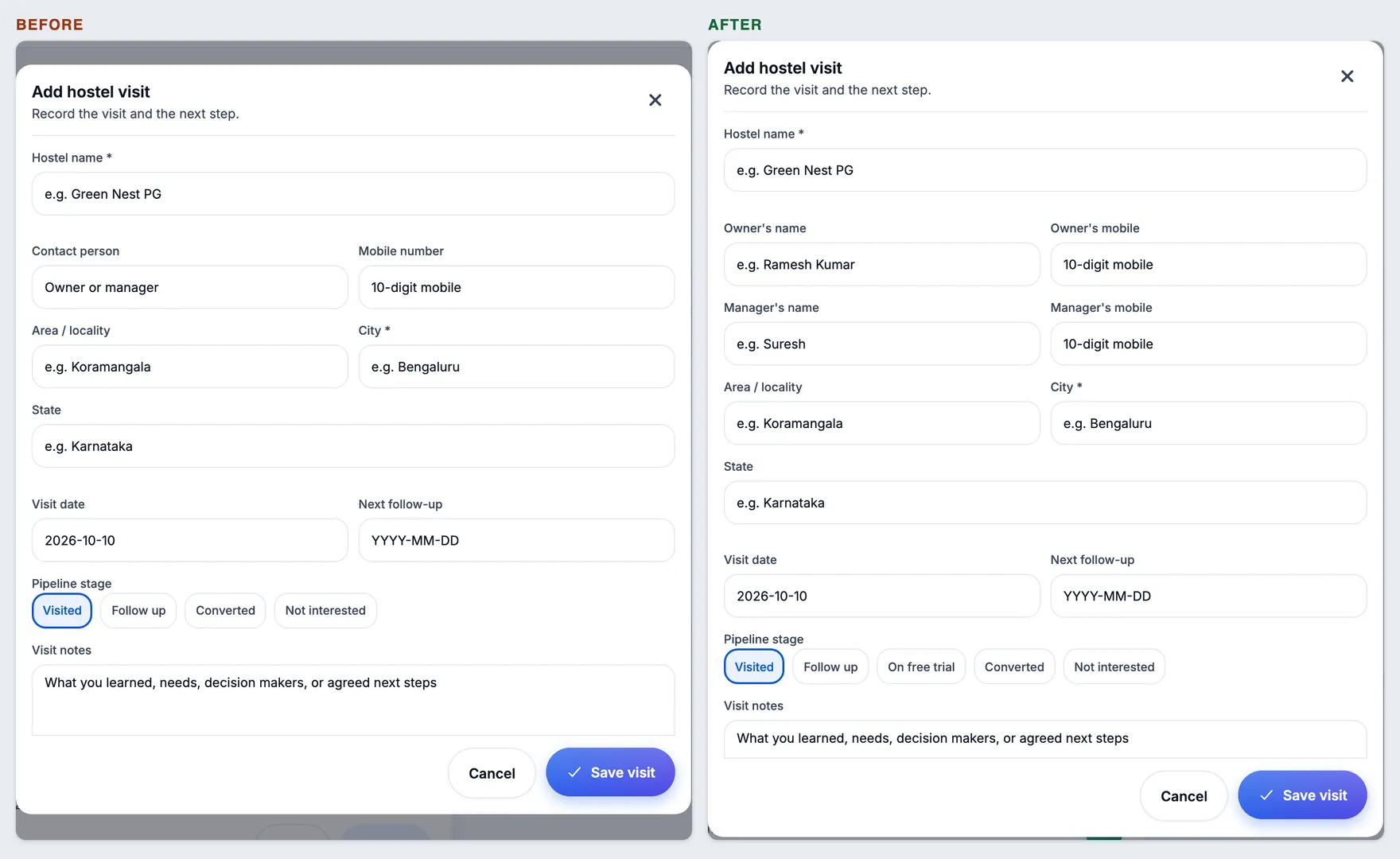
Hostel visits — owner and manager, and “On free trial”
New
Owner’s and manager’s name and number on one visit
How
Super admin → Hostel visits → Add visit (or Edit on a visit). Fill both pairs and save.
Expect
The form has Owner’s name + Owner’s mobile and, under them, Manager’s name + Manager’s mobile — all optional. A wrong number says which one (“…for the owner” / “…for the manager”). The visit card shows an Owner line and a Manager line, each with its own green call button; a visit with only one shows only that line. Search finds the manager’s name and number too. Visits saved before this release show their one contact as Owner.
Add / edit visitVisit cards
New
“On free trial” pipeline stage
How
Super admin → Hostel visits → open a visit’s Edit → Pipeline stage.
Expect
Stages are Visited, Follow up, On free trial, Converted, Not interested. Pick On free trial and save: the card’s badge says On free trial, and the filter row above the list has an On free trial chip with its count. The four number tiles at the top are unchanged.
Owners — add one from the list
New
“Add owner” button on Owners
How
Super admin → Owners. Tap Add owner, top right beside the title.
Expect
It opens Onboard — the same owner → property → go-live journey as the Onboard tab — ready for a new owner. Nothing else on Owners changes.
Owners
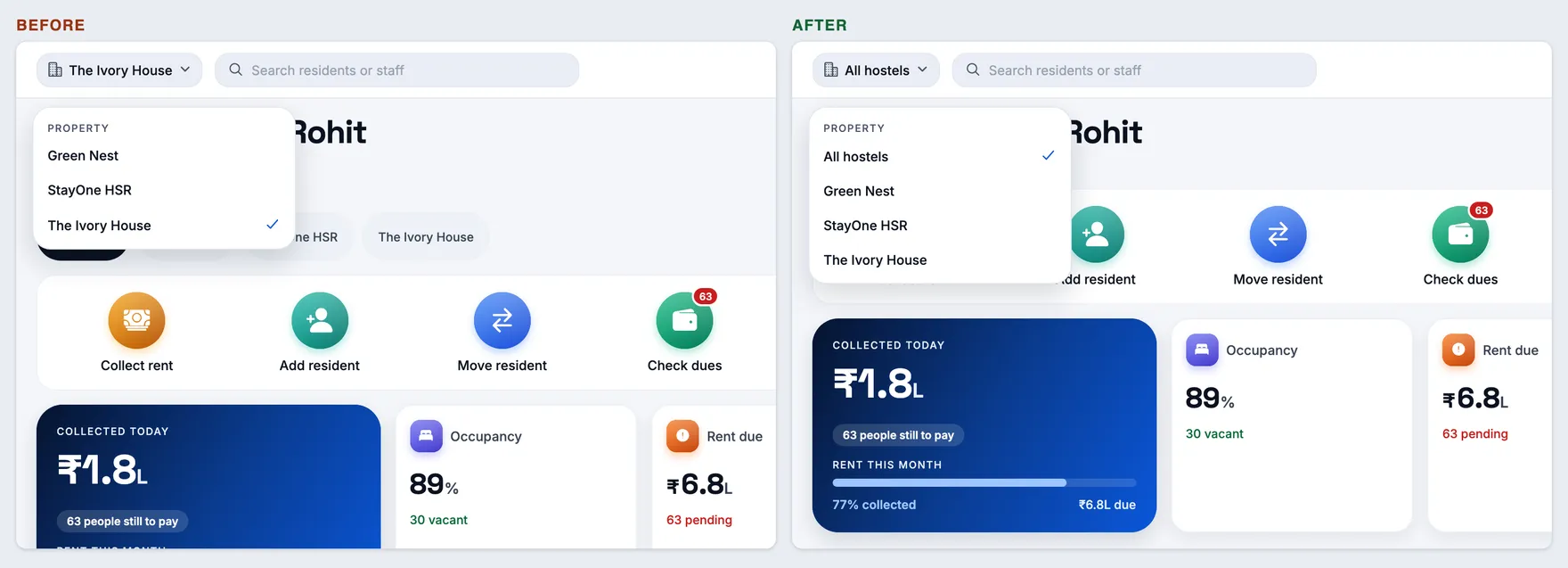
Today — “All hostels” in the header, for a manager of several
Fixed
The header’s hostel dropdown offers All hostels on Today, and the page follows it
How
On a laptop, sign in as a manager the owner made common to all hostels (two or more). Open Today and click the hostel dropdown at the top left.
Expect
The list starts with All hostels (ticked when you arrive), then each hostel. Pick one and the greeting line, figures and tasks change to that hostel; pick All hostels and they sum every hostel again. There is no second row of hostel chips on the page any more. The choice carries to Residents, Rent and the other screens with the same dropdown. On a phone, Today keeps its chip row, All hostels first. A manager of one hostel sees no change.
Today — header dropdown
1.0.266
versionCode 266 · 10 Oct 2026
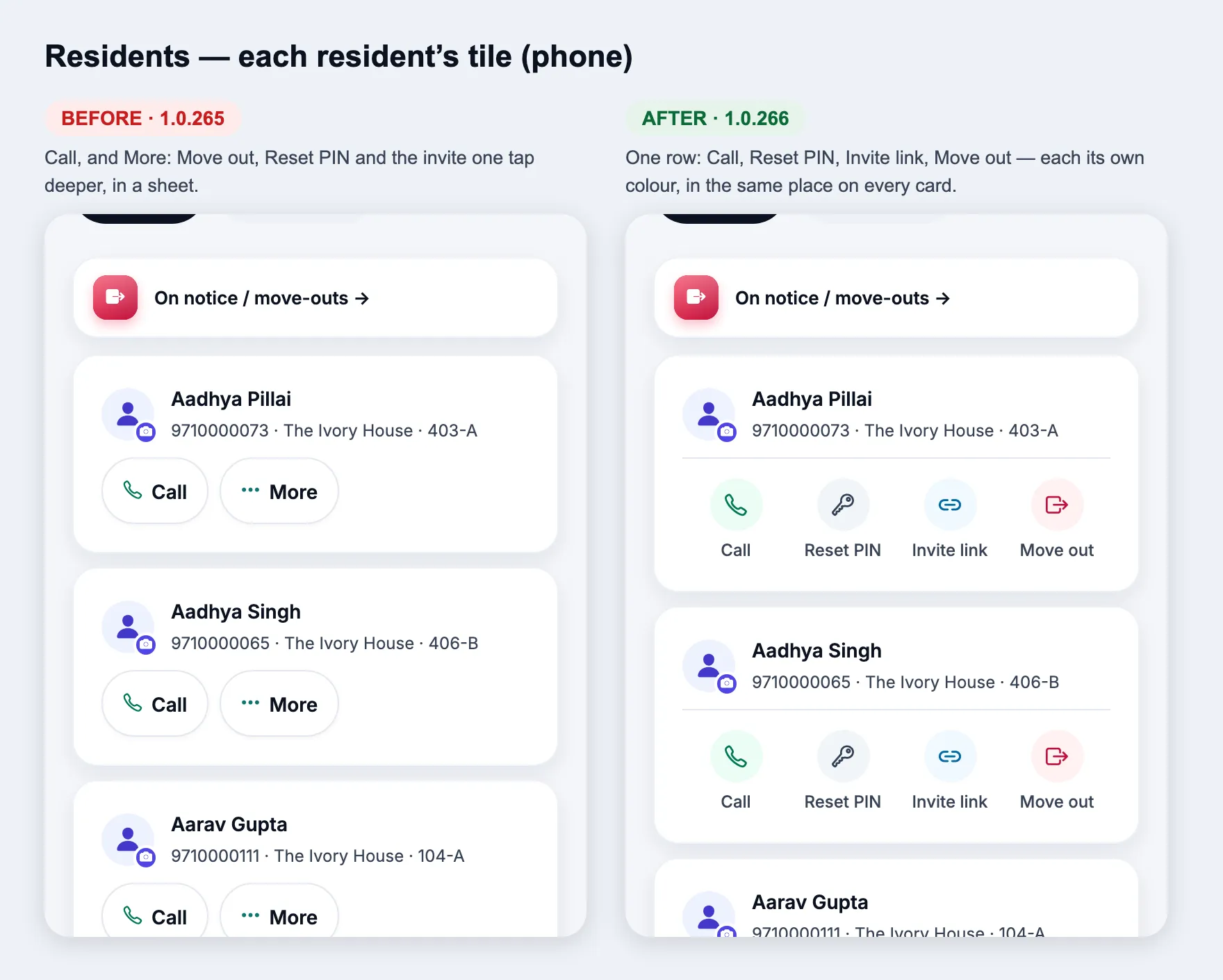
Residents — every action in sight, redesigned
Changed
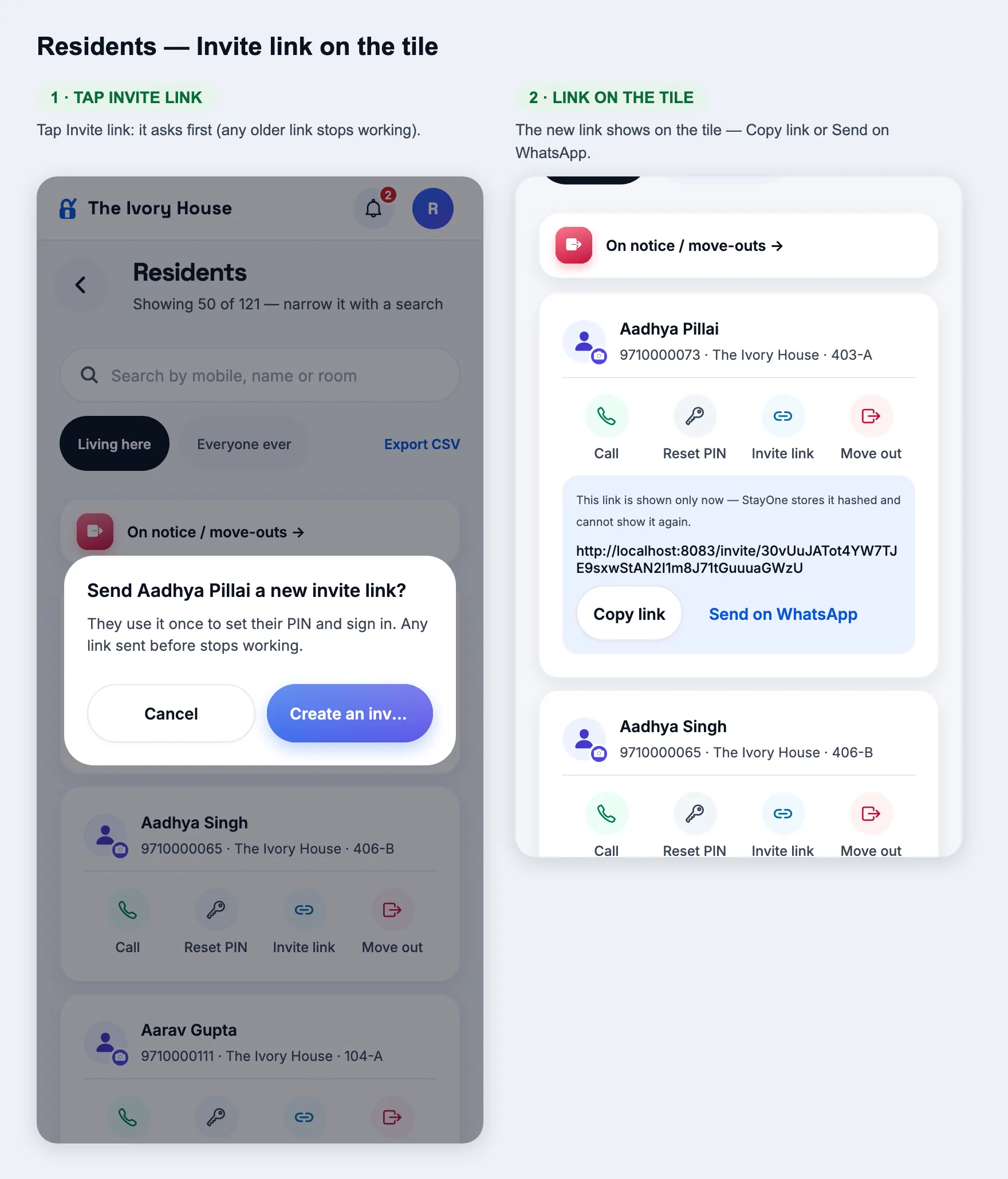
Each resident’s tile: Call, Reset PIN, Invite link, Move out — no More
How
Owner or manager → Residents, on a phone (or a narrow browser window).
Expect
Under each resident’s name, a thin line and one row of four round icons, each its own colour, with a word under it: Call, Reset PIN, Invite link, Move out — in the same place on every card. No More button. Tapping the name still opens their page. Reset PIN and Invite link ask first; the new PIN, or the link with Copy link and Send on WhatsApp, then shows on the tile. Someone who has moved out shows only Call. The laptop table is unchanged.
ResidentsInvite link → link on the tile
Changed
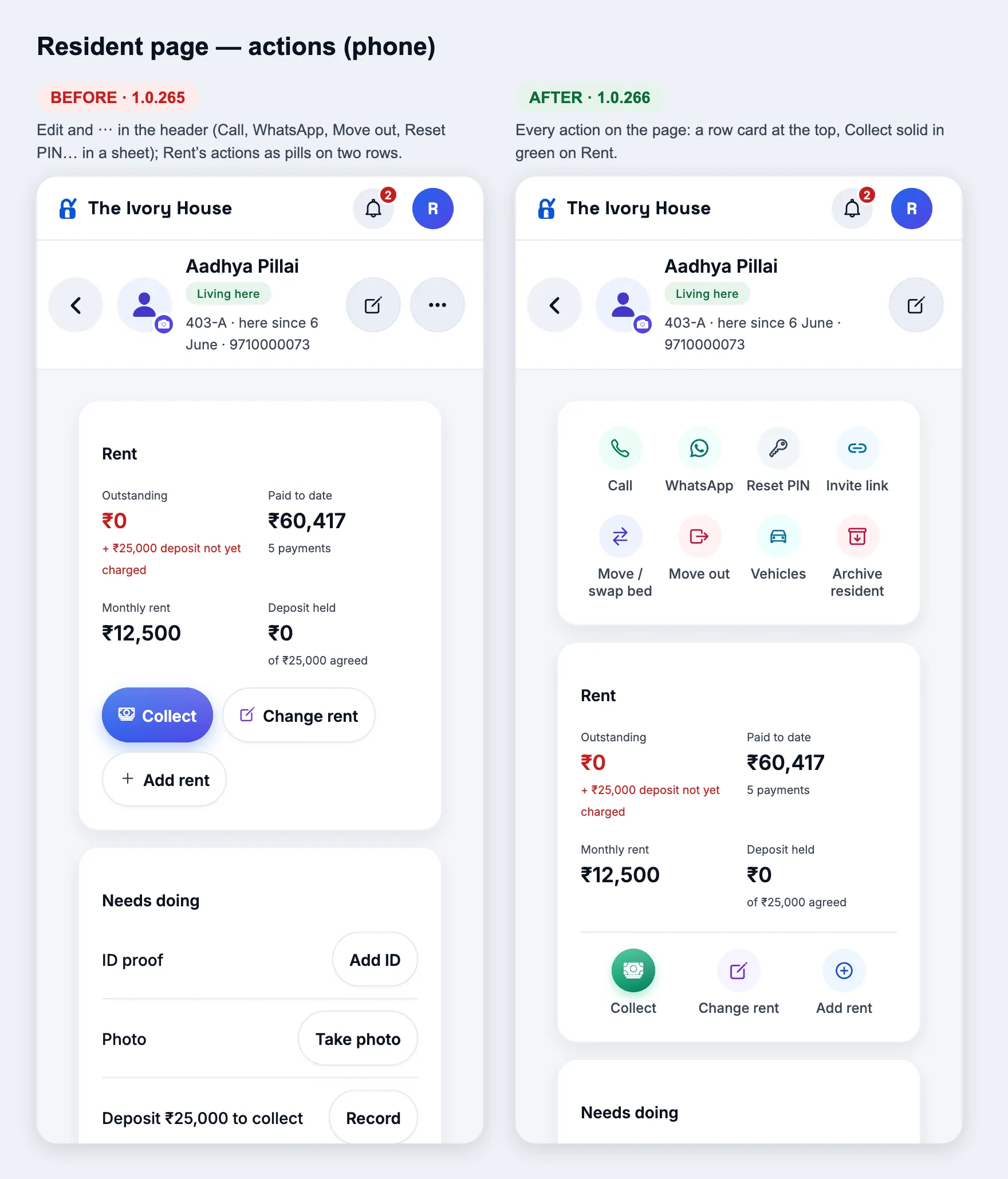
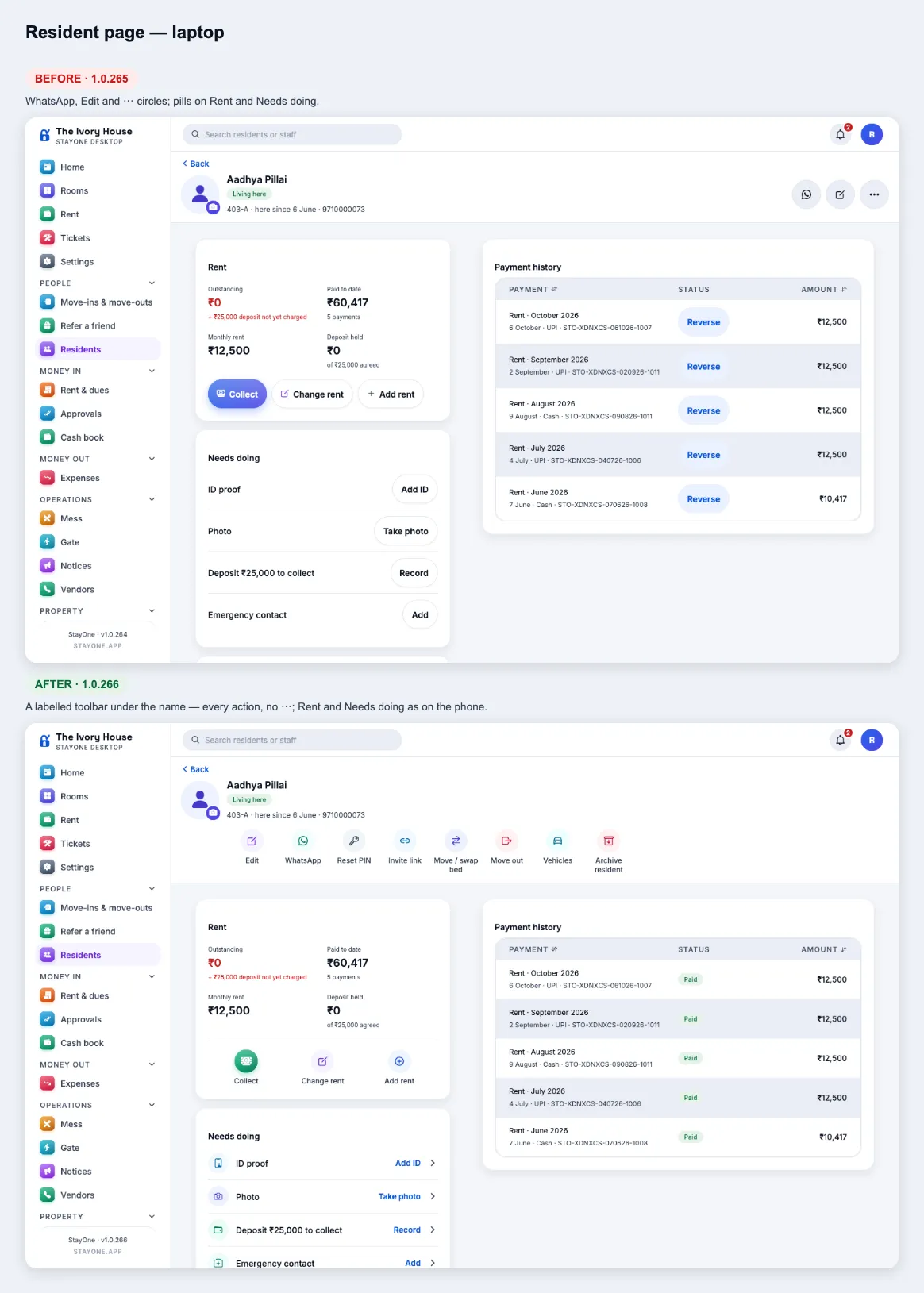
Resident page: every action on the page, no ⋯
How
Owner or manager → Residents → open anyone. Look on a phone and on a laptop.
Expect
Phone: the first card is two rows of four — Call, WhatsApp, Reset PIN, Invite link (only while a link is useful), Move / swap bed (when they have a bed), Move out, Vehicles, Archive resident (asks first). The header keeps only the pencil (Edit details). Laptop: the same actions, with Edit first, as a row under the name. There is no ⋯ menu on either.
Resident page — phoneResident page — laptop
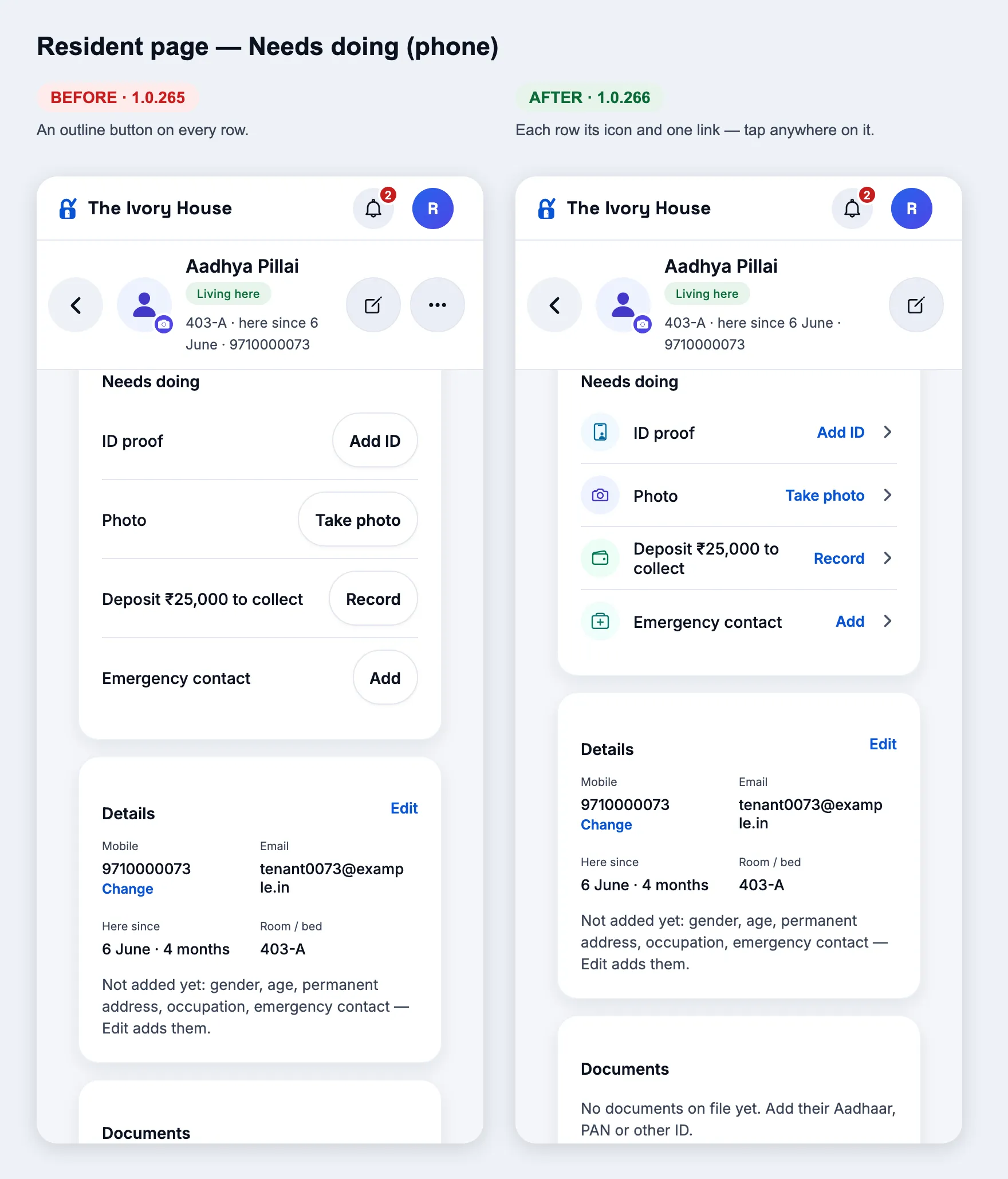
Changed
Rent, Needs doing and Documents: the same look
How
On a resident’s page, look at the Rent card, then Needs doing, Documents and Payment history.
Expect
Rent: a thin line, then one row — Collect (the one solid, green icon), Change rent, Add rent, and while something is owed Deduct and Mark no dues. Needs doing: each row has its icon and one blue link (Add ID ›, Take photo ›, Record ›, Add ›) — tap anywhere on the row. Documents: Take photo and Add ID proof as a row under the list. Payment history: a payment recorded in the last 10 minutes shows a small ↶ Reverse link instead of a button.
Needs doing
1.0.265
versionCode 265 · 10 Oct 2026
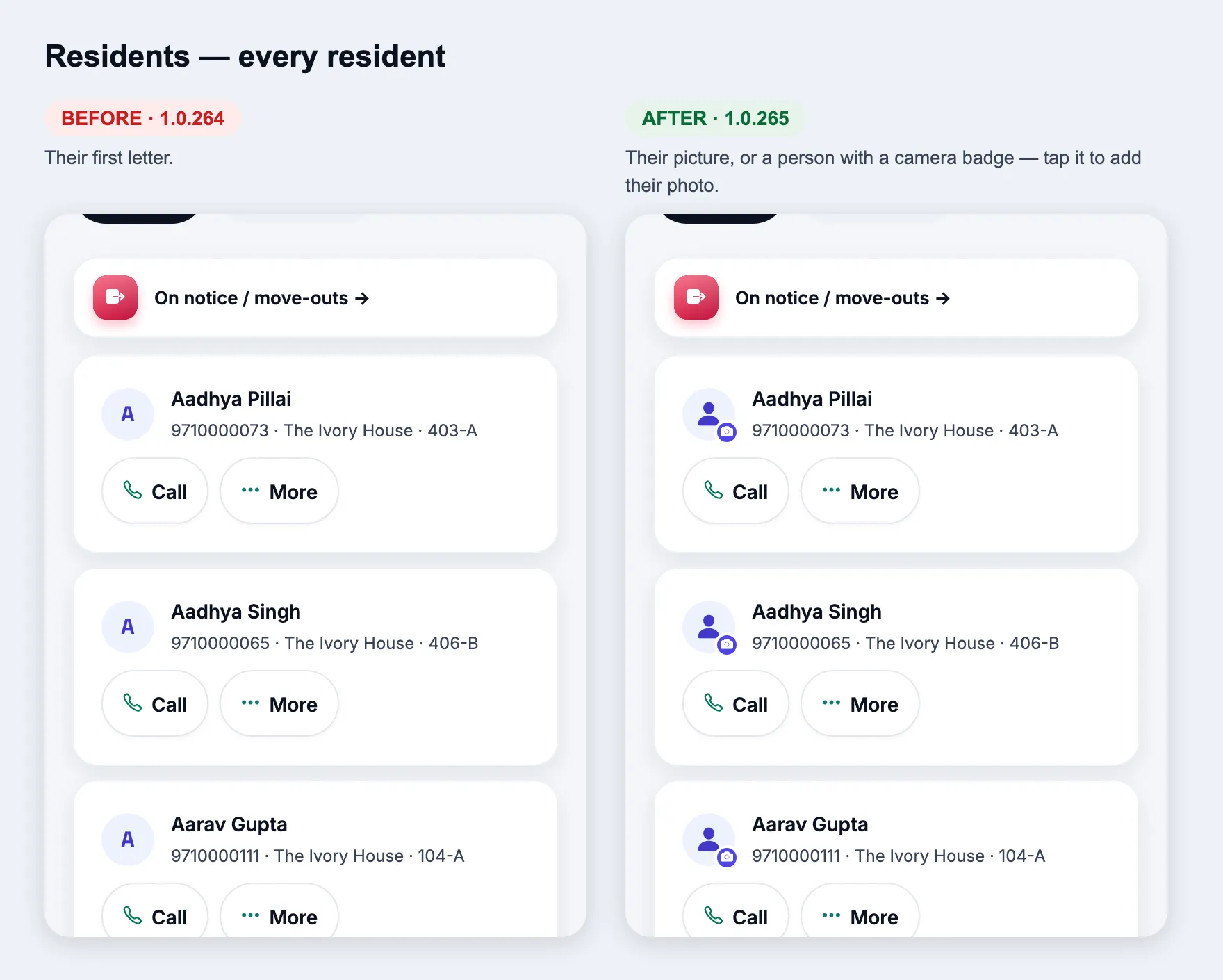
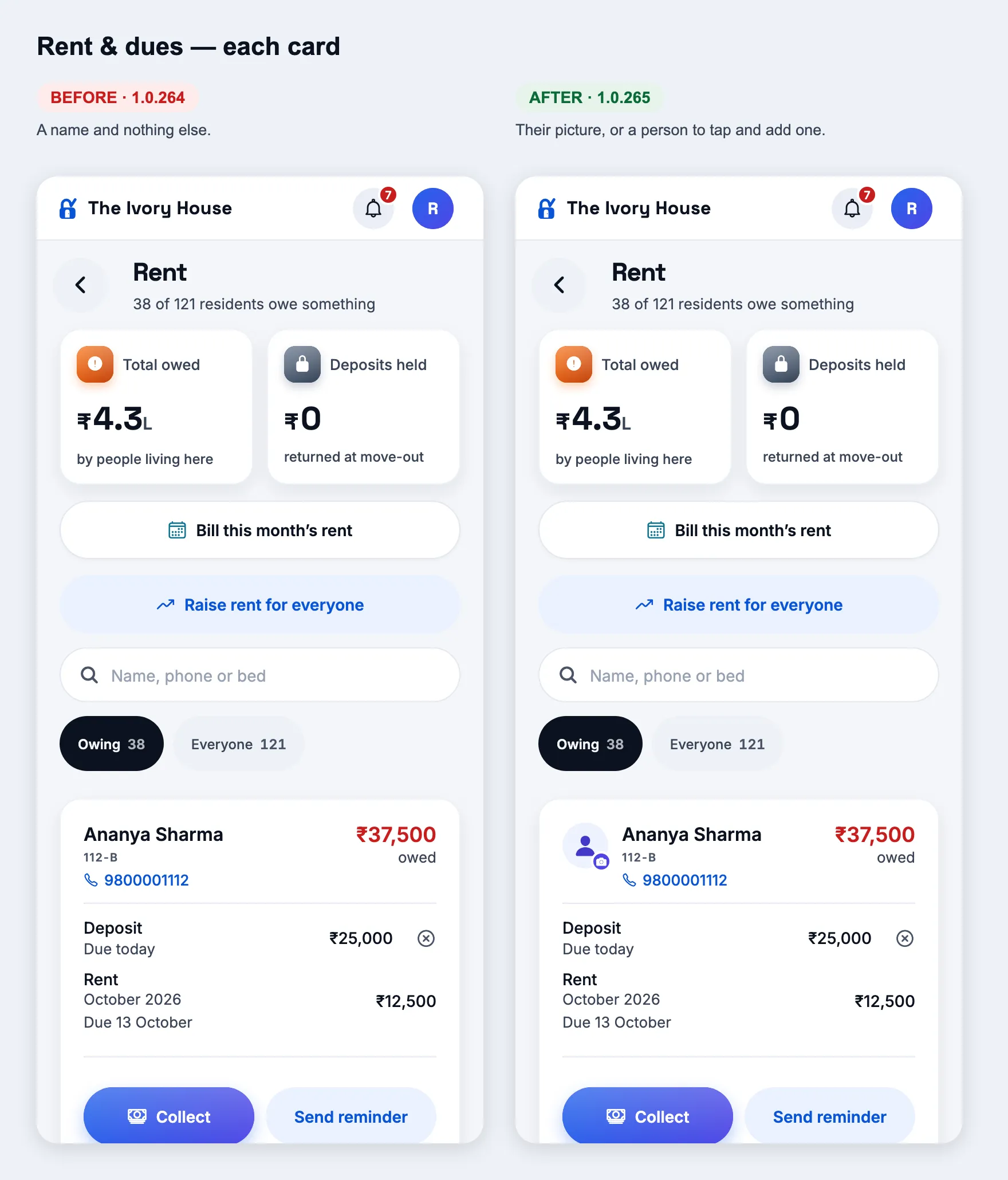
Residents — their picture everywhere
New
A person instead of a letter, and a photo in one tap
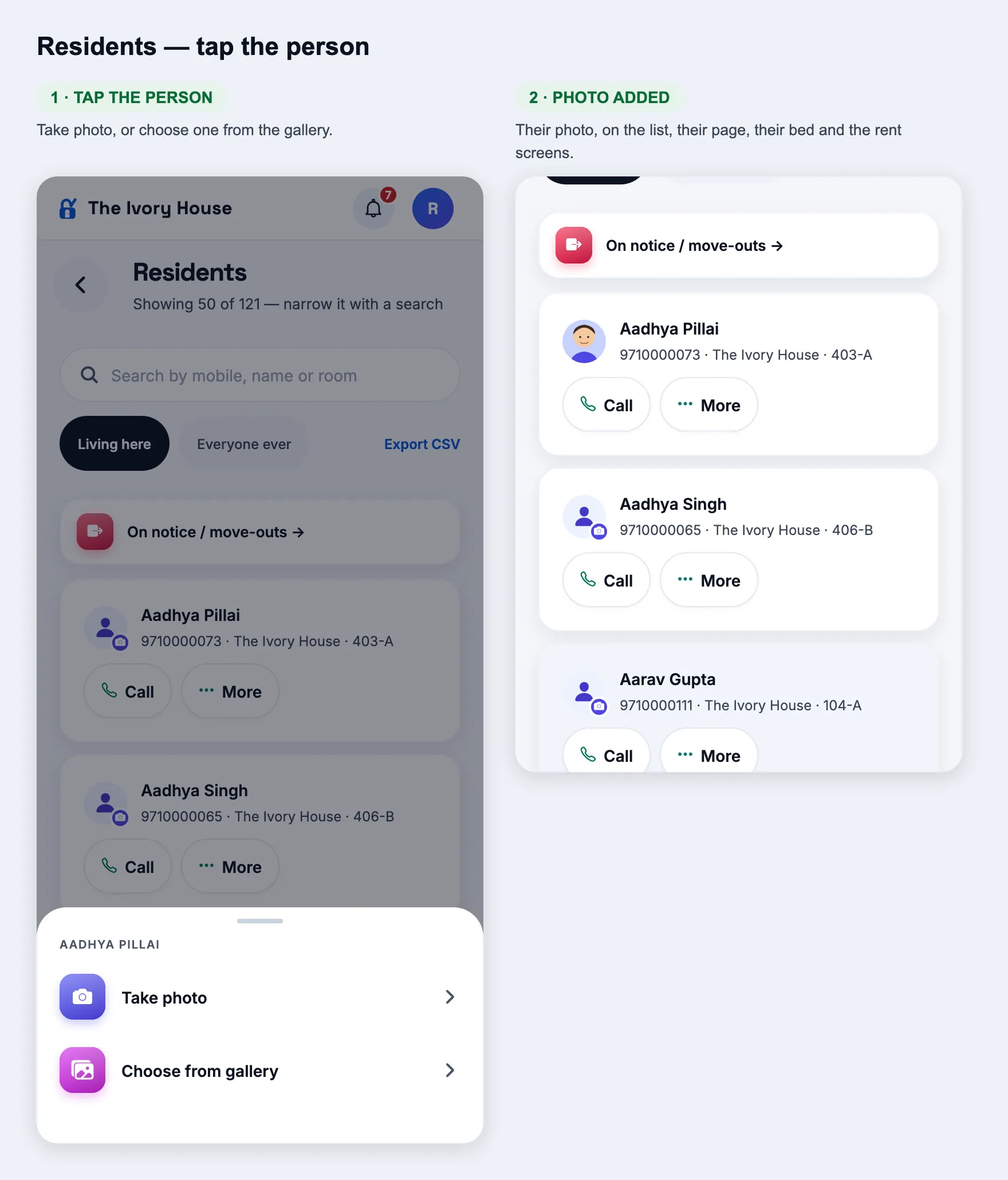
How
Owner or manager → Residents. Tap the person on any resident without a picture.
Expect
Every resident shows their picture, or a person with a small camera badge (not their first letter). Tap it: Take photo or Choose from gallery. The photo then shows on the list, their page, their bed, Rent and Rent & dues. Same on the manager’s and the owner’s screens.
ResidentsTap the person → photo added
Changed
Their own picture wins, everywhere
How
Sign in as a resident and set a profile picture (Account → photo). Then look at that resident as the manager or owner.
Expect
The picture the resident chose shows everywhere — list, page, bed, Rent, dues — and staff are not offered to replace it (the desk photo stays on file under Documents). A resident with no picture of their own shows the desk photo, else the person.
New
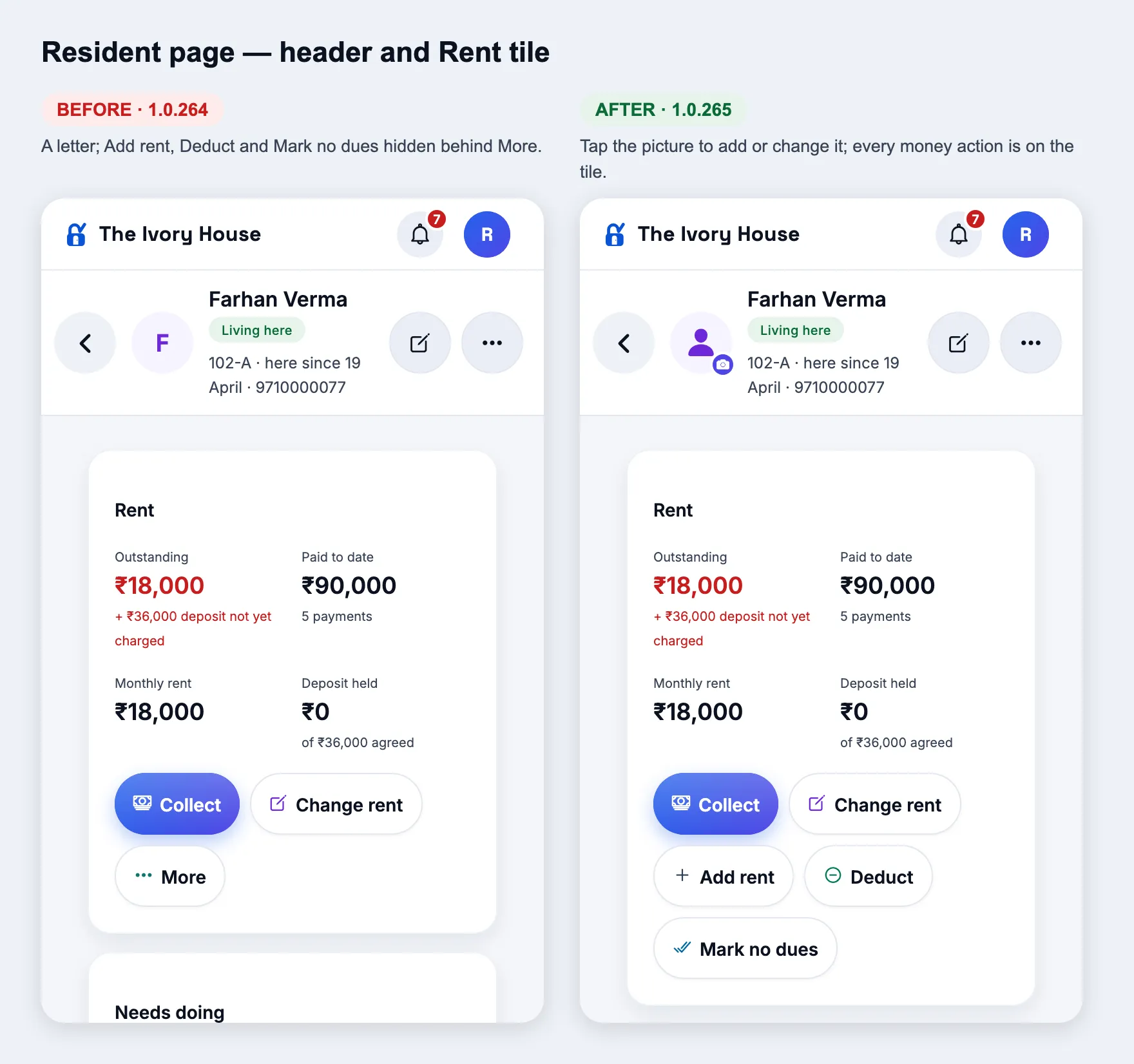
Change the photo from the resident’s page
How
Open a resident → tap the picture at the top (camera badge).
Expect
Take photo or Choose from gallery; the new photo shows at once on every screen.
Resident page
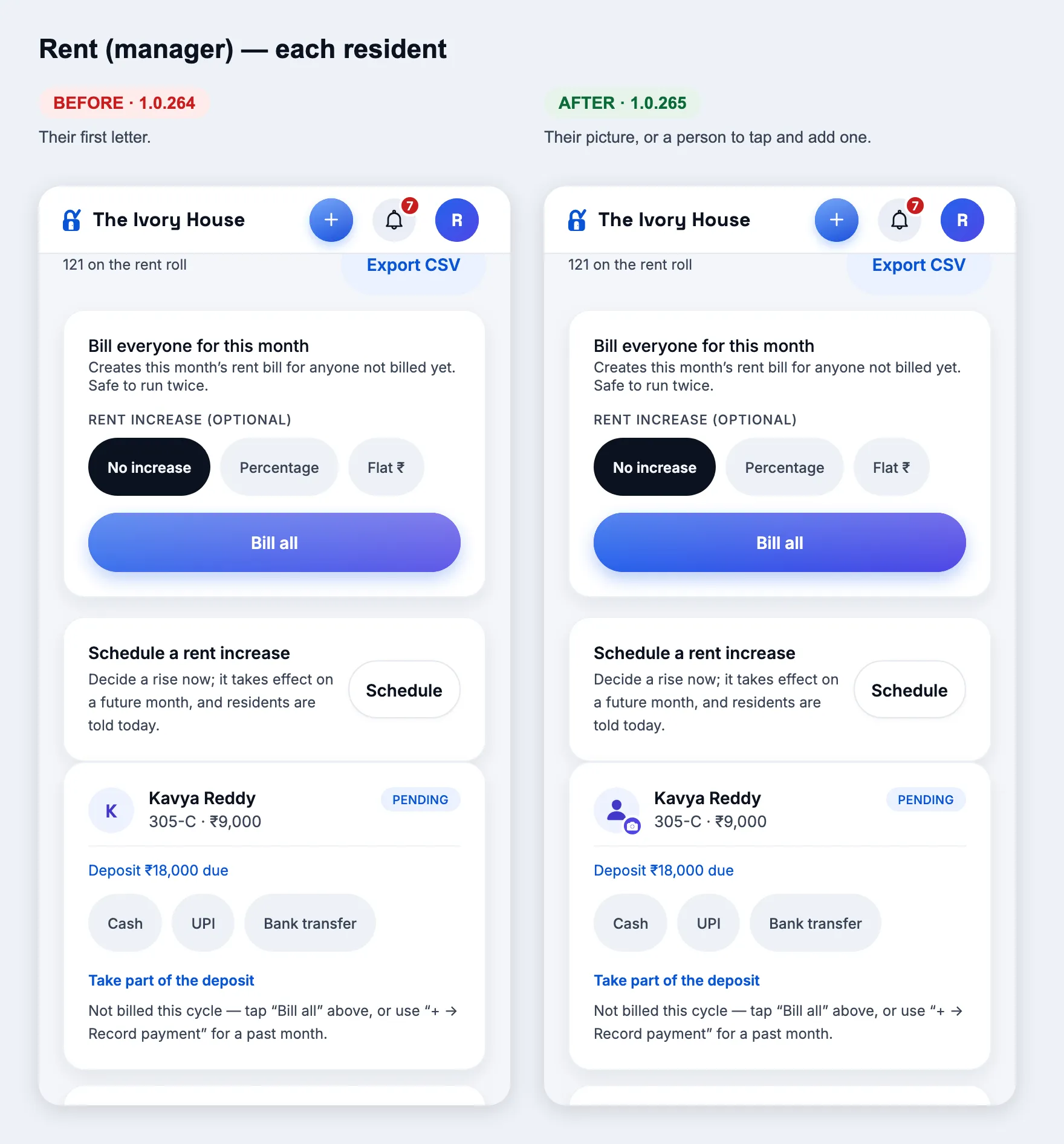
New
Pictures on the rent screens
How
Manager → Rent; owner or manager → Rent & dues (Check dues).
Expect
Each resident’s picture, or a person to tap and add one, on every Rent row and every dues card. Rooms & beds, room details, Record payment, Vehicles and Notice period show the picture or a person too.
Rent (manager)Rent & dues
Resident page
Changed
Every money action on the Rent tile
How
Open a resident who owes money → the Rent tile.
Expect
Collect, Change rent, Add rent, Deduct and Mark no dues are all buttons on the tile — no “More”. Deduct and Mark no dues only appear while something is owed.
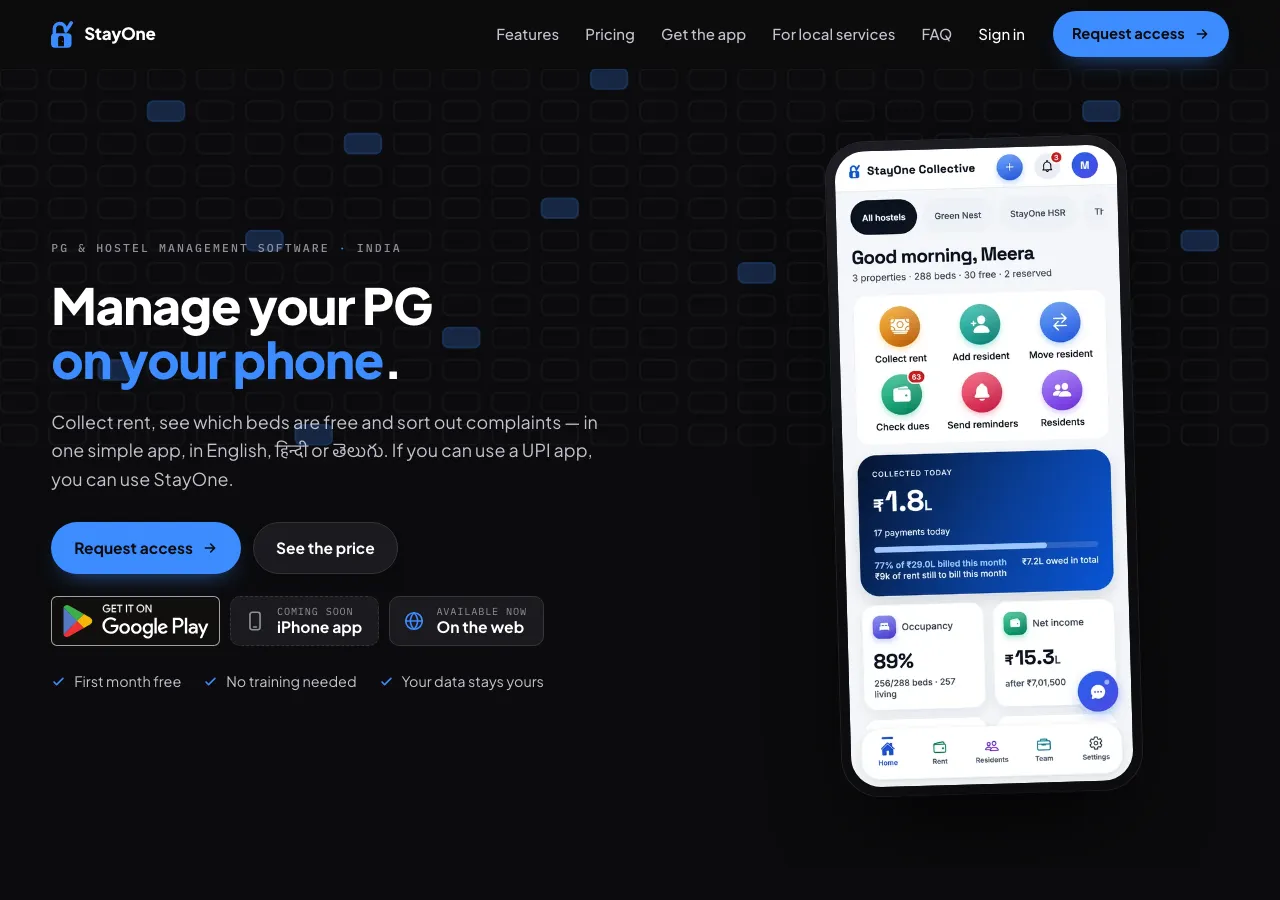
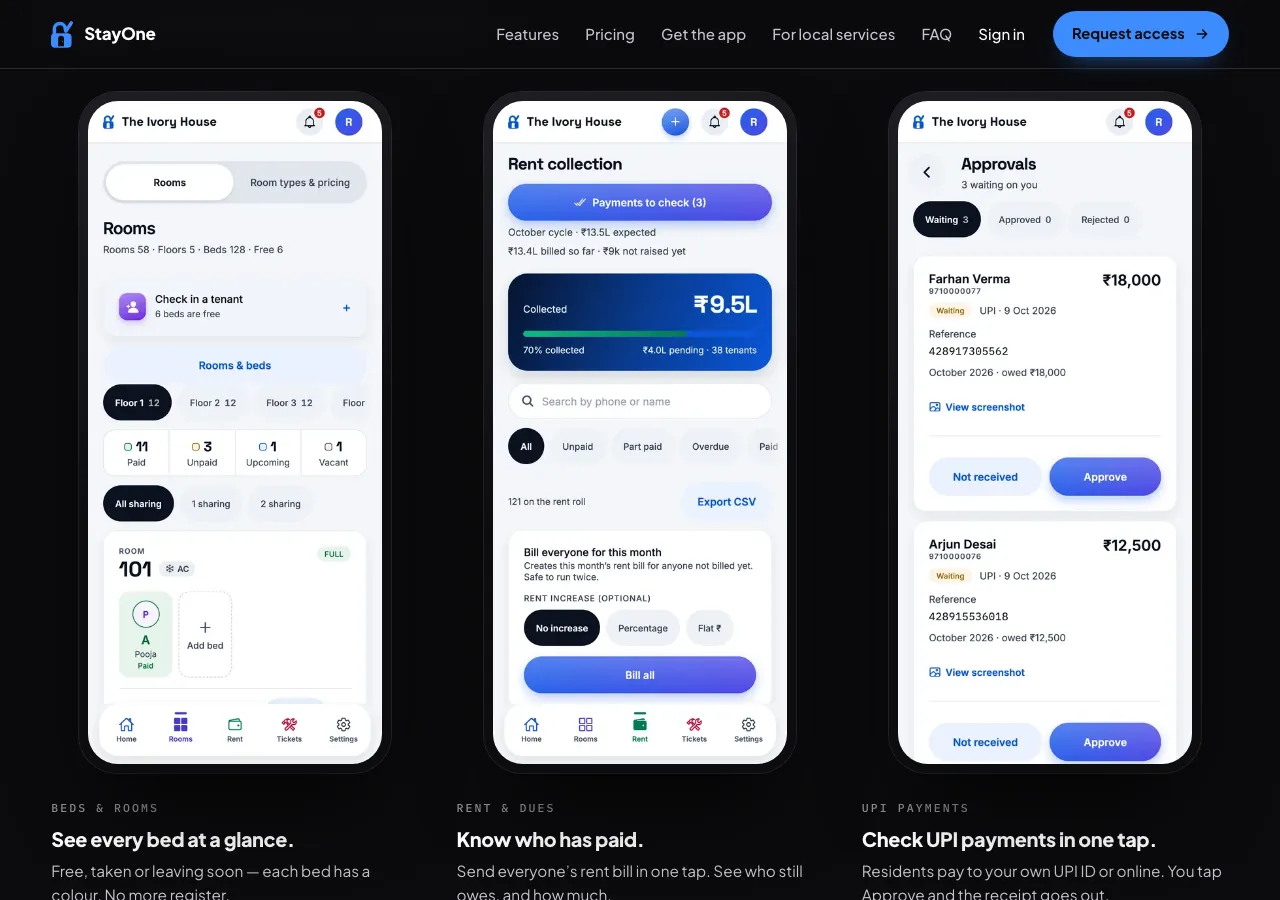
Website
Changed
Landing page shows the current app
How
Open stayone.app (once this release is live).
Expect
The phone in the hero shows today’s owner Home (six quick actions, Collected today). The three screens below show the bed board floor by floor, Rent collection and Payments to check with three waiting UPI payments. The share card uses the new bed board.
Landing page — heroLanding page — screens
1.0.264
versionCode 264 · 10 Oct 2026
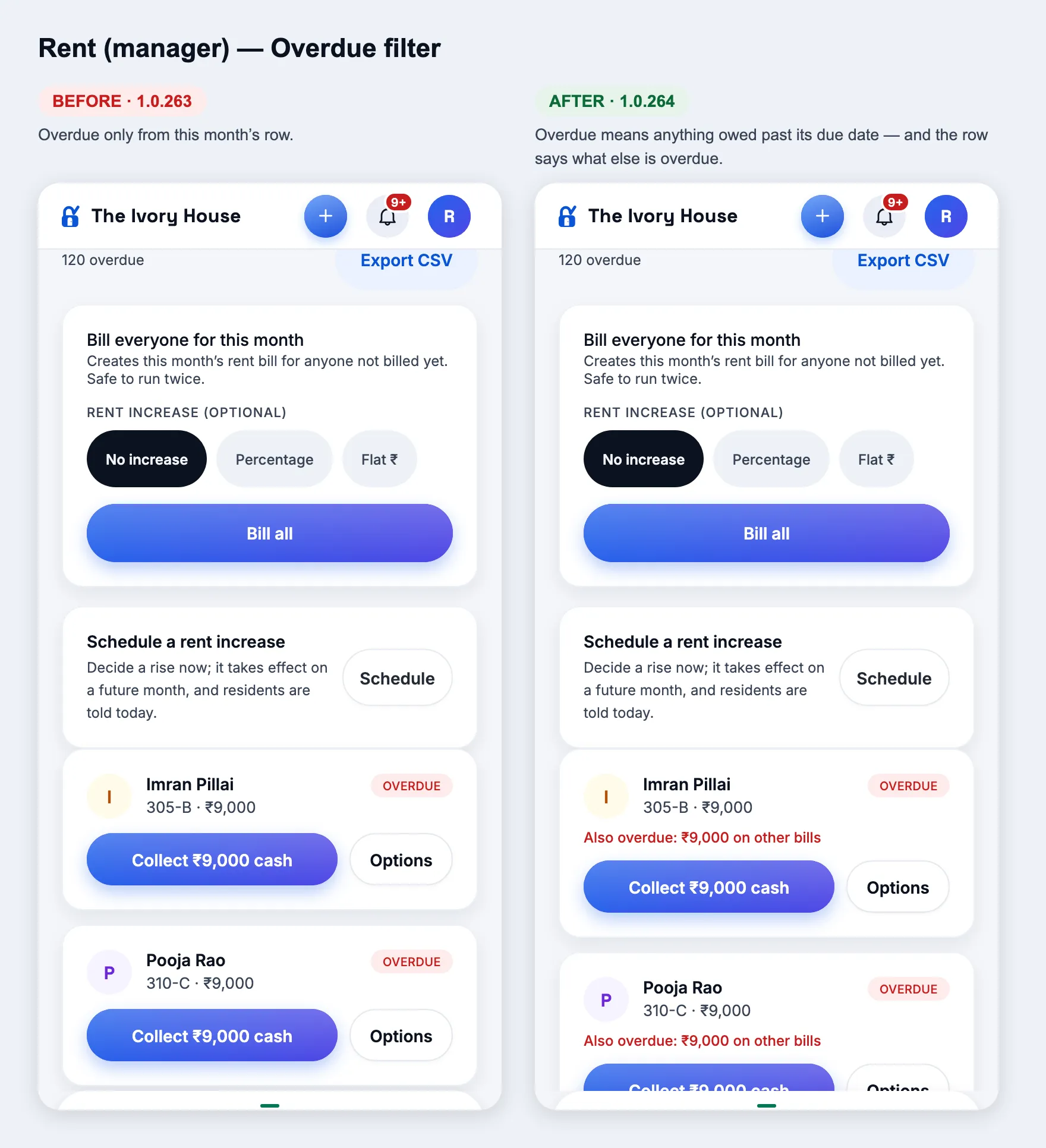
Overdue — one meaning everywhere
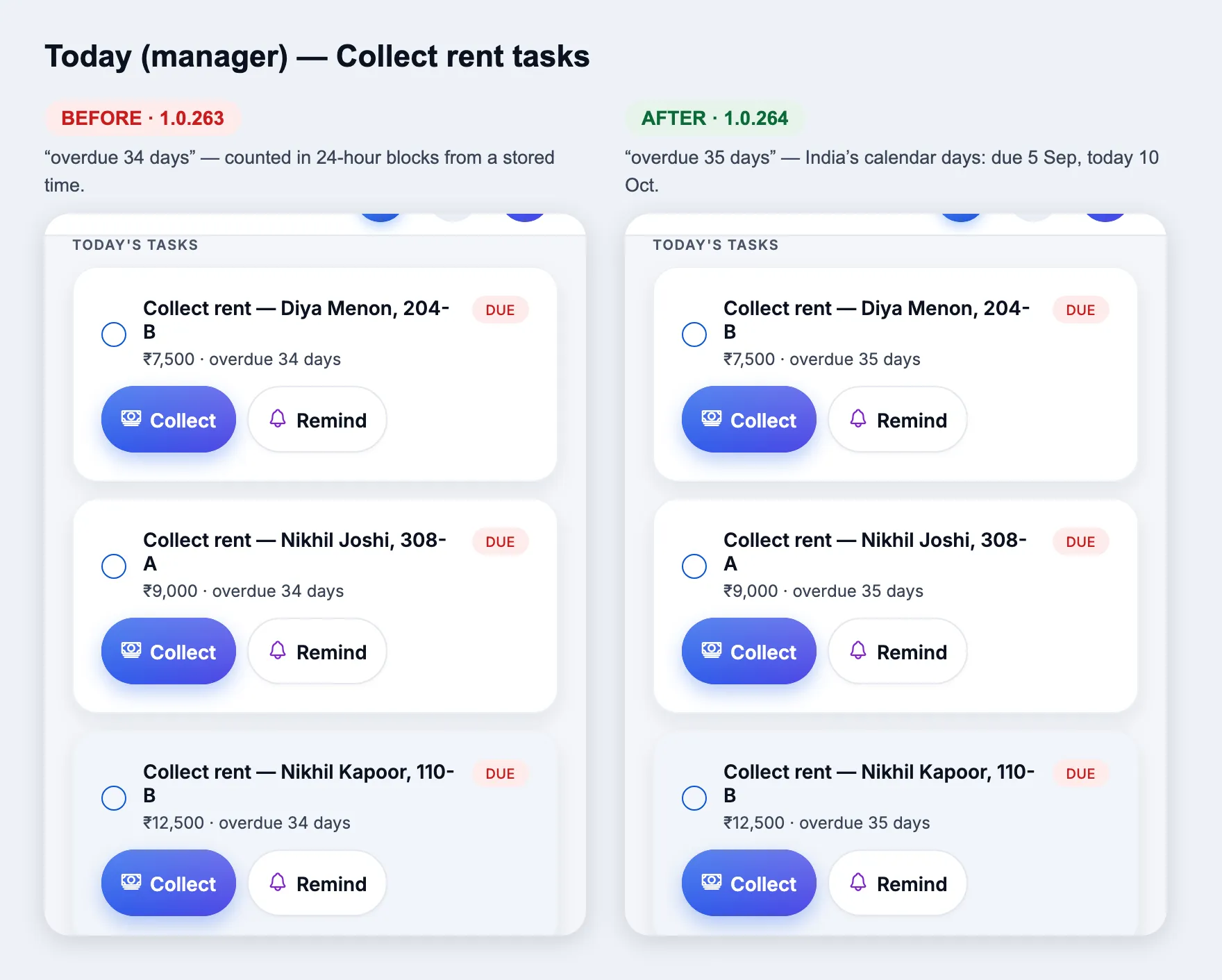
Fix
Overdue means the same on every screen
How
As a manager: Today’s “Collect rent” tasks, Rent → Overdue, Rooms & beds, Rent & dues → Overdue. As an owner: Home → “Needs your attention”, Reports → dues ageing. As a resident: Home.
Expect
A charge is overdue when it still has something unpaid and its due date (India’s calendar day) has passed — any month, rent or deposit, part-paid included. Due today is not overdue. A month not billed yet is never overdue. Days are calendar days: due 5 Sep, on 10 Oct it says 35 days. On Rent → Overdue a part-paid row past due says PART PAID · OVERDUE, and a red line says what else is overdue on other bills. Every screen names the same residents.
Rent (manager) — OverdueToday (manager)
Owner Home — figures that agree
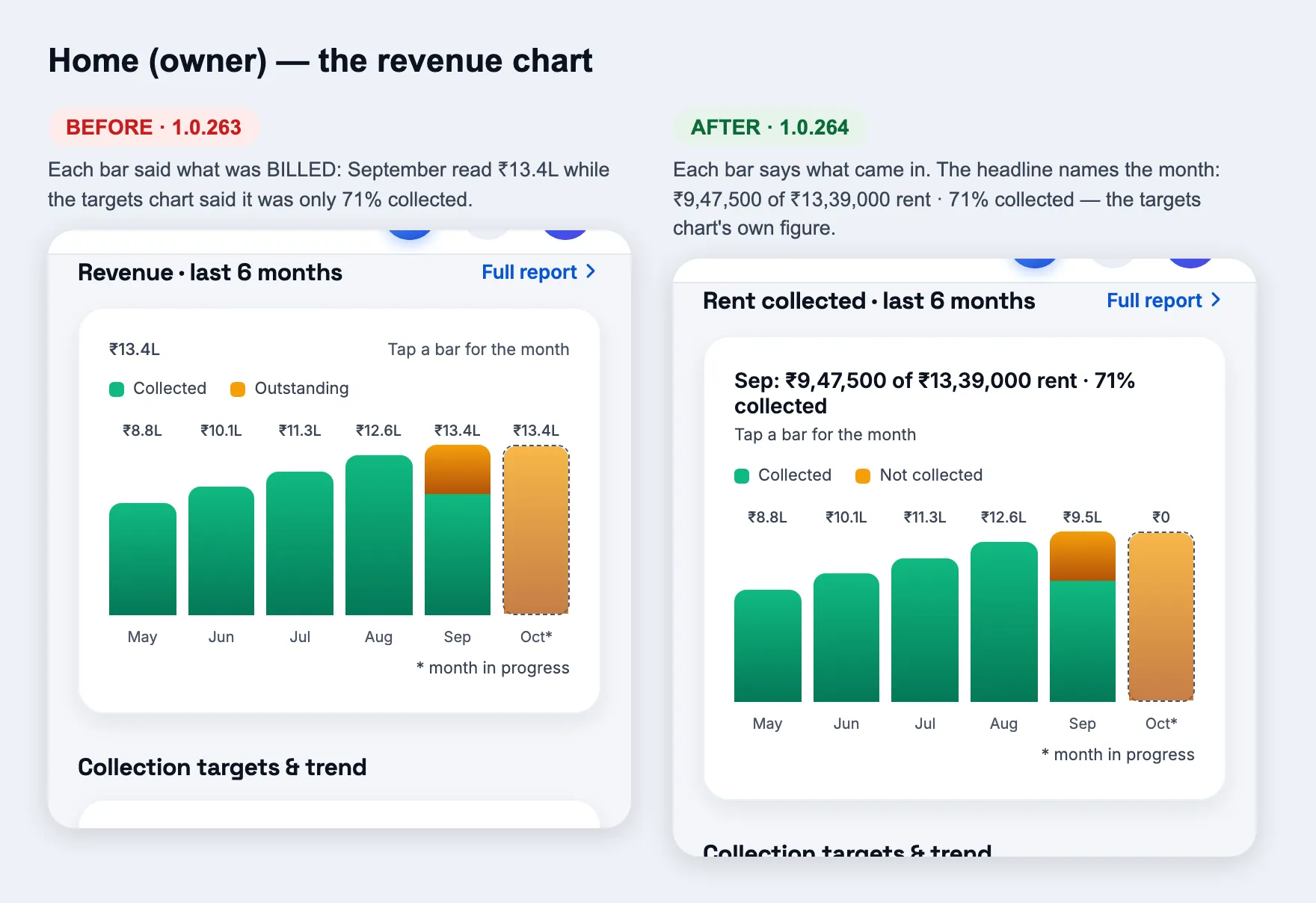
Fix
The rent chart shows what came in, the same as the targets chart
How
Owner Home → “Rent collected · last 6 months” (was “Revenue”). Tap a bar.
Expect
The figure over each bar is the rent that came in that month; the bar’s full height is what was billed. The headline names the month: “Sep: ₹9,47,500 of ₹13,39,000 rent · 71% collected” — the same 71% the Collection targets chart shows for September.
Home (owner) — the chart
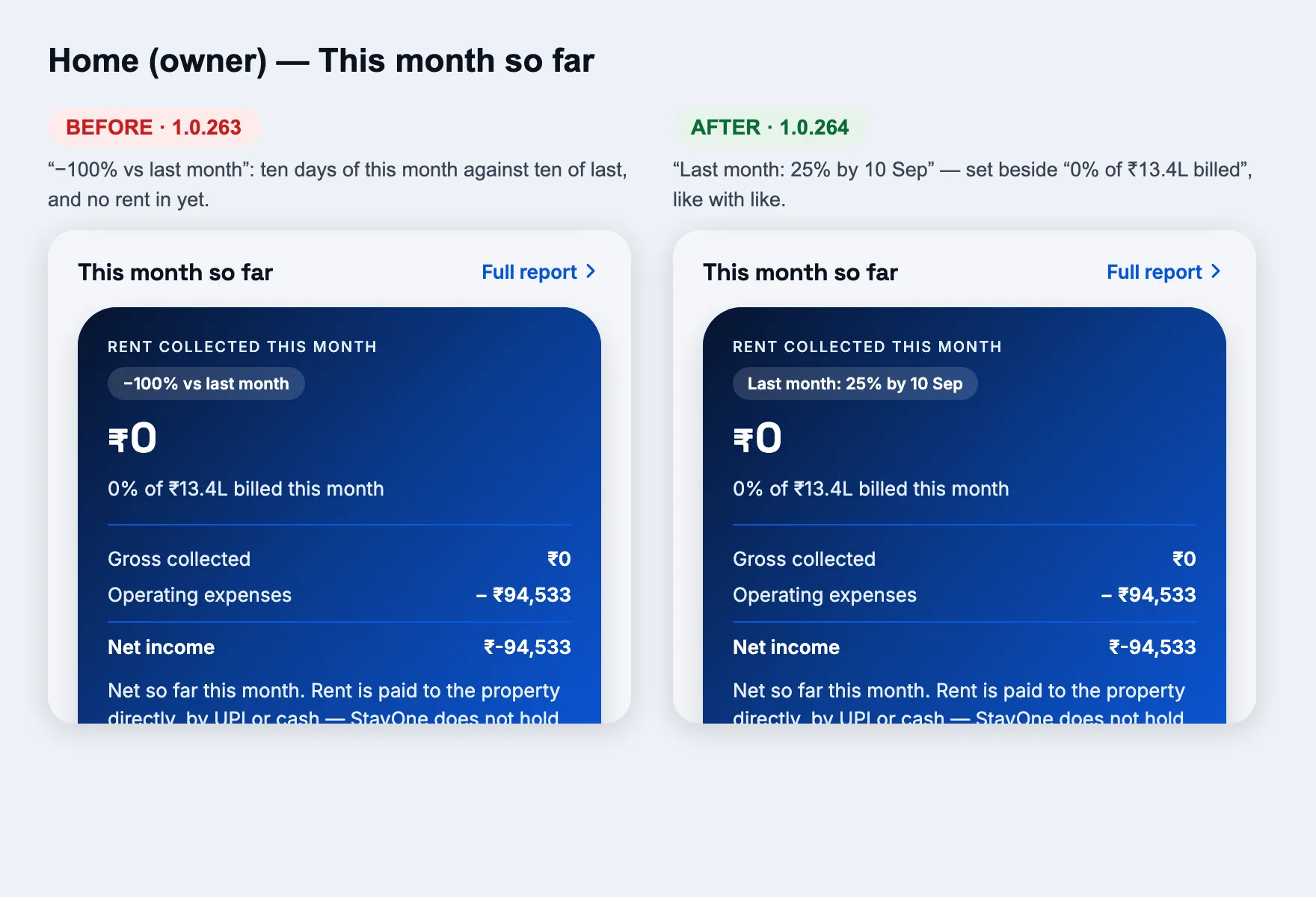
Fix
Last month’s pace instead of “−100%”
How
Owner Home → “This month so far” card, the small chip under “Rent collected this month”.
Expect
It reads “Last month: 25% by 10 Sep” — the share of last month’s rent that had come in by the same day — to compare with “0% of ₹13.4L billed this month” below it. No more “−100% vs same days last month” early in the month.
Home (owner) — This month so far
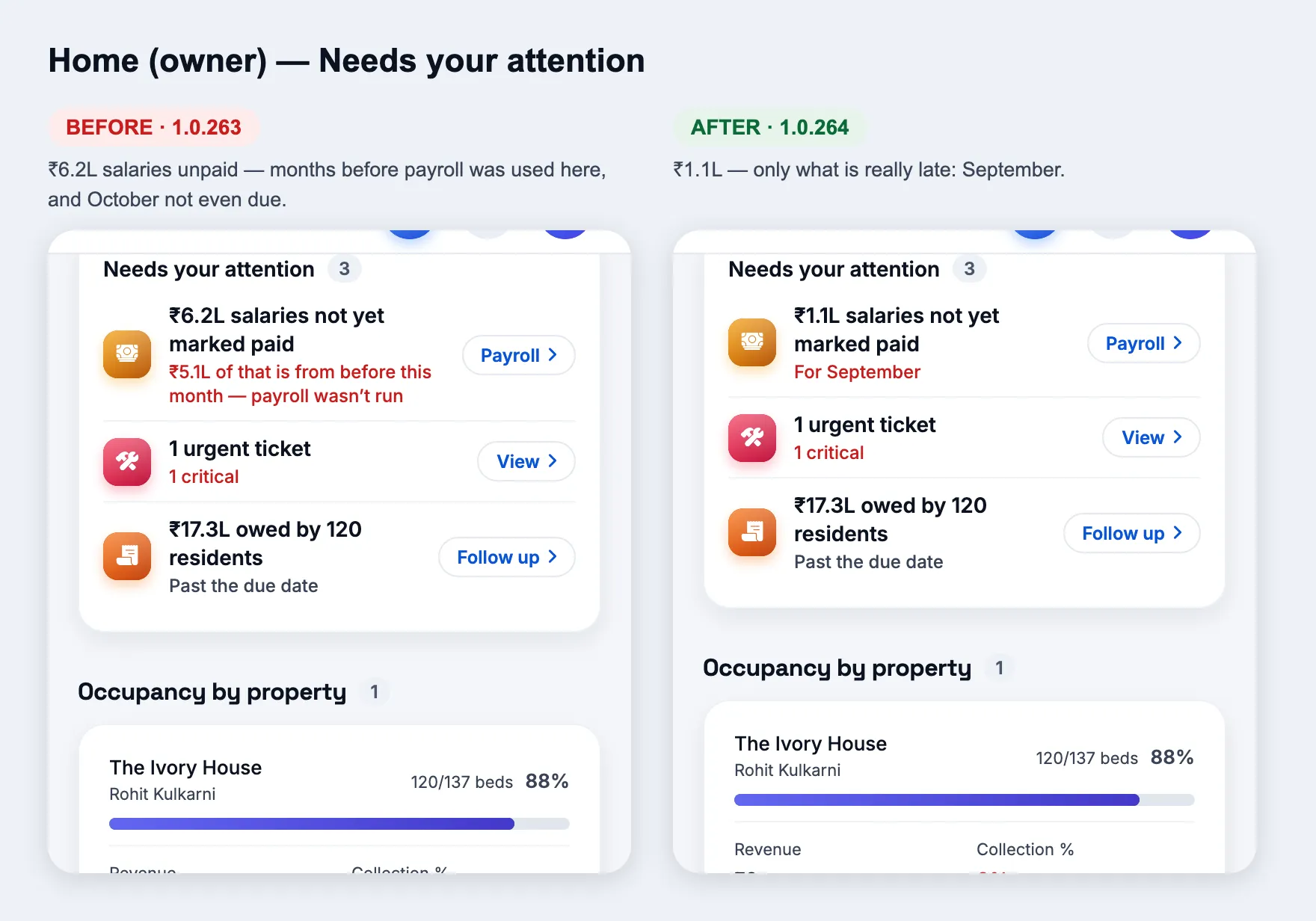
Fix
Unpaid salaries count only months really late
How
Owner Home → “Needs your attention” → the salaries row. Also Team → wages, and the “Net income” tile’s note.
Expect
Only past months still unpaid, from the month payroll was first used here — “₹1.1L salaries not yet marked paid · For September” on the demo (was ₹6.2L, counting months before payroll was used and October, which isn’t due). A salary paid on 3 Oct for September counts as September’s.
Home (owner) — Needs your attention
Manager performance
Fix
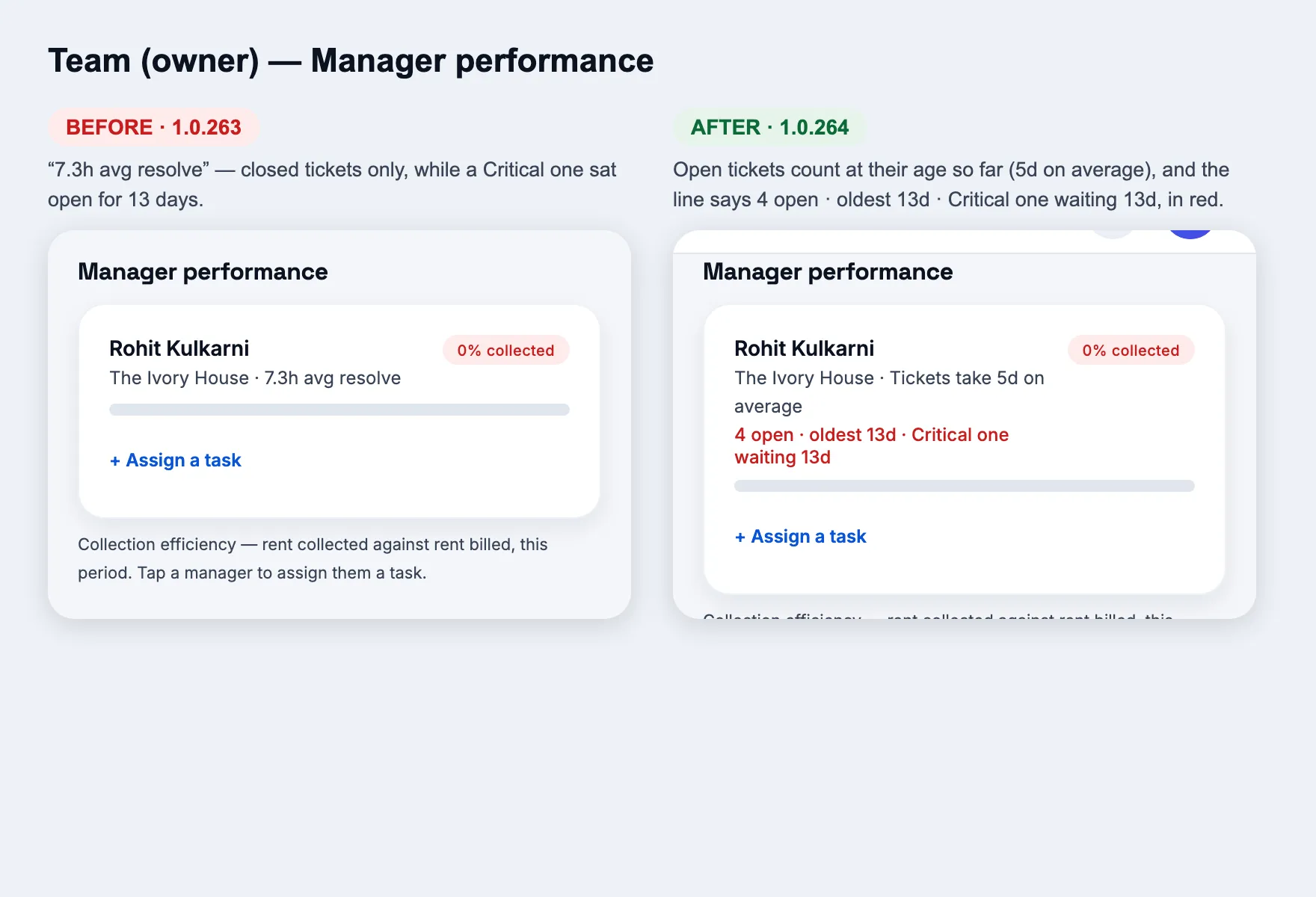
Open tickets count, and the oldest urgent one is named
How
Owner → Team → Manager performance (and Home → Manager performance with two or more managers).
Expect
“Tickets take 5d on average” now counts each open ticket at its age so far (it counted closed ones only and said 7.3h). Below, in red: “4 open · oldest 13d · Critical one waiting 13d”. Red whenever a High/Critical ticket is open or anything has waited 2 days.
Team (owner)
Residents
Fix
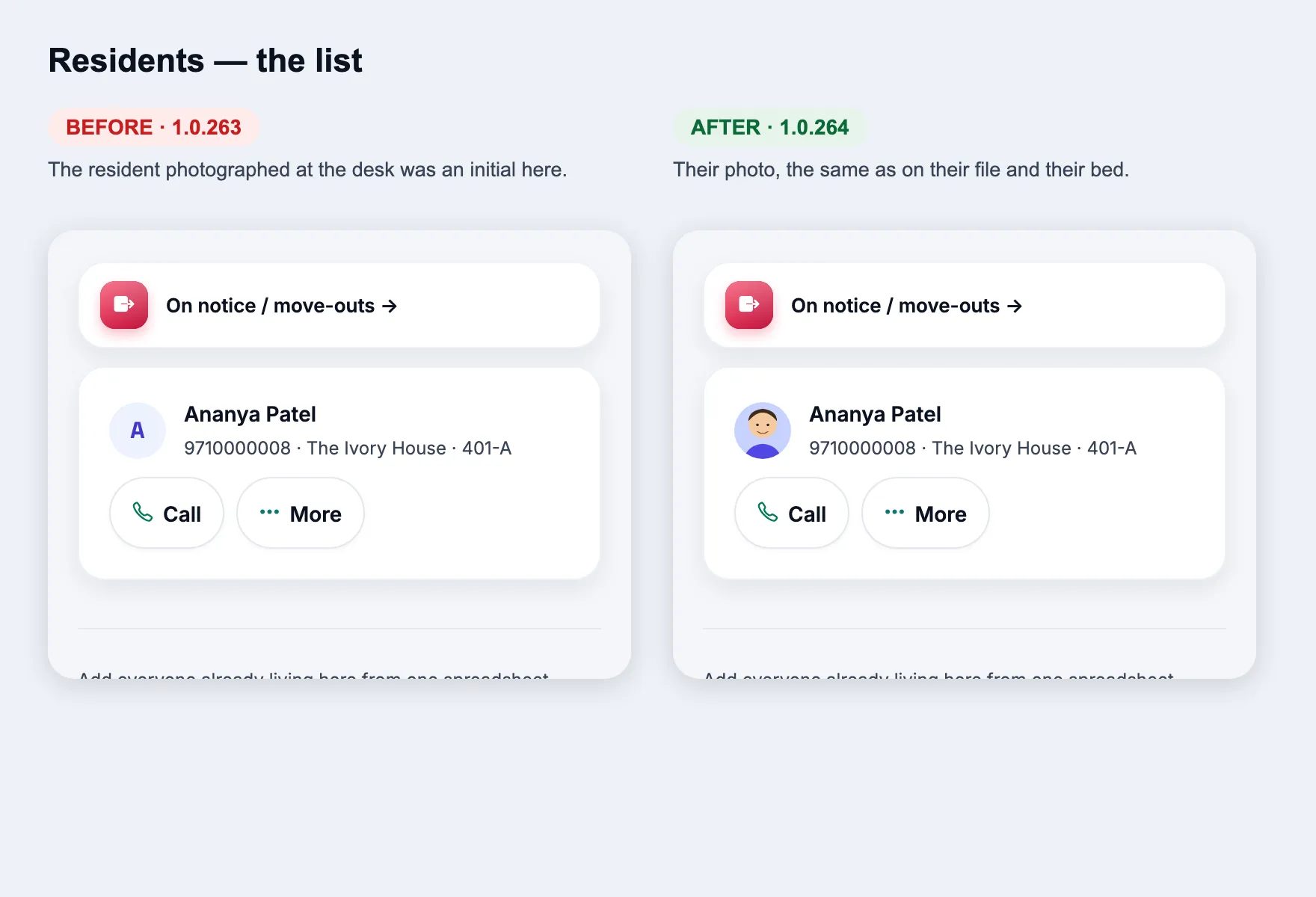
The desk photo shows in the Residents list
How
Owner or manager → Residents. Find someone photographed at move-in (or with Documents → Photo).
Expect
Their photo instead of an initial — the same photo as their file and their bed. A photo taken from the file is saved already verified (no Verify tap).
Residents
New
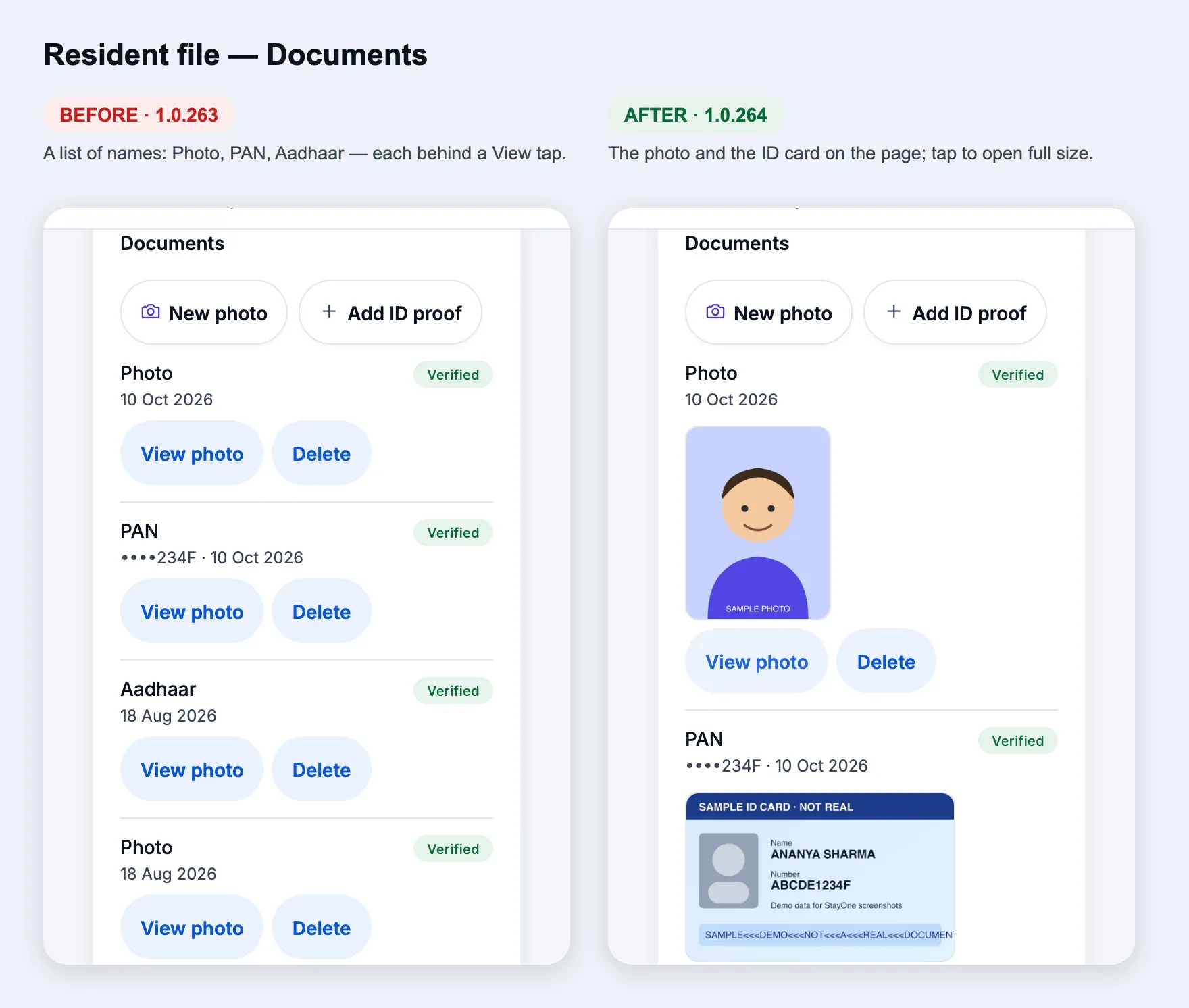
ID proofs and the photo are on the page
How
Open a resident → Documents.
Expect
Each ID (front and back) and the photo show as pictures right on the page; tap one to open it full size. Same people can see them as before (owner, manager, super admin).
Resident file — Documents
Fix
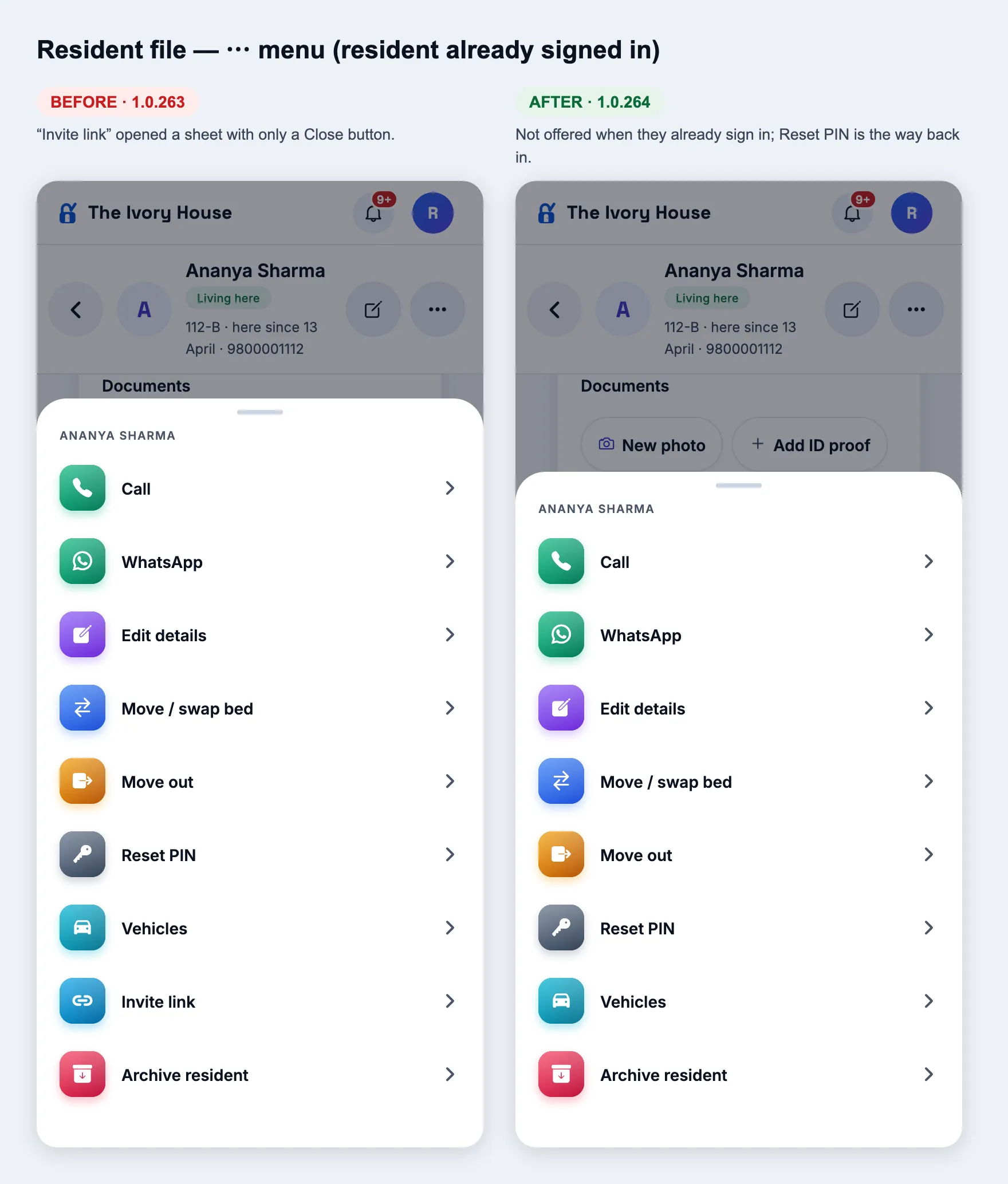
No empty “Invite link” sheet
How
Open a resident who already signs in → ⋯.
Expect
“Invite link” is not offered (it opened a sheet with only a Close button). For someone not signed in yet it is still there. Forgot PIN → Reset PIN.
Resident file — ⋯
Notifications and devices
Changed
The owner’s bell: payments, urgent tickets, move-outs, join requests
How
As a resident: raise a Medium ticket, then a Critical one. Check the manager’s and the owner’s bell.
Expect
The manager gets both; the owner gets only the Critical one. The owner still gets: payments residents make in the app, urgent (High/Critical) tickets, notices and “wants to stay”, join requests. Ordinary tickets, low ratings, IDs sent, move-ins and staff phone approvals go to the manager only. In a hostel with no manager the owner gets everything. Payment approvals are unchanged — manager or owner can approve.
Changed
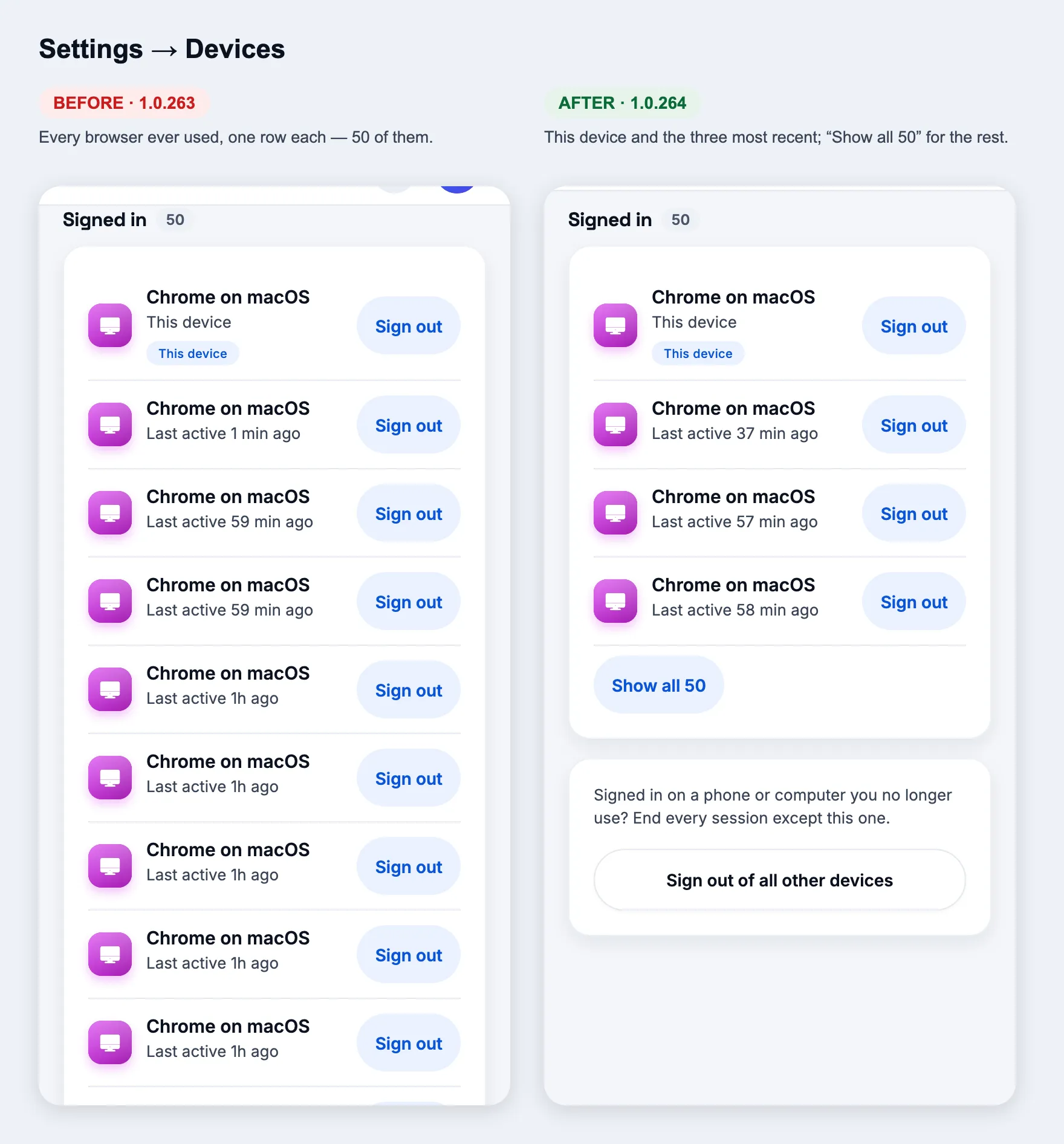
Devices: your devices first, the rest folded
How
Settings → Devices.
Expect
This device, then the three most recently used, then “Show all N”. Requests to sign in on another device still show at the top.
Settings → Devices
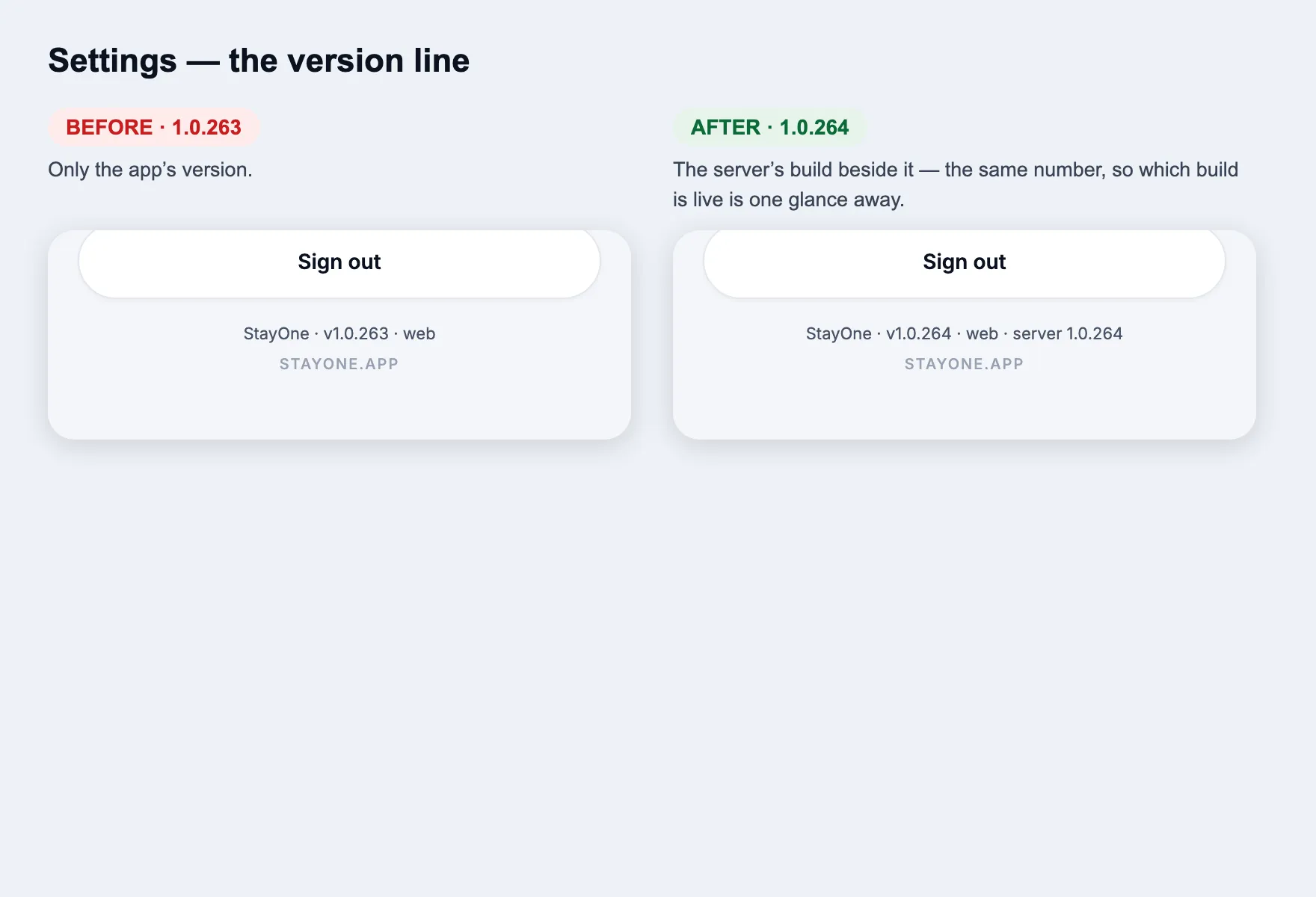
Build number
New
The server says which build it is
How
Settings → the line at the bottom. Or open /api/app-version.
Expect
“StayOne · v1.0.264 · server 1.0.264” — the app and the server carry the same build number, so you can see which build is live on DigitalOcean. Every API response also has an X-StayOne-Build header.
Settings
1.0.263
versionCode 263 · 9 Oct 2026
Home screens
Fix
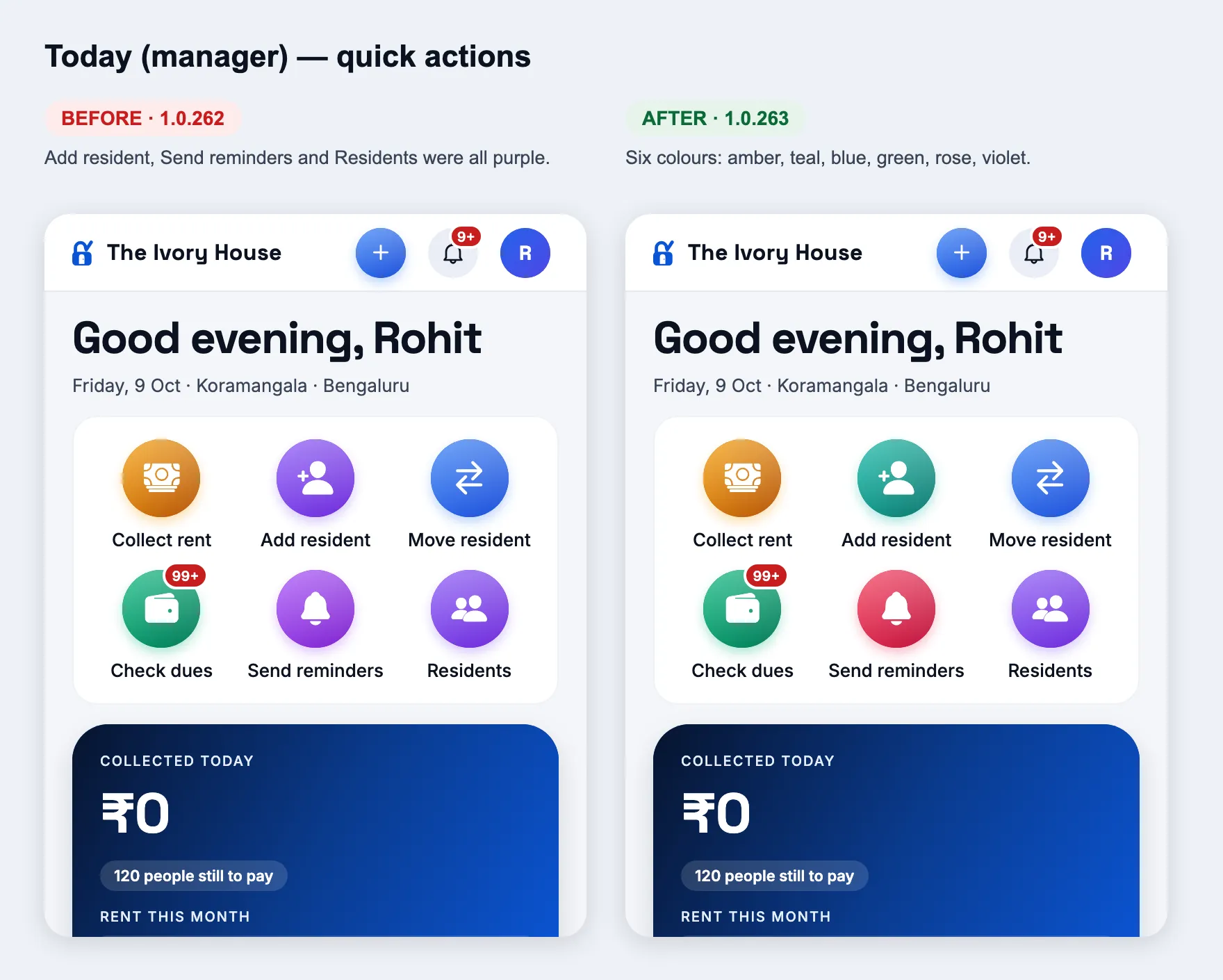
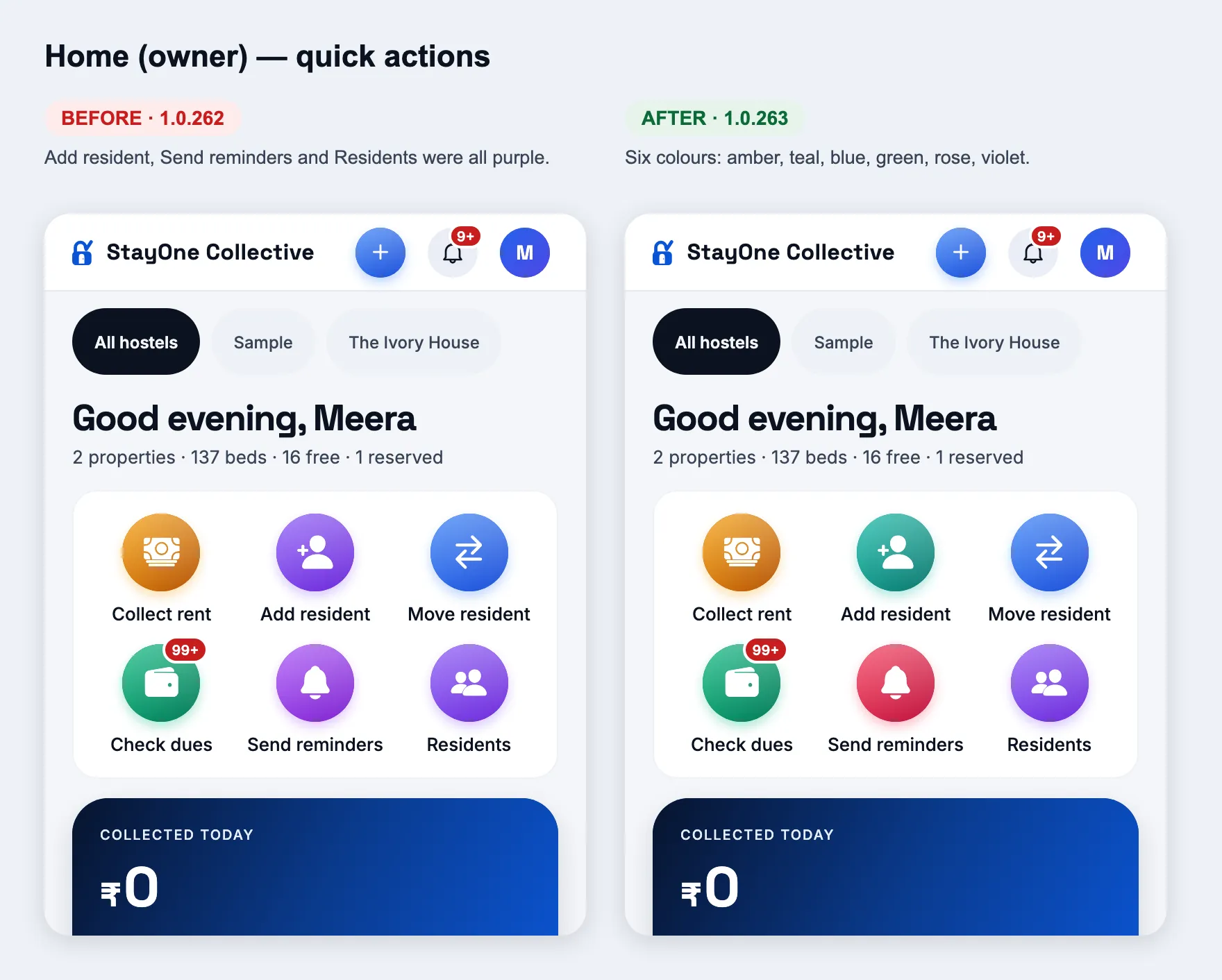
Every quick action in its own colour
How
Home, as a manager or an owner — the six round buttons.
Expect
Collect rent amber, Add resident teal, Move resident blue, Check dues green, Send reminders rose, Residents violet. Before, Add resident, Send reminders and Residents were all purple and hard to tell apart.
Today (manager)Home (owner)
1.0.262
versionCode 262 · 9 Oct 2026
Home screens
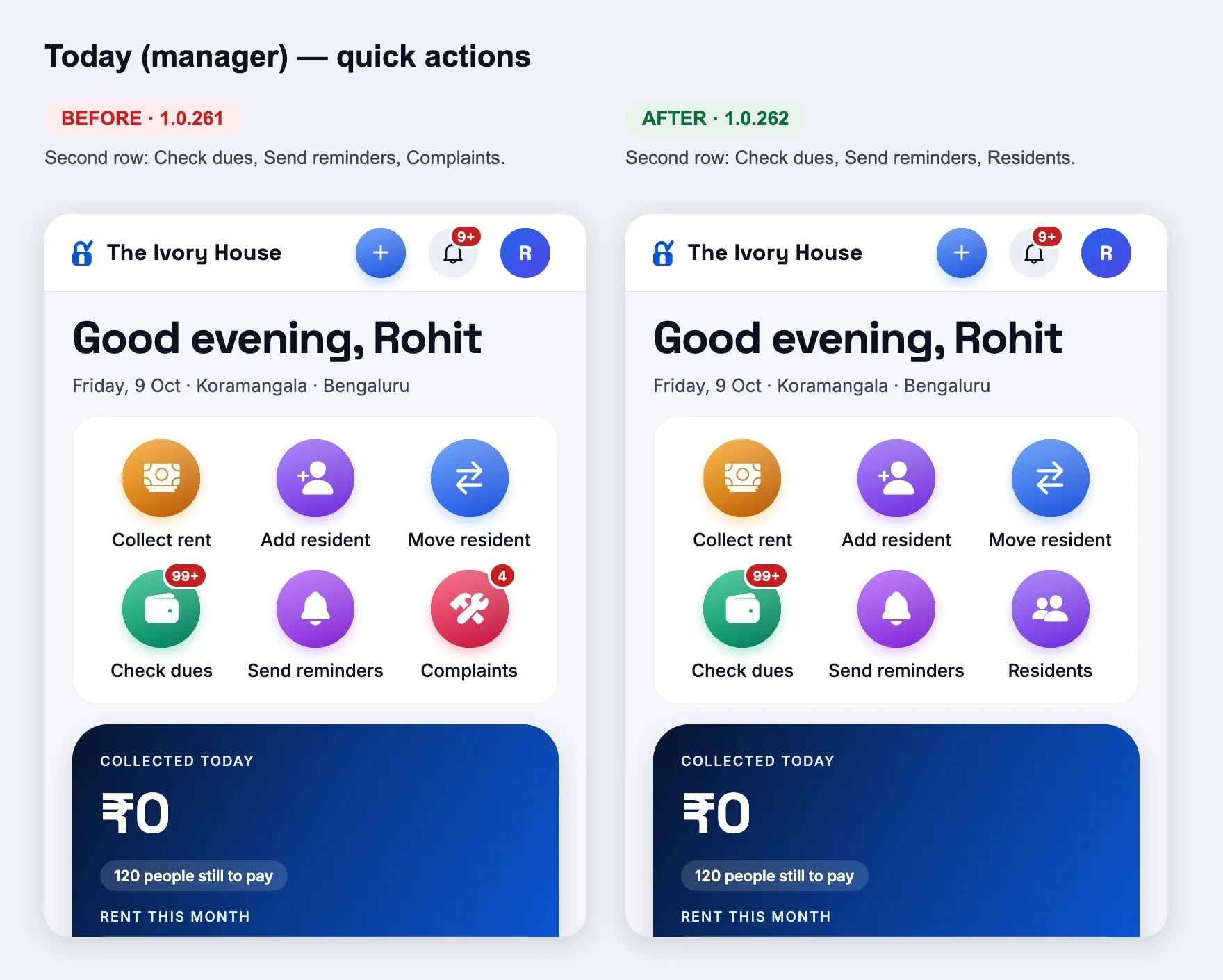
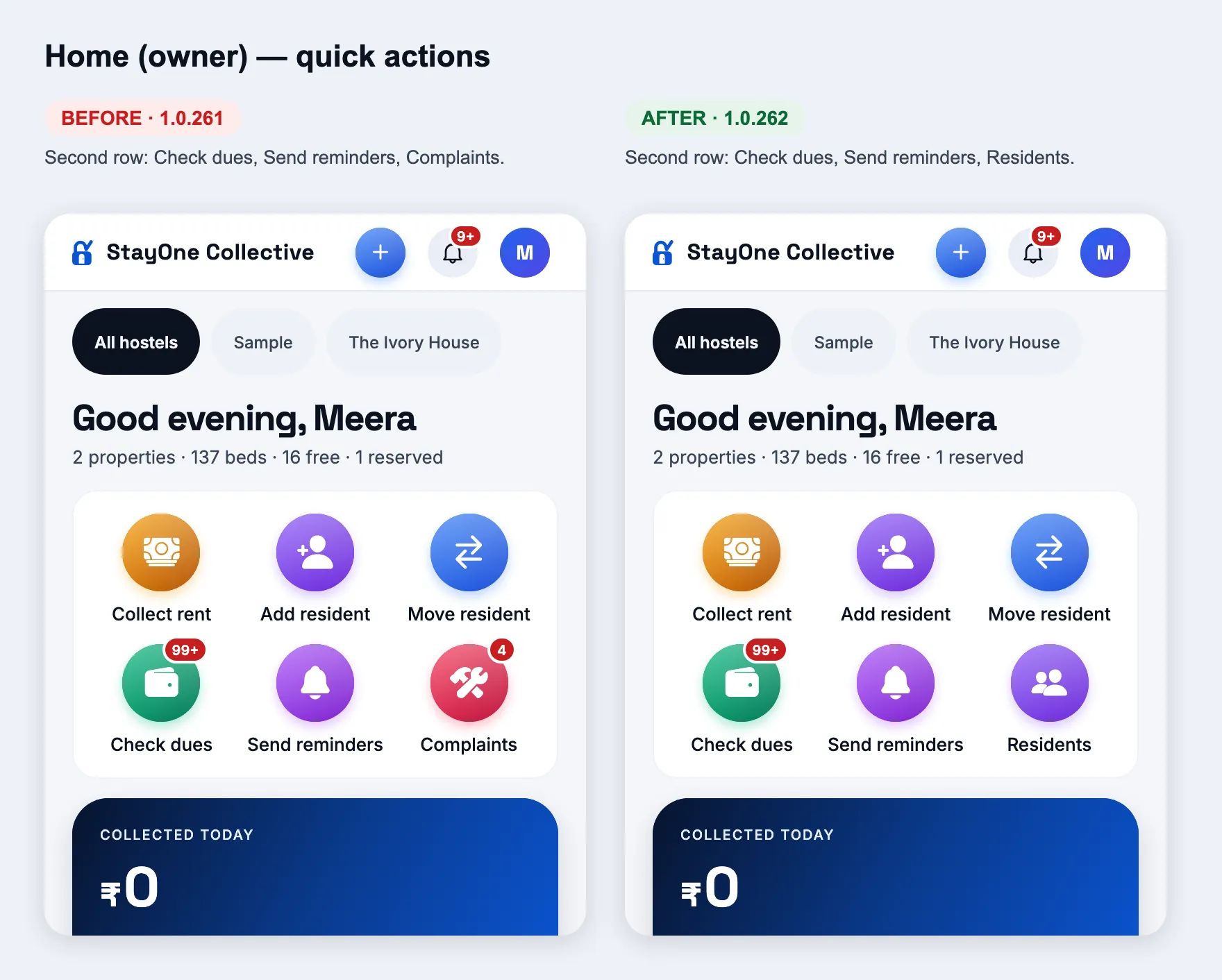
Changed
Residents in the quick actions, in place of Complaints
How
Home, as a manager (Today) or an owner — the round buttons at the top.
Expect
Second row: Check dues, Send reminders, Residents (opens the residents list). Complaints are still a tap away — the Tickets tab (manager), Tickets in the sidebar and the urgent-tickets row in "Needs your attention" (owner), and the Open tickets card.
Today (manager)Home (owner)
1.0.261
versionCode 261 · 9 Oct 2026
Home screens: the everyday jobs first
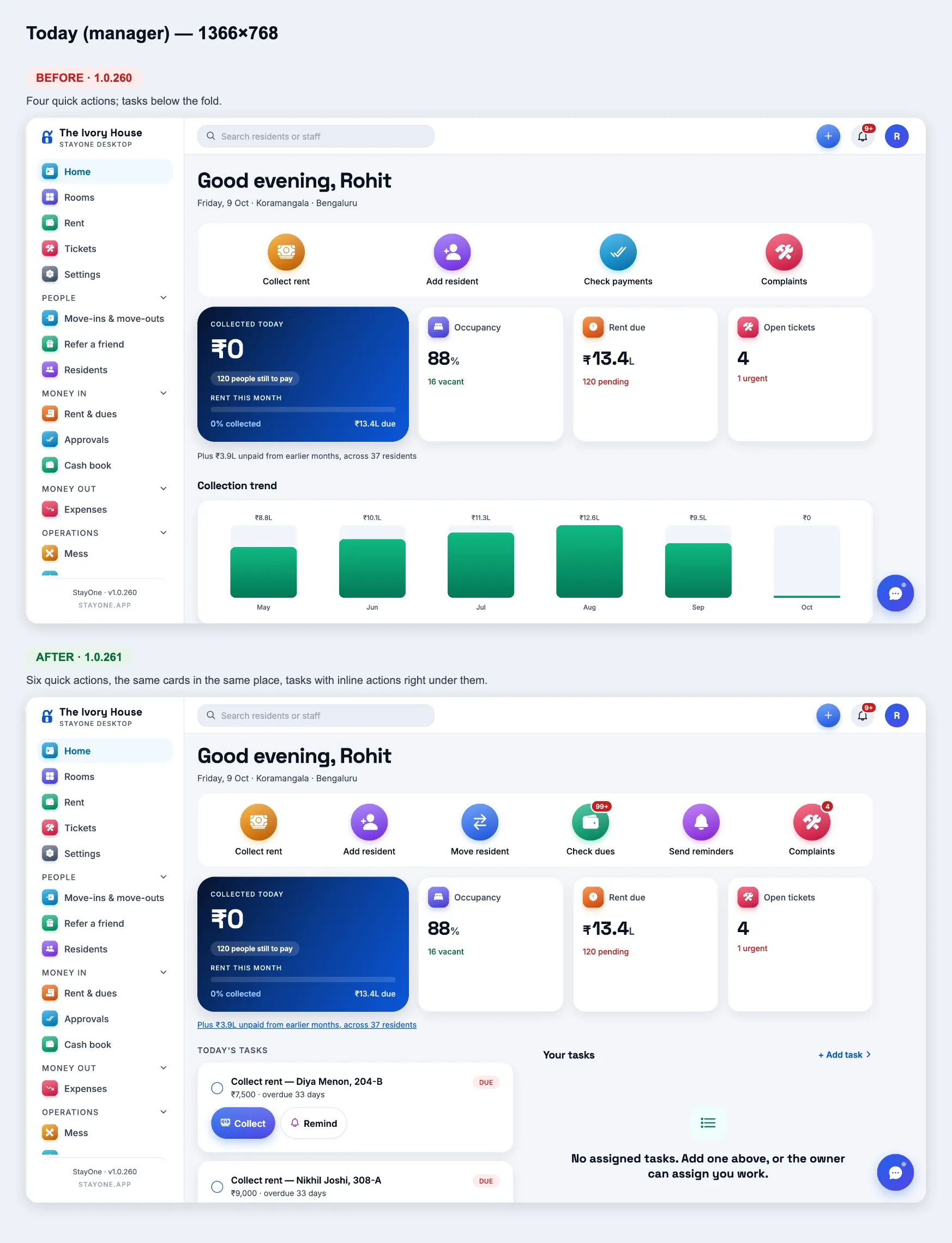
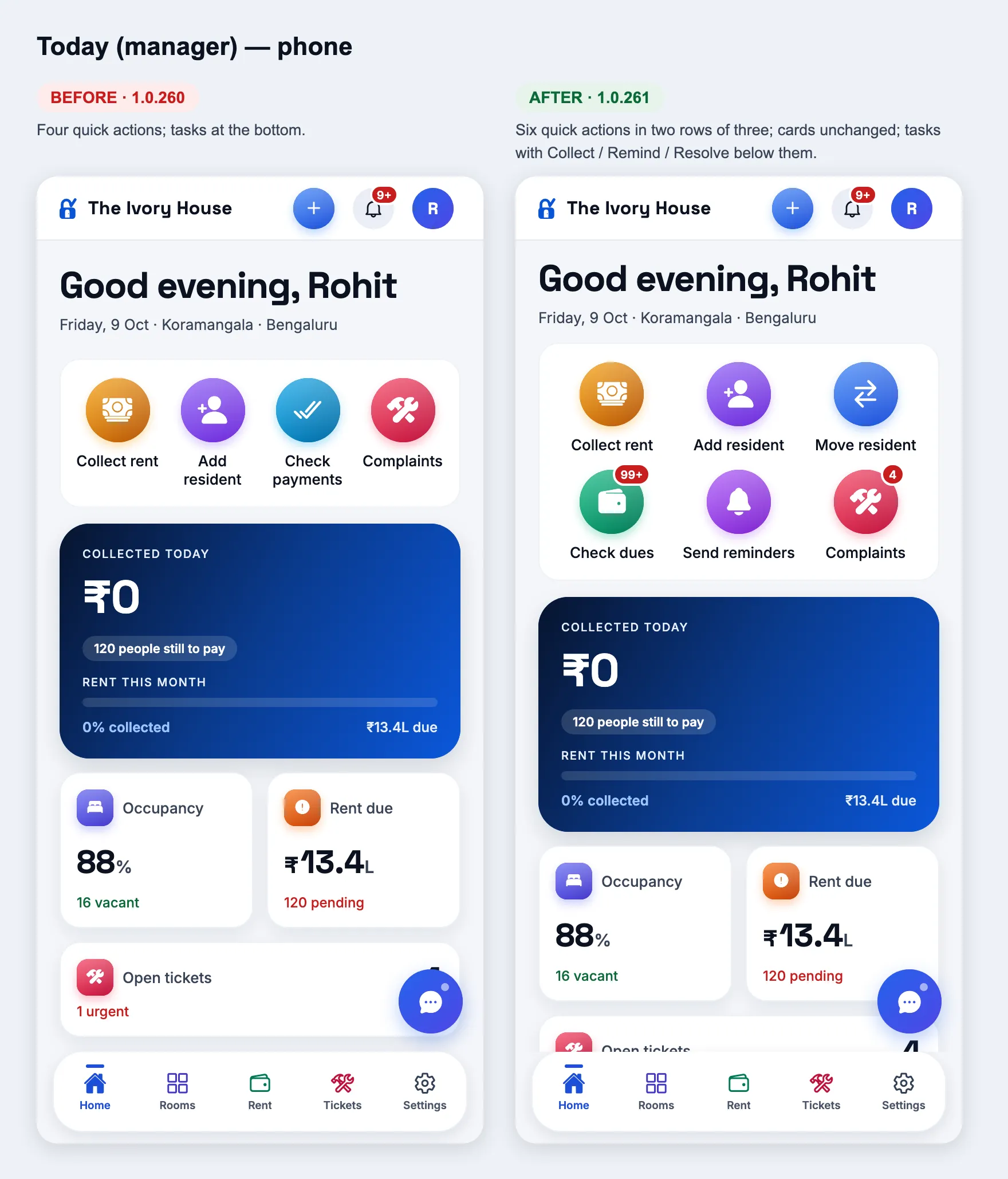
Changed
Today (manager): six quick actions, tasks you can act on
How
Sign in as a manager → Home (Today).
Expect
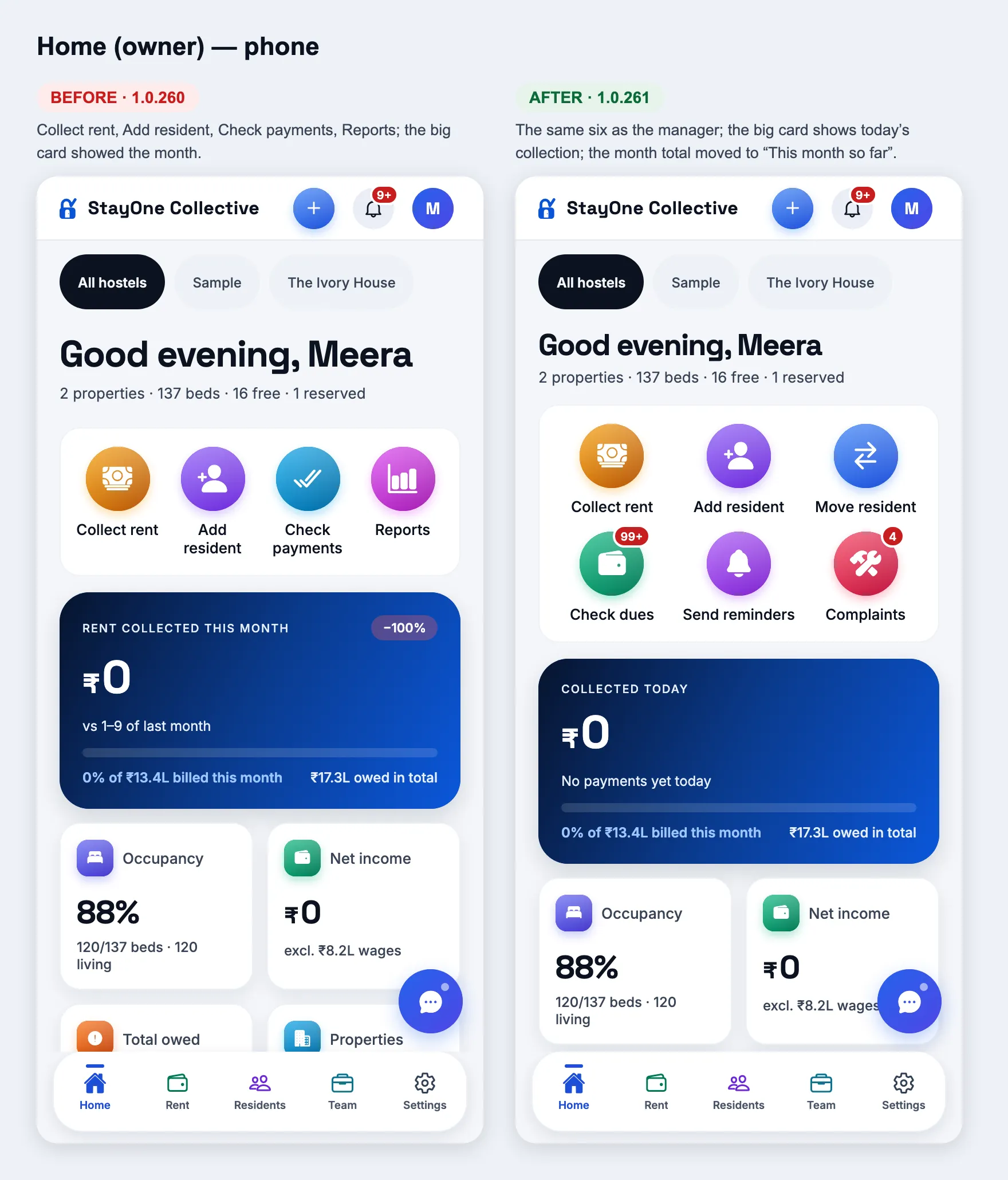
Six round buttons: Collect rent, Add resident, Move resident (opens Rooms — tap a bed there), Check dues (badge = people still to pay this month), Send reminders, Complaints (badge = open tickets). On a phone they sit in two rows of three. The "Collected today" card and the Occupancy / Rent due / Open tickets cards are exactly where they were. Today's tasks list overdue rent first, then tickets; each rent row has Collect (opens Rent & dues on that person) and Remind (sends the reminder, button turns "Reminded"); each ticket has Resolve (asks, then marks it resolved). First 5 shown, "View all (N)" for the rest. "Plus ₹… unpaid from earlier months" is now a link to exactly those people on Rent & dues. A manager who runs several hostels opens on "All hostels" (chips pick one).
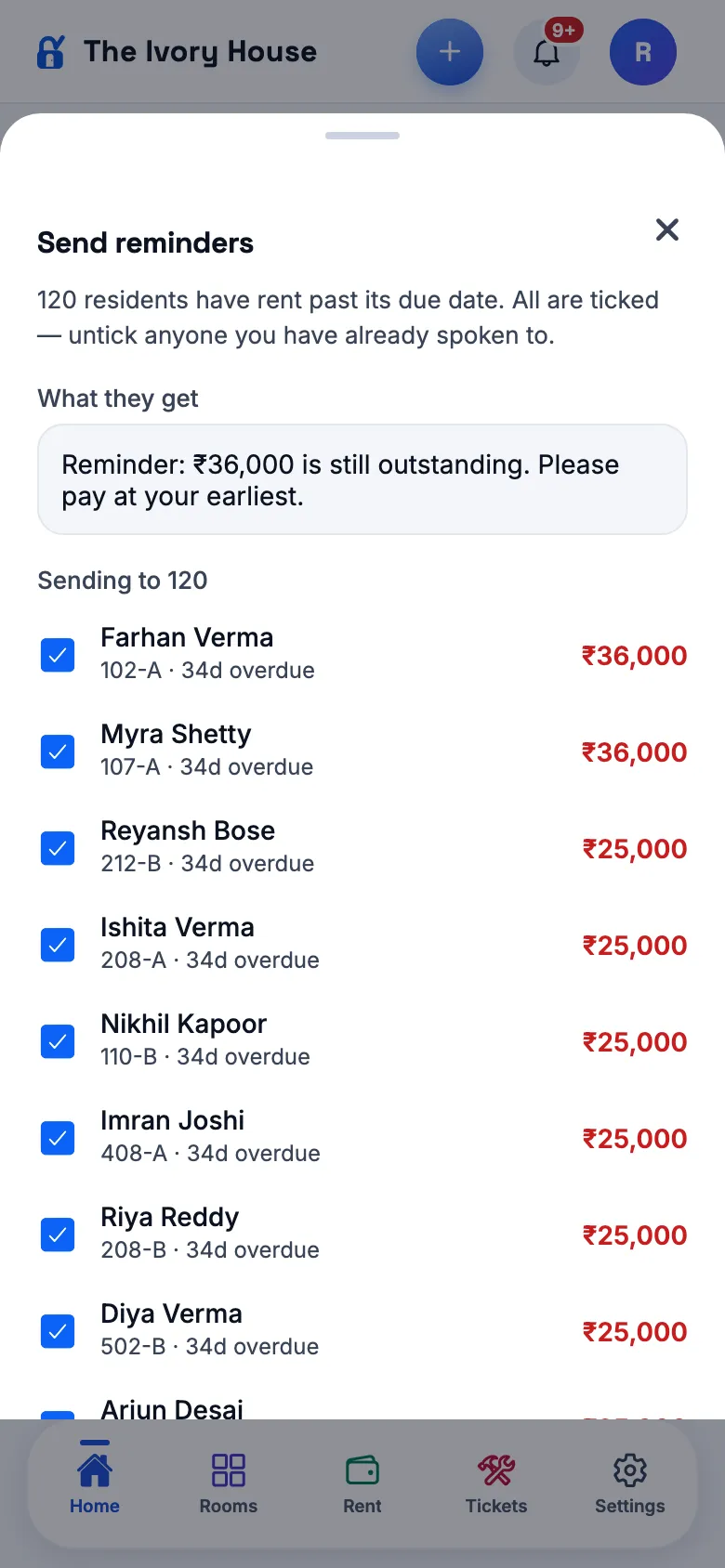
Every resident with rent past its due date, most days late first, all ticked; the message they will get; untick anyone; "Send to N" → confirm → "Reminders sent to N." Each resident gets the same reminder the single "Send reminder" sends, with their own amount.
Changed
Home (owner): everyday actions, today's money, what needs you
How
Sign in as an owner → Home. Try "All hostels" and then one hostel in the switcher.
Expect
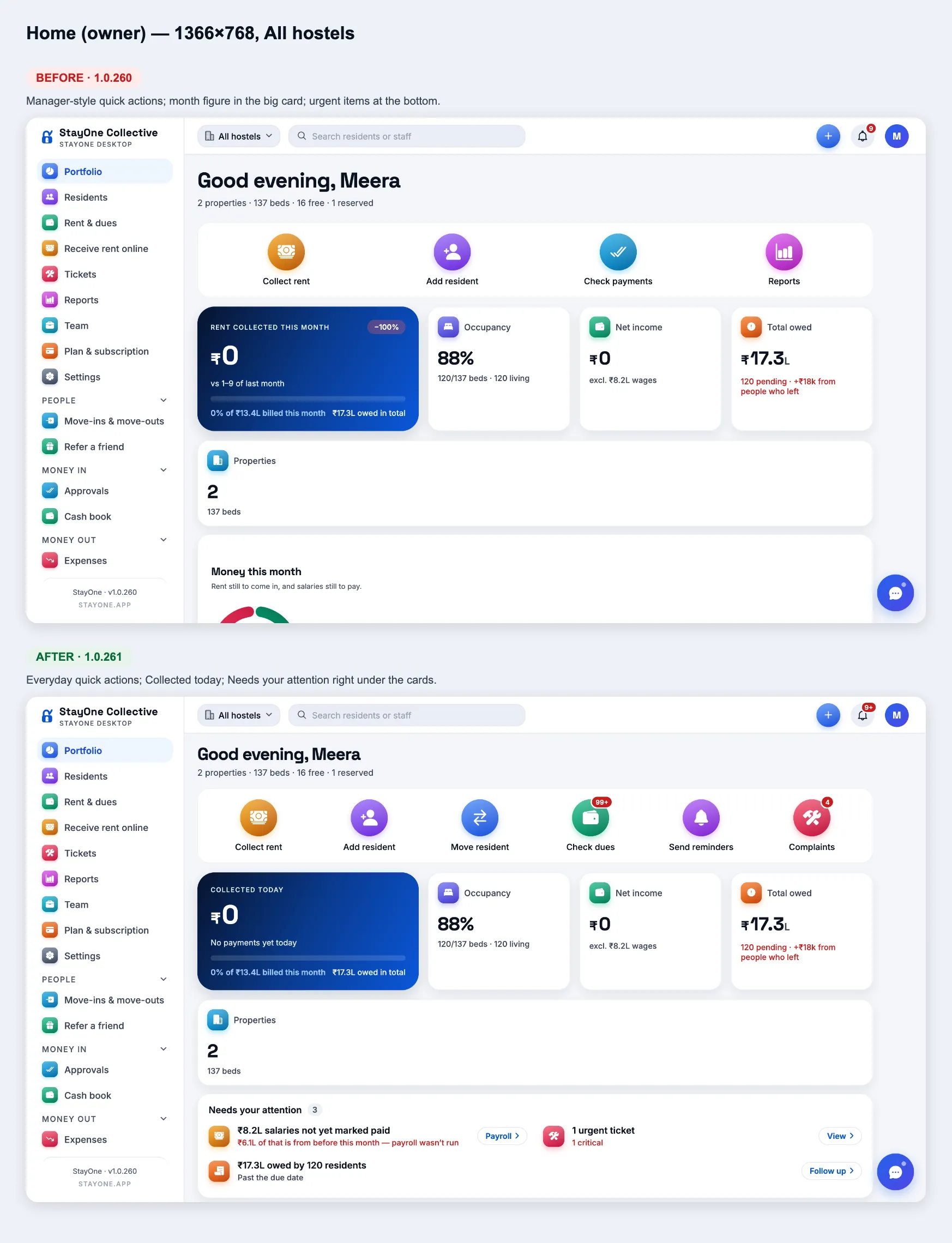
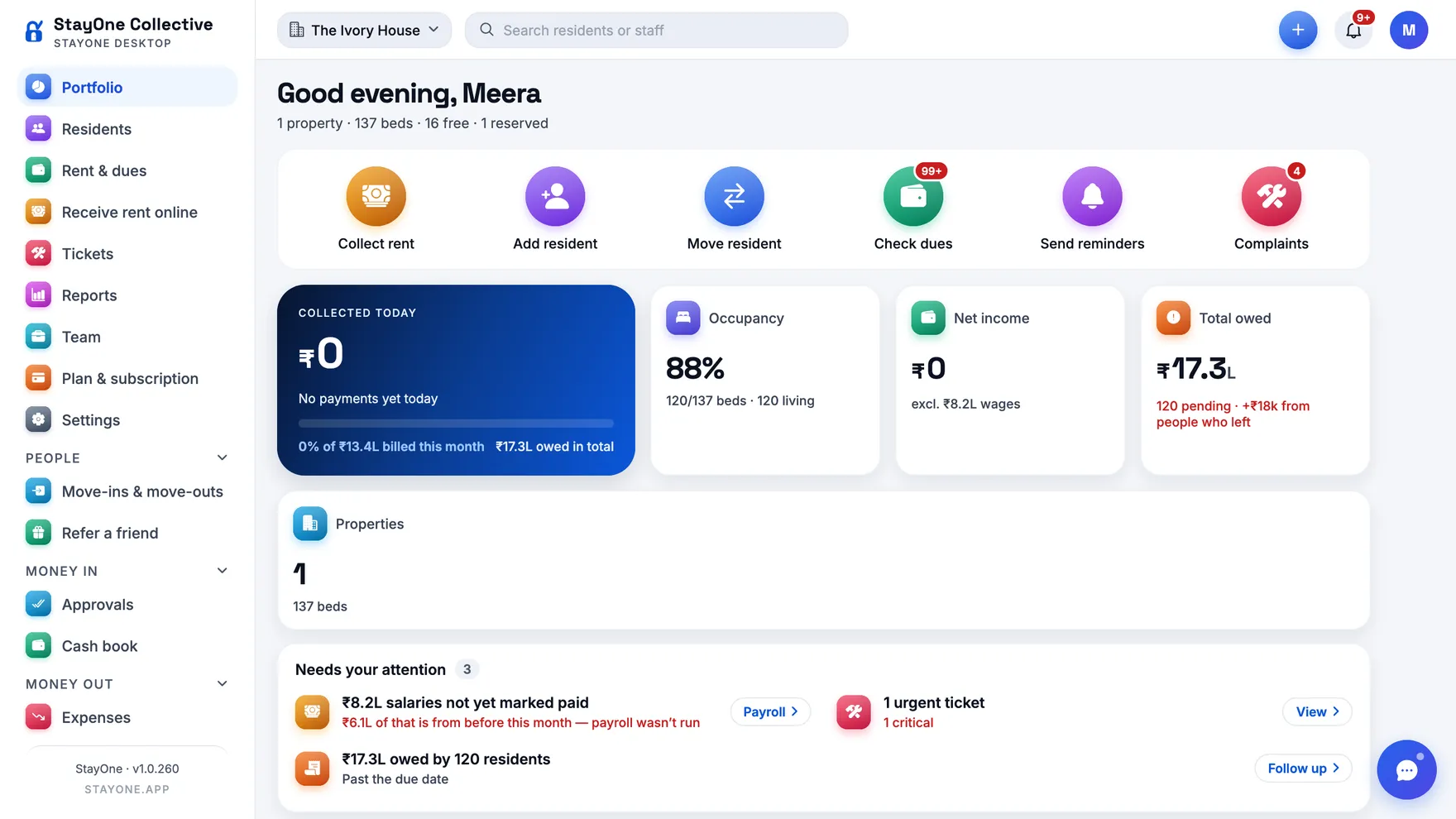
The same six quick actions as the manager. The big card now shows Collected today (and how many payments) — with the "% of billed this month" bar kept under it; the Occupancy, Net income, Total owed and Properties cards stay where they were. Then Needs your attention: unpaid salaries (with how much is from before this month), urgent tickets, payments to approve, overdue rent, join requests, residents asking to stay, deposits to refund — each with its button; "All clear" when there is nothing. The property table moved up (Manager column, 0-bed properties hidden, Collection % green/amber/red, tap a row to look at that property). At the end, "This month so far" opens with the total collected this month, % of billed and the change vs last month. Everything follows the hostel switcher.
Owner Home — 1366×768, All hostelsOne hostel pickedOwner Home — phone
Money on a resident — the same for managers and owners
Changed
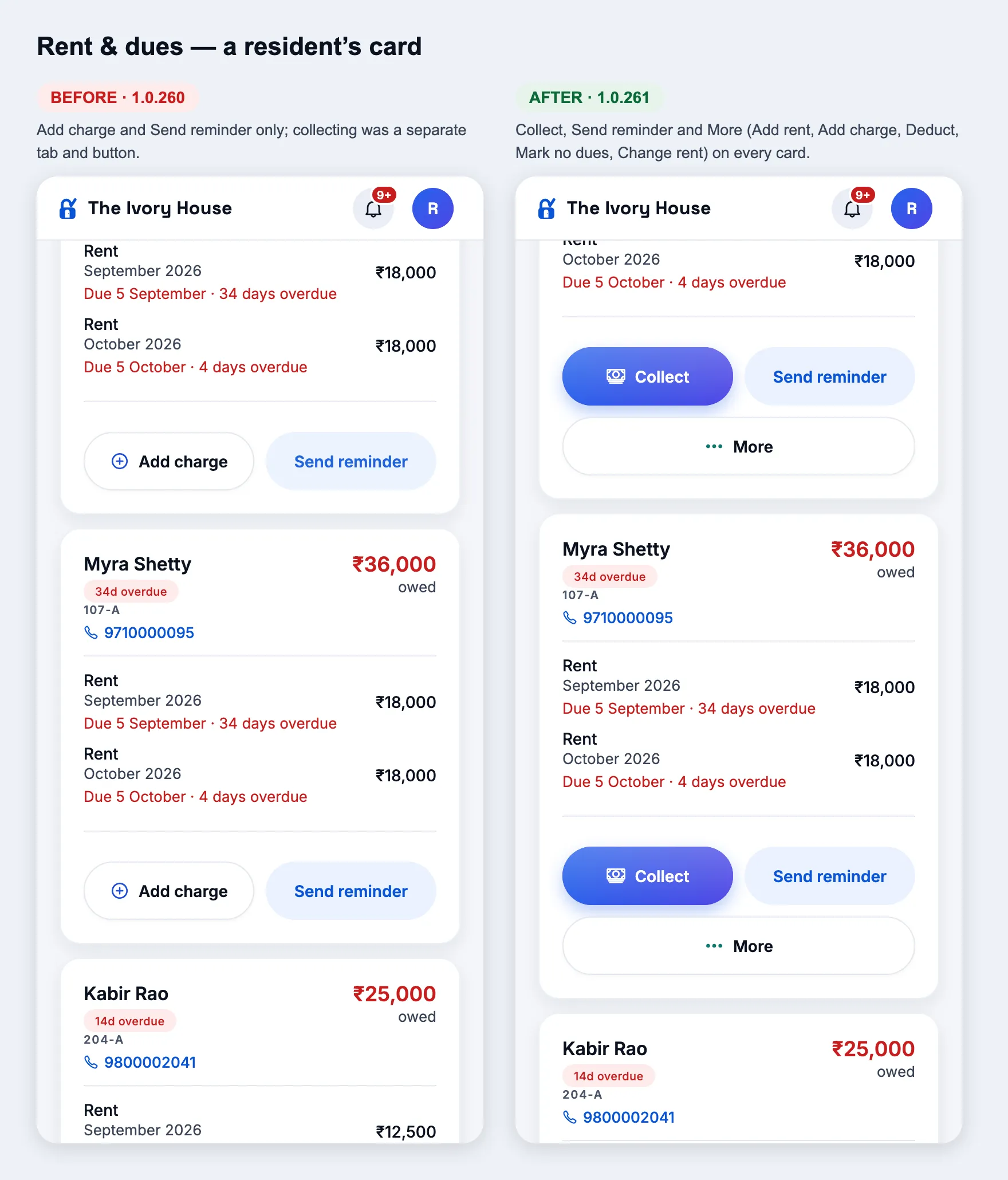
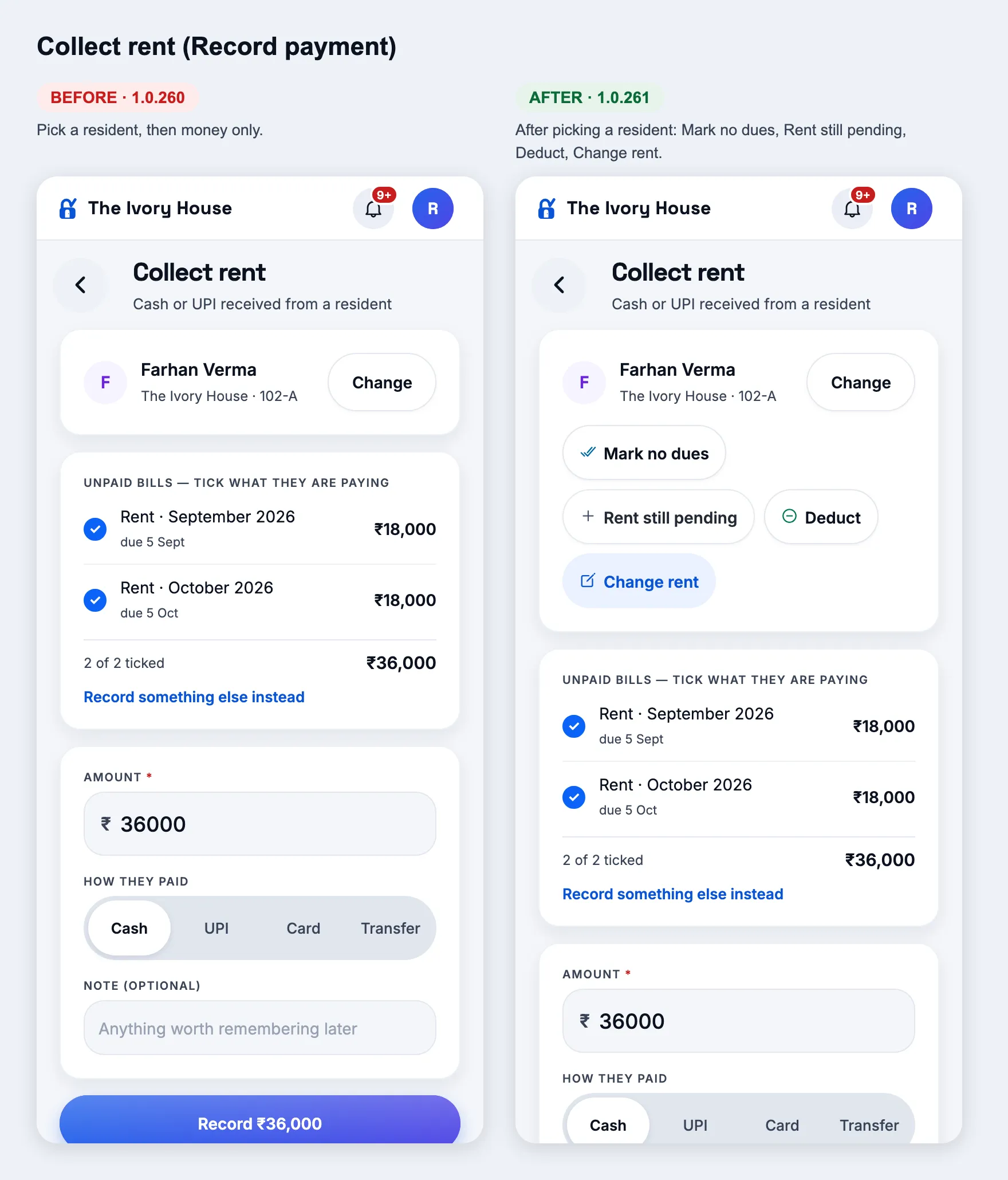
Rent & dues: collect, add rent, deduct, clear — on each card
How
Rent & dues → any resident's card.
Expect
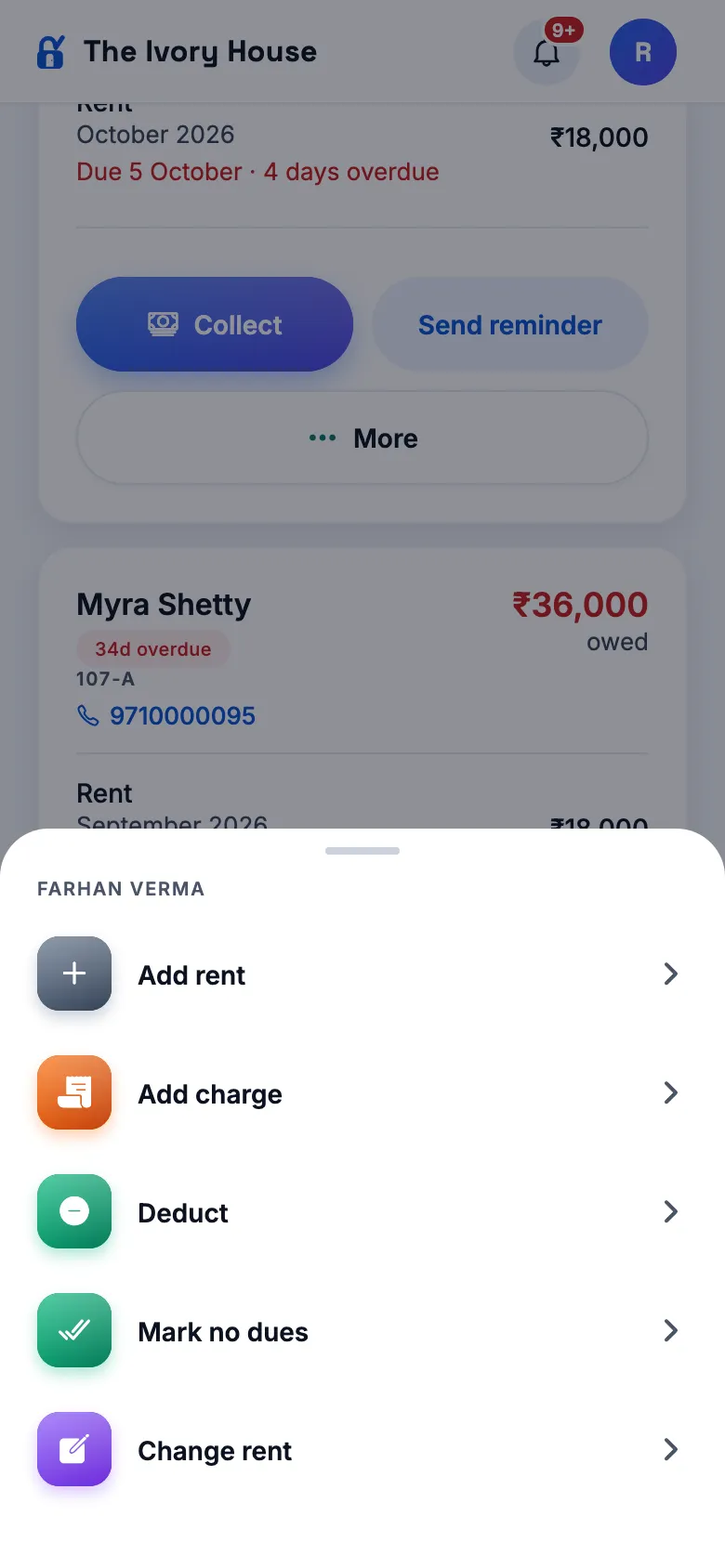
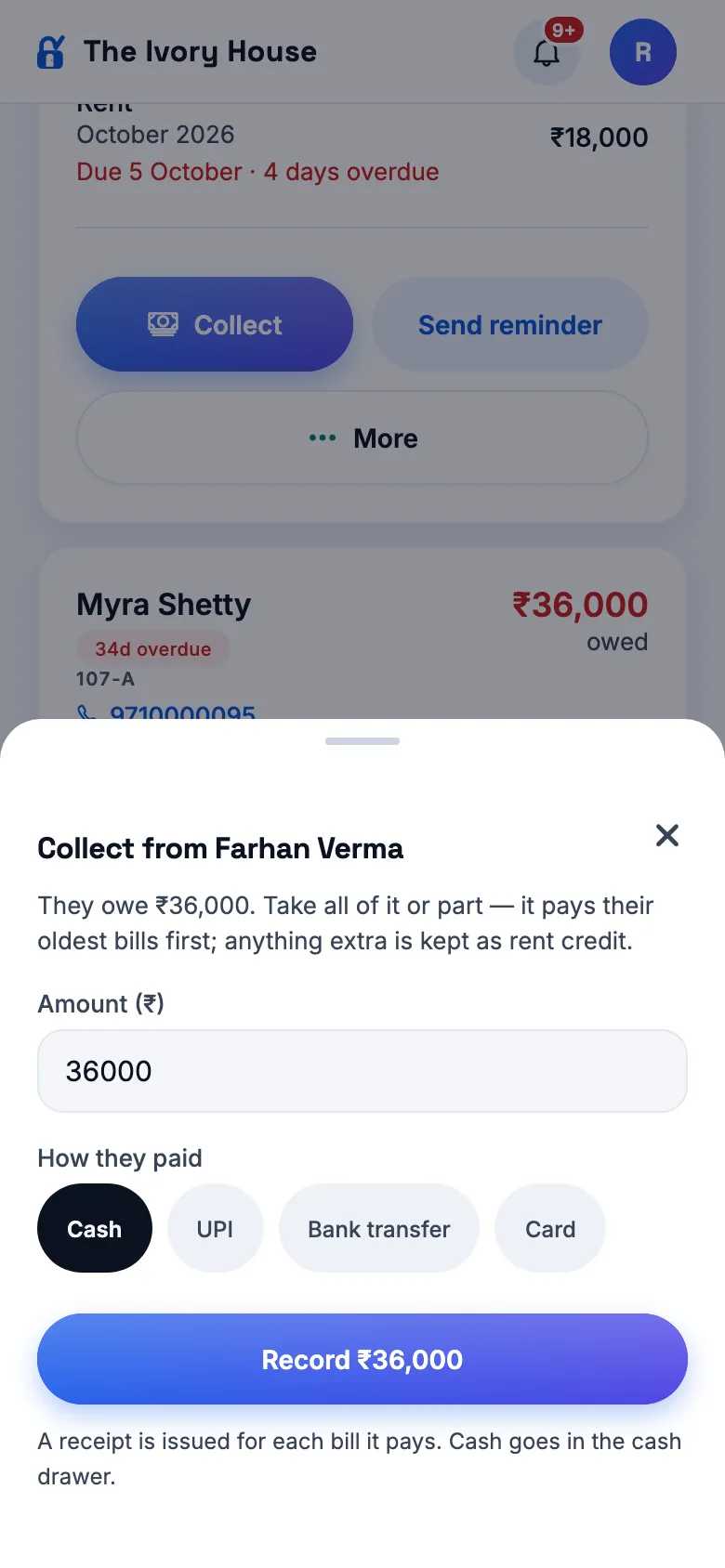
Collect opens a sheet with their balance filled in (change it for part), Cash / UPI / Bank transfer / Card → "Record ₹…" — pays their oldest bills first, extra kept as rent credit, receipts as usual. More: Add rent, Add charge, Deduct, Mark no dues, Change rent. The separate "Collect rent" tab and button on this screen are gone. Owners have "Raise rent for everyone" here.
A resident's cardMoreCollect
New
No dues, Add rent and Deduct
How
From a Rent & dues card (More), a resident's file → Money, or Collect rent after picking a resident.
Expect
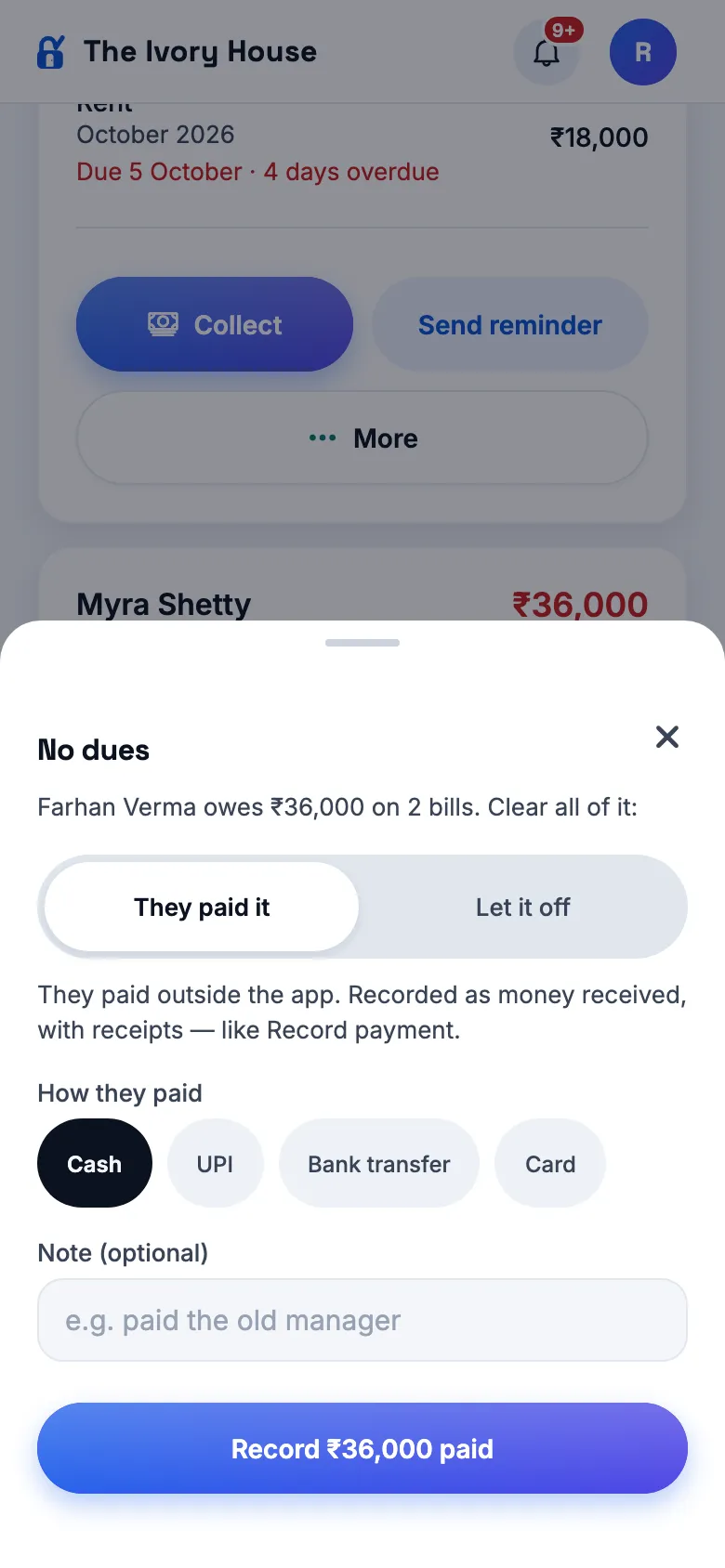
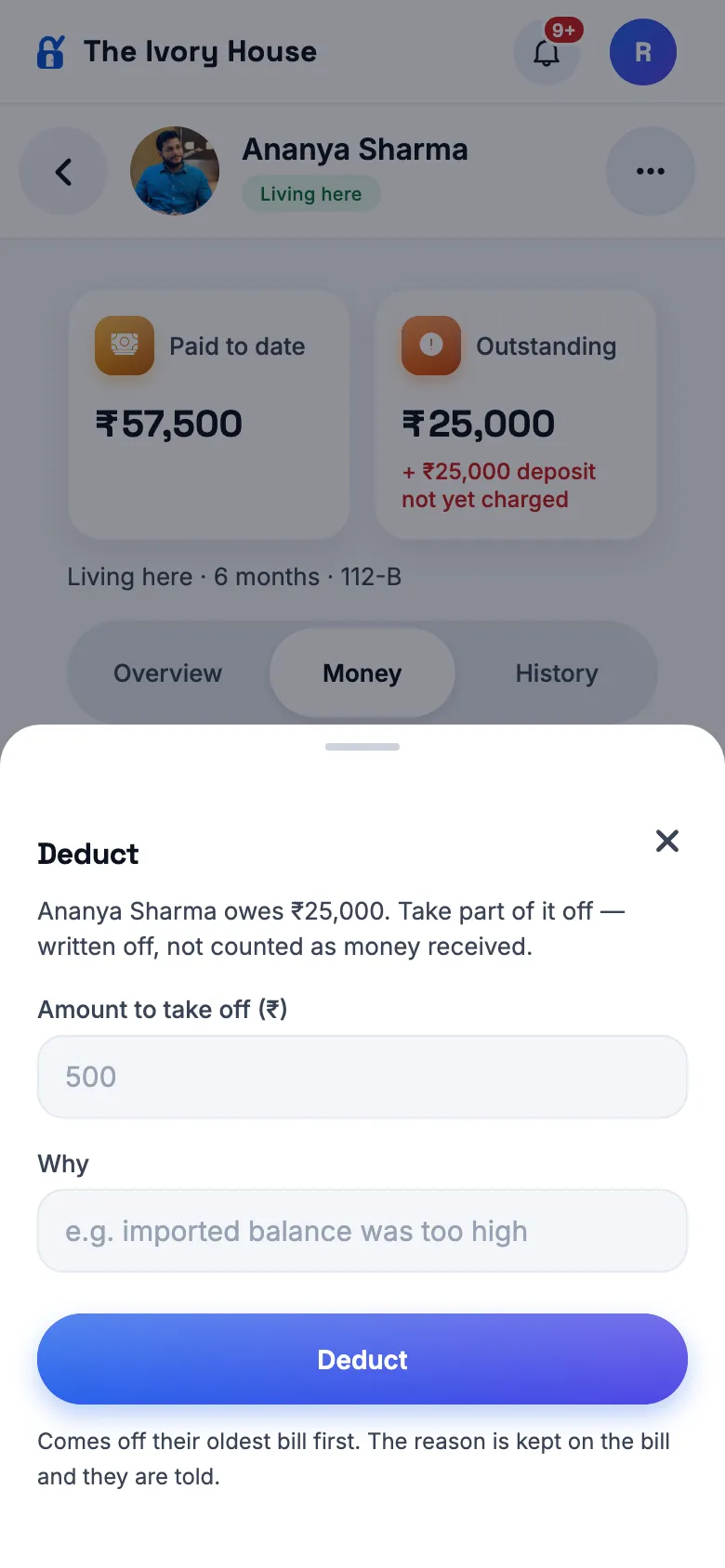
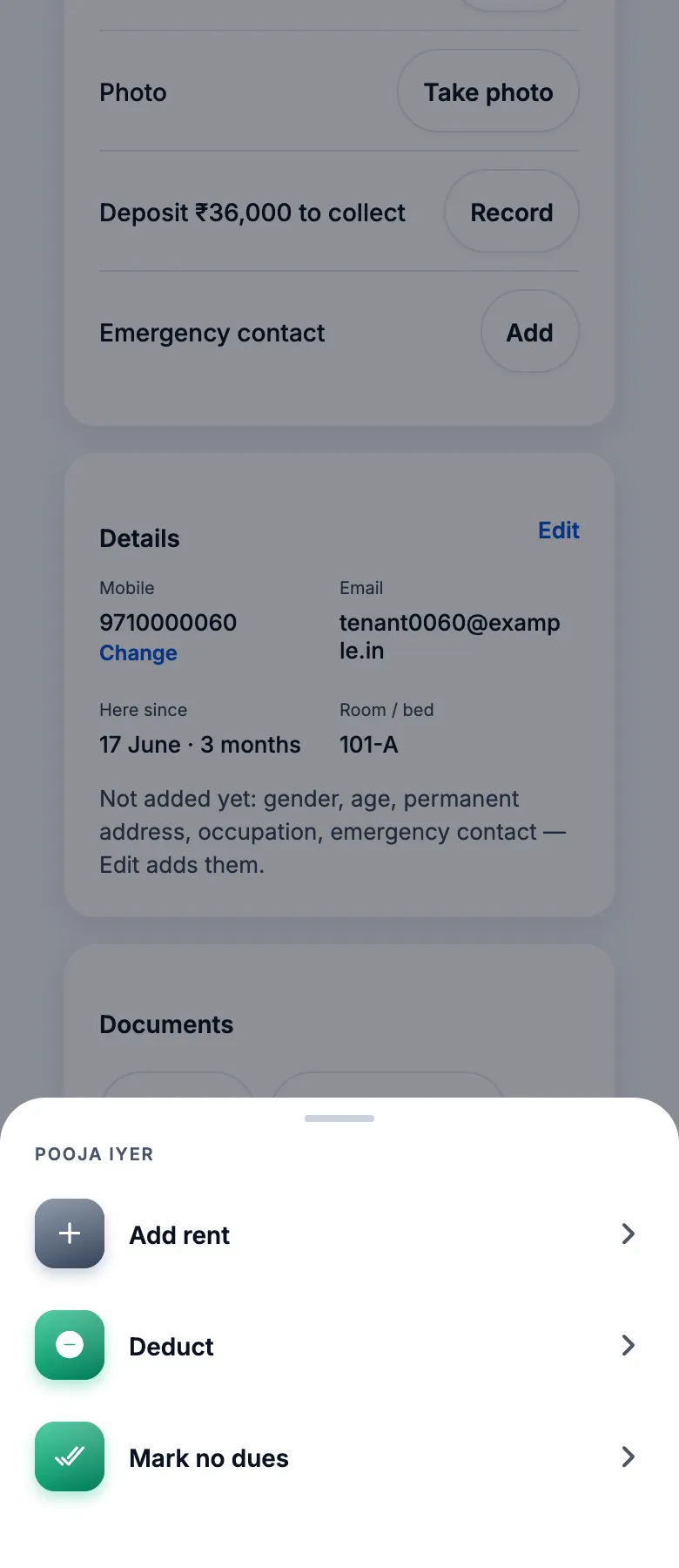
Mark no dues: "They paid it" (how → recorded as money received with receipts) or "Let it off" (a reason → written off, not counted as income) — they then owe ₹0. Add rent ("Rent still pending"): pick the month (back to their move-in month, up to next month), amount defaults to their rent, optional note → a rent bill for that month; a month already billed is refused with its amount. Deduct: an amount and why → comes off their oldest bill first, never more than they owe. The resident is told each time.
Mark no duesAdd rentDeductCollect rent — after picking a residentResident page → Rent → More
Changed
Managers can raise rent for the whole building too
How
As a manager: Rent → Bill all with a % or ₹ rise, or "Schedule a rent rise".
Expect
No more "Only the owner can raise rent across a property". Residents are told, as when the owner does it.
Changed
Already living here: "No dues" or "Owes rent"
How
Add a resident with a move-in date before this month → "Yes, already here".
Expect
A clear choice — No dues (nothing carried over) or Owes rent (then the amount is required). The "1 week / 2 weeks / 1 month" chips under "Leaving on" (short stays) are gone; the calendar stays.
Rent from the joining date
New
Collect rent on one date for everyone, or from each resident's joining date
How
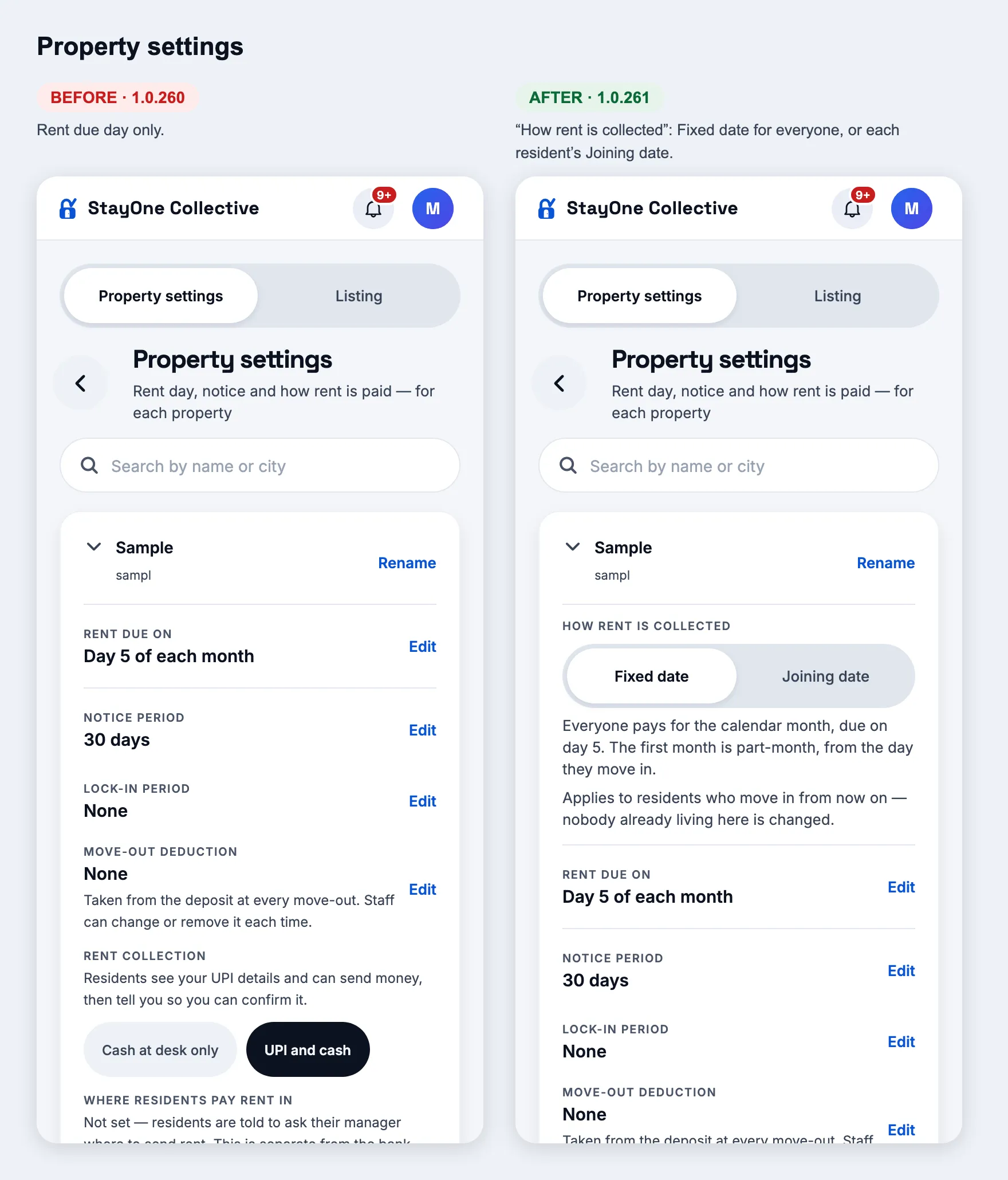
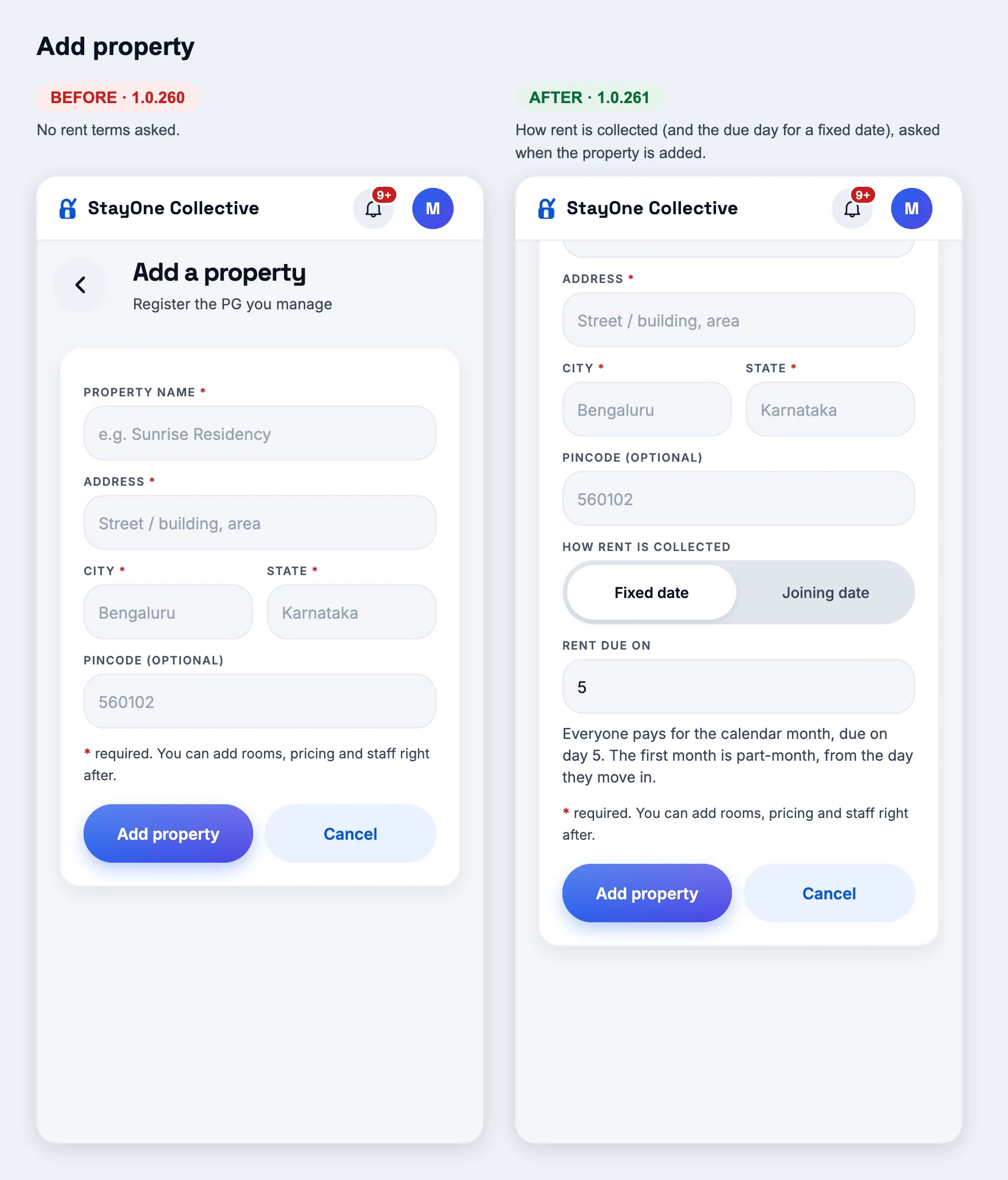
Property settings → "How rent is collected": Fixed date / Joining date. Also asked in Add property and Onboard a PG.
Expect
Fixed date (as today): everyone pays for the calendar month on the due day; the first month is part-month. Joining date: someone who joins on the 15th pays a full month (15 Oct – 14 Nov) due that day, then on the 15th every month; the bill says "Rent for 15 Oct – 14 Nov"; reminders follow that date; a move-out refunds by the days of that rent month. It applies to residents who move in after the change — nobody already living there is changed. Adding a resident at such a property shows "Then ₹… on the 15th of every month".
Property settingsAdd property
Residents: a simpler page, every detail editable, their face on their bed
Changed
A resident's page, simplified
How
Residents → any resident (owner, manager, admin, super admin).
Expect
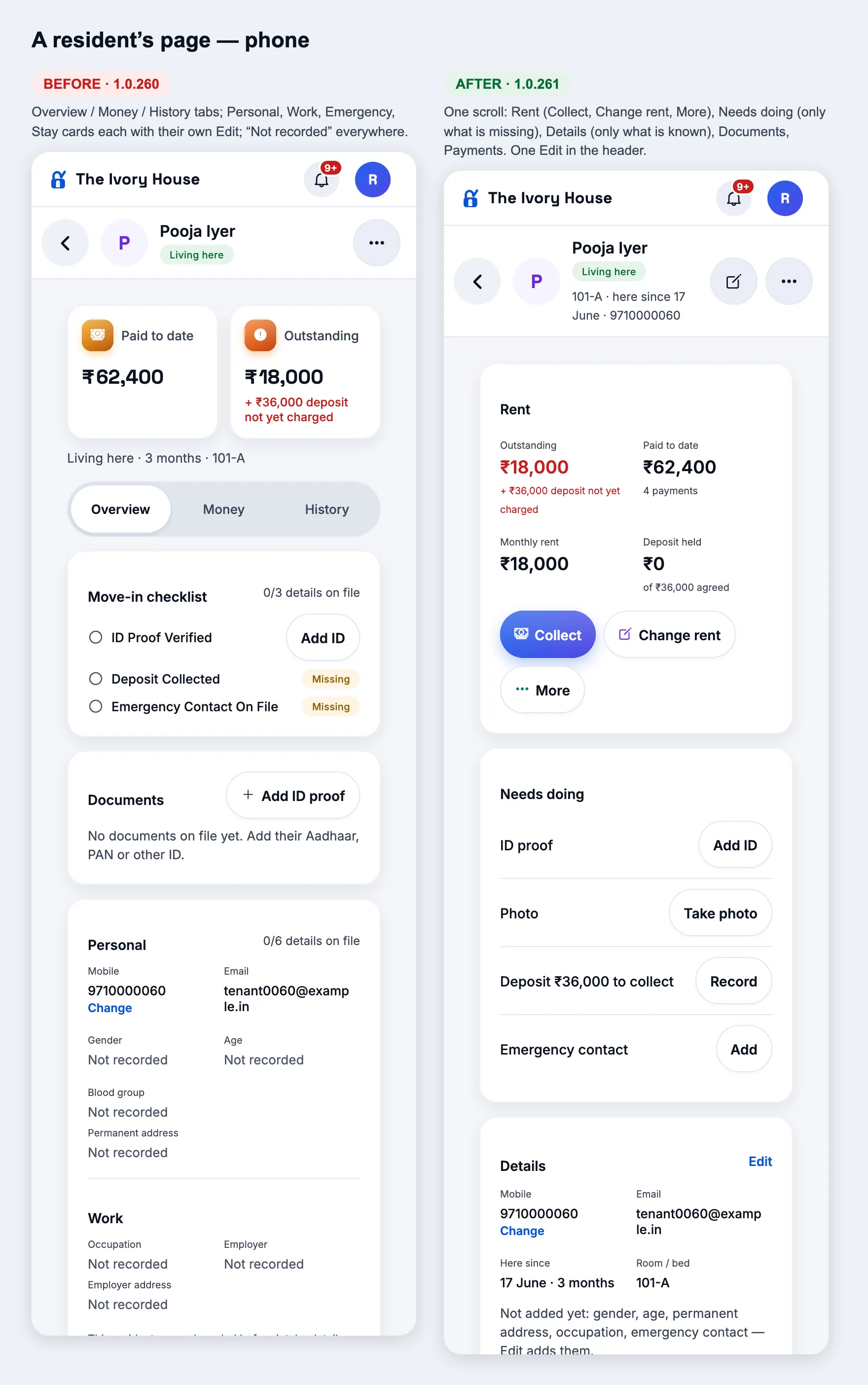
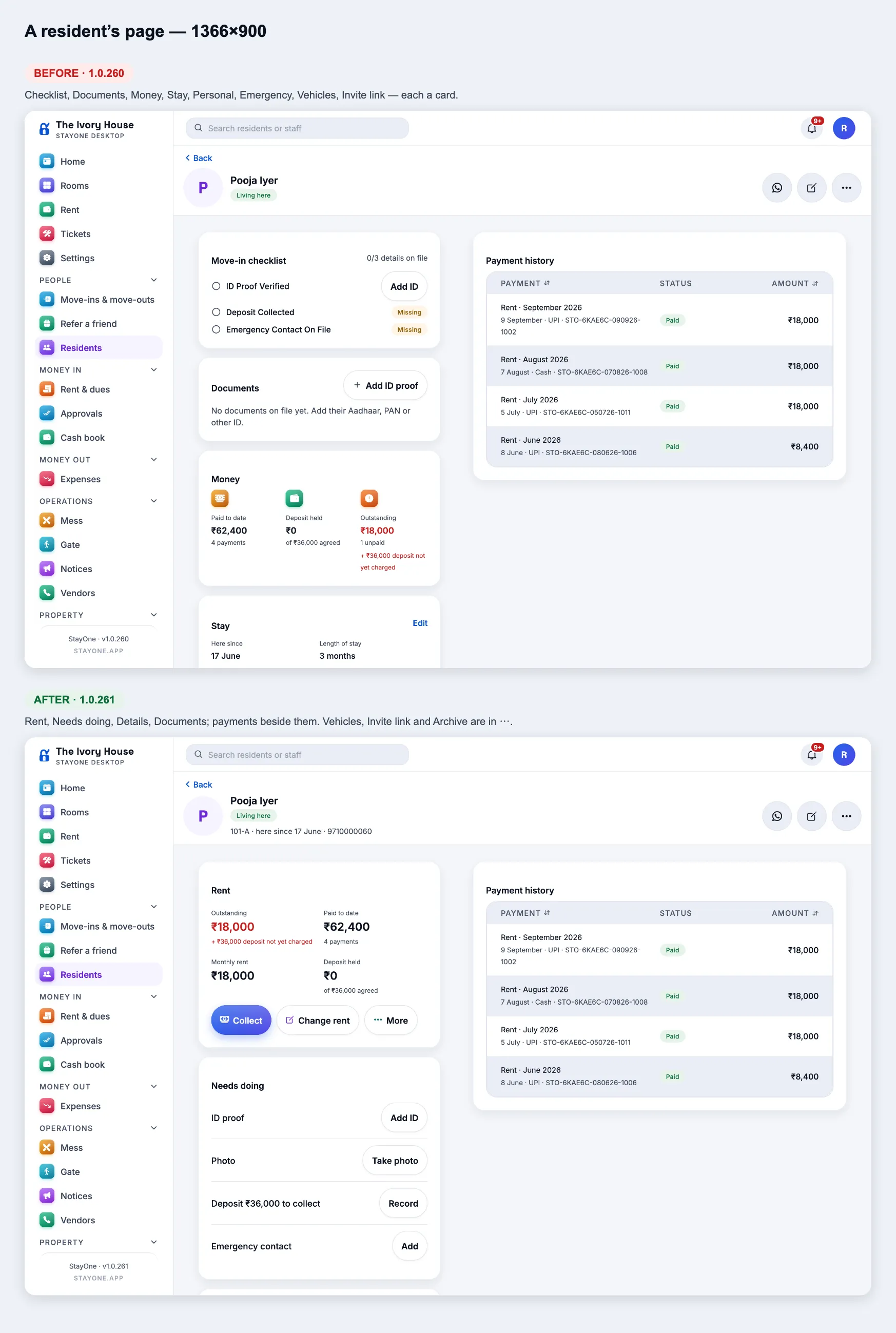
Under their name: bed · here since · mobile. Then one scroll (no Overview / Money / History tabs): Rent — what they owe, have paid, their rent and deposit, with Collect, Change rent and More (Add rent, Deduct, Mark no dues); Needs doing — only what is missing, each with its button (ID proof → Add ID, Photo → Take photo, Deposit → Record, Emergency contact → Add), gone when nothing is; Details — only what is known, and one line naming what isn't; Documents; Payment history (latest five, "See all"). One Edit (pencil in the header, or Edit on Details). Vehicles, Invite link and Archive moved into the ⋯ menu, with Move to another bed, Move out and Reset PIN.
PhoneDesktop
Changed
Every detail in one Edit
How
Resident page → Edit.
Expect
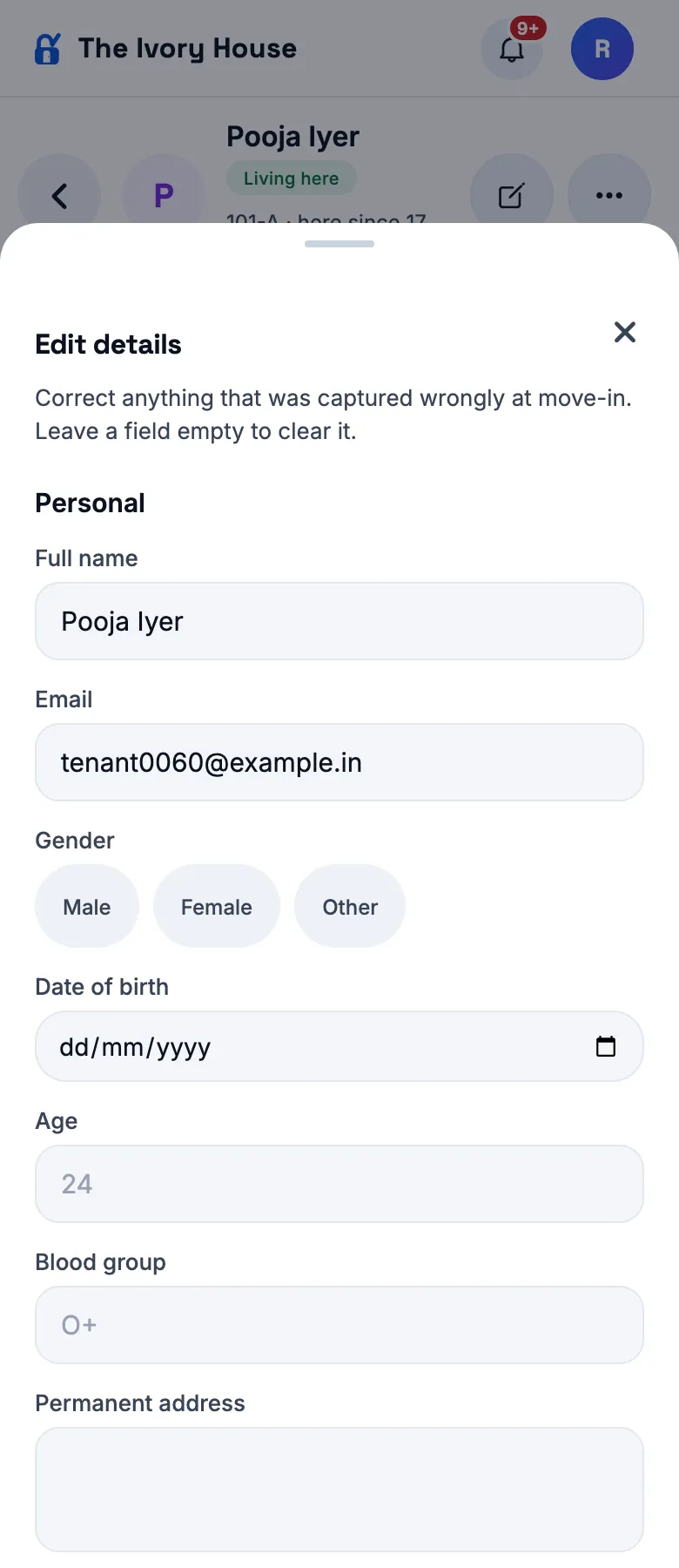
Name, email, gender, date of birth, age, blood group, address, occupation, employer, emergency contact — and now the stay: moved in on, leaving on, deposit agreed, notes. Empty a field to clear it. The mobile number changes with "Change" beside it (it is their sign-in); the rent with "Change rent" (it takes a from-date). A moved-in date can go back up to two years; bills already raised don't change.
Edit details
New
Their photo — on their page and on their bed
How
Resident page → Needs doing → Take photo (or Documents → Photo). Then Rooms.
Expect
The camera opens (no gallery); the photo is saved privately on their file and marked Verified. It shows in the page header and on their bed. On Rooms, every occupied bed shows the resident instead of a bed icon — their photo, or their initials until one is taken — ringed in the bed's rent colour. Tapping an occupied bed opens their page; "Move to another bed" is in that page's ⋯ menu. An empty bed still opens the bed menu.
Rooms — who is on each bed
1.0.260
versionCode 260 · 9 Oct 2026
Rent: up or down, from any day
New
Managers can lower rent too — and anyone can pick the day it changes
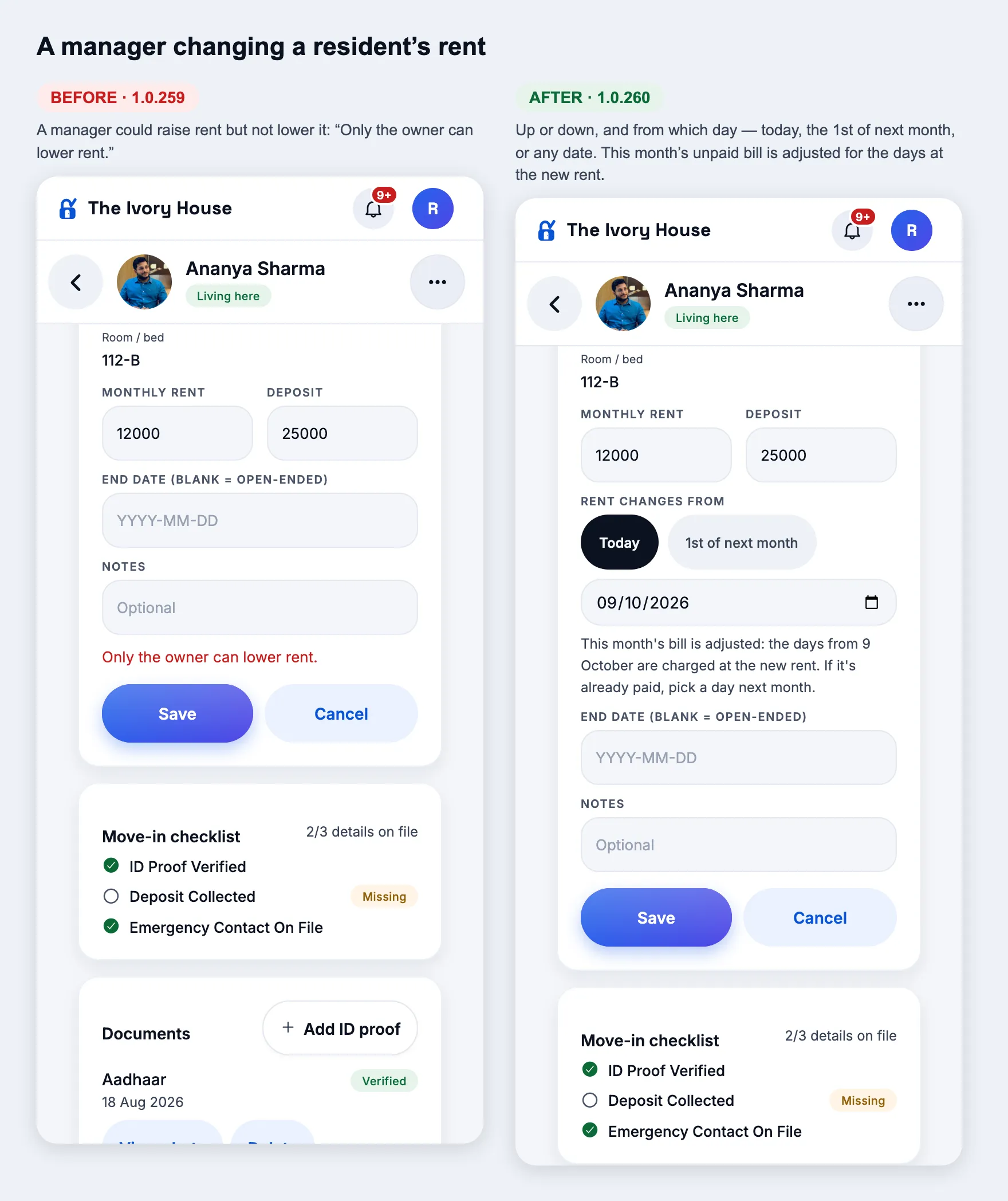
How
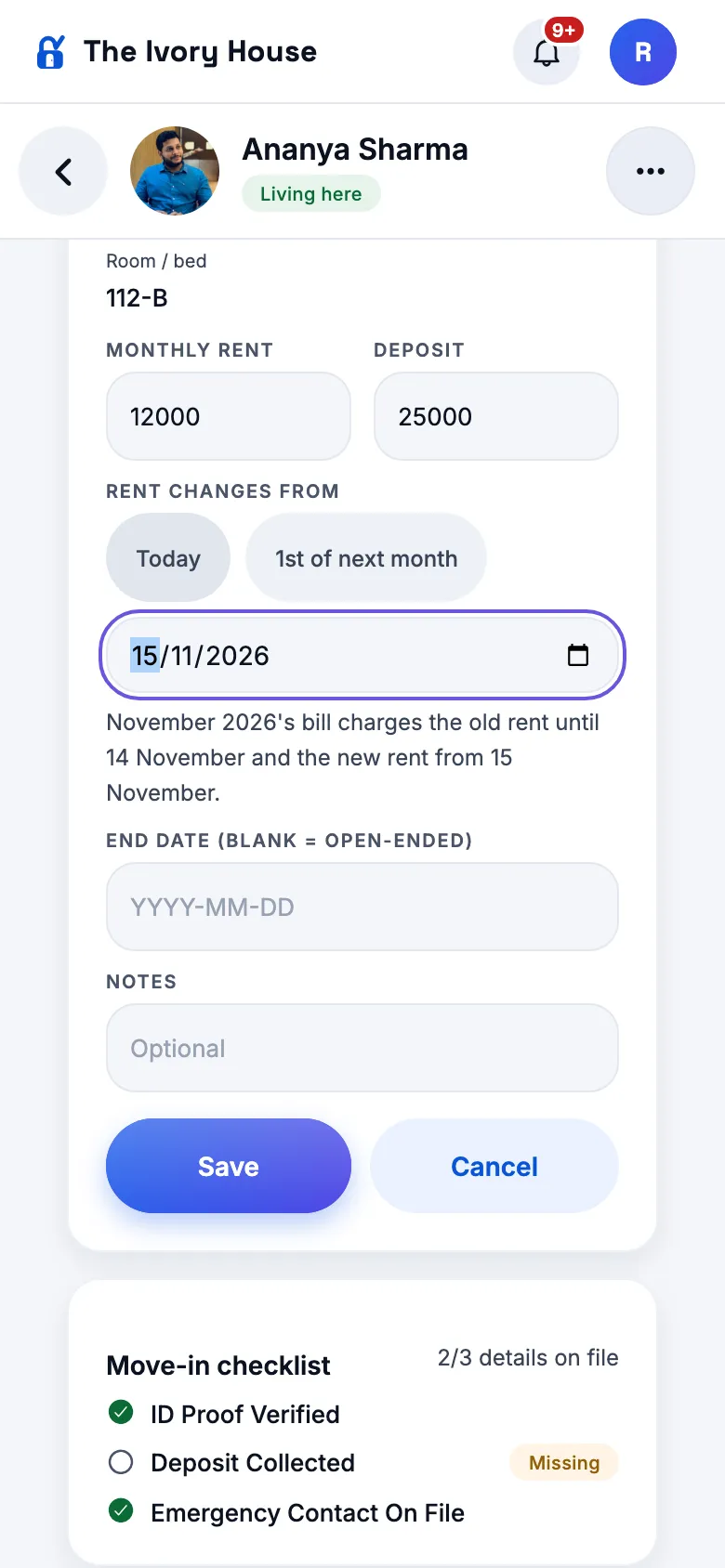
As a manager or owner: Residents → a resident → Stay → Edit (or Rooms → a bed → Change their rent). Type the new monthly rent. "Rent changes from" appears: Today, 1st of next month, or pick any date. Save.
Expect
A manager lowering rent is no longer refused ("Only the owner can lower rent" is gone). The line under the date says what happens:
• A day this month → this month's bill is adjusted for the days from that day (e.g. ₹10,000 → ₹12,000 from the 16th of a 31-day month adds ₹1,032). Toast: "Rent is ₹12,000 from 16 October. This month's bill is now ₹11,032." If this month's bill is already paid you get "October 2026's rent is already paid… Pick 1 Nov or later."
• The 1st of a later month → bills from that month charge the new rent.
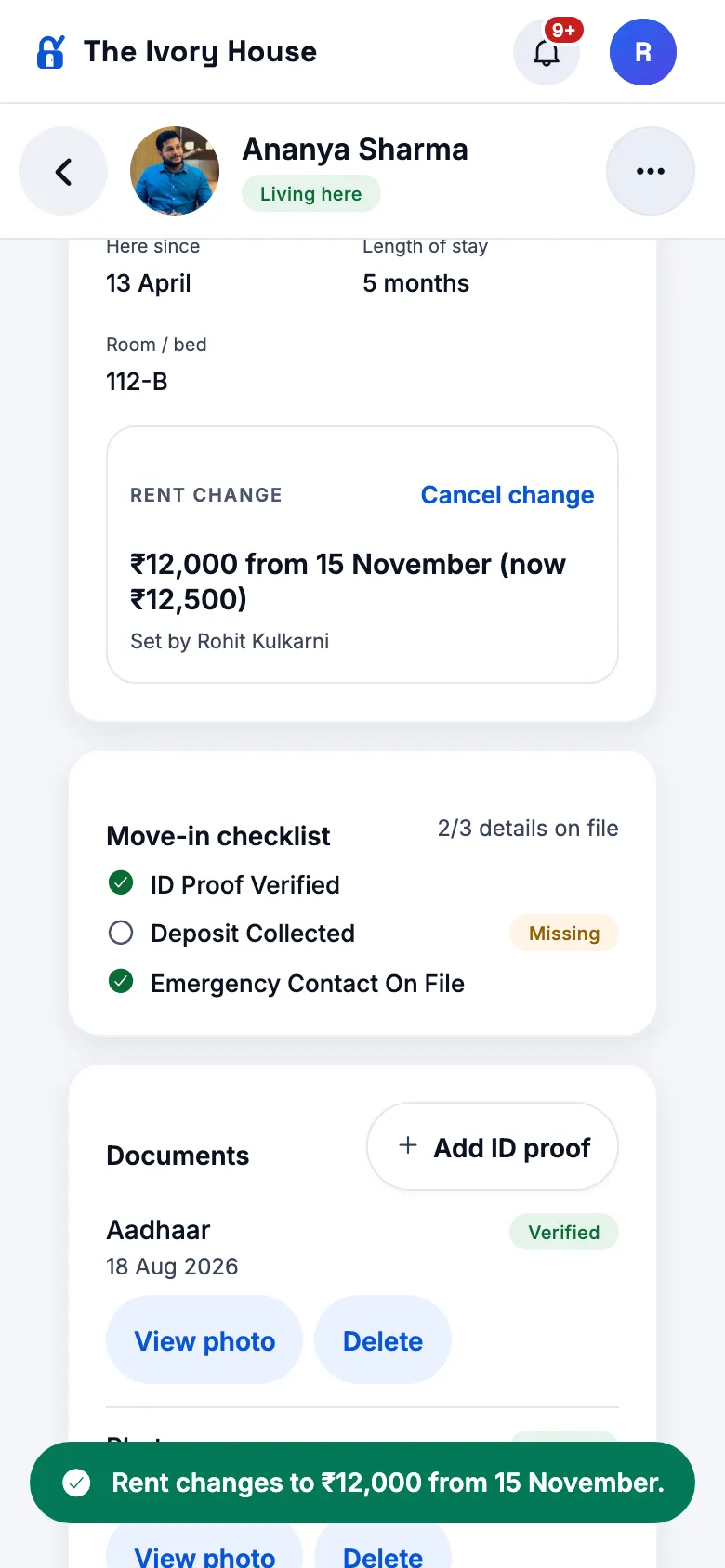
• A day in a later month (e.g. 15 Nov) → the Stay card shows "Rent change · ₹12,000 from 15 November (now ₹12,500) · Set by …" with Cancel change. November's bill charges the old rent until 14 Nov and the new rent from 15 Nov, and the note on the bill says so.
Nightly (short-stay) rates still change from the next bill, with no date.
Manager lowering rent — before and afterA day next month — the bill is splitThe waiting change, with Cancel
Add a resident: only what's required, plus their photo
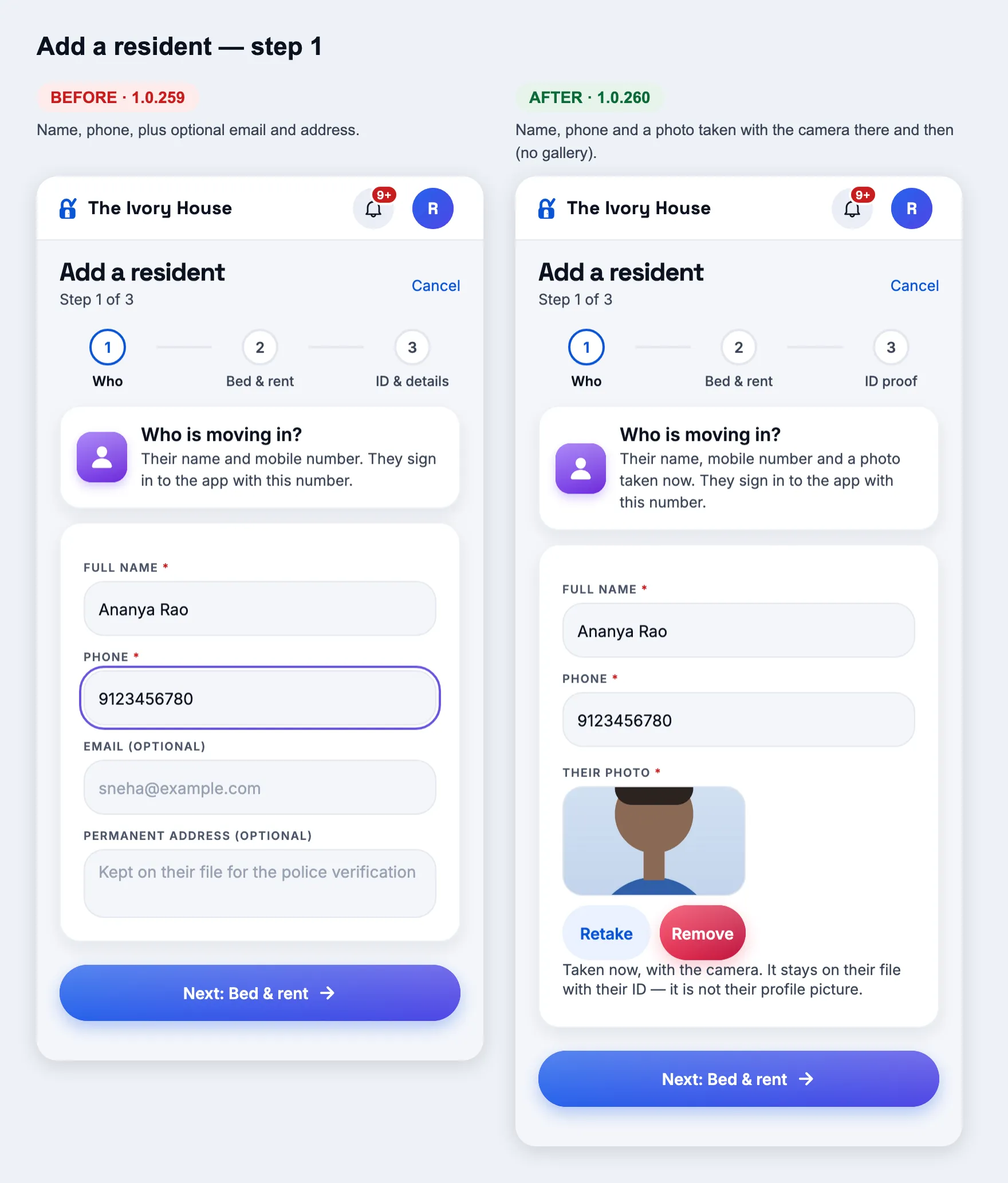
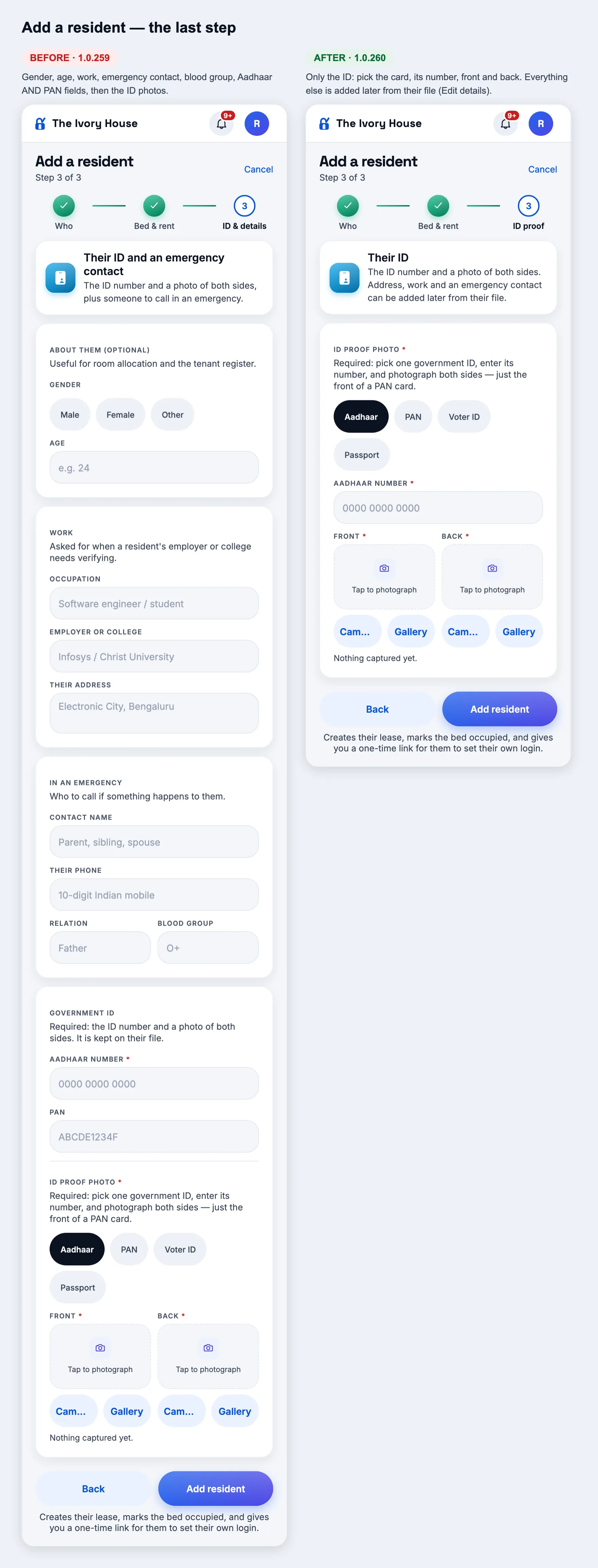
Changed
A shorter move-in, with a live photo
How
As a manager or owner: Add a resident (Move-ins, or a free bed → Move in).
Expect
Step 1 asks only full name, phone and their photo — Camera only (no Gallery), with Retake / Remove; you can't go on without it. Step 2 is unchanged (bed, rent, deposit, dates). Step 3 "ID proof" is just the ID: pick Aadhaar / PAN / Voter ID / Passport, its number, front and back photos (front only for PAN). Email, address, gender, age, work, emergency contact and blood group are no longer asked — add them later from the resident's file → Edit details. After Add resident, the file's Documents card lists "Photo" (Verified) with View photo; it is private, not their profile picture.
Step 1 — before and afterThe last step — before and after
Note
Front and back of an ID for residents already living here
How
Resident's file → Documents → Add ID proof (from 1.0.259).
Expect
Separate Front and Back photo slots (Camera or Gallery) for Aadhaar, Voter ID, Passport and Driving licence; PAN is front only. Both sides are listed on the file afterwards.
Super admin
Fix
Move in, Move out, Record payment… no longer do nothing on the platform screens
How
As a super admin: Owners → an owner → a hostel's Residents / Rooms & beds / Rent & dues → tap Move in, Move out, Record payment, Import, Vehicles, Room types or "See who has asked to join".
Expect
Before, the tap did nothing. Now it asks "Open {organisation} as {owner}? Moving someone in is done in the owner's app…" → Open → you are in the owner's app (banner at the top) where the action works.
Check in a tenant — before and after
1.0.259
versionCode 259 · 9 Oct 2026
Residents: ID proofs and details
New
Documents on a resident's file — add ID proof any time
How
As a manager or owner: Residents → tap a resident → Overview → Documents (under the checklist) → Add ID proof.
Expect
The card lists every ID on file — Aadhaar, PAN, Voter ID, Passport, Driving licence — with its side (Front/Back), the last 4 digits of the number, Verified/Not checked, and View photo / Delete. Add ID proof works even when an ID is already verified (e.g. add the PAN after the Aadhaar). In the sheet: pick the card, type the number (Aadhaar must be 12 digits, PAN like ABCDE1234F), add the front and back photos (no back for PAN), Mark ID verified → both sides appear in the list.
Documents — before and afterAdd ID proof — five card types, front and back
New
Edit every detail of a resident
How
Resident's file → "..." (phone) or the pencil (laptop) → Edit details. Also "Edit" on the Emergency contact card.
Expect
One form for full name, email, gender, date of birth, blood group, permanent address, occupation, employer and its address, and the emergency contact. Emptying a field clears it. Save → the file shows the new values. The resident's own mobile still changes from "Change" beside Mobile (it is their sign-in). Staff don't see Edit — only managers, admins and owners.
Edit detailsWork and emergency contact
1.0.258
versionCode 258 · 9 Oct 2026
Fix: Request access, Forgot PIN and Accept invite on the web
Fix
The "I am human" check shows again — requests go through
How
Open www.stayone.app/app/signin?request=1 in a browser, fill the form. Also try "Forgot your PIN?" and an invite link.
Expect
A Cloudflare "I am human" box appears under the form and ticks itself (or asks for one click). "Send request" shows "Request received". Before this fix the box never appeared and every request failed with "No verification token was sent." The phone app was not affected.
Request access — before and after
1.0.257
versionCode 257 · 9 Oct 2026
Security: fingerprint / face unlock
New
Lock StayOne with your fingerprint or face
How
On a phone with a fingerprint or face enrolled: install this APK and open StayOne (or sign in). A question appears once: "Lock StayOne with your fingerprint?" → Turn on → touch the sensor. Or Settings → Fingerprint unlock (Face unlock on an iPhone with Face ID).
Expect
Close StayOne completely and open it again: a "StayOne is locked" screen asks for your fingerprint; touch it and you are in. Leave StayOne for more than 2 minutes and come back: it asks again (under 2 minutes, e.g. paying in GPay, it does not). Right after typing your PIN at sign-in it does not ask. Phone only — there is no web screenshot because I cannot run the phone app here.
Check
Never locked out
How
On the lock screen, tap "Use PIN instead", or cancel the fingerprint prompt a few times.
Expect
"Use PIN instead" takes your normal StayOne PIN and opens the app; a wrong PIN says how many tries are left (the usual 5-try lock applies). The phone's own screen lock also works as a fallback in the fingerprint prompt. "Sign out" at the bottom always works. Turning it off in Settings stops it at once.
1.0.256
versionCode 256 · 9 Oct 2026
Security: only the genuine app can sign in
New
Android: the phone's hardware vouches for the real StayOne at sign-in
How
Install this APK on an Android phone and sign in as usual. Then Settings → Devices.
Expect
Sign-in looks and feels exactly as before (it may take a moment longer the first time). In Devices, this phone shows a green "Verified app" badge. Updating, reinstalling and signing out/in keep working without any extra step.
Devices — the "Verified app" badge
Check
A cloned copy cannot sign in
How
If you can: open StayOne inside a cloner app (e.g. Parallel Space, App Cloner) or a "Dual apps" / "Second space" copy, and try to sign in.
Expect
Refused: "This copy of StayOne is not the genuine app, so it cannot sign in…" (cloner apps), or the existing "cloned or dual copy" message (Dual apps / Second space). The real app on the same phone signs in normally.
Note
Nothing changes for phones that cannot prove it
How
An older Android phone, the iPhone/web app, or this APK on a phone without secure hardware.
Expect
Signs in exactly as before, just without the "Verified app" badge. The check only ever refuses a copy that is proven not to be StayOne.
1.0.255
versionCode 255 · 9 Oct 2026
App icons
Fix
Top bar: "+", bell and your photo are one size
How
Look at the top bar on any screen, as an owner, manager and resident.
Expect
The "+" (owner/manager), the bell and your photo/initial are the same size circle, evenly spaced. The bell now sits on a light grey circle; the unread count still shows on it. Each is just as easy to tap as before.
Top bar — before and after, three roles
Fix
The padlock is the same size on every home screen
How
Install this APK and look at the home screen and app drawer. On an iPhone, also "Add to Home Screen" from www.stayone.app/app and from www.stayone.app.
Expect
The padlock fills the same share of the icon everywhere (about 62%, even space above and below), the way it does on the iPhone app icon. On Android it is visibly smaller than before (it was 72%) and nothing touches the edge of round icons. The website and web-app iPhone icons now match each other and the app. The browser-tab favicon is unchanged.
Every icon — before and after
Note
App Store icon has no transparency
How
—
Expect
The 1024×1024 App Store icon and the iPhone home-screen web icons are saved without an alpha channel, as Apple requires (App Store Connect refuses an icon that has one).
1.0.254
versionCode 254 · 9 Oct 2026
App Store review: accounts and privacy
New
Delete account, in Settings
How
Sign in as a test resident, manager or owner (not one you need) → Settings → Delete account → enter the PIN → Delete my account.
Expect
The sheet explains what happens first. A wrong PIN is refused and counts toward the lock. The right PIN signs you out at once; signing in again is refused ("Invalid credentials" for a resident or manager; an owner is told the account was deleted at their request). Not shown to a Super Admin, or inside "Open as owner / manager".
Settings — before and afterThe sheet
New
Super Admin → Account deletions
How
Super Admin → Platform → Deletions (or tap the "Account deletion requested" notification).
Expect
Each request with role, PG, number, when it was asked and the erase-by date (30 days). Founder only: "Erase now" removes name, number, email, resident profile and ID documents for good; the PG's rent records stay as "Deleted user". An owner's row says to close it from Owners → Delete owner instead.
The queue
Change
Ask asks before anything goes to the outside AI
How
As an owner or manager, open Ask and type a question.
Expect
The first time, a card says Ask uses Groq and what is sent. "Agree and ask" sends it as before; "Answer without AI" answers on StayOne's own server and sends nothing out. Settings → AI assistant shows the current choice and lets you stop or allow it.
The permission cardSettings → AI assistant
Change
Privacy policy on the sign-in screen
How
Open the app signed out.
Expect
"Privacy policy" at the bottom of the sign-in card opens www.stayone.app/privacy.html. The policy now names Groq for Ask and describes Delete account.
Sign-in — before and after
Change
No "allow access to your photos" prompt when picking a photo
How
On a phone: add an expense receipt, a ticket photo, a payment screenshot, your ID, a profile photo or a UPI QR — choose from the gallery.
Expect
The gallery opens straight away, with no photo-library permission prompt. Taking a photo with the camera still asks for the camera.
Note
iPhone app: no plan prices or upgrade buttons
How
iPhone build only (Android and web unchanged).
Expect
An owner sees their plan, its status, end date and limits, but no prices, Upgrade, Renew or pay buttons, and limit messages say only the limit ("StayOne Lite covers 50 beds and this organisation has 50."). Apple does not allow selling a plan outside in-app purchase.
1.0.253
versionCode 253 · 9 Oct 2026
Android: Play Console recommendations
Change
Tablets and foldables can turn the app sideways; phones stay upright
How
Install the APK on a phone and turn it sideways. If you have a tablet or an unfolded foldable, turn that too.
Expect
Phone: stays in portrait exactly as before (no screen changed). Tablet / unfolded foldable: the app follows the screen into landscape. Folding a foldable back puts it in portrait again.
Check
Smoke test — the build is now fully optimised (R8)
How
On the -prod APK: sign in, open each tab for your role, take a photo / pick an image (ID or profile), download a receipt PDF, open a notification, share to WhatsApp.
Expect
Everything works as on 1.0.252 and nothing closes unexpectedly. A crash here is the thing to report — the app's code was optimised harder in this build.
1.0.252
versionCode 252 · 9 Oct 2026
Super Admin: Open as manager
New
"Open as manager" in the Owners list menu
How
Super Admin → Owners → ⋯ on an owner whose organisation has a manager → "Open as manager".
Expect
It sits right under "Open as owner". One manager: the "Open … as <manager>?" question comes straight up; Open → that manager's own app, with the "Acting as …" bar and Return at the top. More than one manager: a list to pick from first. Return brings you back to Super Admin.
Owners ⋯ menu — before and afterThe question before it opensInside the manager’s app
Change
An owner with no managers says so
How
Owners → ⋯ on an owner with no manager logins → "Open as manager". Then open that owner's page.
Expect
The menu shows "<organisation> has no manager logins yet. Once the owner adds a manager, you can open as them." The owner's page now always has a Managers section; with none it reads "No manager logins yet. When the owner adds a manager, "Open as manager" appears here."
Menu on an owner with no managersOwner page — before and after
1.0.251
versionCode 251 · 9 Oct 2026
Resident Pay: paying the owner's UPI ID
Fix
No more "You've exceeded the bank limit" from Google Pay
How
On a phone, sign in as a resident with a due → Pay. The property has a personal UPI ID (e.g. name@okicici).
Expect
No "Open UPI app" / "Pay ₹X via UPI" button any more. Under the UPI ID: three numbered steps (copy the ID → open Google Pay / PhonePe / any UPI app, "Pay UPI ID", paste → send ₹X, come back, tap "I have paid this"), a blue "Copy UPI ID" button and one line on why. Tap Copy → toast "UPI ID copied. Now open your UPI app and paste it." Paying the pasted ID inside Google Pay goes through. If the property uploaded a QR, it now sits below the button: "Paying from another phone? Scan this with its UPI app."
Phone Pay tab — before (link button) and after (steps + Copy)After tapping “Copy UPI ID”
Note
Why the one-tap button had to go
How
—
Expect
Since 1 April 2024 (NPCI circular OC 76A) UPI apps must refuse a payment to a personal UPI ID that another app starts with a link. Google Pay shows that refusal as "exceeded the bank limit" — it was never the resident's limit and no money moved. Paying from inside the UPI app is an ordinary transfer and is not affected. Laptop/desktop Pay is unchanged (QR, then Copy).
Laptop Pay — unchanged apart from the single Copy button
Change
Owners are told how residents will pay
How
Sign in as an owner → a property's settings → "Where residents pay rent in", with a UPI ID saved.
Expect
Under the UPI ID: residents copy it (or scan the QR) and pay inside their own UPI app; there is no one-tap button for a personal UPI ID; for one-tap payments set up "Receive rent online".
Owner settings — before and after the new note
1.0.250
versionCode 250 · 9 Oct 2026
Super Admin: the founder
Note
Refused by the server too
How
An older app (or any call) from a non-founder Super Admin attempting one of those actions.
Expect
“… is only for the of StayOne.”
1.0.249
versionCode 249 · 9 Oct 2026
Android app updates
New
“A new version is available” bar
How
Android app 1.0.249, against a server released with a newer build (or point it at one): open the app.
Expect
A bar at the top: “A new version of StayOne is available.” with Update (opens StayOne in the Play Store) and ×. × hides it until the next newer build.
New
Required version — “Update StayOne”
How
Super Admin → Config → Android app → “Require 1.0.249”, confirm. Then open an Android app older than that.
Expect
Only a full-screen “Update StayOne” page with “Update now” (Play Store) — nothing else in the app works. Apps 1.0.246–1.0.248 instead show “This version of StayOne is out of date. Update StayOne from the Play Store…” on everything they try. “Stop requiring” lets everyone back in within a minute. The web and the current app are never stopped.
Note
Require only once it is live on Play
How
Super Admin → Config → Android app.
Expect
“Newest Android build” shows the version released with the server (Live); “Required on phones” shows Off or the required version. The confirmation warns to require a build only once it is live on the Play Store.
1.0.248
versionCode 248 · 9 Oct 2026
Web app
New
A new version loads by itself
How
Keep www.stayone.app open in a desktop browser, or the iPhone home-screen app, on a main tab (Home, Rent, Residents, Settings…). Deploy a new build. Wait up to 5 minutes — or switch away and back to the app.
Expect
The app reloads on its own onto the new build, on the same screen, once you have not touched it for a few seconds. Coming back to the app usually updates it at once.
Note
Never in the middle of a task
How
Same, but be on a form (Add resident, Record payment, Account) or with a sheet / dialog open, or typing in a field.
Expect
No reload. The “A new version of StayOne is ready” bar shows with Reload; it updates by itself once you are back on a main tab. If a reload ever lands on the same old build, it does not loop — the bar stays.
1.0.247
versionCode 247 · 9 Oct 2026
Residents
Change
No more letter requests (NOC, address proof, rent letter)
How
Resident: Home and the menu. Owner: Tickets. Manager / Super Admin: a hostel’s Documents.
Expect
A resident has no way to ask the PG for a letter — the Letters tile is gone; rent receipts stay in Pay. Owner Tickets lists repairs only (no Repairs / Documents filter), the home Tickets badge counts repairs only, and “1 letter to issue” no longer appears under Waiting on you. Documents has no “Document requests” button. Letters already issued stay in the resident’s documents.
Change
PAN card: front photo only
How
Add resident → step 3 (Details) → choose PAN.
Expect
Only a Front photo slot (no Back), and the hint says “just the front of a PAN card”. Aadhaar, Voter ID and Passport still need both sides. The move-in saves one PAN document.
Fix
Documents screen was blank on phones
How
On a phone: Super Admin → Hostels → a hostel → Documents (or a manager’s Documents).
Expect
The list shows. Verify / Reject / Edit / Delete read in full, two to a row — they were cut to “Ve…”, “Rej…”.
Super Admin
New
Open as manager
How
Super Admin → Owners → an owner → Managers section → Open as manager → Open.
Expect
The confirmation names the manager and their hostel. You land in the manager’s own app (Today, Rooms, Rent, Tickets) on their hostel, with the “Acting as” banner. Changes are recorded as StayOne support; PIN, sign-in and devices are refused. A switched-off manager cannot be opened. Return brings you back to the owner page.
Fix
Open as owner lands on the owner’s home
How
As Super Admin open Notifications, then go to an owner (e.g. from a notification) → Open as owner.
Expect
You land on the owner’s Home — not on the owner’s Notifications (or Devices) screen.
Fix
WhatsApp button no longer cut off
How
On a phone: Super Admin → Owners → an owner.
Expect
The Owner card is as tall as its content — Open as owner, Call and WhatsApp all fully inside it; the Plan card has no empty space at the bottom.
Fix
Payment date shown once per day in the monthly register
How
Super Admin → a hostel → Monthly register, for a resident who paid several times on one day. Also download the Excel.
Expect
“8 October” once (not “8 October, 8 October, 8 October”). Different days are still listed; an advance on the same day is still marked “(advance)”.
Owner
Change
A Settings tab, with Devices inside
How
Owner app on a phone: the bottom bar.
Expect
The last tab reads “Settings” with a gear (was “More”). Settings has a Devices row under Change PIN, for every role. In a support session Devices opens view-only, with a note that approvals and sign-outs stay with the owner.
1.0.246
versionCode 246 · 7 Oct 2026
Rent receipts, not agreements
Change
Rental agreements are gone — residents get a receipt for money paid
How
As a resident: Home, Pay and Documents. As a manager: Add resident (all steps), Move-ins board, a resident’s file.
Expect
No “Rental agreement” anywhere — no agreement step at move-in (step 2 says “Next: bed & rent”), no Agreement column on the Move-ins board, no agreement in the resident’s documents. Old agreements are deleted. A resident sees a rent receipt only for a payment that was actually made.
Fix
A receipt shows the balance as it was after that payment
How
Resident with a part-paid month (e.g. ₹3,000 then ₹2,000 of ₹8,000): Pay → history → download the receipt for the FIRST payment.
Expect
Its balance reads ₹5,000 — what was left after that payment — not today’s ₹3,000.
Change
No receipt for a disputed entry; no rent letter before any rent
How
Resident: dispute a payment entry, then try its receipt. A new resident with no payments: request a rent payment letter.
Expect
“You disputed this entry, so there is no receipt for it. Your PG will correct it or take it back.” and “There is no rent paid on your account yet…” respectively.
Paying by UPI
Fix
Removing the UPI ID actually removes it
How
Owner → Property settings → Where residents pay rent in → Change UPI details. Clear the UPI ID (and name), Save. Leave and reopen the screen.
Expect
The fields stay empty and the card reads “Not set …”. The resident’s Pay screen no longer offers that UPI ID. Before, the old ID came back after Save.
Fix
Cleaner UPI payment link
How
Owner sets a personal UPI ID. Resident (Android phone) → Pay → pay with a UPI app.
Expect
The UPI app opens with the owner’s name, the amount and a short note like “Rent October 203 B”. Under the button: “If your UPI app refuses it (“limit exceeded” or “declined”), no money has moved. Copy the UPI ID or scan the QR…”. Google Pay can still refuse links to some personal UPI IDs — that is the bank’s rule, not the app; copy or QR works.
Super Admin
New
Open as owner — do what the owner can
How
Super Admin → Owners → an owner → Open as owner (also in the owners list menu). Confirm.
Expect
You land in that owner’s app with an “Acting as <owner> · <org>” banner on top (on an iPhone home-screen app the status bar takes the banner’s colour). Add or remove residents, rooms, rent, staff, settings — each change is in their audit log as “StayOne support made a change”. Their PIN, devices, other-device sign-out and payout bank account are refused. Up to 2 hours; “Return to Super Admin” brings you back.
New
End a support session from the server
How
Start Open as owner on one device. On a second super-admin device: Owners → the same owner → “… is in <owner>’s account” → End now.
Expect
The first device’s next action fails and it returns to Super Admin with “The support session ended. You are back in Super Admin.” Opening the same owner again ends any earlier session.
New
App issues — the app reports its own crashes
How
Super Admin → Home → Issues tile (desktop: sidebar → App issues). Open an issue. Then: Owners → an owner → App issues section.
Expect
A list of problems grouped by cause (app crashes, server errors, reports from people) with how often and how many people; the detail shows each occurrence with screen, version, device and the steps just before. Resolve / Reopen work; a resolved issue reopens only when it happens again on a newer build. Super admins get a notification for a new or reopened issue (at most one per issue every 6 hours).
New
Send to StayOne from any account
How
Any role → account menu → Diagnostics → Send to StayOne. Type what went wrong, send.
Expect
A confirmation; the report appears under Super Admin → App issues with your note and the log attached, and super admins are notified.
App
Fix
iPhone home-screen app: no blur under the status bar
How
iPhone, Safari → www.stayone.app → Share → Add to Home Screen. Open it and scroll any list.
Expect
The strip behind the clock and battery is solid (the bar’s colour), not blurred page content.
Fix
Sign out on desktop Settings
How
Desktop browser, any role → Settings.
Expect
A Sign out button above the version line.
Fix
One and many read right
How
Resident Pay with a 1-month streak; Rooms board header; resident search with one match.
Add resident → step 3 (Details). Tap Aadhaar, PAN, Voter ID, Passport in turn.
Expect
“ID proof photo”, Front and Back carry a red *, and so does the number field of the chosen ID (only that one). The note reads “Required: pick one government ID, enter its number, and photograph both sides.” — no longer “Optional”. Name, Phone, bed, Monthly rent and Moving in on keep their *.
1.0.244
versionCode 244 · 7 Oct 2026
Security
New
“I am human” check on the public forms
How
Prod APK or www.stayone.app (not dev): Sign in → Request access; Sign in → Forgot PIN; open an invite link; www.stayone.app/partners/apply.
Expect
A Cloudflare box above the submit button that ticks itself (rarely, it asks you to click). Submitting works as before. Tapping submit before it ticks says “Please complete the “I am human” check.” On the dev APK and dev.stayone.app there is no box.
Note
Older installs must update
How
On an APK from 1.0.243 or earlier, against prod once the check is switched on: Request access or Forgot PIN.
Expect
“No verification token was sent.” Install 1.0.244.
1.0.243
versionCode 243 · 7 Oct 2026
Collecting money
New
Pay several bills in one go
How
Manager → Collect rent → pick a resident who owes rent plus a deposit or a charge (raise an electricity charge on Rooms first if needed). Untick one bill, retick it, type a bigger amount, then Record.
Expect
Every unpaid bill listed (rent, deposit, electricity, repairs) and ticked, oldest first; the amount follows the ticks. Paying more says “₹X more than the ticked bills — kept as credit”; paying less pays the oldest first and the rest stays owed. Record settles each ticked bill with its own receipt; the toast names them, and Undo reverses them all. “Record something else instead” is the old form (advance rent, an unbilled charge).
Fix
Room charge label follows the kind
How
Rooms → a room → Charge room → tap Repair, then Other, then Electricity.
Expect
The “For” box changes to “Repair — room 301”, “Charge — room 301”, “Electricity — October, room 301”. Once you type your own label it stays as typed.
Residents
Fix
Verify an ID after move-in
How
Owner or manager → a resident’s file → Move-in checklist → “Add ID” (or “Check ID” when a photo from move-in is waiting).
Expect
A waiting ID shows “View photo” and “Mark verified”. Otherwise pick Aadhaar / PAN / Other ID, type the number and/or add a photo, “Mark ID verified”. The checklist row turns green; only the last 4 digits are stored.
1.0.242
versionCode 242 · 6 Oct 2026
StayOne earns from plans only
Change
No platform fee anywhere
How
Super admin → Modules, Configuration, Owners → an owner → Org controls, Onboard a PG → Pricing. Owner → Reports, Home.
Expect
No “Platform fee” switch, field, row or chart segment anywhere. Reports and the owner home read collected − expenses = net. Online rent sends the full amount to the owner.
Change
Super admin money = plan payments
How
Super admin → Home; Hostels list; a hostel’s page.
Expect
The big figure is “Plan revenue this month” (plans owners paid for), with a “Plan payments · last 14 days” chart. No GMV tile (it is “Beds managed” now), no rent columns or “Most collected” sort on the hostels list, no rent figures on a hostel’s page.
Removed
Payouts
How
Owner → sidebar / Home tiles; open /app/payouts.
Expect
No Payouts screen — rent goes straight to the owner by UPI or cash, so there is nothing to pay out. “Receive rent online” sits where Payouts was. /app/payouts shows “That page does not exist”. Home’s “This month so far” and “Net income” open Reports.
Residents
Change
Owner can lower rent
How
As owner: a resident’s file → Stay → Edit → lower Monthly rent → Save. Then as manager: try the same.
Expect
The owner’s change saves (applies from the next bill). The manager sees “Only the owner can lower rent.”; a manager can still raise it.
1.0.241
versionCode 241 · 6 Oct 2026
Android
Change
No access to the whole photo library
How
Android 13 or newer: attach a payment screenshot, a request photo, a profile photo or an ID photo.
Expect
The system photo picker opens and only the photo you choose is shared — no “Allow access to photos” prompt. App info → Permissions no longer lists Photos and videos.
1.0.240
versionCode 240 · 6 Oct 2026
Move-out — the manager decides the settlement
New
Rent for the days they stayed
How
Move-ins & move-outs → Leaving → Move out on a resident.
Expect
Step 1 says e.g. “Stayed 6 of 31 days in October: ₹1,742 of the ₹9,000 bill”, plus any earlier unpaid rent, and “Rent <name> pays (₹)” is pre-filled with that total. Change it (e.g. to 1000) and a “use that” link brings back the worked-out figure. The summary below follows whatever is entered.
New
Notice not served: keep the deposit, charge, or don’t charge
How
Same panel, step 2, for someone leaving before their notice ends (or with no notice at all).
Expect
“N days of notice not served. What happens?” with three options and none picked. Settle and move out without choosing → “Choose what happens for the N notice days…”. Keep the deposit → the summary shows “Deposit kept for the notice” and a ₹0 refund. Charge for the notice → an amount box pre-filled with N days’ rent, editable. Don’t charge → nothing taken for notice. Someone who never gave notice shows “No notice was given, so none of it was served.”
New
What they still owe: paid now, kept as due, or written off
How
Move out a resident whose rent and charges are more than their deposit.
Expect
“How much is <name> paying now?” (Nothing now / Cash / UPI / Bank transfer + amount), then “And the ₹X still owed?” → Keep it as due (it stays in Rent & dues to collect later) or Write it off. Nothing is written off unless “Write it off” is picked.
Fix
Final settlement says what was decided
How
After a move-out → View final settlement.
Expect
“Deposit kept: notice not served (N days)”, “Unserved notice (N days)”, “Unserved notice (N days): not charged” or “Notice period served in full” — never “Unserved notice (waived)” for a box nobody ticked. Money paid at move-out is listed as “Paid by the resident at move-out”.
Android
Change
Two APKs: prod and dev
How
Install stayone-v1.0.240-prod.apk or stayone-v1.0.240-dev.apk (one replaces the other).
Expect
Prod signs in to www.stayone.app with no demo cards on the sign-in screen. Dev signs in to dev.stayone.app with the one-tap demo cards. Earlier APKs showed demo cards on prod too.
1.0.239
versionCode 239 · 6 Oct 2026
Fixes
Fix
Change their rent opens the rent form
How
Rooms → tap an occupied bed → Change their rent.
Expect
The resident’s file opens with the Stay card first and Monthly rent, Deposit, End date and Notes already editable, with Save and Cancel. Opening a resident any other way still shows the normal Overview.
Fix
Dropdowns show every option
How
Owner with two hostels → Reports → Property. Also Reports → Period.
Expect
The sheet lists All hostels and both hostels (and every period) without scrolling. Before, it showed about one and a half rows.
Change
No lock warning on sign-in
How
Sign-in screen, under the PIN boxes.
Expect
“The PIN you set when your account was created.” — the “5 wrong PINs lock the account for 5 hours” sentence is gone. Five wrong PINs still lock the account, and the message appears then.
1.0.238
versionCode 238 · 6 Oct 2026
Fixes
Fix
Opening a resident no longer crashes
How
Residents → tap a resident’s ⋯ → Open their file. Also: Rooms → tap an occupied bed → Change their rent.
Expect
The resident’s file opens. Before, both showed “This screen hit a problem — Rendered more hooks than during the previous render”.
Fix
Room boxes can be closed
How
Rooms → Rooms & beds → tap a room (also the room list and Add rooms).
Expect
An × at the top right of each box closes it. Edit room had only Save room, All rooms and Delete room.
Fix
Report PDF: long hostel names
How
Reports → Occupancy → Download PDF, for an owner with two hostels whose names are long.
Expect
In “By property” each name wraps onto two lines inside its own row; nothing prints over the next row or over the Tenancy heading.
1.0.237
versionCode 237 · 5 Oct 2026
Rooms — room type and floor
New
Change a room’s type
How
Rooms → open a room → settings icon (Edit room) → pick another room type under Room type → Save.
Expect
Room type is a list of this hostel’s types (name, sharing, AC/Non-AC, ₹/bed), not a text box. Picking one fills Rent per bed with its price and says what happens to the beds: a bigger sharing reads “beds go from 2 to 3. The new beds start free.”; a smaller one removes only free beds. After Save the room page shows the new type, sharing, AC and bed count, and Bed C appears as Free. People already living there keep their rent.
Check
A full room cannot shrink
How
Edit a full 3-sharing room and pick a 1-sharing type.
Expect
Red line “3 beds here are in use, so this room cannot become 1 sharing. Free a bed first.” and Save stays disabled. Nothing changes.
Fix
Ground floor is a choice
How
Edit room → Floor; Rooms & beds → Add rooms → Floor; Room types & pricing → edit a type → Floor for new rooms.
Expect
Chips Ground, Floor 1 … Floor 5, Other (Other opens a box for higher floors). In Add rooms, tapping Ground changes the first room number to G01 and the preview to “Creates room G01…”; tapping another floor jumps to that floor’s first free number. Saving a room on Ground shows “Ground” on its page.
Fix
Rent per bed edit shows
How
Edit a room that has free beds → change Rent per bed → Save.
Expect
The room page’s Per bed and Rent per bed show the new figure (before, a room with a type kept showing the type’s price).
Sign-in
Change
No idle sign-out message
How
On a desktop browser, leave the app idle 30 minutes until it signs you out.
Expect
The warning and sign-out still happen, but the sign-in screen no longer says “You were signed out after 30 minutes without activity…”. Signing in still returns you to the page you were on.
1.0.236
versionCode 236 · 5 Oct 2026
Rooms — beds managed room by room
New
Rooms board
How
Manager → Rooms tab (owner: Rooms & beds).
Expect
Title “Rooms · N rooms across M floors”. Floor tabs with room counts; a bar counting this floor’s beds Paid / Unpaid / Upcoming / Vacant (tap one to fade other beds); sharing chips. One card per room: ROOM 101, AC/Non-AC, FULL or “2 free”, a tile per bed — Bed A, resident’s name, Paid (green) / Due 5 Oct (blue) / Overdue or ₹ due (orange) / Free (grey dashed) / Reserved (violet) / Leaving — an Add bed tile, paid/unpaid/upcoming counts, Charge and ›.
New
Tap a bed, add a bed
How
Tap a resident’s bed; tap Add bed on a card.
Expect
The same bed detail as before (change rent, move / swap, move out, change price). Add bed adds the next bed (101-C after 101-B) at the room’s price.
New
Room page
How
Tap › (or the room number) on a card.
Expect
“Room 203 · AC · Floor 2”, settings and delete icons. Green header when full (ROOM FULL), blue otherwise: total, occupied, available, per bed. Beds with Add bed; Room details (type, sharing, floor, rent per bed, deposit); Residents with rent status. A free bed offers Move a resident in / Remove bed. Edit changes number, type, floor and the rent of free beds. Delete works only for a room nobody has lived in.
New
Move in from a free bed
How
Room page → tap a Free bed → Move a resident in → fill name and mobile → Next.
Expect
Step 2 already has that bed selected with its rent and deposit filled in.
New
Charge a room
How
Card or room page → Charge → e.g. Electricity — October, ₹1,500, Split equally → Charge the room.
Expect
“₹500 each for 3 residents — ₹1,500 in all” before you submit; then a toast, and each resident gets the charge in Dues with a notification. “Each pays this” charges the amount to every resident instead.
1.0.235
versionCode 235 · 5 Oct 2026
Team — common manager shown once
Fix
A manager common to all hostels appears once
How
Owner with 2+ hostels and a manager made “Common for all hostels” → Team → Manager performance; then Home (Portfolio) → Manager performance and Collection targets & trend.
Expect
Team: the manager is one card — “All hostels · … avg resolve”, one overall % — with a line per hostel under short names (“Branch 1”, “Branch 2”, “The Ivory House”). Assign a task asks “For which hostel”. Portfolio: one row per manager (“All hostels — Branch 1 90%, Branch 2 77%…”); target cards are one per hostel, titled with the hostel and listing all its managers.
1.0.234
versionCode 234 · 5 Oct 2026
Device binding — no hassle for real users
Fix
Reinstalling on the same phone is the same device
How
Android: sign in, then uninstall StayOne (or Settings → Apps → StayOne → Clear storage), reinstall 1.0.234 and sign in — try it once with the owner’s “Approve new devices” on.
Expect
Signs straight in with the PIN: no “Approve this new device”, no “New sign-in” alert on your other devices, and Devices still shows the phone once (not twice). A phone you removed from Devices yourself still needs approval after reinstalling.
Fix
Updates never sign you out
How
Install 1.0.234 over 1.0.233 while signed in.
Expect
Still signed in, same device in the Devices list.
Change
Old devices lapse after 90 days
How
—
Expect
A phone or browser not used for 90 days disappears from Devices and no longer counts as “another device”, so switching to a new phone after a long gap does not need approval.
1.0.233
versionCode 233 · 5 Oct 2026
Security — device binding (no SMS)
New
Settings → Devices
How
Any role: avatar menu → Devices. Sign in on a second phone or browser first.
Expect
Every signed-in phone/browser is listed (“This device” marked, last active, “Rooted phone”/“Emulator” badges where they apply), each with Sign out. Signing one out ends its session on its next tap. “Sign out of all other devices” is here too. A push “New sign-in to your account” arrives on the other devices when a new one signs in.
New
Owner: approve new devices
How
Owner → Devices → Device rules for your PG → Approve new devices (confirm). Then sign in as the owner (or a manager/resident of that PG) on a NEW phone or browser.
Expect
The new device shows “Approve this new device” with a waiting spinner and minutes left. On an existing device (or, for staff, the owner; for residents, a manager) Devices → Waiting for approval → Approve: the new device signs itself in within a few seconds. Deny: it returns to sign-in with “not approved”. The first device of an account is trusted without approval.
New
Owner: one device per staff login
How
Owner → Devices → One device per staff login. Sign a manager in on phone A, then on phone B.
Expect
Phone A is signed out on its next tap and gets “Signed in on another device”. Residents and the owner are not affected by this switch.
Change
Sign out keeps the device trusted
How
With approval on: sign out on a trusted laptop (or let the 30-minute idle sign-out happen), then sign in again there.
Expect
No approval needed — the device is still trusted. Removing it from Devices (Sign out on its row) makes it need approval again.
New
Cloned apps refused, screenshots blocked
How
Android: install StayOne in Dual Apps / Second space / Parallel Space and try to sign in. Then open a resident’s or staff member’s Reset PIN result, Change PIN, or Receive rent online, and take a screenshot.
Expect
Sign-in in the clone: “StayOne cannot be used from a cloned or dual copy…”. Screenshots on those screens come out black and the app’s Recents card is blank. (Web is not affected.)
Note
Older app versions
How
With “Approve new devices” on, sign in from an APK older than 1.0.233.
Expect
“Update StayOne to sign in…”. With the switch off, older apps keep working as before.
1.0.232
versionCode 232 · 5 Oct 2026
Security — PIN lock, own PIN, signed-in devices
Change
5 wrong PINs lock the account for 5 hours
How
Sign-in screen: enter a real mobile number and a wrong PIN five times. Then enter the right PIN.
Expect
Tries 1–4 say the PIN is wrong; the 5th says “Too many wrong PINs. This account is locked — try again in 5 h (<date, time>)…”. The right PIN is refused with the same message until then. The account holder gets a “Your account was locked” notification. The hint under the PIN boxes says 5 wrong PINs lock the account for 5 hours.
Fix
A PIN reset unlocks the account
How
While locked: Forgot your PIN? → the owner/manager (super admin for an owner) resets it from Team / Residents / Owners.
Expect
Sign-in with the temporary PIN works at once — no waiting out the 5 hours. (Before, a staff or owner reset left the lock in place.)
New
Temporary PIN must be replaced
How
Sign in with a PIN someone else gave you — after a reset, or a resident account created from a join request or bulk import.
Expect
Only “Choose your own PIN” shows (no tabs, no sidebar). Enter the PIN you were given and a new one twice → Save my PIN → your home opens. Sign out is at the bottom.
Change
Change PIN counts wrong tries and signs out other devices
How
Settings → Change PIN: enter a wrong current PIN; then do it properly while signed in on a second phone/browser.
Expect
Wrong current PIN: “That is not your current PIN. 4 tries left before the account is locked for 5 hours.” Five wrong ones lock the account and sign you out. A successful change keeps this device signed in and signs the other one out on its next tap.
New
Sign out of all other devices
How
Settings → Change PIN → scroll to “Sign out of all other devices”, confirm.
Expect
“Signed out of all other devices”. This device stays in; any other phone or browser on the account is sent to sign-in.
1.0.231
versionCode 231 · 5 Oct 2026
Team — common staff salary split between hostels
Change
A common person’s salary is split equally between the hostels
How
Owner with 2 hostels → Team → Add staff → Common for all hostels, salary ₹20,000 → Add to team. In the header switch between each hostel and All hostels; read Team “Staff cost → Roster commitment” and Portfolio’s wage figures.
Expect
Each hostel shows ₹10,000 for that person (three hostels: ₹6,666.67 / ₹6,666.67 / ₹6,666.66); All hostels shows ₹20,000. The form says “Main hostel” (not “Salary counted in”) and “Works at every hostel — salary split equally between them”; the confirmation says “split equally between the hostels”.
Change
Paying it files the expense in both hostels
How
Payroll → run this month → mark that person Paid. Then Expenses (each hostel), Reports → Financial (each hostel), and Portfolio net income.
Expect
A “Staff salaries” expense of ₹10,000 in each hostel (note: “2 hostels share ₹20,000, this one ₹10,000”), staff cost and net income per hostel each move by ₹10,000, and by ₹20,000 under All hostels. Marking it back to Pending removes both expenses. An ordinary (non-common) person’s salary still lands whole on their own hostel. Salaries already paid before this version stay where they were filed.
1.0.230
versionCode 230 · 5 Oct 2026
Team — common manager for all hostels
Fix
“Common for all hostels” selects every hostel
How
Owner with two or more hostels → Team → Add staff. Under Which property, tap Common for all hostels. Then tap one hostel.
Expect
Common lights up every hostel chip plus itself, and a “Salary counted in” row appears (first hostel picked) with “Works at every hostel — salary counted in <hostel>”. Tapping a single hostel turns Common off and only that hostel stays lit. Add to team is enabled as soon as name, phone and salary are filled.
Fix
Same in Invite staff
How
Team → Invite staff → tap Common for all hostels.
Expect
Every hostel chip lights up; a “Main hostel” row appears with “Signs in to every hostel — opens on <hostel> first”.
New
A manager added to payroll gets a sign-in link offer
How
Team → Add staff → role Manager, Common for all hostels → Add to team. Tap Send sign-in link under the green “is on the books” line.
Expect
Invite staff opens filled in: Manager, same name and mobile, every hostel lit. Create invite link → share it. Roles other than Manager show no offer.
Fix
The common manager sees every hostel after signing in
How
Open that invite link on another phone, set a PIN, sign in. On Home, use the Hostel chips; open Rent.
Expect
Hostel chips for every hostel of the owner; tapping one switches all figures (collected, occupancy, rent due) to that hostel, and Rent shows the same hostel picked. Back on the owner’s Team, the manager is listed once (on the roster), not again under “Invited, no payroll record”.
1.0.229
versionCode 229 · 5 Oct 2026
Fixes — iPhone home-screen app, adding common staff
Fix
Status bar no longer dark and blurred on an installed iPhone app
How
iPhone in Dark mode (Settings → Display). Open www.stayone.app/app in Safari, Share → Add to Home Screen, open it from the icon. In the app keep the theme on Light (Settings → Appearance). Then switch the app to Dark, and back.
Expect
The strip behind the clock and battery is the same colour as the app bar under it — white in Light, dark navy in Dark — and the brand name in the bar is sharp. Before, it was near-black, blurred down over the top of the white bar. Fully close and reopen the home-screen app once so it loads this version.
Fix
“Common for all hostels” no longer leaves Add to team disabled
How
Owner with two or more hostels → Team → Add someone to the team. Fill name, phone and salary, then tap only Common for all hostels (no hostel chip).
Expect
The first hostel is selected for you and the hint reads “Works at every hostel — salary counted in <that hostel>”. Add to team is enabled; tapping another hostel chip moves the salary there. The confirmation says “… at every hostel, ₹… a month — salary counted in <hostel>”. The person shows as common in the roster.
Fix
Same fix for Create invite link
How
Owner with two or more hostels → Team → Invite staff. Fill name and mobile, tap only Common for all hostels.
Expect
The first hostel is selected, the hint names it, and Create invite link is enabled. The invite, once accepted, gives a manager who works across all hostels.
Change
Landing page screenshots show the new design
How
Open www.stayone.app. Look at the phone in the hero and the three screens further down (Beds, Rent, UPI payments). Share the link in WhatsApp.
Expect
All four phones show the current blue design with coloured icon chips. The WhatsApp preview card shows the new bed map.
1.0.228
versionCode 228 · 5 Oct 2026
New look — every role, phone and desktop, light and dark
Change
Every icon in its own colour
How
Any role: the desktop sidebar, the phone tab bar, home tiles, number cards, quick actions, list rows, menus, Settings.
Expect
Each icon sits in a small coloured chip, and a destination keeps its colour everywhere: rent is green, residents violet, tickets red, reports magenta, settings slate. Neighbouring items never share a colour. The selected sidebar / Settings row is tinted in its own icon’s colour; the open tab’s icon, bar and label take its colour.
Change
Buttons, tabs and filters
How
Any screen with a main button, a tab switcher (e.g. Rent → “Who owes | This month”, Rooms → “Bed map | Room types”) or filter chips.
Expect
The main button is a blue→indigo gradient with a soft glow; other buttons are white (dark: raised) with a coloured icon, or a soft blue tint; delete/danger buttons are a red gradient. Tabs show a white raised thumb on a grey track (no solid blue). The chosen filter chip is a dark pill (light pill in dark mode). Your avatar and the “+” button are the gradient; residents’ initials get a soft colour each.
Change
Charts in the same colours
How
Owner Portfolio (Money this month ring, Revenue · last 6 months, collection targets), Reports (Financial, Occupancy, Operations), Manager home (Collection trend), Super admin home.
Expect
Bars are rounded gradients on a faint track; collected money is green, outstanding amber, expenses rose, occupancy indigo. The cash ring has rounded gradient arcs. Reports’ number cards now lead with an icon like every other number card.
Change
One font system
How
Anywhere.
Expect
All text is one family (Inter), headings and big figures stay Space Grotesk. The typewriter-style font remains only for codes: UPI IDs, PINs, reference numbers, invite links. Sizes come from one scale, so the same kind of text is the same size on every screen.
Fix
Nothing touches anymore
How
Rent & dues, Residents, Bed map, Tickets, Reports, Team, onboarding forms, sheets — on a phone especially.
Expect
Tabs, button rows, filter rows, search fields and the cards around them have clear space between them (at least 12px), buttons in a row are spaced and wrap instead of squeezing, and section titles have room above them. Desktop residents table: “Living here” is no longer cut off.
Dark mode rebuilt
Fix
Readable, layered dark theme
How
Settings → Appearance → Dark (or System on a dark phone), then use any screen.
Expect
The page is a slate-navy instead of near-black, cards and borders stand out from it, and the blue hero card no longer sinks into the page. Tenant home: “Pay & send receipt” is readable (dark blue on the white pill), the “Overdue” pill is a solid red with white text, red count badges are readable, the bed map’s occupied beds are a clear blue, and toasts (success, info) are readable.
1.0.227
versionCode 227 · 5 Oct 2026
Super admin — plans made plain
Change
Org controls: one sentence, one action
How
Super admin → Owners → an owner → Manage plan & trial (or Org controls).
Expect
The Subscription card says where the owner stands in one line — “Free trial of StayOne Pro — ends 28 Oct (23 days left)”, “Paid · StayOne Max — until 3 Oct 2028”, “ended”, or “no end date” — with their last payment. Under “Change it”, pick Give a free trial, Extend or End now; only that action’s fields appear, with a line saying what will happen.
Change
No more “paid” by hand
How
Org controls, and Onboard → new owner.
Expect
There is no “Activate a paid plan” and no “never expires”: an owner becomes paid only by paying in the app. A new owner always starts on a free trial of the plan picked (the “Start as: Paid” choice is gone). An owner with no end date (set up before this) shows “No end date” — use Give a free trial to start their clock and their trial banner.
Fix
Extend keeps a trial a trial
How
Org controls → Extend on an owner who is on a free trial.
Expect
The trial gets the extra days and stays a free trial (it used to turn into “Active”, i.e. paid). A plan that had ended comes back as a trial; a paid plan still running stays paid. Starting a trial over a paid plan that is still running is refused — extend it instead.
Desktop
Fix
The sidebar shows where you are
How
Desktop: open an owner’s page, Org controls, a property’s bed map, or a resident’s file.
Expect
The sidebar item it belongs to is highlighted — Owners, Properties, Residents — instead of nothing. Dates outside this year on the super-admin screens include the year.
1.0.226
versionCode 226 · 5 Oct 2026
Plans & payments
Change
Upgrade by paying — no approval
How
As an owner: Plans → pick a higher plan, or tap Upgrade now on the trial banner.
Expect
Razorpay opens; when the payment succeeds the new plan is active straight away. No super admin approval, whether or not subscription billing is switched on. A manager’s button still says “Ask the owner to upgrade”.
New
Keep the plan you are trialling
How
As an owner on a free trial: Plans.
Expect
The trial plan’s card offers “Keep Pro — pay now” (and “Renew …” within 30 days of a paid plan ending, or after it lapses). The paid term starts when the trial ends, so no free days are lost.
New
Trial banner on Home
How
Owner on a free trial → Home.
Expect
“Free trial · StayOne Pro — Ends on 28 October — 23 days left” with Upgrade now. After it ends: “Your free trial has ended — you’re on StayOne Lite’s limits until you upgrade.” The Plans screen shows the trial’s end date.
Super admin
New
Subscriptions dashboard
How
Super admin → Home → Plans (or the sidebar: Subscriptions).
Expect
Organisations by plan (Lite / Pro / Max), trials running · ending this week · ended, paying, renewals due, expired, monthly value of paid plans, and plan payments received this month and in total. Below, every organisation with owner, plan, status, end date and days left, hostels, beds, residents and last payment — soonest end first, with filters All / Trials / Ending this week / Paid / Expired.
New
An owner’s full page
How
Super admin → Owners (or Subscriptions) → click an owner.
Expect
Contact details, last sign-in, Call / WhatsApp; plan, days left and “Manage plan & trial”; this month’s occupancy, rent billed vs collected, what residents owe, team and open tickets; each hostel (opens its page); and their plan payments. The ⋯ button still opens the actions menu.
Desktop
New
Signed out after 30 minutes without activity
How
Desktop browser, leave the app untouched.
Expect
At 28 minutes a “Still there?” box counts down from 2:00; only “Stay signed in” (or Enter) keeps the session — a mouse nudge doesn’t. At 30 minutes every open tab signs out, and the sign-in screen says why; after signing in the same page opens again. Phones and the Android app are never timed out.
1.0.225
versionCode 225 · 4 Oct 2026
Team — staff common to all hostels
New
A team member common to all your hostels
How
Team → Add someone to the team (or invite a manager), as an owner with 2 or more hostels.
Expect
A “Common for all hostels” option: “Works at every hostel — salary counted in the hostel picked above”. It can be switched on or off later from the person’s edit form. Only the owner can set it.
New
A common manager works across hostels
How
Sign in as a manager the owner made common.
Expect
The hostel picker appears — “All hostels” or one at a time, as for the owner — and Today, Rent & dues, Residents, Rooms & beds, Tickets and notices follow it. A manager who is not common sees exactly what they did before.
Check
Salary counted once
How
Team on each hostel, with a common cook or manager.
Expect
They appear on every hostel’s Team with a “Common” badge and “Paid by {hostel}”. Their salary, attendance and payroll count only at that hostel; other hostels’ staff totals don’t add it again.
1.0.224
versionCode 224 · 4 Oct 2026
Dues
Change
“Total owed” is what people living here owe
How
Home (Total owed tile) and Rent & dues (Total owed tile, header, Owing / Everyone).
Expect
Only residents living in the hostel are counted. What people who already moved out still owe is shown beside it — “+₹18k from people who left” — not added in. Home and Rent & dues show the same figure.
New
Moved out filter on Rent & dues
How
Rent & dues → the filter row, when someone who left still owes.
Expect
A “Moved out” chip lists just those people, with what each owes, so the money can still be collected or written off. Owing and Everyone list only the people living here; searching a name still finds anyone.
The form from before 1.0.220: name, sharing, AC, rent, deposit, number of rooms, room numbers and floor. The floor-by-floor builder is gone.
Change
Bed map: Add rooms is back
How
Bed map → Rooms → Add rooms.
Expect
The old Add rooms sheet (room type, first room, how many, beds per room, rent per bed, floor) opens and creates the rooms.
Note
Rooms made by the builder are untouched
How
A property where rooms were added with the builder.
Expect
Those rooms and beds stay as they are; any with wrong names can be deleted from Rooms & beds while empty.
1.0.222
versionCode 222 · 4 Oct 2026
Rent discounts
New
Rent discount for a resident — super admin only
How
Super admin → a property → Residents → open a resident → Stay → Give a discount.
Expect
Enter the discounted monthly rent and a reason (required); choose “Until ended” or “For some months”, and optionally “Also lower this month’s rent” (this month’s unpaid bill is reduced; if it is already paid you are told the discount starts next month). The resident file then shows “₹11,500 a month instead of ₹12,500 · Oct – Nov 2026 · Long stay · given by …” to everyone, and End discount to super admin.
New
A discount for some months ends by itself
How
Give a discount for 2 months, then look at the rent after those months’ bills.
Expect
The months covered are billed at the discounted rent; from the month after, the rent is back to normal without anyone touching it. Ending it early puts the normal rent back from the next bill.
Change
Only StayOne lowers rent
How
As an owner or manager: resident file → Stay → Edit → enter a lower monthly rent → Save.
Expect
Refused: “Only StayOne can lower rent. Ask support to give a discount.” Raising rent, and the deposit, end date and notes, save as before.
1.0.221
versionCode 221 · 4 Oct 2026
Super admin — monthly reports
New
Hostel report — every hostel’s month on one page
How
Super admin → home → Reports. Pick a month with ‹ ›.
Expect
One line per hostel: beds occupied / total, residents, new joins, outstanding at the start of the month, this month’s rent, received (split into Cash, UPI and Bank), deposits from new joins, other charges, pending at month end and % collected — with a totals row. Each line adds up: Outstanding + Rent + Deposits + Other − Received = Pending. “Download Excel” saves the same page as a workbook to publish.
New
A hostel’s register, bed by bed
How
Tap a hostel in the Hostel report, or Super admin → a property → Monthly register.
Expect
The same month as the hostel’s line, one row per bed: resident, outstanding coming in, this month’s rent, received with payment dates and type, deposit for a new join, other charges and pending at month end. New joins and leavers are marked; Download Excel publishes it.
Check
Past months don’t change
How
Open last month’s report, record a payment today, open last month again.
Expect
Last month reads the same — every figure is as of that month. This month’s pending matches Rent & dues.
1.0.220
versionCode 220 · 4 Oct 2026
Rooms & beds — setting up a property
New
Add rooms floor by floor, in one go
How
Add a property (or open Rooms & beds on one with no beds). The builder opens by itself.
Expect
Pick the floors (Ground, 1st, 2nd…), say what is on each floor once — e.g. 6 rooms × 2 beds and 4 rooms × 3 beds, AC or not — and set one rent per room size. One tap on “Create 30 rooms · 72 beds” makes every room and bed. Room types are named for you (“Double sharing AC”). A floor that is different can be changed on its own, or given typed room numbers (101-110 ranges expand; AC2, G-1 stay as typed). Numbers that already exist are skipped, never overwritten.
Fix
Editing a room type no longer changes its rooms
How
Rooms & beds → a room type → Edit → change only the rent.
Expect
Only the rent changes. Rooms are no longer added or deleted, and a bed added on the bed map stays. A tick (on by default) also moves the empty beds to the new rent; occupied beds keep their agreed rent.
Fix
“Complete your setup” waits for beds
How
Add your first property, then look at the bottom of Rooms & beds before adding rooms.
Expect
It reads “Skip for now” until the property has beds. Back from Rooms & beds goes to the home screen, not the filled-in Add property form.
Plans — limits on beds and properties
Change
Plan limits always apply
How
Any owner on Lite (1 property, 50 beds) or Pro (3 properties, 100 beds).
Expect
Adding the 51st bed on Lite, or a 2nd property, is refused with the plan named and an upgrade button — whether or not subscription billing is switched on. Existing beds and properties are never taken away. A trial that has ended counts as Lite.
Fix
No way around the limit
How
Reopen a closed hostel, add rooms, or add two beds at the same moment near the limit.
Expect
Each is checked against the plan: reopening counts the hostel’s beds again, a new room counts its beds, and two quick adds can’t both slip past the limit.
New
Told before the form, not after
How
Add property when already at the plan’s property limit.
Expect
A card says “StayOne Lite covers 1 property and you have 1” with the upgrade action, instead of a refused form. With billing on the owner goes straight to Plans; a manager’s request now reaches the owner (“Rohit hit the plan limit and asked to move to Pro”).
All hostels or one — more screens follow the hostel picked
Fix
Team, Tickets, Approvals, Notices and Move-outs follow the hostel
How
Pick a hostel in the top-bar dropdown (desktop) or the hostel chips (phone), then open each.
Expect
Each shows only that hostel’s staff, wages, tickets, payment proofs, notices and leases. Payouts (worked out for the whole organisation) says “All hostels”. A hostel picked on Rooms & beds or the Home chips carries to every other screen.
Fix
Collect rent lists the biggest dues first — all of them
How
Collect rent with more than 100 residents.
Expect
Residents are ranked by what they owe across the whole list (the largest debtors used to be missing past the first 100), and the screen says when it is showing only part of it.
Fix
Serve notice reaches every resident
How
Move-ins & move-outs → Serve notice, in a hostel with more than 100 residents; or “Move out” from a resident’s file in another hostel.
Expect
Everyone can be found, and the resident you tapped is found whichever hostel is picked.
Money figures that agree
Fix
Reports “Collection” for this month
How
Reports → Financial → This month.
Expect
Shows the real share of this month’s rent collected (about the same as Home and Rent & dues), not 100%.
Fix
Home “Rent collected this month” is rent
How
Home on the phone or Portfolio on desktop.
Expect
The big figure and its % count rent only, matching the property rows and the rent roll; other charges show in the net income note.
Fix
Payout statements add up
How
Payouts → Details on a month.
Expect
Gross − platform fee − expenses = Net, with the fee row shown whenever a fee was taken. Reports use the same recorded fee.
Fix
One balance per resident
How
Open a resident file and compare “Outstanding” with Rent & dues.
Expect
The two agree. An agreed deposit not yet charged shows on its own line instead of inside the outstanding figure.
Fix
Rent table shows what unpaid residents owe
How
Rent & dues → This month, desktop table.
Expect
The Balance column shows the amount for fully unpaid residents (it showed “—”). Filters with no matches say so instead of “No leases yet”.
Phone and desktop polish
Fix
“I have paid this” fits the phone
How
Resident → Pay → I have paid this, on a small phone.
Expect
The whole form is reachable and scrolls; on desktop it no longer floats above an empty band.
Fix
Desktop pages no longer hide their bottom 80px
How
Any tab screen on a desktop browser, as a manager or resident.
Expect
Content runs to the bottom; the phone’s tab-bar mask is gone on desktop.
Fix
Top-bar search: staff open, Escape closes
How
Desktop top bar → search a staff name; press Escape.
Expect
Clicking a staff result opens the Team screen; Escape closes the results; “See all” appears when there are more than five residents.
Fix
Links that survive a reload
How
Reload /app/move-ins or /app/rooms-and-beds; open /app/signin while signed in.
Expect
The same screen comes back, and a signed-in user lands on their home instead of “That page does not exist”.
Residents (tenant app)
New
Letters and Get help from the home screen
How
Resident home screen.
Expect
Two new quick actions: Letters (ask for an NOC or address proof, and collect one the PG issued) and Get help.
Fix
Honest streak and receipts
How
Resident → Pay, with a month overdue; download a receipt.
Expect
The “Rent settled N months running” badge hides while rent is overdue. Receipts say “UPI” and print the city once; the link reads “Download receipt”.
Fix
Mess opens on today
How
Resident → Mess on a phone.
Expect
Today’s day is selected and scrolled into view, and the date under it follows the day picked.
Sign-in and phone numbers
Fix
A wrong PIN clears
How
Sign in with a wrong PIN.
Expect
The PIN boxes empty and the message is plain (“That mobile number and PIN don’t match”), so tapping Sign in again can’t resend the same wrong PIN.
Fix
+91 numbers paste correctly
How
Paste “+91 98000 00002” into any mobile field; type one extra digit after a full number.
Expect
The field keeps 9800000002; the extra digit is ignored.
Website
New
Get the app: Google Play, iPhone soon, web
How
www.stayone.app — the hero, and the new “Get the app” section.
Expect
The official “Get it on Google Play” badge links to the store listing; iPhone is marked “Coming soon” with how to add StayOne to the Home Screen meanwhile; “On the web” opens the app. Also in the menu, the FAQ and the footer.
1.0.219
versionCode 219 · 3 Oct 2026
Hostel choice — one across the app
Fix
Residents shows only the hostel picked — all the way down
How
Residents, owner with 2+ hostels. Pick a hostel with more than 50 residents and scroll / tap “Load more” to the end; then pick another hostel.
Expect
Every row is in the hostel picked. Before, “Load more” fetched pages 2 onward from every hostel, so another hostel’s residents were appended below the first 50. On switching hostel the old hostel’s rows never stay on screen while the new list loads. A resident who has stayed in both hostels shows the room and bed in the hostel picked; “owed” counts only that hostel’s dues, and a room-number search (“208”) matches only that hostel’s 208.
Fix
Expenses, Reports, Rent & dues and Collect rent follow the hostel picked
How
Pick a hostel on Residents, Rooms & beds or in the desktop top-bar dropdown, then open Expenses, Reports, Rent & dues and Collect rent.
Expect
Each opens on that same hostel, and the desktop top bar names it — no more “Choose a property” above a page showing another hostel. “All hostels” is offered on each; picking a hostel on any of them carries to the rest.
Phone
Rent tab: pick the hostel
How
Phone, Rent tab, owner with 2+ hostels.
Expect
“All hostels” and one chip per hostel under the Who owes / This month switch. Total owed, the Owing / Everyone counts and the list all change with it. “Bill rent for” appears only under All hostels; with one hostel picked, “Bill this month’s rent” bills that hostel.
Desktop
Tickets list names the hostel
How
Tickets on a desktop browser, owner with 2+ hostels.
Expect
Each ticket and document request in the left-hand list shows its hostel’s name, as the phone list already does.
Fix
Payments for residents who moved hostel
How
Collect rent → pick a resident who moved from one of your hostels to another (or was imported into a second hostel) → Record.
Expect
The payment is recorded against the hostel they live in now, and the picked resident shows that hostel. Before, it was refused with “Lease not found”.
1.0.218
versionCode 218 · 3 Oct 2026
Rent
Fix
Imported residents show as paid up
How
Rent tab, on a property whose residents were imported this month.
Expect
Each imported resident has a green “Paid up” badge and “Paid up before StayOne — rent starts November 2026.” — not PENDING “Not billed this cycle”. They count under Paid, never under Unpaid or Overdue, and have no Collect or Reminder button. From their first billed month they show like everyone else.
Residents & search (owner, desktop)
Fix
One hostel picker
How
Residents on a desktop browser, owner with 2+ hostels.
Expect
Only the top-bar dropdown picks the hostel (“All hostels” or one); the second row of hostel chips is gone on desktop. Phones keep the chips.
Search
The top-bar search follows the hostel picked
How
Pick a hostel in the top-bar dropdown, then type a name in “Search residents or staff”.
Expect
Results come from that hostel only (all hostels when “All hostels” is picked); each resident shows phone · hostel · bed, and tapping one opens their file.
Fix
Each resident row names the right hostel
How
Residents → pick a hostel; look at a resident who moved hostels or was imported into both.
Expect
The row names the hostel of their stay in the hostel you picked (e.g. “Hostel 2 · 102-A”), never the hostel their account was first made in. “Everyone ever” also lists by stay.
1.0.217
versionCode 217 · 3 Oct 2026
Owner — more than one hostel
Portfolio
All hostels, or one
How
Owner with 2+ hostels → Home (Portfolio). Desktop: the hostel dropdown in the top bar. Phone: the chips at the top.
Expect
The choices are “All hostels” and each hostel. All hostels shows everything combined; picking one changes every figure on the page (revenue, dues, occupancy, expenses, trends) to that hostel only.
Fix
Residents shows only the hostel picked
How
Residents → pick Hostel 1 (top-bar dropdown on desktop, or the chips), then Hostel 2.
Expect
Only that hostel’s residents are listed — no rows from the other hostel, including after “Load more”. The top-bar dropdown now filters this page too, and offers “All hostels”. The hostel picked on Portfolio is the one Residents opens on, and vice versa.
1.0.216
versionCode 216 · 3 Oct 2026
Super admin — hostels
Hostels
Mark a hostel inactive, or reactivate it
How
Super admin → Properties → “…” on a hostel → Mark inactive (or open the hostel → Danger zone).
Expect
Asks first. Refused while anyone lives there (“N residents still live at …”). Once inactive: the badge reads “Inactive”, no resident can be added by any route (“… is marked inactive”), no automatic rent or reminders go out, and it no longer counts towards the owner’s plan. Reactivate brings it all back.
Hostels
Delete a hostel, with everything in it
How
Super admin → Properties → “…” → Delete hostel.
Expect
The confirmation names the hostel and what goes (beds, residents and their accounts, staff accounts, every lease and payment record). After deleting it disappears from the list, and its residents’ numbers can be used again. Owners still can only delete an empty hostel from their own settings.
Hostels
Clearer status badges
How
Super admin → Properties.
Expect
“Active”, “Inactive” (closed by you) or “Not live yet” (still being set up) — no more lowercase “inactive” for both.
Residents
Contact
Change the mobile number beside it
How
Open a resident → Personal card → Mobile → Change.
Expect
An editor opens right there, filled with the current number. Saving confirms first, then shows “… now signs in with …”. Edit contact no longer has this field.
Import
Outstanding amount is back on the template
How
Residents → Import → download the template.
Expect
“Outstanding amount” and “Owed since” are columns again, both optional — leave them blank for paid-up residents.
1.0.215
versionCode 215 · 3 Oct 2026
Residents
Contact
Change a resident's mobile number
How
As owner, manager or super admin: open a resident → Edit contact (the … menu on phones, the pencil on desktop) → Resident’s mobile.
Expect
A confirmation says they sign in with the new number from now on, the old one stops working, and the PIN stays the same. Afterwards the resident signs in with the new number. A number another StayOne account uses is refused with “This number already belongs to another StayOne account”. Staff and residents cannot change it.
Rooms & beds
Fix
Beds follow their room’s number
How
Rooms & beds → tap a room → change Room number (e.g. AC1 → AC2) → Save room.
Expect
The sheet says “Its beds are renamed with it: AC2-A, AC2-B …”, and after saving the bed map shows AC2-A, AC2-B. If another room already has one of those bed names, saving is refused and names that room.
Fix
Rooms renamed earlier show their real numbers
How
Rooms & beds on a property whose rooms were renamed (e.g. AC rooms entered as AC2, AC3, AC4).
Expect
The beds read AC2-A … AC4-B, matching the room numbers, instead of AC1-A … AC3-B. Beds with names someone chose (not “room-letter”) are unchanged.
1.0.214
versionCode 214 · 3 Oct 2026
Rooms & beds
Fix
Ground-floor rooms are back on the ground floor
How
Rooms & beds on a property with rooms named G1, G2 … and 101, 102 … (reload the page first if it still says v1.0.210 in the corner).
Expect
G1–G5 are under “Ground floor”, above “First floor · 101–108”. They had been saved on floor 1 by the old “Ground floor” chip and were showing with the first floor. Rooms whose names say no floor (e.g. AC2) stay where they are — edit the room and type 0 in Floor to move one to the ground floor.
Floors
A “G” room number always means the ground floor
How
Room types → Add rooms → Room numbers “G1, G2”, with any floor chip picked.
Expect
The line under Floor reads “Ground floor: G1, G2”, and the rooms are created on the ground floor.
1.0.213
versionCode 213 · 3 Oct 2026
Importing residents
Fix
Imported residents start paid up
How
Residents → Import → upload a sheet with “Bill rent from” left blank and no outstanding column.
Expect
The preview reads “Nothing owed from before” and “Paid up to today — rent starts November 2026”. After importing, the Rent tab shows them owing nothing; “Bill this month’s rent” and the automatic rent run skip them until next month.
Fix
Residents already imported are cleaned up
How
Rent tab, on a property whose residents were imported.
Expect
Unpaid rent for the month they were imported (and earlier) and unpaid “Outstanding balance carried over at import” lines are gone, so a paid-up resident no longer shows e.g. ₹13,000 “72d overdue”. Anything with money paid or a payment proof against it is kept. Their first bill is the month after the import.
Import
Outstanding amount is optional
How
Residents → Import → download the template.
Expect
The template no longer has “Outstanding amount”. A sheet that has it may leave it blank. Columns named “Due”, “Pending” or “Balance” are not read as old dues any more — only “Outstanding” / “Arrears” style headers. An optional “Owed since” date says how long an entered balance has been due.
Rent
Overdue
How each due is overdue
How
Rent tab → any resident card.
Expect
Under each line: “Due 4 Oct”, “Due today”, or in red “Due 1 Oct · 2 days overdue”. A balance carried over from before reads “Carried over · owed since …”. The card’s “Nd overdue” badge always matches the line that causes it.
1.0.212
versionCode 212 · 3 Oct 2026
Rooms & beds
Fix
Rooms show on the floor they were added to
How
Rooms & beds → the bed map. Use a property with rooms 101–108 and 201–208.
Expect
Rooms 101–108 are under “First floor · 101–108”, 201–208 under “Second floor”, and so on — the floor the room number says. (They were one floor down: 101–108 under “Ground floor”.) Existing rooms move to the right heading without any change.
Floors
A ground floor
How
Room types → Add rooms → Floor: Ground. Or Rooms & beds → add / edit a room → type 0 in Floor.
Expect
Ground floor rooms are numbered G01, G02, … and appear under “Ground floor”, above the first floor. Typing a room as “G01” puts it on the ground floor. The floor box reads back the name (0 → Ground floor, 1 → First floor); Room types floor chips read Ground, 1st … 5th floor.
1.0.211
versionCode 211 · 3 Oct 2026
Super admin
Trials
Start an owner on Lite, Pro or Max — as a trial or paid
How
Super admin → Onboard an owner (or Access requests → a request). Pick a plan by beds, then Start as: Free trial / Paid, then Trial length.
Expect
Plan chips read “Lite · up to 50 beds”, “Pro · 51–100 beds”, “Max · 101+ beds”. “Free trial” is no longer a fourth plan. Trial length defaults to 1 Month; Days/Months switch. The line under it reads e.g. “StayOne Pro, free for 3 months”. An older app that still sends “Free trial” gets a 30-day Lite trial, as before.
Trials
Trials from Org controls, sized by beds
How
Super admin → Owners → an owner → Controls → Subscription → Start a new trial.
Expect
The Subscription card shows even while Billing is off (with a note that nothing is charged yet). The trial plan is pre-selected from the owner’s bed count, with a note like “80 beds now — StayOne Pro fits”; picking a smaller plan warns it holds fewer beds.
Pricing
Custom price per owner
How
Same Controls screen → Custom pricing → type a monthly and/or yearly price for any plan → Save controls.
Expect
Blank boxes mean list price; “Use list prices” clears the deal. The owner’s Plans screen shows that price with “Your special price”, and plan checkout charges exactly it. Applies to all of that owner’s properties.
Rooms & beds
Pricing
A price for each bed
How
Rooms & beds → tap a room (or a bed → Change bed price) → each bed has its own price box → Save room.
Expect
Beds in one room can cost different amounts. The hint says a new price is for the next person who moves in — residents already there keep their own rent.
Pricing
What the resident actually pays
How
Rooms & beds → tap an occupied bed.
Expect
“Bed price” and “Resident pays ₹X” are shown separately (per night for a short stay). “Change their rent” opens the resident’s file, where per-person rent is edited. In the room sheet, a resident whose rent differs from the bed reads “Pays ₹X/month — their own rent”.
Move-out
Deposit
Record a deposit that was never entered
How
Notice period → a leaving resident → Move out. Use a resident whose agreement has a deposit but “Deposit held ₹0”.
Expect
A yellow box: “₹25,000 of the deposit was never recorded as received”. Pick Cash/UPI/Bank and tap “Record ₹25,000 received at move-in”. The figures recalculate: Deposit held becomes ₹25,000, it is set against what they owe, and the rest shows as the refund.
Deduction
Default move-out deduction
How
Owner → More → Property settings → a property → Move-out deduction → Edit → name and amount (e.g. Cleaning, 500) → Save.
Expect
Every move-out for that property opens with that deduction already listed under Deductions. Staff can change the amount or remove it with ✕; removing it stays removed.
Residents on phones
Fix
Move out, Reset PIN and invite link from the list
How
On a phone (APK or phone browser): Residents → a resident card → More.
Expect
A sheet with Move out, Reset PIN, Create an invite link and Open their file. Reset PIN asks first, then shows the new PIN on the card. Create an invite link asks first (the old link stops working), then shows the link on the card with Copy and Send on WhatsApp. Cards for residents who have moved out show no More.
Production
Ops
www.stayone.app starts clean
How
Open www.stayone.app/app.
Expect
No demo account cards on the sign-in page. The production database holds only the super admins — no demo hostels or residents; test with demo data on dev.stayone.app. Live Razorpay payments are refused for the demo organisations (dev keeps working with test keys).
1.0.210
versionCode 210 · 3 Oct 2026
Owner
Fix
Compliance vault opens
How
Owner Home → Compliance vault.
Expect
It opens (it did nothing before — the screen was never registered). Shows missing ID proofs and unsigned agreements across properties, and who to chase.
Settings
Property settings, one property at a time
How
Owner → More → Property settings.
Expect
Each property is a card with a one-line summary (rent day · notice · how rent is paid); tap to open its settings. Rent collection reads “Cash at desk only” / “UPI and cash”. “Payments to check” and the read-only currency/language/timezone line are gone; import reads “Add existing residents (import)”.
1.0.209
versionCode 209 · 3 Oct 2026
Adding a resident
Move-in
Book a bed for a future date
How
Home → Add resident → set “Moving in on” to a later date.
Expect
The form says “Bed reserved until …”. The bed shows Reserved on the map, the resident shows “Moving in”, and no rent is billed yet. On the move-in day it becomes theirs automatically (within the hour) and the first, prorated rent bill is raised.
Move-in
Cancel a booking
How
Open the booked resident → Bed booked → Cancel move-in.
Expect
The bed goes back to vacant and the unpaid bills for it are removed. Refused if money was already paid against it.
Move-in
Short stay, with or without deposit
How
Add resident → step 2 → Stay: Short stay → Leaving on: 1 week / 2 weeks / 1 month (or a date). Deposit: Take deposit / No deposit.
Expect
Charged per night (monthly rent ÷ 30) for exactly the nights they stay, even across two months. No deposit means no deposit bill.
Move-in
ID is required
How
Add resident → step 3.
Expect
Move-in needs the ID number and a photo of the front and back; the step says what is missing.
Move-in
Clearer steps
How
Add resident.
Expect
A named stepper (Who · Bed & rent · ID & details) with a tick on finished steps (tap to go back), a one-line “what we need” at the top of each step, and “Next: …” buttons.
Home
Home
Manage is a list on phones
How
Owner or manager Home → Manage.
Expect
Each destination is a row with its full name, what it is for, and a red count when something is waiting — the same layout as the super admin's Needs attention.
1.0.208
versionCode 208 · 3 Oct 2026
Owner
Home
“Money this month” is a ring, not a waterfall
How
Owner Home → scroll to Money this month.
Expect
A circle — green for rent still coming in, red for salaries still to pay — with the result in the middle (“₹7.3L short” or “₹2.1L left over”), and both amounts listed beside it.
Desktop
Property table headers line up with their numbers
How
Owner Home on a laptop → Occupancy by property.
Expect
Occupancy, Revenue and Collection % headers sit right above their values (fixed in the shared table, so every desktop table with numbers benefits).
Nav
Shorter Payouts label
How
Desktop sidebar and the Home tile.
Expect
Reads “Payouts” — no cut-off “Payouts & bank acc…”.
Words
Plainer words in a few more places
How
Manager Home, owner Rent screen, owner Residents.
Expect
Manager Home: “Rent this month”, “38 people still to pay”. Rent: “Total owed — by everyone, including people who left”. Residents cards drop the “Living here” badge (only On notice / Moving in / Moved out show).
Ask
Chat bubble only on Home
How
Open any list or form, then Home.
Expect
The round chat button no longer floats over lists and forms (it was covering amounts); it is on the Home screens only.
Super admin
Desktop
Super admin home on a laptop
How
Super admin → Platform on a laptop.
Expect
The tile groups that repeated the sidebar are gone; “Needs attention” is a list with counts. The commission chart shows ₹ only on days that earned something.
1.0.207
versionCode 207 · 3 Oct 2026
Super admin
Hostel
Switch features on or off for one hostel
How
Super admin → Properties → open a hostel → Features for this hostel.
Expect
One switch per feature (Mess, Tickets & requests, Visitors, Notices, Documents and more). Switching one off removes it for that hostel's residents and staff at once; other hostels are unaffected. The server refuses it too (“switched off for this hostel”).
Home
Super admin home fits a phone
How
Super admin → Platform on a phone.
Expect
“Needs attention” is a list with full names and a red count (or “Nothing waiting”). Commission shows the total since launch and the last 7 days with readable labels (“1 Oct”). The PGs-going-live chart is hidden until something has gone live.
Website
Site
Landing page made short and simple
How
www.stayone.app
Expect
Hero, three screens, everything-else list, three steps, pricing, FAQ and a closing button. The ticker, the in-page sandbox, the roles and security essays and the supplier pitch are gone (For local services in the header now opens the supplier form).
1.0.206
versionCode 206 · 3 Oct 2026
Simpler for owners and managers
Home
Big round buttons at the top of Home
How
Sign in as an owner or a manager and open Home.
Expect
Collect rent, Add resident, Check payments (with a red count when something is waiting) and Reports — Complaints for a manager — before any figures.
Nav
Owner tabs: Home, Rent, Residents, Team, More
How
Owner on a phone — look at the bottom bar.
Expect
Rent is its own tab. Reports is one tap from Home (and still in the desktop sidebar). Settings is called More. The manager bar reads Home, Rooms, Rent, Tickets, Settings — no cut-off labels.
Home
No more scary ₹0 / −100% at the start of a month
How
Owner Home before this month's rent bills have gone out.
Expect
“Rent bills not sent yet for this month” with a Send rent bills button; the % change only appears once bills are out.
Rent
Collect rent shows who owes what
How
Home → Collect rent.
Expect
Each person shows ₹ owed in red (or Paid up), people who owe come first, and tapping anywhere on the row picks them — no small Select button.
Residents
One button per resident on a phone
How
Owner → Residents on a phone.
Expect
Each card has Call only. Move out, Reset PIN and the invite link are inside the resident's page. Desktop is unchanged.
Rent
Plainer words on the Rent screen
How
Owner → Rent.
Expect
Title “Rent”, switch reads Who owes / This month, and the button is “Collect rent”. Stat cards no longer cut words off.
Website
Site
Fresh screenshots on the landing page
How
www.stayone.app — scroll through.
Expect
Every phone shot shows the new Home buttons and bottom bar, with this month's figures.
1.0.205
versionCode 205 · 3 Oct 2026
Plans & billing
Plans
Subscription page redesigned, with real prices
How
Owner → Plan & subscription (/app/subscription). Toggle Monthly / Yearly.
Expect
Lite ₹999, Pro ₹1,999, Max ₹3,499 a month; Yearly shows ₹833 / ₹1,667 / ₹2,917 a month with the ₹11,988 / ₹23,988 / ₹41,988 struck through and “You save ₹1,989 / ₹3,989 / ₹6,989”. Pro is marked Most popular.
Razorpay
Upgrade a plan by paying online
How
Needs Subscription billing ON (Super admin → Modules). Sign in as the owner on the web, tap Upgrade to Pro / Max, pay with UPI success@razorpay.
Expect
“Welcome to StayOne Pro” and the plan changes at once. Closing the payment window says nothing was charged. Managers see “Ask to move” instead — only the owner can pay.
Plans
Lite covers 1 property, Pro 3, Max unlimited
How
With billing ON, try adding a second property on a Lite org.
Expect
Refused with “Upgrade to StayOne Pro to add another.” Nothing already there is removed. The plan page shows a Properties meter beside Beds.
Trial
A new org's free month is now Lite, not Pro
How
Super admin → onboard an owner with Free trial.
Expect
The org starts on Lite (50 beds, 1 property) for 30 days.
Online rent (Razorpay Route)
Route
Owners can set up online rent to their own bank
How
Owner → Payouts → Online rent → fill business, PAN and bank details → Submit.
Expect
Status shows Verifying until Razorpay activates it; “Check status” refreshes. Only the last four digits of the account are kept.
Route
Residents can pay a due online
How
Once the owner's account is Active and the property accepts online payment: resident → Pay tab → “Pay ₹X online”.
Expect
Paid through Razorpay; the due is marked paid and a receipt appears. The owner's share is sent to their account and StayOne keeps its fee. On the Android app the button opens the web page.
Owner
Nav
Payouts moved out of Settings
How
Owner home → Money in → Payouts; on desktop, the sidebar beside Rent & dues.
Expect
No Payouts row in Settings any more.
Payouts
Payouts page redesigned
How
Open Payouts.
Expect
A summary card (net recorded, open statements, latest month), Online rent and Bank account cards side by side, and monthly statements with a date tile per month.
Website
Site
Landing page lists the plans and prices
How
www.stayone.app → What it costs (or #pricing). Toggle Monthly / Yearly.
Expect
The same prices as the app: ₹999 / ₹1,999 / ₹3,499 a month, ₹9,999 / ₹19,999 / ₹34,999 a year with savings shown, first month free, and an “Included in every plan” list. The FAQ answer “What does it cost?” matches.
Super admin
Config
Document storage removed from Configuration
How
Super admin → Configuration (/app/config).
Expect
No Storage section.
1.0.204
versionCode 204 · 1 Oct 2026
Portfolio charts, redesigned
—
Revenue chart now shows Collected vs Outstanding, stacked
How
Portfolio, "Revenue · last 6 months".
Expect
Each bar splits into Collected (bottom) and Outstanding (top); the current,
still-open month is lower-opacity with a dashed outline. Tap a bar for the exact
billed/collected/outstanding figures.
—
Collection targets & trend now shows a target line on each manager's chart
How
Portfolio, "Collection targets & trend".
Expect
Same per-manager bar chart as before, plus a dashed line at that manager's
collection target so the bars have something to read against. "Set target" is
unchanged.
—
Occupancy table's Occupancy cell now carries its own progress bar
How
Portfolio, "Occupancy by property" (desktop table and mobile card
both).
Expect
A small inline bar next to the percentage. Sorting and the row click-through
to Reports are unchanged.
—
Cash position is now a small waterfall, not three plain figures
How
Portfolio, "Cash position this cycle".
Expect
Rent due, payroll due and net render as three bars (+/−/=) instead of a
label/value list — green when positive, red when negative.
—
Manager performance is now a bullet chart (collection % vs target)
How
Portfolio, "Manager performance".
Expect
Each manager's bar now carries a tick mark at their own target, instead of a
bar with no goalpost to compare against (and no longer reads as "empty" for a
property that hasn't billed yet — it says so in words).
Fixes
BEDS
Owners can now move/swap a resident's bed or start a move-out from Rooms & beds
How
Rooms & beds, tap an occupied bed.
Expect
"Move / swap bed" and "Move out" now show for an Owner, not just Manager/Admin
— a sole owner-operator with no manager had no way to do either from this
screen.
WEB
Profile photo picker opens again on web
How
Settings → Your details → tap your avatar.
Expect
The file picker opens on the tap, every time — it was silently failing to
open on some browsers because a permission check (meaningless on web) delayed
the picker call past the tap's own gesture window.
—
Removed a stray horizontal line under the filter chips on mobile dark theme
How
Any screen with a filter-chip row (e.g. Rent & dues), mobile, dark
theme.
Expect
No more pale line under the chips — it was the browser's own scrollbar track,
not an app element.
—
"That page does not exist" now says which account is actually signed in
How
Any not-found page, e.g. hitting your own home URL after signing
into a different account in another browser tab.
Expect
The message now names the signed-in account and role, since a browser's
sign-in is shared across every open tab — a stale tab's bookmarked page can
legitimately belong to a different role than the one now signed in.
Polish
—
Resident file: Call/WhatsApp/Edit move into the "..." menu on mobile
How
A resident's file, mobile.
Expect
The name no longer truncates to a couple of letters — those three actions are
one tap away in the menu instead of crowding the header. Desktop is unchanged.
—
Approvals: the reject reason no longer contradicts the "already paid" warning
How
Approvals, a claim against a due that's already settled.
Expect
A single "Reject — already paid" action with an accurate, editable reason,
instead of a generic "Not received" button that sent the resident the wrong
claim.
1.0.203
versionCode 203 · 1 Oct 2026
Money cards going blank, and a dead verification step, cleared out
MONEY
The dark revenue/rent-due card can no longer go blank after flipping the theme setting
How
Switch the app's theme Light → System → Light (or any flip) while
one of the dark money cards (Owner Portfolio's revenue, Tenant Home's rent-due,
Manager Today/Rent, Super Admin Home) is on screen.
Expect
The card keeps its content every time. Previously a live theme toggle could
leave it a flat, empty navy rectangle — the 1.0.197 fix only covered a fresh
mount in light mode, not toggling while already on screen.
CHECK-IN
Removed the phone "Verification code" step from Move someone in
How
Move-in wizard, Step 1 (Resident).
Expect
Phone is now a plain field — no Send/Verify/Resend. It never sent a real SMS
(no provider is wired up) and never gated or was checked by the server, so it
was pure friction with no security behind it.
Gate register
GATE
A resident's own pre-approved visitor now shows who they're visiting and which bed
How
Gate register, any visitor a resident added themselves via
"Expect a visitor."
Expect
The row now reads "Visiting <resident> · Bed <label>" — previously
staff saw only the visitor's own name, purpose and phone, with no way to tell
which resident or room they were there for.
Polish
—
"Length of stay" spells out months instead of abbreviating them
How
Resident file, the Stay card.
Expect
"2 months" instead of "2 mo" — matches how a month count reads everywhere
else in the app.
1.0.202
versionCode 202 · 30 Sep 2026
No app changes — Play Store packaging build
—
Same app as 1.0.201, repackaged as a Play Store .aab
How
Version bumped only to get a fresh versionCode for the Play
Console upload; no code changed since 1.0.201.
Expect
Identical behaviour to 1.0.201. This build includes armeabi-v7a alongside
arm64-v8a, unlike the sideload APK.
1.0.201
versionCode 201 · 30 Sep 2026
No app changes — Play Store packaging build
—
Same app as 1.0.200, repackaged as a Play Store .aab
How
Version bumped only to get a fresh versionCode for the Play
Console upload; no code changed since 1.0.200.
Expect
Identical behaviour to 1.0.200. This build includes armeabi-v7a alongside
arm64-v8a, unlike the sideload APK.
1.0.200
versionCode 200 · 30 Sep 2026
No app changes — Play Store packaging build
—
Same app as 1.0.199, repackaged as a Play Store .aab
How
Version bumped only to get a fresh versionCode for the Play
Console upload; no code changed since 1.0.199.
Expect
Identical behaviour to 1.0.199. This build includes armeabi-v7a alongside
arm64-v8a, unlike the sideload APK.
1.0.199
versionCode 199 · 30 Sep 2026
No app changes — Play Store packaging build
—
Same app as 1.0.198, repackaged as a Play Store .aab
How
Version bumped only to get a fresh versionCode for the Play
Console upload; no code changed since 1.0.198.
Expect
Identical behaviour to 1.0.198. This build includes armeabi-v7a and
x86_64 alongside arm64-v8a, unlike the sideload APK.
1.0.198
versionCode 198 · 29 Sep 2026
A resident who moved out can join a different PG on the same number
MOVE-IN
"Already registered to a resident of another operator" no longer blocks someone who has actually left
How
Check in a resident whose phone number belonged to a "Moved out" resident at a different operator's PG.
Expect
It goes through — a fresh account, on the number their old one no longer holds. Someone still actively housed elsewhere (even serving notice) is correctly still refused; this only unblocks the case where there is genuinely nobody left at the old address.
1.0.197
versionCode 197 · 29 Sep 2026
Every dark money card was blank in light mode
EVERYONE
Rent due, revenue, payout and collection cards are no longer blank navy boxes
How
In light mode (the app's default), open Tenant Home, Owner Portfolio, Manager Today, Manager Rent, or Super Admin's home.
Expect
The dark hero card shows its real numbers again — amount, caption, progress bar, all of it. It was a single shared component (a known Android quirk: a rounded corner clip plus a shadow on the same view can drop everything inside it), so one fix clears every screen that uses this card at once. Dark mode was never affected, which is why it looked fine there the whole time.
Tenant Home no longer says the same thing twice
TENANT
A new notice stopped appearing as both an alert banner and a notices row
How
Have a manager post a notice, then open a resident's Home.
Expect
It shows once, in the "Notices" section — not a second time as an identical alert banner above it. Same fix already applied to rent reminders now covers notices too.
Accessibility fixes, from a real scanner pass
RESIDENT FILE
Header buttons meet the 48dp touch-target minimum
How
Open a resident's file — the call, WhatsApp, edit and more buttons beside their name.
Expect
Each is a standard 48dp target now, not 38dp with a hit-slop that a screen reader never saw in the first place.
RESIDENT FILE
Blank fields and the move-in checklist read properly with a screen reader on
How
With TalkBack or VoiceOver on, move through a resident's Personal section and Move-in checklist.
Expect
Each field reads as "Email, Not recorded" rather than a bare "Not recorded" indistinguishable from four other fields on the same page. Each checklist row reads as "ID Proof Verified, Missing" instead of an unlabelled icon and a bare "Missing" repeated on every unchecked row.
1.0.196
versionCode 196 · 29 Sep 2026
Tenant — trust and consistency fixes on Home, Pay and Documents
TENANT
Home's rent total is everything owed, not just the nearest bill
How
Open Tenant Home with more than one unpaid bill on the account.
Expect
The headline amount sums every unpaid rent bill. The Deposit row now reads "Deposit balance" (what's owed) and "Deposit agreed" (what was signed for) instead of two rows both just labelled "Deposit".
TENANT
No more dead "Send receipt" button
How
Open Tenant Home on a property with offline-only payments.
Expect
A muted explanatory line instead of a button that did nothing when tapped. The pay/receipt button now only renders when it actually does something.
TENANT
Home alert banners open the right screen
How
Tap an alert banner on Tenant Home.
Expect
Lands on the correct screen for a tenant. It previously used its own copy of the navigation logic, which had drifted from the one every other notification uses.
TENANT
Requests list stays put while refreshing
How
Open Tenant Requests, then pull to refresh or come back to the tab.
Expect
The existing list stays visible during a refetch instead of blanking to a loading spinner every time.
TENANT
UPI prefill matches what's actually being paid
How
Open Tenant Pay with a due already under review, then tap "Open UPI app".
Expect
The amount excludes any due with a payment proof already submitted, and the UPI note names what's being paid (category, billing period, bed) instead of a generic label.
DOCUMENTS
Rejecting a document now requires saying why
How
As Manager or Owner, reject a resident's uploaded document.
Expect
A reason is required before the rejection goes through. The resident gets a notification naming what to fix, and sees the same reason on their own Documents screen.
AGREEMENT
A signed agreement's notice period no longer drifts
How
Change a property's notice-period setting after a resident has already signed.
Expect
That resident's agreement record and PDF keep showing the notice period actually agreed at signing — the same protection rent, deposit, start date and lock-in already had.
TENANT
"Give notice" shows what actually happens before you confirm it
How
On Tenant "My PG", tap "Give notice".
Expect
The confirmation now shows the real leaving date (computed by the server, not the phone's clock), the deposit currently held, a lock-in warning if you're still inside it, and any notice-not-served charge — before you commit to anything.
Owner & Manager — spend and cash visibility
EXPENSES
Link an expense to a vendor
How
Open Manager or Owner Expenses, add or edit an expense.
Expect
A vendor picker tags the expense to one of your saved vendors, and that vendor's name now shows on the expense row.
OWNER/MANAGER
Pending-documents count on the home dashboard
How
Open Manager Today or Owner Portfolio.
Expect
A documents count shows how many uploads are still waiting on verification — previously that number existed nowhere on either dashboard.
OWNER
"Cash position this cycle" card on Owner Portfolio
How
Open Owner Portfolio.
Expect
Nets rent still due against payroll still due to a single figure — what's left to settle before this billing cycle closes, not a day-by-day schedule.
OWNER
One consolidated accounting export
How
Open Owner Reports, pick a range, tap "Export accounting (Excel)".
Expect
One spreadsheet across categories, instead of exporting each report separately.
Owner & Manager — smaller workflow additions
OWNER
KYC checklist on a resident's file
How
Open a resident's file page.
Expect
A checklist card for ID, agreement, deposit and emergency contact, each marked done or missing with a running "x of y complete" count.
DESKTOP
Two keyboard shortcuts: "?" and "N"
How
On desktop web, press "?" outside any text field.
Expect
A help sheet listing both shortcuts. "N" runs whatever the current screen's "+" create button runs — a deliberately small first cut, not a full command palette.
TENANT
Name a visitor before they arrive
How
Open the "Visitors" tile on Tenant Home.
Expect
Announce a visitor ahead of time; they show as "Expected" until the gate marks them arrived on the visitor log — the same trust boundary a walk-in already has, just announced first.
OWNER
Save a report's filters to reopen later
How
Open Owner Reports, set a range and filters, then save it.
Expect
The saved combination reopens without re-picking the range, property or category each time.
Super Admin — console fixes
SUPER ADMIN
Invite links always use the correct host
How
Open Super Admin → Owners, generate an invite link for an organization.
Expect
The link now goes through the same shared helper every other invite link uses, instead of computing its own origin inline.
SUPER ADMIN
Audit log is a flat list, not stacked cards
How
Open Super Admin → Audit.
Expect
Each entry is a plain row with a bottom divider — a dense, scannable list instead of a column of boxed cards.
DESKTOP
Slightly larger table header text
How
Any desktop table.
Expect
Column headers read a size larger — 11px was harder to read than the rest of the table.
Fixes
OWNER/MANAGER
Move-ins is one flat row of tabs, not a confusing nested set
How
Open Move-ins.
Expect
One flat "Move-ins" / "Move-outs" / "Join requests" tab row. It previously showed as two tab strips nested inside each other, which read as four confusing, duplicated tabs.
AUTH
Sign-in button is centered on desktop web
How
Open the sign-in screen on a desktop-width browser.
Expect
The button sits centered under the form instead of pinned to the left edge.
MANAGER
Rent due tile no longer shows "₹NaN" / "undefined pending"
How
Open Manager Today.
Expect
The Rent due tile always shows a real number now, even on a stale cached dashboard read — the same class of fix as today's Owner Portfolio crash, closed on this screen too.
1.0.195
versionCode 195 · 29 Sep 2026
Five confusing pairs of screens, merged into one each
OWNER
Rent & dues and the rent roll are now one screen with two tabs
How
Open "Rent & dues" (Owner Portfolio's Dues tile, or the sidebar). A "Dues" / "Collect rent" tab strip sits at the top.
Expect
"Dues" is the old chase list — now also with a phone icon + number, a days-overdue badge, and a "Send reminder" button on each row. "Collect rent" is the full rent roll, in place, no navigation away. The old standalone "Rent & deposits due" screen is gone.
OWNER/MANAGER
"Rooms & beds" now opens the bed map, not the pricing catalogue
How
Tap the "Rooms & beds" tile (or Manager's bottom "Beds" tab).
Expect
Opens on the live bed map, with a "Bed map" / "Room types & pricing" tab to flip to the catalogue — previously the tile's label promised the map but opened the pricing screen instead.
OWNER/MANAGER
Move-ins and Join requests are one tile, one screen
How
Look at the home tile grid — there is now one "Move-ins" tile where there used to be two.
Expect
Opens the check-in queue by default, with a "Join requests" tab beside it. The tile's pending-count badge now covers both queues combined.
OWNER
Listing and Property settings combined
How
Open "Property settings" from Settings or the Portfolio "Properties" tile.
Expect
Property settings opens first (rent-due day, notice period, UPI details, rename), with a "Listing" tab beside it for the same property's public marketplace listing. Also gained a search box by name/city.
SUPER ADMIN
"Onboard" and "Access requests" merged
How
Open the "Onboard" bottom tab.
Expect
A "New" / "Requests" tab strip — both ways of starting an organisation always ended identically (an org + a one-time invite link), so they're one screen now. The dashboard's desktop onboarding-pipeline strip drops from 4 steps to 3 to match.
Owners and managers can now fix their own mistakes
DOCUMENTS
Edit and Delete on any document
How
Open Documents, look at a row's actions (or the desktop preview pane).
Expect
"Edit" renames or reclassifies a document; "Delete" removes it and its file permanently. Both are refused on a signed agreement — the buttons don't even appear for one.
VENDORS/VEHICLES
Edit on Vendors and Vehicles
How
Open Vendors or the vehicle register, look beside "Remove" on any row.
Expect
An "Edit" button that opens the same details for correction — a mistyped name or plate no longer means delete-and-recreate.
MOVE-IN
"Change bed" once a bed is already assigned
How
Open an in-progress check-in that already has a bed picked, before the agreement is signed.
Expect
A "Change bed" action beside "e-sign agreement" — previously the only way to correct a wrongly-picked bed was to cancel the whole check-in.
RESIDENTS
Lease correction from a resident's own page
How
Open a resident's file, look at the "Stay" card.
Expect
An "Edit" link for rent, deposit, end date and notes — rent/deposit changes apply from the next cycle, never rewriting money already billed.
Fixes
SEARCH
Search boxes no longer freeze after pressing Enter
How
On web, type into any search box (Residents, Properties, Documents…), press Enter, then try backspacing.
Expect
Backspace works normally. It previously blurred the field on submit, which on web drops real focus — the next backspace had nowhere to land. Clearing a search (the × button) also no longer steals focus away.
DESKTOP
The new tab strips above render at full width
How
Open any of the five merged screens above on a desktop-width browser.
Expect
A normal, fully legible two-tab control — an early build of this same feature had it squashed to near-nothing.
DUES
Exactly four dues cards per row on desktop
How
Open Rent & dues on a wide desktop browser.
Expect
Four cards per row regardless of window width, not a number that happened to fit.
LABEL
"Help" renamed to "Contact support"
How
Look at the home tile that used to say "Help".
Expect
Reads "Contact support" — it always opened the same contact-support screen, just under a different word.
Removed
INVENTORY
The Inventory feature is gone
How
Look for an "Inventory" tile or module toggle.
Expect
Not there any more — screen, routes and the underlying database table are all removed. It tracked consumable stock (cleaning supplies, etc.), which nothing else in the app depended on.
1.0.194
versionCode 194 · 28 Sep 2026
Small fixes and polish
DESKTOP
Manager Today's task lists wait longer before showing "Show more"
How
On a desktop-width browser, open Manager → Today with more than 5 tasks assigned or due.
Expect
Up to 10 tasks show before "Show more" appears, instead of 5 — the old threshold was a mobile-screen number that truncated lists a wide window had room for. Mobile and mobile web are unchanged, still 5.
BRAND
The vertical "stayone.app" mark in the desktop sidebar margin now actually renders
How
On a desktop-width browser, look at the thin strip between the sidebar and the page content.
Expect
A small rotated "stayone.app" label reads top-to-bottom — it was present in code last release but wasn't visually showing up in some browsers.
CREDIT
Same "stayone.app" signature added to the app's Settings screen and the website footer
How
Open Settings and scroll to the bottom, or scroll to the footer of stayone.app.
Expect
A small "stayone.app" mark below the version number — tappable in the app, opens the site.
1.0.193
versionCode 193 · 28 Sep 2026
Web only, everything below needs a browser window at least 900px wide. The native app
and narrow/mobile web are byte-for-byte unaffected — nothing in this release touches
any code path they run.
A real desktop shell — colors, navigation, layout
BRAND
New teal → emerald color system, replacing the previous lavender/violet one
How
Open any screen, either theme (Settings → Appearance to switch light/dark).
Expect
Buttons, active states, and highlights are teal/emerald throughout. Status colors (paid/approved = green, pending = amber, overdue = red) are unchanged and unaffected.
NAV
Sidebar groups collapse/expand, and the active-item highlight is more reliable
How
Click a "Manage" group's header to collapse it. Click through several sidebar items in a row on any role, including Super Admin.
Expect
Groups fold away and remember their state for the session. The highlighted item always matches the screen actually on-screen — this was flagged as broken (stuck on the first item) for Super Admin specifically; watch for it there most closely.
HEADER
The header toolbar now does something: global search, and Owner's property switcher
How
Manager/Owner: type a name or phone number into the header search box. Owner with more than one property: click the property name in the header.
Expect
Search shows matching residents/staff/documents grouped by type; clicking one navigates to that list. The property switcher replaces the old per-page picker row — switching it updates every screen.
TENANT
Tenant's desktop layout is a capped, centered, framed single column — not a stretched phone screen
How
Sign in as a resident on a wide browser window.
Expect
Sidebar and content sit together as one bordered block in the middle of the window, with real space on either side — not a sidebar pinned to the left edge with a gap before the content starts.
Screens rebuilt for desktop
TABLES
Rent & dues, Expenses (Owner and Manager), Staff, and Owner's Team roster are now real dense tables
How
Open any of the above on a wide window.
Expect
Sortable-looking column headers, zebra-striped rows, a bordered table frame — not a grid of cards. Every existing action (edit, delete, collect, offboard) still works exactly as before, just reached from a table row instead of a card.
TICKETS
Owner's Tickets screen now has a real desktop split view (list + detail panel), matching Manager's
How
Owner → Tickets, on a wide window.
Expect
A list on the left, full detail (photos, notes, assign-to-manager) on the right — Owner had no desktop layout here at all before, just the mobile inline-expand cards stretched wide.
DOCS
Documents gained a preview pane next to the Verify/Reject actions
How
Open Documents on a wide window, click a row with an image attached.
Expect
The photo shows inline in a panel beside the list. PDFs (every agreement) show an "Open document" button instead — there's no inline PDF viewer, this opens it the same way the old download link did.
OWNERS
Super Admin's Owners screen: real dropdown menu, safer delete, always-visible status
How
Super Admin → Owners, click any row or its "⋮" button. Then try Delete owner specifically.
Expect
A dropdown appears anchored to where you clicked, not a bottom sheet. "Delete owner" sits below a divider, separated from the routine actions. Deleting now requires typing the owner's exact name before the button enables — it used to be one tap. The Status column shows "Active" for normal owners instead of a blank dash.
MODULES
Super Admin's Modules screen is now a real permissions matrix
How
Super Admin → Manage → Modules, on a wide window.
Expect
Rows are features, columns are Owner/Manager/Staff/Tenant, cells are toggles — scan one column to see everything a role can access. Saving behaves exactly as before.
ONBOARD
Super Admin's home screen shows the owner-onboarding steps as one connected flow
How
Super Admin → Platform (home), on a wide window.
Expect
Invite → Access → Onboard → Onboarding now sit in one labeled strip with arrows between them, instead of scattered across two different "Manage" groups.
MOVEIN
Move-ins list shows a 5-stage progress stepper per row
How
Manager/Owner → Move-ins, on a wide window.
Expect
A row of small filled/unfilled segments beside the status badge, showing how far each move-in has progressed (Scheduled → KYC → Bed → Agreement → Deposit) at a glance.
Fixes
CRASH
The header "+" button on Manager's Today screen could crash the whole screen
How
Manager → Today, click "+" in the header, repeatedly, on a wide window.
Expect
The create menu opens every time with no crash. This was a genuine infinite-render-loop bug (a missing memoization), not a desktop-only cosmetic issue.
PLANS
Owner's Plans & Subscriptions screen is now reachable from the sidebar
How
Owner sidebar, on a wide window (billing must be switched on for the platform).
Expect
A "Plans & billing" item appears. The screen itself already existed and worked, it previously had no navigation path to it at all — only a Settings row and push notifications ever opened it.
1.0.192
versionCode 192 · 25 Sep 2026
Exports, a moved-out resident's card, and Super Admin housekeeping
EXPORT
PDF/CSV/document exports now download straight to the device on Android
How
Export anything as usual. The app asks once for a folder (defaults to Downloads) the first time, then writes straight into it on every export after.
Expect
The file lands in your Downloads folder — no share sheet in the way. Falls back to the old share-sheet behavior on iOS, or if the folder permission is ever denied.
MOVEOUT
A moved-out resident's card no longer offers Move out / Reset PIN / Invite link
How
Open a resident whose lease has ended, the same one showing the "Moved out" badge.
Expect
The card still opens. Those three actions are gone — none of them make sense for someone no longer living there.
ADMINS
Super Admins can now add and remove each other, through a real screen
How
Super Admin → Manage → Admins.
Expect
A list of everyone with platform-wide access, an add-account form behind an explicit confirm, and a Deactivate/Reactivate control on every account but your own. Only the platform's original Super Admin can add a new one — accounts created here can see the list but not grant the access themselves.
1.0.191
versionCode 191 · 25 Sep 2026
Added: a 30-day free trial, with automatic reminders and Super Admin controls
TRIAL
New organisations start on a 30-day free trial of Pro, automatically
How
Super Admin → Manage → Onboarding, or approve an access request — the plan picker now defaults to "Free trial" instead of "Lite".
Expect
A newly onboarded owner's org is TRIAL status, Pro plan, 30 days out. Picking Lite/Pro/Max explicitly still works exactly as before.
TRIAL
A reminder banner in the last 7 days of a trial or term
How
Owner Portfolio, Manager Today, or Settings → Subscription, on an org within 7 days of its end date.
Expect
"Your free trial is ending soon" (or "…subscription is ending soon" on a paid plan), naming the date, with a Renew action that opens Contact Support. This banner existed for grace/expired before; the 7-day-out warning was computed server-side but never shown until now.
TRIAL
Both Owner and Manager are notified, not just the Owner
How
Any subscription event: the 7-day reminder, the grace notice, expiry, or a Super Admin starting/extending/activating/revoking one.
Expect
A notification lands for every Owner AND every Manager on the org, each opening their own correct screen (Owner → Subscription, Manager → Today). Previously Manager heard nothing.
TRIAL
Super Admin subscription controls — Start Trial, Activate, Extend, Revoke
How
Super Admin → any organisation → Controls → the new Subscription card at the top.
Expect
Current status and end date, plus four actions: extend by N days, revoke immediately (asks for confirmation — the org drops to read-only right away, reversibly), start a fresh trial (days + plan), or activate a paid plan (with a term, or blank for never-expiring). These endpoints existed before; this is the first screen that calls them.
LOCK
Policy change: an unrenewed subscription now stops the app for Tenants too, not just Owner/Manager
How
Sign in as a Tenant on an org whose subscription has passed its grace period.
Expect
Everything is still readable (rent status, documents, notices), but submitting a payment proof, raising a ticket, or any other write is refused with "…the property's StayOne subscription has expired. Ask the property owner to renew it." Previously a Tenant could keep working normally while their PG's own account was locked out.
The web app can now receive push notifications, once configured
How
Nothing to check yet — this needs five Firebase web values set as environment variables before it does anything (documented in .env.example). Native Android push is unaffected and unchanged.
Expect
Until configured, this is a complete no-op — no console errors, no behaviour change on web.
Fixed: Manager-role sweep
MOVEIN
"Move someone in" rejected valid phone numbers starting with 91, and blocked the whole flow
How
Manager → Move someone in → Phone → type a real 10-digit number like 9123456780.
Expect
Accepted, and Next enables. Before, the number was mistaken for a "+91" country code glued to an 8-digit number and always rejected — the single most-reported blocker from this sweep.
NOTICE
Notice "Take down" was a real, unrecoverable delete
How
Notices → take one down → tap Undo, any time afterwards (not just before the toast disappears).
Expect
The notice comes back on the same id — you can also just re-edit its "Comes down" date directly if you miss the Undo toast. Before, the toast said "Notice deleted" and once it disappeared the notice was genuinely gone.
NOTICE
Notice "Comes down" date pre-fills 30 days out, and now says so
How
Notices → Post a notice.
Expect
The hint under the date fields now reads "Comes down in 30 days unless you change it" instead of implying both fields start blank.
CHECKIN
A move-in could show "Completed" while the agreement was still unsigned on the Documents tab
How
Manager → Check-in → Sign agreement (the desk-confirm button, not a resident e-signature).
Expect
The Documents tab now shows the agreement as Verified immediately, matching the check-in wizard's own "done" state — the two were previously reading two different records.
DIAG
Diagnostics no longer risks writing a password/PIN/OTP value to the on-device log
How
No repro needed — a general hardening of logBreadcrumb.
Expect
Any logged value under a password/pin/otp/token/secret-shaped key is now written as [redacted], so a Diagnostics screenshot sent to support is safe to send.
PROFILE
Edit Profile told a Manager to "ask your manager" to change their own number
How
Manager/Owner/Admin → Account → phone field, once set.
Expect
"Contact support to change it" instead. Tenant/Staff still correctly see "ask your manager" — that one was already right.
TXTSIZE
Settings → Text size → "Larger" truncated the neighbouring "Compact" option to "Com…"
How
Settings → Appearance → Text size → tap Larger.
Expect
Every option stays fully readable — this one control no longer scales its own labels by the setting it's choosing.
TICKETS
Tickets subtitle described a "Resolve" button that doesn't exist
How
Manager/Owner → Tickets, read the subtitle under the header.
Expect
"Set status to Resolved to close a request" — matching the actual status dropdown.
TASKS
Completing a task in "Your tasks" gave no confirmation
How
Manager Today → Your tasks → tick one off.
Expect
A toast confirms it, matching every other action on this screen (Task added, Notice posted, Expense logged).
CSV
Residents CSV export only exported whatever page was currently loaded on screen
How
Residents list on a property with 100+ residents → Export CSV, without scrolling to the bottom first.
Expect
The export now pages through the full filtered result before building the file — every matching resident, not just the ones already scrolled into view. The header above the list also now says "Showing X of Y" while more remain to load, instead of just the total.
Fixed: Super Admin sweep
PIPE
An onboarding pipeline card could open a completely different PG than the one it named
How
Manage → Onboarding, on an organisation that's mid-way through onboarding an ADDITIONAL PG on top of ones it already has.
Expect
The card now shows the in-flight application's own property/contact name — what tapping it actually opens — instead of the organisation's name, which could legitimately be a different PG entirely.
PIPE
A pipeline card could say "Ready to go live" while the wizard itself refused, for having no rooms
How
Manage → Onboarding, on an application marked READY whose property has zero beds.
Expect
The card now reads "Ready, but no rooms configured" instead — it re-checks the actual bed count rather than trusting a status that can go stale.
SEARCH
Owners search looked broken for the ~2 seconds before it narrowed
How
Super Admin → Owners → type into the search box.
Expect
A small spinner shows next to the search box while a search is in flight, instead of silently holding the full unfiltered list on screen with no indication anything is happening.
Fixed: Tenant sweep
IDCARD
ID card said the QR code "holds no personal details," then described exactly two
How
Tenant → ID card, read the privacy note under the QR.
Expect
"Scanning it shows very little" — an accurate, narrow claim — instead of an absolute one the very next sentence contradicted.
DOCS
Document requests showed "No requests yet" on the Rejected filter even with issued requests on record
How
Tenant → Document requests → filter to a status chip with zero matches (e.g. Rejected, when you've only ever had requests Issued).
Expect
"None match this filter" instead of the "ask for an NOC…" copy that reads as if you'd never made a request at all.
Fixed: app-wide
PLACEHOLD
Placeholder text in every form field was easy to mistake for a real, already-entered value
How
Any empty text field, anywhere — e.g. Manager → Move someone in → Full name, showing "Sneha Iyer".
Expect
Placeholder text is now visibly lighter/greyed-out. This was app-wide: 168 fields across 48 screens were using the same high-contrast colour as real entered text.
RENTDUE
Dashboard's "Rent due" stat card label was cut off mid-word
How
Manager Today, default language and text size — the tile next to Occupancy.
Expect
"Rent due" fits fully. Hindi and Telugu, previously truncated worse, are shortened to match.
1.0.190
versionCode 190 · 25 Sep 2026
Added: on-device diagnostics, for the crash reports we had no stack trace for
DIAG
A "Diagnostics" screen, reachable from the account menu on every role
How
Tap your avatar (top-right, any screen) → Diagnostics.
Expect
A list of recent screen-opens and any caught errors, newest first, each with a
timestamp. Copy and Share buttons at the top turn it into text that's easy to
send us. Navigate around a few screens first, then open Diagnostics — you'll
see a "mount <ScreenName>" line for each one.
CRASHNET
A silent crash risk in every "+" create menu is now caught instead of taking the app down
How
No repro needed to verify this one — it's a safety net for the "app crashes on
Move someone in" report, which reaches "OnboardTenant" through this exact menu
on the Owner's Portfolio and Manager's Today screen.
Expect
If a "+" menu action ever fails again, the app now stays open instead of
crashing, and a "<label> threw" entry appears in Diagnostics with the
error — previously this class of failure had no visible trace at all, just the
app closing.
1.0.189
versionCode 189 · 25 Sep 2026
Fixed: payment-proof screenshots that could never load
H1
An SVG "screenshot" is refused, not silently broken
How
Resident → Pay → I've paid → attach a file that is actually an SVG (a browser's accept="image/*" lets one through, and it previews fine in a browser).
Expect
Refused at pick time on web, and refused again on submit either way (checked on the real bytes, not the file's claimed type): "attach a photo (JPEG, PNG, GIF or WEBP)".
H1
Manager can tell a broken file from a network hiccup
How
Manager/Owner → Money in → Approvals → open a claim whose screenshot predates this fix and fails to load.
Expect
"This file was attached, but it isn't a photo the app can display… ask the resident to resend it" — not "try again".
UPI
UPI isn't offered with nowhere to send it
How
On a property with Property settings → Where residents pay left "Not set", Resident → Pay → I've paid.
Expect
UPI is not in the method chips at all, and the form defaults to Cash. Set a UPI id on the property and UPI reappears, selected by default.
Fixed: deposits and dues
H2
A deposit shortfall is no longer labelled "Rent due"
How
Resident → Home, with rent fully paid and a deposit still owed.
Expect
The headline says "Amount due", not "Rent due". It only ever says "Rent due" when the whole figure really is rent.
H3
A brand-new move-in isn't OVERDUE on day one
How
Move a resident in a few days after the property's configured rent-due day; Manager → Rent → find their row.
Expect
Their prorated first bill carries the same grace window everyone else's bill gets, counted from their own move-in date — not OVERDUE within 48 hours.
M4
An unbilled deposit no longer reads "all clear"
How
Owner → Residents → a resident whose deposit was agreed at move-in but never raised as a charge.
Expect
"Outstanding" reflects the unbilled deposit — it no longer sits at ₹0 beside "Deposit held ₹0 of ₹X agreed".
M3
Dues-ageing and the Rent & Dues total are reconciled
How
Owner → Reports → Financial, on a property with an unpaid deposit; compare against Owner → Manage → Rent & deposits due.
Expect
The Dues page is titled "Rent & deposits due". Under the ageing chart, a line reads "+ ₹X in unpaid deposits, not aged here" — the two totals now visibly reconcile instead of silently disagreeing.
PAYOUT
Net payout no longer hides a skipped payroll run
How
Owner → Portfolio, on an org where payroll wasn't run for a past month (not just unpaid this month).
Expect
A line under the payout reads "₹X of that is from before this month — payroll wasn't run", in addition to the existing "not yet marked paid" note.
Fixed: move-ins and occupancy
H4
A cancelled move-in can no longer claim it freed an occupied bed
How
Owner → Manage → Move-ins, on any move-in the 48-hour stale-hold sweep would previously have wrongly cancelled after the resident had actually moved in.
Expect
No cancelled record survives for a bed a live tenancy occupies — it's filed as the completed move-in it was instead. (A startup repair fixes any existing bad rows the first time this build's server runs.)
M1
Vacant-bed count agrees across screens
How
Owner → Portfolio vs. Owner → Reports → Occupancy vs. Owner → Manage → Rooms & beds, on a property with a bed reserved for an in-progress check-in.
Expect
Portfolio now shows "N free · M reserved" using the same counts the other two screens already used — no more off-by-the-reserved-count gap.
M2
"Occupied" means the same bed count everywhere
How
Owner/Manager → Rooms & beds room-type view vs. its "Manage rooms" bed grid, on a property with residents on notice.
Expect
Both headers now read the same occupied count, with the on-notice part named — no more two different numbers one tap apart.
Fixed: reports
M6
Occupancy report's "Compare to previous period" stops faking "no change"
Occupancy%, vacant beds and vacancy cost no longer show a delta at all (there's no historical snapshot to compare against honestly). Churn keeps its real up/down, because that one is genuinely window-based.
REV
"vs last month" agrees between Portfolio and Reports
How
Owner → Portfolio's revenue delta pill vs. Owner → Reports → Financial, left on its default range.
Expect
Reports now defaults to a "This month" preset with the same calendar-aligned baseline Portfolio uses — the two percentages no longer disagree on the same morning.
CHART
The Financial chart's legend matches its bars
How
Owner → Reports → Financial → the monthly bar chart.
Expect
Legend describes the bars as collected-by-month split into net income/expenses/platform fee — not "Net income / Expenses" over what are actually collection totals.
TODAY
Manager dashboard no longer mixes "today" and "this cycle" in one card
How
Manager → Today, top card.
Expect
"Collected today" and the cycle-to-date % are now captioned separately — "₹0 collected today" no longer sits directly above "76% collected" with nothing telling them apart.
Fixed: onboarding and Super Admin
H5
A PG can't go live with zero beds
How
Super admin → Onboard, on an application at "Go live" whose room types were deleted again after Step 2 (so Inventory reads 0 rooms · 0 beds).
Expect
The Activate button is replaced by a red card: "No rooms are configured… go back to Step 2." The server refuses the same activation outright even if called directly.
M8
Onboarding counts agree across Overview, Pipeline and the wizard
How
Super admin → Overview's "Onboarding: N" tile vs. → Onboarding (pipeline list) vs. → Onboard's own "In flight" list, with an org that already has an owner and a property but hasn't pressed Go Live.
Expect
All three now count it. The pipeline list shows it with the wizard's own step label and opens straight back into the wizard to resume.
INVITE
An old owner invite link stops working once a new one is issued
How
Issue an owner invite link, then issue a second one for the same organisation without the first being accepted. Open the first link.
Expect
"This invite link is not valid any more" — only the newest link previews or accepts.
AUDIT
Audit filters find the actions they claim to
How
Super admin → Audit → filter "Payments", after a resident's payment proof was approved (not collected at the desk).
Expect
The approval shows up under Payments — filters now match a family of related action codes, not one exact code each.
M7
No more phantom "plan changed" entry the app couldn't have produced
How
Fresh-seed a demo org and check Super admin → Audit for an "Update subscription" row attributed to an owner.
Expect
It's gone — no code path lets an owner change their own plan, so the seed no longer claims one did.
REJECT
Rejecting an access request asks for confirmation, like Approve
How
Super admin → Access requests → Reject on any pending request.
Expect
A confirm dialog appears before it fires, showing the reason and that the applicant isn't notified by StayOne. Approve now offers the same plan picker direct onboarding uses.
L7
Audit log shows the app's own role name
How
Super admin → Audit, on any row whose actor holds the property-scoped owner-level role.
Expect
Reads "… (Property Owner)", not the raw "(ADMIN)" enum.
Fixed: public listing
LIST
A gender-policy conflict is surfaced, not silent
How
Owner → Listing, on a property whose listing says Men/Women only but whose current residents include the opposite recorded gender.
Expect
A warning line names how many residents contradict the policy. Nothing is enforced or changed automatically — a resident's gender stays optional.
LIST
The listed "from" price follows real vacant-bed rent
How
Raise rent on a property's cheapest room type, then check its public listing price.
Expect
The advertised price now follows the cheapest currently-vacant bed live — it no longer sits on a stale typed figure.
LIST
Seeded reviews no longer read as residents' own
How
Open any demo property's public listing page and its reviews.
Expect
Seed-written reviews are hidden from the public page and from the star rating/count; nothing was deleted.
Fixed: polish and a crash
CRASH
A move-in/move-out empty state no longer misfires
How
Owner/Manager → Move-ins, with no move-ins yet → "Move someone in".
Expect
Opens the move-in wizard normally. (Previously the button called navigation.navigate with no navigation in scope — harmless on web, a crash on the phone app.)
MOVE
Move-ins/Move-outs name the property when the list spans several
How
Owner with more than one property → Manage → Move-ins / Move-outs, viewing "All properties".
Expect
Each row shows which building it belongs to. A single-property owner or a manager sees no change.
PICK
The property picker stops defaulting to whichever test PG sorts first
How
Sign in fresh (no remembered property) on an org with a near-empty test property and a real, populated one.
Expect
Buildings screens open on the property with the most residents, not just "the first one with any beds".
DEL
"Delete this property" has its own guarded section
How
Owner → Property settings, scroll to the bottom.
Expect
Delete sits alone in a red-edged card at the very end of the page, away from Rename — no longer a red link between two ordinary rows.
TIX
"N document requests pending" matches the rows under it
How
Owner → Tickets, with every document request already Issued.
Expect
The header count reads 0 pending, not a stale total of every request ever raised.
ICON
A rejected payment notification stops wearing a green tick
How
Resident → Home, after a manager rejects a payment-proof claim.
Expect
The notification shows a red ✕, matching the rejected badge on the Pay screen — not the green checkmark used for approvals.
1.0.188
versionCode 188 · 24 Sep 2026
Fixed: layout, names and money
RENT
The rent-collection row no longer stretches into a wall of blank space
How
Manager → Rent, on a resident with an unpaid move-in deposit.
Expect
The deposit's method chips and "Take part of the deposit" link sit directly under the label, stacked — not spread across a near-empty card with the row's buttons pushed to the very bottom.
REFER
A referred resident's name isn't shown twice
How
Owner/Resident → Refer a friend → Who has been referred.
Expect
The avatar shows initials (e.g. "TR"), not the full name wrapped into the circle next to the same full name as the title.
ADMIN
"Admin" is named "Property Owner" everywhere it's shown
How
Owner → Team → Invite staff role picker; the invited person's own account menu.
Expect
Reads "Property Owner", not "Admin" — the capability (owner-level access scoped to one property) is unchanged, only the label.
TEAM
Invited staff show up on the Team screen
How
Owner → Team → Invite staff (not Add staff) for a manager; come back to Team.
Expect
They appear under "Invited, no payroll record". Headcount stays payroll-only, so it doesn't change.
MOVEOUT
A resident who owes money at move-out can be settled, not just written off
How
Manager → Notice period → settle a move-out where the deposit doesn't cover what's owed → "Collected from them?".
Expect
Pick Cash/UPI/Bank transfer and an amount; "Settle and move out" then succeeds instead of only offering "Move out anyway" to write the balance off.
VACANT
A rent rise reaches vacant beds too
How
Owner → Rent → Bill all with a rent increase, on a property with at least one vacant bed.
Expect
The confirmation note mentions vacant-bed prices going up too, and the vacant bed's listed rent (what the next move-in will be quoted) reflects the raise — not just active tenants' bills.
Shows "6 months". 0 shows "None". 25 or more is refused with "Enter 0 to 24 months".
LOCKIN
Printed on the agreement
How
Open/download a resident's agreement for that property.
Expect
"Lock-in Period: 6 months" (was always "None").
LOCKIN
Frozen at signing
How
Resident signs the agreement; then the owner changes the lock-in to 12.
Expect
The signed agreement still says 6 months. Unsigned agreements show the new value.
1.0.186
versionCode 186 · 24 Sep 2026
New: Waiting on you (owner home)
WAIT
One list of what needs you
How
Owner → Portfolio, with a pending payment proof, a join request, a letter escalated to you, a resident asking to withdraw notice, or a deposit owed back.
Expect
A "Waiting on you" card lists each with its count, e.g. "2 payments to check", "1 resident asking to stay", "1 deposit to refund".
No automatic reminders. Manual Send reminder still works.
REMIND
Due today / 3 days / a week
How
Switch ON. Have unpaid rent due today, 3 days ago and 7 days ago (within the hour).
Expect
Residents get "Rent is due today" / "Rent is 3 days overdue" / "Rent is a week overdue" with the balance and month, e.g. "₹3,500 for September 2026". Tapping opens Pay.
REMIND
Never twice
How
Wait another hour.
Expect
No repeat for the same stage. Paid bills and moved-out residents get nothing.
REMIND
Manual reminder names the amount
How
Manager → Rent → Send reminder.
Expect
The resident's reminder now says "Your rent of ₹6,000 … is pending".
New: Send on WhatsApp
WA
Rent reminder on WhatsApp
How
Manager → Rent → open an unpaid row → Remind on WhatsApp.
Expect
WhatsApp opens on the resident's chat with the amount and a pay link filled in. You press Send.
WA
Invite links
How
Create a staff/manager/resident invite (Team, Staff, Move someone in) → Send on WhatsApp.
Expect
WhatsApp opens on that person's number with the invite link written.
WA
One-time PINs
How
Reset a resident's / team member's / owner's PIN → Send on WhatsApp.
Expect
WhatsApp opens on their number with the temporary PIN.
WA
Super admin links
How
Onboard an owner, approve an access request, pending-org invite, StayOne employee invite → WhatsApp.
Expect
Opens WhatsApp to the owner/applicant's number; Share link still available.
WA
No number / no WhatsApp
How
Try on a device without WhatsApp.
Expect
The share sheet opens instead.
1.0.182
versionCode 182 · 24 Sep 2026
New: fuller setup checklist
SETUP
New owner sees all five steps
How
Create a fresh owner account; open Portfolio.
Expect
"Getting started 0/2" lists: Add your first property, Set up rooms & beds, then Rent day & how residents pay · Optional, Invite a manager · Optional, Add your residents · Optional.
SETUP
Only property + rooms are required
How
Add a property and one room with a bed.
Expect
The Getting started card goes away, as before.
SETUP
Optional nudges after setup
How
Right after, on Portfolio.
Expect
A small "Finish setting up" card lists the remaining optional steps. Each opens its screen (Property settings, Team tab, Import residents).
SETUP
They tick from real data
How
Add a UPI ID (or choose cash only), invite a manager, move a resident in; come back to Portfolio.
Expect
Each step disappears as it is done; the card goes when all are done.
SETUP
Hide
How
Tap Hide on the "Finish setting up" card.
Expect
It stays hidden on this device.
1.0.181
versionCode 181 · 24 Sep 2026
New: plan grace and bed-limit warnings (only when Billing is on)
PLAN
Nothing changes while Billing is off
How
With Super admin → Controls → Billing OFF, open Portfolio / Today / Settings → Plan.
Expect
No plan banners anywhere.
PLAN
80% bed warning
How
Billing ON. An org on Lite (50 beds) with 40+ beds → owner Portfolio.
Expect
Banner "Nearly at your bed limit — 41 of 50 beds on StayOne Lite (82%)" with "Request StayOne Pro". Tapping it files the request; the banner then says it's under review.
PLAN
At the limit
How
Same org at 50 beds → try adding a bed or room.
Expect
Portfolio banner "Bed limit reached". The refusal on the Beds / Room types screen now shows a Request upgrade button under it.
PLAN
Week of grace
How
Super admin sets the org's plan end date to 3 days ago (status Active). Owner opens Portfolio, then records a payment.
Expect
Banner "Your plan has ended — everything keeps working until <date>". Saving still works. Owner gets one "Your plan has ended" notification.
PLAN
Read-only after grace
How
End date 8 days ago. Owner tries to save anything.
Expect
"read-only because its subscription has expired". Banner "Your account is read-only" with Contact StayOne. Contact support and Request upgrade still work.
PLAN
Super admin sees who is in grace
How
Super admin → Owners.
Expect
The org in its grace week shows a "Grace" badge.
1.0.180
versionCode 180 · 24 Sep 2026
New: undo a payment within 10 minutes
UNDO
Undo from the toast (Rent tab)
How
Manager → Rent → Collect a resident's rent in cash. Tap Undo on the toast.
Expect
"Reversed. Receipt … is void and the bill is owed again." The row shows as unpaid again; the resident gets "A payment was corrected".
UNDO
Undo from Record payment
How
Manager → + → Record payment ₹7,000 against a ₹6,000 bill. Tap Undo on the toast.
Expect
Both receipts are reversed: the bill is owed again and no ₹1,000 advance remains.
UNDO
Reverse from the resident's file
How
Owner → Residents → open the resident → Payment history. Within 10 minutes of recording, tap Reverse → confirm.
Expect
The row is struck through with a "Reversed" badge. After 10 minutes the Reverse button is gone.
UNDO
Receipt numbers are never reused
How
Collect again after reversing.
Expect
A new receipt number is issued; the reversed one stays void.
UNDO
Staff limits
How
Sign in as staff: reverse your own collection (works), then one recorded by someone else.
Expect
The second is refused: "Staff can reverse only money they recorded themselves."
UNDO
What cannot be reversed
How
Try after 10 minutes; a deposit of a resident who has moved in; money approved from a payment proof.
Expect
Each is refused with a plain reason.
UNDO
Resident's receipts
How
As the resident, open Pay → receipts.
Expect
The reversed receipt is not listed and cannot be downloaded.
UNDO
Status edits can't bypass it
How
(API) PATCH a paid payment's status to PENDING.
Expect
409 "Reverse its receipt instead".
UNDO
Audit
How
Super admin → Audit → filter Reversals.
Expect
Each reversal is listed with who did it, the amount and the reason.
1.0.179
versionCode 179 · 24 Sep 2026
Singular and plural (SO-38a)
SO-38a
Beds screen header
How
Owner/Manager → Beds on a property with exactly one room and one bed.
Expect
Reads "1 bed · …" and in Rooms "1 room · 1 bed" — never "1 beds" / "1 rooms".
SO-38a
Portfolio subtitle
How
Owner with one property → Portfolio.
Expect
"1 property · N beds" ("1 bed" if only one).
SO-38a
Manager Today
How
Leave exactly one payment awaiting approval; open Today.
Expect
"1 payment pending".
SO-38a
Room settings
How
Owner → Property settings with notice period 1 day; one amenity.
Expect
"1 day", "1 amenity".
SO-38a
Rooms: create one room
How
Beds → Add rooms, one room with one bed.
Expect
Preview reads "Creates room 101 with 1 bed — 101-A."
SO-38a
Dues header
How
Manager → Dues with exactly one resident owing.
Expect
"1 of N residents owes something".
SO-38a
Tickets header
How
Owner → Tickets, chip Open, with one document request.
Expect
"… · 1 document request".
SO-38a
Expenses
How
Owner → Expenses (all properties) with one property; one future-dated expense.
Expect
"… across 1 property" and "1 expense is dated in the future (…)".
SO-38a
Resident notice
How
Resident on a property with a 1-day notice period → My PG → Give notice.
Expect
"Your PG asks for 1 day's notice".
SO-38a
Bulk import
How
Import a sheet with one valid row.
Expect
"Import 1 resident?" and "1 resident imported".
SO-38a
Telugu wording
How
Switch to Telugu; check the Beds/Rooms counts.
Expect
Telugu singular forms (గది / బెడ్ / ప్రాపర్టీ) — please confirm the wording with a native speaker.
1.0.178
versionCode 178 · 24 Sep 2026
Dates in words (SO-38b)
SO-38b
Rent receipt
How
Record a rent payment for this month and open its receipt PDF.
Expect
"For September 2026" and the line "Rent · September 2026" — no "2026-09".
SO-38b
Discounted rent bill line
How
Bill a resident who has a referral discount; open the bill/receipt lines.
Each row says the month in words (e.g. "Rent · September 2026").
SO-38b
Signed agreement
How
Sign an agreement as a resident, then open it in Documents.
Expect
"Signed At: 24 September 2026". Older signed agreements also show the day in words.
SO-38b
Report PDF
How
Owner → Reports → Download PDF (any report).
Expect
Subtitle reads "… · 1 September 2026 to 24 September 2026"; month columns say "September 2026".
SO-38b
Referral reward notice
How
Refer a friend who moves in with the reward starting next month.
Expect
The notification says "… comes off your rent from 24 October 2026."
SO-38b
Salary expense note
How
Mark a staff salary paid; open Expenses.
Expect
The note reads "Salary for <name> (September 2026)".
1.0.177
versionCode 177 · 24 Sep 2026
Staff invite card (SO-39)
SO-39
The card describes staff access truthfully
How
Manager → Manage → Show all → Staff. Read the "Invite a staff login" card.
Expect
It says staff can take rent and record payments (issuing receipts), see who owes rent and their phones, sign visitors in and handle tickets, and cannot raise the month's bills or manage staff. No "cannot see rent".
SO-39
The name field is labelled properly
How
Tap the card to open it.
Expect
The field reads "Staff member's full name".
SO-39
A staff login really has those rights
How
Accept a staff invite on a phone and sign in as that staff member.
Expect
Rent tab works (can record a payment); Staff management is not available.
1.0.176
versionCode 176 · 24 Sep 2026
Check-in deposit (SO-38h)
SO-38h
Bed chips show the real deposit
How
Owner → Room types: set one type's deposit to ₹6,000 and another to ₹0. Manager → Check-ins → open one at the bed step.
Expect
Each vacant-bed chip reads "101-A · ₹7,000 · Deposit ₹6,000" (or ₹0). Only rooms with no type show 2× rent.
SO-38h
The saved deposit matches the chip
How
Pick a ₹6,000 bed.
Expect
The check-in's Deposit row shows ₹6,000, not 2× rent.
SO-38h
₹0 deposit can be finished
How
Pick a bed whose room type has ₹0 deposit and sign the agreement.
Expect
A "Complete move-in" button appears (no cash-collection step). Tapping it moves the resident in; the bed shows occupied.
SO-38h
A deposit owed still has to be collected
How
Pick a ₹6,000 bed and sign.
Expect
The button is "Collect ₹6,000 deposit in cash & finish" — the check-in can't complete without it.
SO-38h
Move-in wizard unchanged
How
Manager → Move someone in → pick a bed.
Expect
Deposit prefills from the room type (₹0 stays ₹0).
1.0.175
versionCode 175 · 24 Sep 2026
PIN, never "password" (SO-38d)
SO-38d
Wrong current PIN
How
Settings → Change PIN. Enter a wrong current PIN and a new one; save.
Expect
"That is not your current PIN." — no word "password".
SO-38d
Same PIN again
How
Change PIN with the new PIN equal to the current one.
Expect
"Your new PIN must be different from the current one."
SO-38d
Forgot PIN
How
Sign-in → Forgot your PIN? as a manager. Then open the owner's notifications.
Expect
Sign-in says they'll hand over a one-time PIN. Owner sees "PIN reset requested · … forgot their PIN and needs a reset."
SO-38d
Empty PIN at sign-in (API/web)
How
Try signing in with the PIN left blank.
Expect
Any error says PIN, not Password.
SO-38d
Hindi / Telugu PIN placeholder
How
Switch language to Hindi, then Telugu. Settings → Change PIN.
Super admin → Audit, after resetting an owner's PIN.
Expect
The row reads "Reset PIN · …".
1.0.174
versionCode 174 · 24 Sep 2026
Emergency contact must be someone else (SO-38g)
SO-38g
Move-in wizard
How
Manager → Move someone in. Type the same 10 digits in Phone and in the emergency contact's "Their phone".
Expect
Inline error under Their phone: "This is the resident's own number…". You can't continue until it's changed.
SO-38g
Editing a resident
How
Owner → Residents → open one → Edit. Set the emergency phone to the resident's own mobile; Save.
Expect
Refused with "The emergency contact cannot be the resident's own number". A different number saves.
SO-38g
Old residents can still be edited
How
Open a resident whose emergency number is already their own (from before this fix). Change only their email; Save.
Expect
Saves fine — only a new attempt to set their own number is refused.
SO-38g
Join page (QR poster)
How
Open the property's join link. Enter the same mobile for yourself and the emergency contact; submit.
Expect
"The emergency contact needs to be somebody else's number." Nothing is sent.
SO-38g
Bulk import
How
Import a sheet where a row's emergency mobile equals the resident's mobile.
Expect
The row imports with a warning; the emergency number is left blank.
1.0.173
versionCode 173 · 24 Sep 2026
Demo notices (SO-38e)
SO-38e
No notice mentions "Community"
How
Sign in as the demo owner. Open Notices; check the Live, All and Expired tabs.
Expect
The Independence Day dinner notice (if still listed) reads "Tell the front desk if you are coming". No notice says "RSVP in Community".
Demo test data (SO-37) — no app change
SO-37
Cleanup script touches only the demo
How
Nothing to test in the app. The cleanup script for E2E Test PG / Testfirst rows now only lists the two demo organisations.
Expect
A paying owner's data can never be listed or removed by it. Leftover demo test rows are removed by the owner through the app (archive / reject / revoke).
1.0.172
versionCode 172 · 24 Sep 2026
Reports — open tickets (SO-04)
SO-04
Operations report loads for both periods
How
Owner → Reports → Operations. Switch between this period and the previous one; tap Try again if shown.
Expect
Both load. No "A database constraint prevented this operation".
SO-04
Open tickets = everything open right now
How
Note the Open tickets figure. Compare with Owner → Tickets → Repairs header "N open of M" (no chip).
Expect
Same number, including old tickets raised before the report period. The tile shows no up/down % (it's today's backlog, not a period figure).
Manager — Reports address (SO-36)
SO-36
Manager opening /app/reports gets a proper 404
How
Sign in as a manager on the web. Type www.stayone.app/app/reports in the address bar.
Expect
"That page does not exist" inside the normal app frame (logo, bell, avatar). No "You do not have permission". Go to the home screen returns to Dashboard.
SO-36
Same as /app/payouts
How
As the manager, open www.stayone.app/app/payouts.
Expect
Looks identical to the /app/reports page above.
1.0.171
versionCode 171 · 24 Sep 2026
Tickets — one severity scale (SO-33)
SO-33
Every owner ticket row shows its severity
How
Owner → Tickets. Look at a Medium and a Low ticket.
Expect
Each row has a badge: Critical (red), High (amber), Medium, Low — the same words as the chips above.
SO-33
Manager and owner use the same words
How
Open the same ticket as manager (Tickets) and as owner.
Expect
Both show the same severity word.
SO-33
New-ticket notification names the severity
How
As a resident, raise a Medium ticket in Internet. Check the manager's/owner's notifications.
Expect
Title reads "New ticket · Medium · Internet".
SO-33
Header count matches the chip
How
Owner → Tickets → Repairs, tap High (or search a name).
Expect
Header "N open of M" counts only High tickets — both numbers from the same list.
SO-33
Document count says pending ones only
How
Owner → Tickets → All, no chip.
Expect
Header ends "… K document requests pending" — only requests still waiting, not issued/rejected ones.
SO-33
Reports use the same words
How
Owner → Reports → tickets by severity.
Expect
Critical / High / Medium / Low, same as the ticket screens (also in Hindi and Telugu).
1.0.170
versionCode 170 · 24 Sep 2026
Money
SO-32
Paying more than the month's rent becomes credit
How
Record payment → a resident with ₹6,000 rent due → enter ₹7,000.
Expect
A confirmation first ('More than one month's rent?'). The toast: '₹6,000 settled … ₹1,000 extra kept as credit for the next bill', each with a receipt. The resident file shows 'Advance credit ₹1,000'.
SO-32
Credit comes off the next bill
How
Rent → Bill all for the next month.
Expect
That resident's bill is ₹5,000, with lines 'Rent ₹6,000' and 'Paid in advance −₹1,000'. If the credit covers a whole month, the bill shows as paid.
SO-32
Credit at move-out
How
Move out a resident who still has credit.
Expect
The panel shows 'Advance rent held'; it pays what is owed before the deposit, and anything left is added to the refund owed.
Tickets
SO-35
Old tickets' tasks close
How
Manager → Today → Your tasks.
Expect
Tasks for tickets that were already resolved (e.g. 'Ticket: Rent amount is very high') are gone. Resolving a ticket closes its task.
1.0.169
versionCode 169 · 24 Sep 2026
Move-in and move-out
SO-06/07
Move-out settles on screen first
How
Manager → Notice → a resident leaving → Move out. Add a deduction, tick the unserved-notice charge, pick Cash/UPI refund or Record later.
Expect
Rent due, deposit held and the refund/still-owed figure update as you type. After moving out: a 'Final settlement · STO-FS-…' card with View final settlement (PDF) and Record refund.
SO-06
Refund owed is tracked
How
Owner → Portfolio after a move-out with money owed back. Tap 'Deposit refunds owed', then Record refund.
Expect
The amount owed drops by each refund; a part refund leaves the rest owed. The resident file says 'Refund owed' instead of 'Deposit held'.
SO-05
Backdated move-in bills every month
How
Move someone in dated the 1st of last month (monthly), and another on the 10th of last month at a daily rate.
Expect
Rent & dues shows last month and this month for both. A date over two years ago is refused at step 1 (unless 'already living here' is chosen).
SO-13
Wizard Done/Cancel always work
How
Owner: open /app/move-in directly in the browser, then Cancel (and Done after a move-in).
Expect
Lands on the Move-ins list, never stuck on the wizard.
SO-03
Resident invite link can be revoked or re-sent
How
Residents → a resident → More → Invite link. Revoke; then Send new invite link.
Expect
The old link stops working; the new link is shown once to copy. A moved-out or archived resident's link no longer opens.
SO-24
An invite only works for the number it was sent to
How
Open an invite link; try to change the mobile number.
Expect
The number is locked. The page names the property and says 'Resident', not 'TENANT'. Staff invites now require a mobile.
Money
SO-08
Deposit collected on its own
How
Manager → Rent → a resident with a deposit due → Take part of the deposit → ₹5,000 by UPI.
Expect
'Deposit ₹5,000 paid · ₹X due'. The rent row stays Unpaid. The confirmation names the deposit and the amount.
SO-31
New receipt numbers
How
Collect any payment.
Expect
Receipt looks like STO-AB12CD-240926-1001 — this organisation's own book, restarting at 1001 each day. Older numbers are unchanged. A paid due can no longer be deleted.
SO-31
Every receipt on the resident file
How
Collect a month in two part payments, then open the resident's file → Payment history.
Expect
Two lines, each with its own receipt and amount.
SO-29
Payouts
How
Super admin → Switchboard → turn on 'Automatic payouts'. Owner → Payouts later.
Expect
Closed months with money in them appear as statements; the header counts settled and not-yet-settled separately.
SO-30
Wages beside the payout
How
Owner → Portfolio with staff salaries not yet marked paid.
Expect
Net payout tile: 'excl. ₹X wages'. Next payout card: 'Not deducted: ₹X of staff salaries…'.
SO-12
Billed vs not raised
How
Owner → Portfolio hero card, and Manager → Rent for the same month.
Expect
Both use the same month; the portfolio says '₹X of this month's rent not raised yet' when some leases aren't billed.
SO-09
Top defaulters
How
Owner → Reports → Financial → Top defaulters.
Expect
Only overdue money is ranked; nobody shows as '0d overdue'.
SO-27
Expenses by month and property
How
Owner → Expenses: ‹ › to change month; choose All properties; add an expense dated last month.
Expect
It saves into last month and the screen jumps there. A future date is refused. Each row shows a chevron that opens Edit/Delete.
SO-28
Report chart part months
How
Reports → Custom range starting mid-month.
Expect
Part-month bars read 'Aug*' with a note explaining the asterisk.
The tile reads '{occupied}/{total} beds · {n} living'; 'living' matches Residents. Occupied + vacant + held = total.
SO-10
Indian day just after midnight
How
Team screen between 00:00 and 05:30.
Expect
'Present today' is today's roster, not yesterday's.
SO-22
On leave
How
Owner → Team, and Manager → Staff.
Expect
The same people are badged 'On leave' on both, and the owner tile count matches.
Tickets, letters, notices, support
SO-18
Staff-only ticket notes
How
Manager/Owner → a ticket → tick 'Staff only' → Add note. Then view as the resident.
Expect
The resident doesn't see it or get notified. Old notes show a readable date, not 2026-09-19T14:57Z.
SO-02
NOC sent to the owner stays with the owner
How
Manager → Requests → an NOC → Send to owner. Open it again.
Expect
Only 'Revise draft'; the owner is notified to approve. The resident never sees the internal note.
SO-19
Letter reference
How
Issue a letter; open the resident's Documents.
Expect
'Issued on 24 September 2026 · reference LTR-XXXXXXXX' — the same reference as on the PDF.
SO-23
Rental agreement card
How
Documents → a rental agreement. Download it.
Expect
The card lists rent, deposit, start, notice, lock-in and licensor; the PDF shows the current name and a single city.
SO-17
Old notices
How
Resident → Notice board.
Expect
August's 'No water tomorrow' and the 15 Aug dinner are gone. A new notice without a date expires in 30 days.
SO-26
Support is a conversation
How
Help → a past request → Add a reply. Super admin → Support → search SUP-XXXXXX.
Expect
Replies are kept in order; replying reopens a resolved request; the desk finds it by reference.
Other screens
SO-01
Free while billing is off
How
Owner → Settings → Plan / Subscription.
Expect
'Free for now — no plan limits apply'; no Expired badge.
SO-15
Mess ratings
How
Owner with several buildings → Mess → ratings card.
Expect
Asks which kitchen instead of an error; the owner can edit the menu.
SO-16
Gate
How
Gate with a visitor signed in over 12 hours.
Expect
'Still inside?' filter and a headline saying how many to check; Load more beyond 50.
SO-25
Access requests
How
Super admin → Access requests with a number that already has an account.
Expect
'This number already has a StayOne account (Owner)…' before approving.
1.0.168
versionCode 168 · 23 Sep 2026
Super admin — suspension (SO-40, Critical)
SO-40
Suspending an owner locks out their whole organisation
How
Super admin → Owners → an owner → Suspend owner → choose Everyone, add a reason → Suspend. Then try to sign in as that org's owner, manager, staff and a resident.
Expect
All four are refused. Before this, only the owner was — the manager and residents signed in as normal. The toast says how many people were signed out.
SO-40
People already signed in are stopped too
How
Sign in as the manager on one device. Suspend the org from another. Tap anything on the manager's device.
Expect
Signed out on the next tap — not left working until their session expires.
SO-40
"Staff only" leaves residents alone
How
Suspend with Staff only. Sign in as the manager, then as a resident.
Expect
Manager, staff and owner refused; the resident still gets in and can pay rent.
SO-43
A suspended account is told why
How
While suspended, sign in with the correct PIN. Then with a wrong one.
Expect
Correct PIN: "This account is suspended… Reason: <your reason>". Wrong PIN: the ordinary wrong-PIN message — it must not reveal the suspension.
SO-40
Reactivating brings everyone back
How
Reactivate the owner, then sign in as each of the four again.
Expect
All four get in. A resident who was moved out stays moved out — reactivation does not undo that.
Demo
The demo org is open and on the right plan
How
Sign in with the demo owner card (Meera), then Settings → Plan.
Expect
Meera is no longer suspended. The org is on StayOne Max (it runs ~396 beds), with no "Expired".
Money
Bug
Recording a payment no longer says "ReceiptNumber already exists"
How
Manager → Record payment → ₹20,000, Rent, Cash → Record. Do it three or four times in a row.
Expect
Each one records, with receipt numbers that go up by one. Old gaps from earlier in the day stay — those receipts are already printed.
Owner and manager
Referrals
Starting a referral offer is one screen, one button
How
Owner → Refer a friend → pick a building with no offer. Type an amount, or tap ₹500 / ₹1,000 / ₹2,000. Pick when it is paid. Tap Start offer.
Expect
The button reads "Start offer — ₹X per friend" and switches the offer on in one tap. Typing "1,500" gives 1500, not an error.
Referrals
A manager is never shown a button that will fail
How
As a manager, open Refer a friend at a building where the owner has not set an amount. Then at one where they have.
Expect
No amount: a sentence saying the owner sets it. Amount set: Start / Pause works.
UI
Revenue chart labels no longer overlap
How
Owner → Portfolio → Revenue · last 6 months. Tap the tallest bar.
Expect
The tallest bar's figure sits under the header, and "Sep · ₹…" in the header is fully readable.
1.0.167
versionCode 167 · 23 Sep 2026
Resident
UI
The Refer tile fits on screen
How
With the offer on, open the resident home on a phone-width screen.
Expect
The gift tile Refer wraps to a second row, fully visible. It was cut off the right edge before. Switch the offer off, reload — the tile is gone.
Owner → Referrals. Set a fixed amount or a percentage with a cap, a yearly limit, and qualifying days. Switch it on.
Expect
A manager can switch it on and off but cannot change the amount. Switching on with no amount set is refused.
Resident
The referral screen
How
Resident home → Refer.
Expect
A rupee figure computed from that resident's own rent, how many more this year, share and copy link, their code, and New link. Two residents on different rents see different figures; the cap holds.
Resident
When the offer cannot run
How
Turn the offer off, or fill every bed, or pause join requests, or use up the yearly limit.
Expect
Each of the four gets its own sentence saying why — never a missing button.
Public
The shared link
How
Open the copied link in a browser. Then strip the ?ref= and reload.
Expect
With the ref: "<Name> referred you." Without it: nobody named. A code from another property is ignored.
Manager
The friend applies
How
Fill the join form from the referral link, then open Join requests.
Expect
One queue row, tagged with who referred them. No tenancy, no held bed, no discount — staff still pick the bed and the rent.
Manager
Approving freezes the reward
How
Approve the request, then change the programme amount.
Expect
The earned reward does not move. The referrer is notified. It is payable only after the qualifying days.
Money
The credit reaches the rent bill
How
After the qualifying days, run Bill all. Then run it a second time.
Expect
The bill shows two lines — rent, and the negative credit — adding to what is owed. The second run must not discount again. A reward bigger than one bill carries forward.
Manager
Rewards that are not earned
How
Decline a referred request. Separately, move a referred friend out inside the qualifying stay. Separately, withdraw a reward with a note.
Expect
Decline closes it. A leaver withdraws only the unapplied part — money already discounted is not clawed back. A withdrawal notifies the resident.
Money and rent
SO-32
A payment settles the dues that exist
How
Find a resident with a ₹6,000 due. Record a payment of ₹7,000.
Expect
The ₹6,000 closes; ₹1,000 becomes its own labelled row. Oldest due settles first; a named period beats age. The toast says which happened. The resident picker names the building.
SO-31
Receipt numbers have no gaps
How
Collect three payments in a row and read the receipt numbers.
Expect
Contiguous — it was 1001, 1003, 1005. Old PAN-/PGD-/STO- prefixes stay as they are.
SO-09
Top defaulters
How
Open the report with a resident three months behind and another owing one larger month.
Expect
Summed per person, so the three-month debt ranks above. Age comes from their oldest unpaid bill.
SO-05
A backdated move-in owes every month
How
Move a resident in with a start date two months ago. Then try a date four years ago.
Expect
Every month billed — first prorated, rest whole, each on the property's due day. Over two years back is refused with a reason. Daily-rate leases bill one cycle.
SO-08
Collect deposit asks first
How
Tap Collect deposit.
Expect
A confirmation naming the amount, and the method is a choice — not cash on one tap.
SO-30
Net payout names unpaid salaries
How
Owner → Payouts, at a PG with unpaid staff salaries.
Expect
"Before ₹X of unpaid staff salaries". It names them; it must not deduct them.
SO-12
Expected vs billed
How
Open the rent screen before running Bill all, then after.
Expect
While they differ: "₹X billed so far · ₹Y not raised yet". Once they agree, no breakdown.
SO-11
Bed counts add up
How
Start a check-in to put a bed in RESERVED, then read the bed counts.
Expect
Occupied + vacant + reserved = total, with reserved named.
SO-06
A deposit is not revenue
How
Note monthly revenue and net payout. Collect a ₹12,000 deposit. Read both again.
Expect
Neither figure moves.
Moving in and out
SO-07
A move-out that settles
How
End a tenancy with named deductions, choose to charge the unserved notice, and record the refund.
Expect
Deductions and notice are taken before the deposit is applied. The refund is a row with method, date and reference. The arithmetic is itemised. The refund does not count as revenue.
SO-13
"Done" after a move-in
How
Open /app/move-in directly (reload or deep link), finish it, press Done.
Expect
Lands on the move-ins list. Cancel is always shown.
SO-38
Deposit comes from the room type
How
Move a resident into a room type with a set deposit, then one set to ₹0.
Expect
The room type's figure prefills, and ₹0 is honoured. Two months' rent only where no room type is set.
SO-38
Emergency contact
How
Enter the resident's own number as their emergency contact, on both intake paths.
Expect
Refused on both.
SO-03
Move-out kills the invite link
How
Invite a resident, copy the link, move them out before they accept, then open the link.
Expect
Dead. The link is the credential, so this is a security check.
SO-24
The invite form knows who it is for
How
Open an invite link that carries a name and number.
Expect
Both prefilled, number read-only — an invitee must not be able to type someone else's.
Notices, tasks, expenses
SO-20
One leaving date, whoever serves notice
How
Same day, serve notice once from staff and once from the resident. Best tested after 6pm IST.
Expect
Identical leaving date. It used to differ by a day.
SO-21
Withdrawing a notice
How
Withdraw a resident's notice from the staff side.
Expect
A confirmation naming the resident and saying re-serving restarts the period, and the resident is notified.
SO-17
Old notices expire
How
Read the notice board for months-old rent-chasing notices.
Expect
Hidden, not deleted — wording unchanged, and a manager can clear the date. A notice already dated by hand is untouched.
SO-27
Future-dated expenses
How
Add an expense dated next January.
Expect
Refused. One day's grace for a timezone edge.
SO-35
Resolved tickets close their task
How
As owner, hand a ticket to a manager. Resolve the ticket. Open the manager's Today.
Expect
The task is closed, not still open.
Documents
SO-02
NOC: send to owner vs issue
How
Handle an NOC request. Try both actions.
Expect
The label matches what happens — "Send to owner" no longer issues it. Both routes on screen.
SO-23
The agreement PDF
How
Download and open the rendered PDF, not the preview.
Expect
Carries the notice period and the letting party's name. No "Bengaluru, Bengaluru". Dates match the app.
SO-19 · 18
No database ids or UTC stamps for residents
How
Open a resident's documents and a ticket with staff notes.
Expect
A short quotable reference, and Indian time in words.
—
Every tenancy has an agreement
How
Open a resident who joined by bulk import, not the check-in wizard.
Expect
No "agreement not signed" — they were backfilled.
Tickets and support
SO-33
One severity scale, one count
How
Open a CRITICAL and a HIGH ticket as manager, then the same ones as owner. Compare the portfolio badge with the tickets header.
Expect
Badge, filter chips and the owner's view agree. Both counts match.
SO-26
Support you can follow up
How
Raise a support request, then reopen the support screen.
Expect
Your requests listed newest first, status in plain words, the reply where there is one, and a reference like SUP-4F2A9C on the confirmation.
SO-34
Sheets are not clipped
How
Open the ticket status menu on a phone.
Expect
All four choices visible, clear of the floating nav bar. Worth sweeping other bottom sheets.
Gate, kitchen, team
SO-16
Visitor room list, and long stays
How
At a building with 3xx–5xx rooms, sign a visitor in. Then look at one who arrived over 12 hours ago.
Expect
Every room listed, not the first 24. The long-stay row says so and asks for a sign-out; it never invents a departure time.
SO-15
Mess picks a building per meal
How
With several PGs, open Mess and change building between meals.
Expect
It follows. It used to stick to the first building picked, with every other reading "Not set".
SO-39 · 22
A manager can invite staff
How
Manager → Team. Also check "On leave today" against the manager's list.
Expect
A card for inviting a staff account, separate from Add staff. On-leave counts both attendance and standing status, counting a person with both once.
Screens and platform
SO-04
The Operations report loads
How
Open it for several periods, including one with no complaints.
Expect
It renders. It used to answer 400 for every period.
SO-36
Reports is a clean 404 for a manager
How
As a manager, type /app/reports.
Expect
404 straight away — not a page that draws and then refuses.
SO-14
A new property opens on itself
How
Add a property, then go to Rooms & beds.
Expect
The PG you just created is selected, not the one remembered from last time.
SO-25
Owner request from an existing number
How
Submit an owner request using a number that already has an account, then open the queue.
Expect
Flagged before you approve, not refused at the end. The submitter is told the same thing everyone is told.
SO-01
Plan badge while billing is off
How
Owner → the plan card, at an org over its tier's bed count.
Expect
No tier badge, no over-limit banner, and a line saying plans are not charged or enforced yet.
SO-29
Owner edits their own bank
How
Owner → Payouts → change the bank details.
Expect
Bank name and last four digits only. Plan, platform fee and feature grants stay super-admin-only.
—
Indian time
How
Use the app after 9pm IST: greetings, "today" figures, day boundaries, collection dates.
Expect
All on the Indian day. The server greeted "Good afternoon" at 10pm before.
—
Tier names and the invite page
How
Super admin: the three screens where plans are approved, access granted and tiers changed. Then open /invite/:token.
Expect
Tier names match everywhere else. The invite page is on the product's current design.
1.0.165
versionCode 165 · 21 Sep 2026 · 3 fixes
Super admin
Plans
Onboarding an owner from an older build
How
Onboard an owner from an app installed before the plan rename.
Expect
It works. The old names (BASIC, ENTERPRISE) are understood; it used to refuse with "Plan must be one of: TRIAL, LITE, PRO, MAX".
Plans
The plan picker, and downgrades
How
Onboard a PG while billing is off. Then move an owner down to Lite.
Expect
The picker is always shown and says what "billing off" means. Every tier can be chosen, in both directions.
Known — do not raise
Decisions, not defects.
Plan limits are not enforced while billing is off — bed and property ceilings and expiry lockout apply only once a super admin switches Subscription billing on.
Referrals are off at every property until an owner switches the offer on.
Old receipt prefixes stay mixed — PAN-, PGD-, STO- are printed on PDFs residents already hold.
Razorpay is in test mode — no real money moves. Online rent appears only for an owner whose Razorpay payout account shows Active.
Device push is not delivered — in-app notifications work.
The demo org shares a database with paying PGs — every figure you change is real.